Les comptes Adobe peuvent être activés sur deux ordinateurs, mais utilisés par un seul et même individu et sur un seul ordinateur à la fois.
Les personnes avec lesquelles vous souhaitez partager votre compte doivent souscrire leur propre formule. Si vous avez besoin de gérer plusieurs comptes, optez pour un abonnement Équipe.
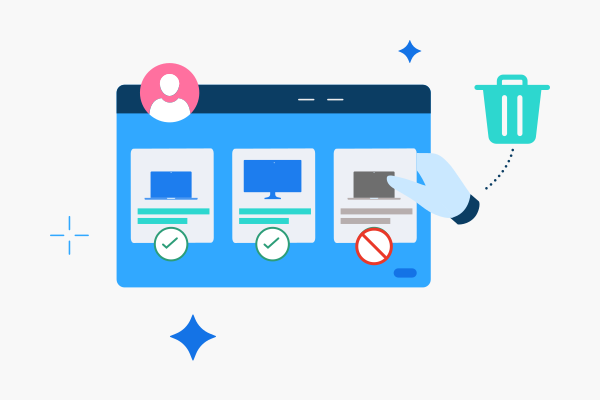
Supprimez les appareils qui ne vous appartiennent pas.
Conformément à la politique de gestion des comptes d’Adobe, vérifiez les appareils connectés à votre compte et désactivez ceux qui ne vous appartiennent pas.
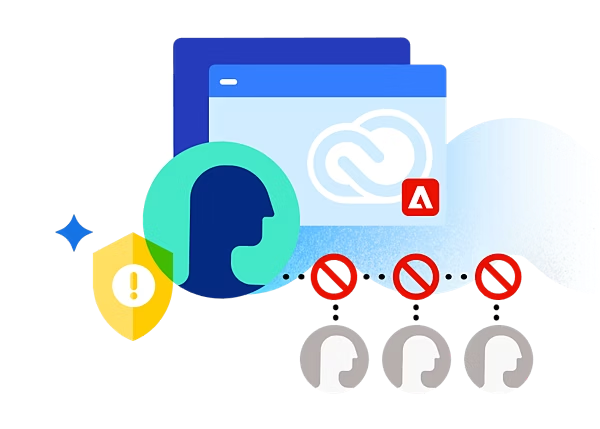
Il semble que votre compte soit utilisé par plusieurs personnes. Vous devez changer de mot de passe pour protéger votre compte Adobe. Un compte Adobe ne peut être utilisé que par une seule personne et ne peut pas être partagé.
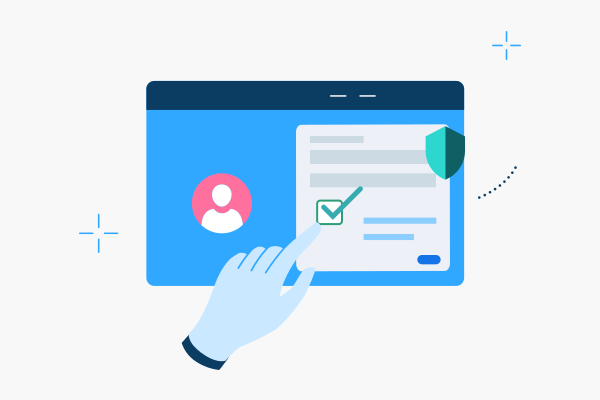
Pour changer le mot de passe de votre compte Adobe, rendez-vous sur cette page afin d’obtenir des instructions détaillées.
Avec un abonnement Indépendants et particuliers, vous pouvez :
utiliser les applications Adobe sur un seul appareil à la fois ;
vous connecter à votre compte (l’activer) sur deux appareils.
Si vous souhaitez vous connecter à des applications Adobe (ou les activer) sur un troisième appareil, vous devrez d’abord vous déconnecter (ou les désactiver) d’un autre appareil. Découvrez plus en détail comment utiliser une application Adobe sur plusieurs appareils.
Procédez comme suit pour gérer les appareils sur lesquels vous vous êtes connecté ou connectée à votre compte Adobe (ou que vous avez activés).
Dans le menu déroulant Formules et paiement, cliquez sur Appareils activés.
Pour vous déconnecter ou déconnecter une autre personne de l’un de vos appareils, cliquez sur le bouton Désactiver en regard du nom de l’appareil.
Lorsque vous vous déconnectez d’un appareil (le désactivez), les applications Adobe installées sur ce dernier ne fonctionnent plus et la synchronisation des fichiers s’arrête.
Après que vous avez changé de mot de passe et fermé les sessions actives, il peut se passer un délai de 24 à 48 heures avant que vous cessiez de recevoir ces notifications.
Non, un abonnement Indépendants et particuliers ne peut être utilisé que par une seule personne. Il n’est pas possible de le partager. Vous trouverez des informations supplémentaires dans les conditions générales d’utilisation d’Adobe, section 3. Utilisation des Services et des Applications.
Dans la plupart des cas, un particulier peut opter pour un abonnement Équipe au lieu d’un abonnement Indépendants et particuliers, mais il y a des exceptions. Les abonnements Équipe sont destinés à plusieurs personnes. Cependant, chaque membre de l’équipe doit disposer d’une licence (qui peut être gérée facilement dans Admin Console). Consultez les conditions requises pour passer d’un abonnement Indépendants et particuliers à un abonnement Équipe.
Découvrez comment vous déconnecter d’une application ou d’un compte Adobe.
style
Grid-width-10
background
#F8F8F8
style
xl-spacing-bottom
background
#F8F8F8
Besoin d’aide ?
Contactez le support Adobe au 33805542146 ou lancez une conversation.
Cookie Settings
General information
You can control how Adobe websites use cookies and similar technologies by making choices below. But note that if you disable cookies and similar technologies entirely, Adobe websites may not function properly.
Cookies are small text files stored by your web browser when you use websites. There are also other technologies that can be used for similar purposes like HTML5 Local Storage and local shared objects, web beacons, and embedded scripts. These technologies help us do things like remembering you and your preferences when you return to our sites, measure how you use the website, conduct market research, and gather information about the ads you see and interact with.
You can make choices in the menu below about what cookies and other technologies you want us to use on Adobe sites when you visit them from this browser. You can always change those choices later by clicking on the Cookie Preferences link at the bottom of the page.
If enabled:
We can improve your experience by tailoring the site and the content to things we think might be of interest
We can better keep track of your preferences — like what language you prefer to use
We will better understand your likely interests so we can provide you more relevant Adobe ads and content on non-Adobe websites and in non-Adobe apps
It will help us improve the performance of our website and those of our partners who use the Adobe Experience Cloud
If disabled:
We won’t be able to remember you from session to session so the experience may not be tailored to your interests
You’ll still have access to the content of the site but certain features that depend on cookies may not function
You’ll still see ads, they just may not be as relevant to you
General information
You can control how Adobe websites use cookies and similar technologies by making choices below. But note that if you disable cookies and similar technologies entirely, Adobe websites may not function properly.
Cookies are small text files stored by your web browser when you use websites. There are also other technologies that can be used for similar purposes like HTML5 Local Storage, web beacons, and embedded scripts. These technologies help us do things like remembering you and your preferences when you return to our sites, measure how you use the website, conduct market research, and gather information about the ads you see and interact with.
You can make choices in the menu below about what cookies and other technologies you want us to use on Adobe sites when you visit them from this browser. You can always change those choices later by clicking on the Cookie Preferences link at the bottom of the page.
If enabled:
We can improve your experience by tailoring the site and the content to things we think might be of interest
We can better keep track of your preferences — like what language you prefer to use
We will better understand your likely interests so we can provide you more relevant Adobe ads and content on non-Adobe websites and in non-Adobe apps
It will help us improve the performance of our website and those of our partners who use the Adobe Experience Cloud
If disabled:
We won’t be able to remember you from session to session so the experience may not be tailored to your interests
We’ll still count your use of our site and services
You’ll still have access to the content of the site but certain features that depend on cookies may not function
You’ll still see ads, they just may not be as relevant to you
Operate the site and core servicesOperate site and measure engagement
Always active
These cookies are required, and they are used to enable the site and related services core functionality. Without them the site could not operate, so they cannot be disabled.
These cookies enable the site and related services’ core functionality and collect statistics about user engagement, such as counting active use to help us understand trends. These cookies cannot be disabled.
Measure performance
These cookies are used to analyze site usage to measure and improve performance. Without them Adobe cannot know what content is most valued and how often unique visitors return to the site, making it hard to improve information we offer to you.
These cookies are used to analyze site usage to measure and improve performance. Without them Adobe cannot know what content is most valued, making it hard to improve information we offer to you.
Extend functionality
These cookies are used to enhance the functionality of Adobe sites such as remembering your settings and preferences to deliver a personalized experience; for example, your username, your repeated visits, preferred language, your country, or any other saved preference.
Personalize advertising
These cookies are used to enable Adobe and our partners to serve ads more relevant to your interests. Without them you will still see ads, but they might not be as relevant to you.