Introduction
[Kenneth Hines Jr.]: Are you in need of ideas on how you can enhance your images in Lightroom?
Color Grading could be the perfect tool to make it happen.
I'm ZEISS Ambassador Kenneth Hines Jr., and today we'll be exploring Color Grading and how it can elevate the vibe of your image, giving an additional creative look.
Color Grading allows you to adjust your images with color tints
Understanding the color grading controls
in the Shadows, Midtones, and Highlights, along with the Global adjustment that applies a tint to the entire image.
You can adjust the color Hue, intensity of the colors with Saturation and brightness, or darkness with Luminance adjustments for each selection.
Further adjustments that you can apply are Blending and Balance.
Blending is used to adjust how strong or gradual the separation between Shadows, Midtones, and Highlights will be.
Balance shifts your color tonal prominence to the lighter or darker tones in your image.
Let's look at this black and white image
Applying shadows, midtones, and highlights
to demonstrate the effects of Color Grading, as it makes it easier to see the subtle color changes.
You can choose whatever value you'd like for your Hue, which controls the color of your tint you'd like to apply.
By increasing the value of Saturation, you'll see the tinting happening in the darkest areas of the image.
Now let's adjust the Luminance, which makes the adjustment brighter or darker.
We'll do the same for our Midtones.
And again, we can control the brightness and darkness with our Luminance, and we'll also apply the same for our Highlights.
Using global color grading and resetting adjustments
Let's move on to applying a Global adjustment.
Before this, I'll reset my Color Grading adjustments to better show how Global is applied across the image.
We can do this by right-clicking anywhere inside the Color Grading panel to open up a dropdown menu and select Reset 3-Way.
You can also hold the Option or Alt key to show a Reset selection at the top of the panel, which resets all adjustments.
Global applies tints across the entire image.
This works great for black and white images such as this, where you may want to infuse a slight color to your image.
Let's demonstrate by applying a green look and bring in our Saturation slightly.
As you can see, we have just a small tint while not taking away from the black and white itself.
Let's look at a color image example and apply these methods here.
Color grading a color image for a vintage look
This image inside of Grand Central is a nice image, but I want to minimize a bit of the red-orange color and have a more vintage look to this image by applying a greenish color tint.
Let's select the Hue value we want, and then we'll bring in our Saturation, we'll also apply this for our Midtones as well as our Highlights.
Now we have what I think is a more flattering image than before.
Here're a couple of additional examples
Reviewing creative color grading examples
where Color Grading complimented our image for a better result.
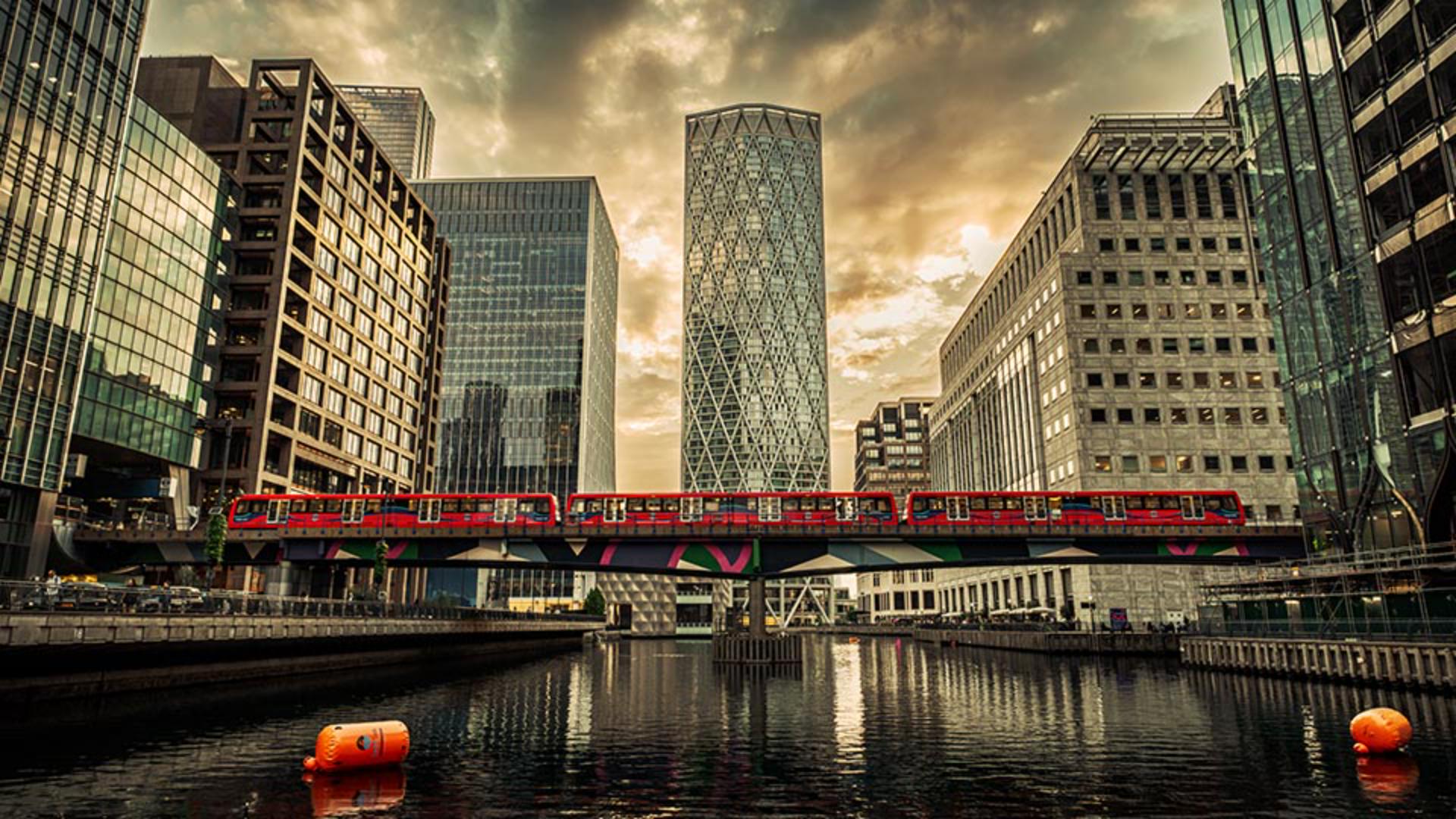
This image of London, I applied adjustments only to the Midtones and Highlights, giving a warmer tone to this sunset image.
In this wedding image, I decided to give a tint that was identical in color to the purple flowers we have.
To give a bit more color to the overall image, an adjustment was made to Shadows solely for darkening with Luminance.
Midtones, I applied a warm color tint and finish with the Highlight adjustment with the purple Hue to apply to the white of the flowers in the bouquet.
Now that you know how the controls in the Color Grading panel work, give this feature a try with your own images and see what color tint combinations you can create.
I'm Kenneth Hines Jr., and I look forward to exploring more of Lightroom with you soon.