Acrobat
How to use AI for contract analysis and review.
Transform how your business reviews contracts with the help of AI. Learn how Adobe’s AI tools can speed up contract analysis, flag potential risks, and keep you compliant with India’s contract law requirements.
Contracts, Digital Transformation, Document Management
Contracts are a critical part of any business, from vendor deals to property leases and everything in between. However, the manual review process can be a significant bottleneck: it’s time-consuming, technical, and has high risks for human error. This is especially true for small businesses in India, which may not have a dedicated legal team to take care of such matters.
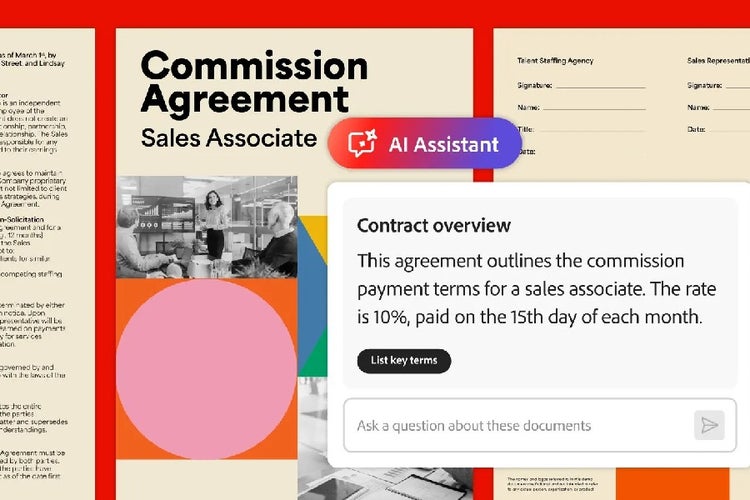
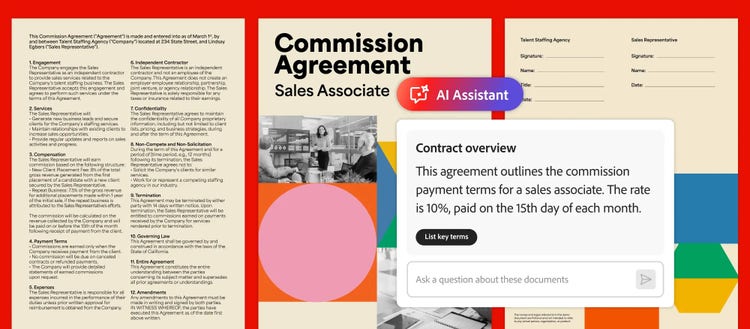
This is where AI has the potential to become a gamechanger. With tools like Adobe Acrobat’s AI Assistant, businesses can now review contracts faster, highlight key clauses, and automatically flag potential risks, all while keeping standards like the Indian Contract Act, 1872, in view.
For small and medium enterprises (SMEs), this technology is a major advantage. It helps reduce dependency on expensive legal reviews and frees up capital and resources without compromising accuracy.
What is a contract review?
A contract review is the process of carefully examining a legal agreement before it is signed. The primary goal is to ensure that all terms and conditions are clear, fair, and legally enforceable.
This legal document review involves a close analysis of the entire document, with special attention to key clauses: payment terms, deliverables, confidentiality obligations, liability, dispute resolution, and conditions for termination. A proper review verifies that the agreement accurately reflects what was negotiated and aligns with your business's best interests.
Why is the contract review process important for businesses?
A contract review is a critical risk management tool, and its importance for businesses can't be overstated.
- Risk mitigation: It is your primary defence against future losses. A careful review helps you swiftly identify and address potential liabilities, unfavourable clauses, or ambiguous language that could lead to costly legal disputes down the line.
- Clarity and alignment: The process guarantees that both your business and the counterparty have a shared, exact understanding of all rights, obligations, and deliverables, which is essential for a productive and healthy partnership.
- Legal enforceability: It confirms that all terms comply with relevant laws, ensuring the agreement is valid and enforceable when you need it most.
How AI works for contract analysis and review.
AI for contract analysis and review uses natural language processing (NLP) and machine learning to read, understand, and extract meaning from legal text. For instance, when you upload a contract to an AI-powered tool like Adobe Acrobat Studio, here’s what happens:
1. Clause detection.
The AI identifies standard clauses, such as confidentiality, payment terms, termination, and warranties.
2. Risk flagging.
AI highlights areas that may pose compliance or financial risk, especially clauses that may conflict with the Indian Contract Act, 1872 (ICA) or specific GST compliance requirements in payment terms. For example, penalty clauses or one-sided obligations.
3. Summarisation.
AI provides a concise summary that outlines obligations, key dates, and risk points. This is especially helpful for quickly verifying details in complex agreements involving foreign currency payment schedules or IP ownership clauses in outsourcing deals.
This contract review automation is a practical solution for India’s fast-growing SME sector, where quick decision-making and streamlined operations are essential for scaling rapidly.
Step-by-step guide: How to review a contract using Adobe AI.
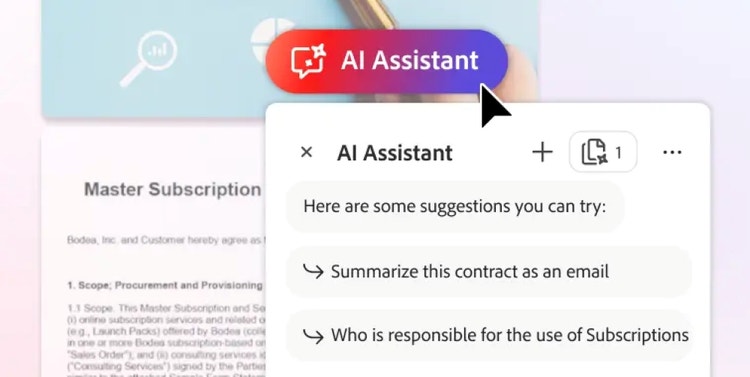
Follow this AI-assisted contract review process to cut hours of manual review time down to minutes. Using Adobe Acrobat’s AI-powered tools, you can run a fast, accurate first-pass review of any contract.
-
Open the PDF file in Adobe Acrobat.
-
Click the chat icon on the right panel.
-
Type in your prompt. Here are some things you could try:
a. Run an initial summary prompt to get a quick overview of the document. Prompt example: “Analyse this contract and summarise key points: parties, effective date, term/renewal, payment terms, termination, liability/indemnity, confidentiality, dispute resolution, and any immediate red flags.”
b. Extract clauses in a contract-review format. Prompt example: “Create a contract review format: list each clause title, clause text excerpt, risk level (low/medium/high), why it’s a risk, and recommended action (accept / negotiate / consult lawyer).”
c. Flag specific risks and statutory checks. Prompt example: “Flag any clauses that could be problematic under Indian law (Indian Contract Act, 1872), data protection (DPDPA 2023), consumer protection, tax ,or labour law.”
d. Request plain-language summaries for non-legal stakeholders. Prompt example: “Summarise the payment & termination clauses in plain English for our finance team.”
-
Review the outputs of AI Assistant and be sure to countercheck it against the original contract to be safe.
Best practices for contract review automation.
- Human validation: Treat AI as first-pass. Always route critical items with a lawyer.
- Version control: Keep an unedited original and a working copy annotated with AI notes.
- Data privacy: Avoid uploading extremely sensitive personal data unless your Adobe account and settings meet your company’s data-governance and DPDPA requirements.
- Template playbook: After reviewing a few contracts, build reusable prompts and template to speed future reviews.
- Document retention: Save AI outputs (summaries, checklists, rewrite suggestions) alongside the contract for auditability.
Frequently asked questions.
- Faster turnaround: Contracts reviewed in minutes instead of days.
- Cost savings: Reduce reliance on expensive legal retainers.
- Better accuracy: AI catches inconsistencies across multiple documents.
- Improved compliance: Ensures terms align with Indian regulatory norms.
- Enhanced collaboration: Share annotated summaries across teams securely.
Adobe retrieves responses directly from source documents, ensuring relevance and accuracy. The AI features in Acrobat and Acrobat Reader rely on advanced large language models. However, they may occasionally produce inaccuracies or content that don’t align with Adobes views, especially when used for unrelated content.
More resources