Summary generator

{{verb-widget-legal}}
Over 110M* summaries generated!
Join millions of users who have successfully generated summaries of their PDFs using Acrobat.
*Over an 18-22 month period.

How to summarise a PDF with AI?

Looking to summarise your PDFs? Adobe Acrobat’s AI summary generator helps you quickly extract key insights from large documents, PDFs, reports, research papers, invoices and more. AI Assistant delivers accurate, customisable summaries — fast.

Follow these steps to generate a short summary of lengthy text documents using our PDF summariser:
https://video.tv.adobe.com/v/3469591?hidetitle=true

  1. Drag and drop your file or upload it from your device.
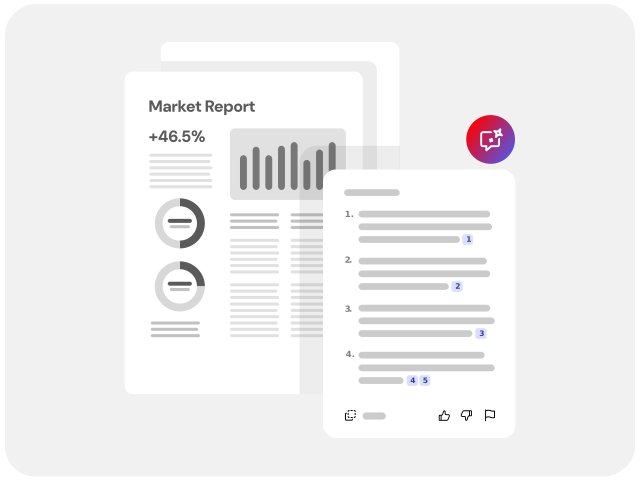
  2. Review the generated summary, then use the “Chat with PDF” feature to ask specific questions, explore sections in more detail, or request a different summary format.
  3. Copy the summary and use it wherever you need.

Sample prompts to try with our AI PDF Summariser.

Prompts guide the AI to help you complete tasks faster. Try one of the prompts below or explore our full list of prompts. Click to copy, then select a file and paste the prompt to get started.

Prefix
Ask
Button
Copy
Toast
Copied to clipboard
Title
Prompt
Executive summary
Summarise this presentation so my manager can read it in less than a minute.
Action items
What are the key action items for the attendees of this presentation?
Sum it up
Summarise this document in 3 sentences.
Contract terms
Summarise the payment terms outlined in this contract.

Try our AI PDF summariser tool for free

https://main--dc--adobecom.aem.live/dc-shared/assets/images/shared-images/frictionless/seo-icons/document-insights.svg | A PDF and lightbulb highlight concise PDF summaries

Get concise summaries fast

Upload your document to generate a short summary in seconds. Adobe’s AI PDF summariser helps you save time and quickly understand the most important points.

https://main--dc--adobecom.aem.live/dc-shared/assets/images/shared-images/frictionless/seo-icons/reliable-pdf.svg | An Acrobat PDF with a measurement bar showing you can easily adjust summary length

Adjust summary length and format

Shorten or expand your summary to suit your needs. Choose bullet points or paragraph formats for easier reading, sharing, and reuse.

https://main--dc--adobecom.aem.live/dc-shared/assets/images/shared-images/frictionless/seo-icons/fast-pdf.svg | A clock representing fast PDF AI summaries

Ask questions and explore insights

Review the AI-generated summary, then select a suggested question or ask follow-up questions to deepen understanding and improve readability.

https://main--dc--adobecom.aem.live/dc-shared/assets/images/shared-images/frictionless/seo-icons/document-references.svg | An icon of a document with quotation mark and highlighted text representing how you can easily find the source in your original text

Trace answers back to linked sources

AI-generated summaries include numbered citations so you can verify information easily. Select a citation to see the source highlighted in your document.

https://main--dc--adobecom.aem.live/dc-shared/assets/images/shared-images/frictionless/seo-icons/s-illu-searchable-text-42.svg | A magnifying showing how you can use AI to analyse your document

Summarise scanned PDFs with OCR

Understand image-based and scanned PDFs using built-in OCR, allowing text content to be analysed and summarised accurately.

https://main--dc--adobecom.aem.live/dc-shared/assets/images/shared-images/frictionless/seo-icons/best-pdf.svg | A PDF icon representing that Acrobat has the best PDF AI tools

PDF AI you can trust

As the inventor of the PDF file format, Adobe delivers AI technology built with security in mind, so you can use our online summary tool confidently.

Whether you’re a professional, a student, or a creative, Acrobat AI Assistant can revolutionise the way you work.

https://www.adobe.com/acrobat/generative-ai-pdf.html#_blank | photo of professional woman

For professionals

Reports made easy. Summarise key points and extract critical data, saving hours of manual analysis.

https://www.adobe.com/acrobat/students.html#_blank | photo of university student

For students

Study smarter, not harder. Reduce reading time and quickly identify key information for effective exam preparation.

https://www.adobe.com/acrobat/business/generative-ai.html#_blank | photo of business owner

For business

Generating trusted summaries. Get high-quality insights to create exceptional business content, ensuring your messaging is both accurate and impactful.

More ways to work with PDFs

Try our online tools to convert, compress and merge PDF files - Acrobat can do it all.

Questions about the PDF summariser tool? We have answers.

What is an AI PDF summariser?
An AI PDF summariser is a tool that uses artificial intelligence to quickly scan and condense long or complex documents into concise summaries. It highlights key points and essential information, making it easier to review large volumes of content efficiently, saving time, and boosting productivity across various industries.
How does an AI summariser work?
An AI summariser analyses your document and extracts the most important points into a clear, structured summary. Acrobat’s AI summary generator creates an overview with headings, bullet points, and key insights so you can understand long content quickly. You can also request a new summary or adjust the length to suit your needs.
What kind of documents can you use a summary generator for?
You can use the AI summary generator for PDFs, Word documents, PowerPoint files, TXT files, RTF files, and more. It works well for reports, articles, academic papers, and long documents where you need to understand key points quickly. Summaries include linked citations so you can easily verify information in the original document.
Can I summarise very long documents?
You can summarise documents up to 600 pages or 100 MB in size. The AI PDF summariser extracts key points from large files so you can understand lengthy content quickly.
Can I summarise individual sections of a PDF document?
Yes. Upload your PDF and request a summary of a specific section to focus on the content you need. You can also ask questions that analyse data across tables within the document.
Can I use the generated summary for work, study, or research?
Yes. Generated summaries can be used to support work tasks, academic study, and research by helping you review and understand documents faster. Learn more about practical use cases in this guide on how to use a PDF summariser to save time.
Is AI Assistant a secure tool to use as an online text summariser?
Security is paramount to Adobe, especially when it comes to advanced AI capabilities. When you upload documents using this tool, they will be deleted from our servers to respect your privacy if you don’t sign in. Security measures are also built into every PDF created with Acrobat.

In addition, Adobe has integrated the Microsoft Azure OpenAI Service with our proprietary technologies to provide generative AI capability in Acrobat. Adobe and its service providers do not use Adobe customer content to train generative AI models.

More resources

Content as a Service v3 - summary-generator - Thursday, 17 July 2025 at 14.45

Verb
ai-summary-generator

Try these Acrobat online tools

Convert from PDF

Convert to PDF

Reduce file size

Edit

Sign & Protect

Generative AI

Convert from PDF
Convert to PDF
Reduce file size
Edit
Sign & Protect
Generative AI