Adobe Acrobat
How to summarise PDF reports using AI for impactful presentations.
Turn complex reports into clear, compelling slides with the help of AI. Discover how to easily summarise PDFs, extract data, and highlight insights to make your presentation shine.
Published by Adobe Acrobat India on 5 Janury 2026
Preparing a presentation often involves sorting through lengthy reports and detailed documents and manually jotting down notes. Whether it’s a quarterly sales update, a market analysis for India, or a client briefing across multiple regions, this step is crucial in identifying key points and ensuring your message stays accurate and focused., this step is crucial in identifying key points and making sure the message is accurate and focused.
What AI does is automate this process for you, so you can move from research to ready-to-present insights faster. It scans through documents, extracts important information, and delivers summary notes in just a few clicks.
In this blog, we will discuss exactly how AI can transform the way you interact with your documents and prepare for your presentations.
Why does summarising PDF reports matter for effective presentations?
When it comes to presentations, clarity is everything. Whether you’re pitching to clients or briefing your internal team, data-driven insights build credibility. But when your source is a 50-page report, identifying what matters most can be exhausting.
AI solves this by automatically summarising content and turning dense reports into clear, structured notes. This ensures you focus on decision-making, not data hunting — and that your slides are backed by verified facts.
In short: summarising PDFs with AI helps professionals work faster, stay accurate, and deliver more impactful presentations.
Step-by-step: How to summarise PDFs for presentations.
Creating a summary from a lengthy PDF doesn’t have to be complicated. With Adobe Acrobat’s AI-powered tools, you can instantly extract key insights and takeaways from reports, case studies, financial statements, meeting notes, and other similar documents. There are multiple ways to summarise a PDF, depending on how you prefer to work: whether through the Acrobat Studio, online summary generator or the chat with PDF feature. Each option makes it easy to turn long documents into clear, presentation-ready summaries in just a few clicks.
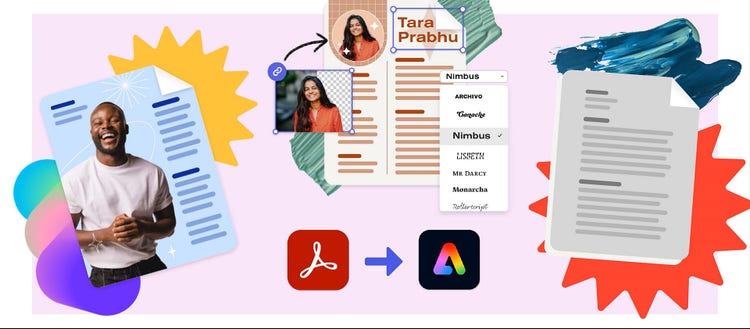
How to create presentations with Adobe Express inside Acrobat Studio.
With Adobe Express now integrated directly into Acrobat Studio, you can design, style, and enhance your files without leaving your document. Here's how to get started:
- Open your PDF in Acrobat Studio.
- From the global bar at the top, click Edit.
- Choose from the options under Design with Adobe Express:
- Stylize this PDF
- Use design tools
- Design a new page
- Your file will open in Adobe Express in a browser tab. From here, you can access templates, brand kits, Firefly-powered generative AI features, and other design tools.
- Once your design is complete, save or export your file as a PDF and return to Acrobat Studio to continue refining or sharing your work.
For professionals in India managing multiple projects or regional teams, this workflow saves valuable time. Instead of toggling between apps, you can refine, design, and finalise your slides all within the same document and with just a few clicks. Whether you’re preparing a sales update, quarterly review, or marketing report, Acrobat Studio ensures your data-backed presentations look polished and presentation-ready in minutes.
While Acrobat Studio offers the most integrated way to design and summarise your content for presentations, Adobe also provides other AI-powered options for quick summaries.
How to summarise PDFs using Adobe’s online summary generator.
- Go to Adobe Acrobat’s summary generator page.
- Click “Select a file” or use the drag and drop option to upload your file.
- AI will generate a concise summary of your lengthy text documents.
- Review the generated summary of the uploaded original content.
- Copy the summary and paste key points directly onto your presentations.
How to use the Chat with PDF tool to extract key insights.
- Go to Adobe Acrobat’s chat with PDF page.
- Click “Select a file” or use the drag and drop option to upload your file.
- Interact with your document by typing a prompt, such as “Summarise the main findings of this report.”
- Ask AI to refine the summary or adjust tone as needed.
- Review the generated summary of the uploaded original content.
- Copy the summary and paste key points directly onto your presentations.
How to summarise PDFs with the AI Assistant in Adobe Acrobat.
- Open your PDF file in Adobe Acrobat.
- Click the Generative summary icon in the navigation panel. Alternatively, you can select All tools > Generative summary.
- Review the generated summary of the uploaded original content.
- Copy the summary and paste key points directly onto your presentations.
Whether it’s a sales team tracking market trends or consultants preparing client decks, AI can help reduce time spent reviewing and ensure your presentations stay accurate and relevant.
Tips to turn summarised insights into winning presentations.
- Organise by theme: Group related points into sections, such as trends, insights, and recommendations. This helps maintain logical flow and storytelling clarity.
- Visualise key data: Turn statistics into graphs, infographics, or charts for easier comprehension. Data visuals make complex points instantly clear to your audience.
- Add storytelling: Don’t just read off data points. Explain why the insights matter and how they impact decisions or strategy. Story-driven slides connect better with your audience.
- Keep it concise: Limit each slide to 5–7 points or key visuals. This helps maintain engagement and prevents information overload.
- Make the most out of ready-to-use templates: Browse free and ready-to-use Adobe Express presentation templates, so you don’t have to start from scratch.
Benefits of using AI to summarise PDFs for presentations.
Using AI to summarise PDFs isn’t just about speed. It about transforming how you work with information. Here’s how it makes a real difference:
Save time and effort.
No more manually reading through dozens of pages to find what matters. AI quickly identifies the most relevant insights, condensing lengthy reports into summaries you can review in minutes.
Improve accuracy and comprehension.
AI tools use advanced language models to capture context, patterns, and key data points systematically. This reduces the risk of overlooking important information and ensures your presentations are backed by complete, reliable insights.
Boost productivity and creativity.
With the heavy reading done for you, you can spend more time refining your message, designing your slides, and adding your expert perspective. It’s the perfect balance between automation and creativity.
Encourage collaboration.
For teams that collaborate across time zones, such as APAC marketing teams or global research departments, AI-generated summaries help everyone start from the same concise, reliable base. Instead of re-reading entire reports, each team member can focus on tailoring insights for their own local market or client needs.
Enhance storytelling and engagement.
A well-structured AI summary gives you a clear narrative foundation. Instead of overloading your audience with data, you can use clean, organised notes to build a story that flows naturally.
Ensure consistency across multiple reports.
Whether you’re preparing a quarterly review or compiling research from different sources, AI-generated summaries maintain a consistent tone and structure. This makes it easier to compare findings and keep your presentation format uniform.
How does an AI PDF summary generator work?
An AI summarising tool quickly analyses your uploaded document to identify and extract the most relevant information, helping you get to the key points faster. In Adobe Acrobat, this feature is called Generative Summary. With just one click, it creates a clear document outline, complete with headings, section links, bullet points, and concise overviews of each part.
By rephrasing lengthy text into an easy-to-read summary, you can grasp complex reports, research papers, or news articles in a fraction of the time. You can even customise the summary by asking the AI Assistant to generate a new version, refine tone, or adjust the character length to fit your presentation or notes perfectly.