#1E1E1E

Acrobat

How to create PDF invoices for freelancers and self-employed contractors in India.

A practical guide to help freelancers in India create professional, compliant invoices from choosing the right format to understanding what details to include, and how to send them with confidence.

Explore Adobe Acrobat

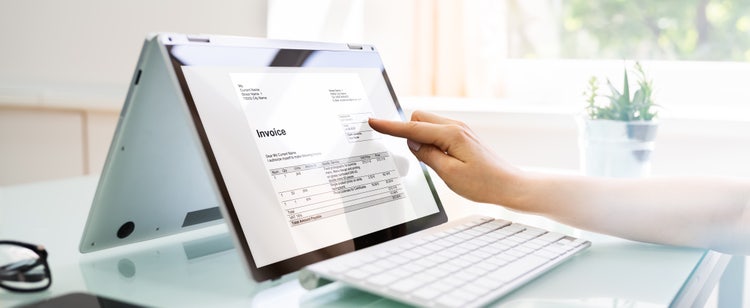
Person reviewing a digital invoice on a touchscreen laptop, with PDF invoice details displayed on the screen, suitable for freelancers or self-employed contractors.
Freelancing comes with its own set of responsibilities and invoicing is one of the most important. If you are a freelancer or self-employed contractor in India, sending accurate, professional invoices is essential for getting paid on time and managing your finances effectively. In this article, you will learn how to create an invoice for freelance work, explore the different types of invoices you might need, and find out how to generate a PDF invoice that meets both client expectations and local compliance standards.

What is an invoice?

An invoice is a written document issued by a seller or service provider to request payment from a client, outlining the details of the goods or services provided, the agreed-upon price, and the terms of payment.

There are different types of invoices that serve different purposes. Find out which best suits freelancers and self-employed contractors.

What is the purpose of an invoice?

An invoice serves multiple important purposes, especially for freelancers and self-employed contractors:

Proof of work and amount owed.

It acts as a clear record of the services provided and the total cost. This helps avoid misunderstandings and ensures transparency with clients.

Financial and tax documentation.

In India, proper invoicing supports income tracking, income tax filing, and, if applicable, GST compliance. It provides a paper trail for audits or disputes.

Payment tracking.

Invoices help monitor outstanding payments, track earnings over time, and keep your records organised across multiple clients or projects.

When should freelancers and contractors raise an invoice?

The right time to raise an invoice depends on the terms agreed with your client. As a freelancer or self-employed contractor, you should always clarify when and how you will be paid before starting the work. Here are common scenarios for when to issue an invoice:

After completing the project or service.

This is a typical arrangement for many freelancers and self-employed contractors where the invoice is sent once the work has been delivered and approved.

Upon reaching a milestone.

For larger projects, you can invoice in stages (e.g. 50% upfront, 50% on completion or after specific phases).

On a recurring basis.

If you are working on a monthly retainer or regular service, you can raise invoices weekly, fortnightly, or monthly, depending on your arrangement with the client.

Before starting the work (advance invoice).

Some freelancers charge partially or fully in advance. This should always be discussed and agreed with the client prior.

If you are GST-registered, you must issue tax invoices within 30 days of providing your service. This is important for tax reporting and allows your client to claim input tax credit.

What is included in an invoice?

  • The words “Invoice” or “Tax Invoice”
  • Your full name or business name – The individual or legal entity providing the service.
  • Your contact details – Address, phone number, and email for communication.
  • Client’s name and contact details – Who the invoice is being sent to.
  • Unique invoice number – In India, a unique, serial number that follows a logical order like INV-2025-001 is required for tracking and reference.
  • Invoice date – The date the invoice is issued.
  • Due date and payment terms – For example, “Payment due within 30 days.”
  • Description of services provided – A clear summary like “Website design for homepage.”
  • Quantity and units – Such as “10 hours” or “3 pages.”
  • Rate per unit or service – E.g. ₹1,000 per hour.
  • Subtotal before GST – The total cost before applying taxes or fees.
  • Additional charges – If applicable, such as software costs or revisions.
  • Your GSTIN (if registered) – Required if you are under the GST system in India.
  • Client’s GSTIN (if applicable) – Include if your client is GST-registered.
  • Applicable tax rate and amount – E.g. 18% GST = ₹900 tax on ₹5,000.
  • Your PAN number – Useful for tax records, especially if you are not GST-registered.
  • Total amount due – The final amount payable, including tax and fees.
  • Accepted payment methods – Bank details, UPI ID, Razorpay, PayPal, etc.

Types of Invoices for freelancers and self-employed contractors.

There are several types of invoices used by freelancers in India, each serving a specific purpose depending on how and when you charge for your work.

Commercial invoice.

This is the most common invoice issued after completing a project. It is used to request payment from the client and provides a breakdown of services delivered. Suitable for both local and international freelance work.

Explore commercial invoice templates

Proforma invoice.

A proforma invoice is a preliminary document sent before starting the work, offering an estimated cost. It is used to get client approval and set clear expectations, but it is not a legally binding invoice.

Time-based (timesheet) invoice.

This type of invoice is based on hours or days worked, showing the rate and time spent. It is used when billing by the hour, commonly by consultants and service professionals. It ensures transparent, time-based charging.

Credit and debit notes.

These documents adjust previously issued invoices. A credit note reduces the amount due (e.g. for a refund or discount), while a debit note increases it (e.g. for added work or corrections).

Tax invoice.

A tax invoice includes GST details like your GSTIN, tax rates, and HSN/SAC codes. It is required when charging GST and enables the client to claim input tax credit under Indian tax law.

Explore tax invoice templates

Bill of supply.

Bill of supply is used by freelancers who are not registered under GST or selling tax-exempt services. It looks like a regular invoice but excludes tax components, and is fully valid for record-keeping.

There are also other types of the invoice such as expense report, interim invoice, final invoice, past due invoice, recurring invoice and e-invoice.

How to create an invoice for freelance work in India.

Creating a clear, consistent invoice helps you get paid on time and maintain a professional image. There are several ways to create a PDF invoice template for your freelance business:

After deciding how you want to create your invoice, here are the key steps to get it done.

1. Use a clean, reusable template.

Start with a simple, easy-to-read invoice format that you can use repeatedly. Include your business name, and optionally, a logo for branding.

2. Add your contact details and the client’s information.

Include your name, address, phone number, and email ID. Do the same for your client so the invoice clearly identifies both parties.

3. Assign an invoice number and add key dates.

Give each invoice a unique number (e.g. INV-2025-004) to track payments easily. Include the invoice date and payment due date.

4. Provide a clear breakdown of services.

List each service you provided, along with quantities, rates, and total cost before tax. This helps avoid confusion and sets expectations.

5. Include tax details and identification numbers.

  • If you are GST-registered, include your GSTIN, applicable GST rates, and the tax amount.
  • If not, include your PAN, and mark the invoice as not subject to GST.
  • Add the client’s GSTIN if applicable.

6. State payment terms and methods.

Clearly mention the payment timeline (e.g. “within 30 days”) and any late fees. List accepted payment methods like UPI ID, bank transfer, Razorpay, or PayPal.

It is also good practice to keep a copy of every invoice you send to your clients as Indian tax authorities require that records be retained for a set number of years. These may be needed in case of audits, disputes, or future clarifications.

Best practices for sending invoices to clients.

Now that you have crafted your invoice, the next step is to send it effectively. The most common way for freelancers to issue an invoice is by emailing it as a PDF attachment.

Here are a few tips to make the process smooth and professional:

Keep the subject line clear and concise.

Use something straightforward like “Invoice INV-2025-004 – [Your Name]”. This helps your client spot it easily in their inbox.

Summarise the key details in your email.

In the body of the message, include a quick summary: the invoice number, the total amount due, and the payment deadline. It saves your client from digging through the attachment just to get the basics.

Be polite and appreciative.

A little kindness goes a long way. Thank your client for the opportunity or simply let them know you appreciate working with them. It helps keep the relationship positive and professional.

Send gentle reminders if needed.

If the payment due date is coming up and you have not heard back, send a friendly follow-up. Often, clients just missed the email or forgot — a quick nudge can make all the difference.

Request a read receipt.

Some email platforms allow you to request a read receipt. It is a simple way to confirm your message was opened.

Frequently asked questions.

How do I invoice international clients as a freelancer in India?

You can issue a commercial invoice in INR or in the client’s preferred currency. However, you must comply with RBI and FEMA guidelines for receiving foreign payments.

How do you resolve an invoice with the wrong amount?

If you have issued an invoice with the wrong amount, you should issue a credit note to reduce the amount or a debit note to increase it. This keeps your records accurate and helps avoid confusion. Always document the correction and share it with the client.

Do I need to sign my invoice?

A signature is not legally required, however, some clients may specifically request a signed invoice for internal or accounting purposes. You can easily add a digital signature using Adobe Acrobat’s online tool.

What should I do if a client refuses to pay after receiving an invoice?

Start with polite follow-ups to check if there were any issues or delays. If there is no response, you can send a formal notice, suggest mediation, or seek legal advice. Keeping clear records of your work, agreement, and communication will support your case.

More resources

Content as a Service v3 - Tuesday 14 October 2025 at 18:13

https://main--dc--adobecom.hlx.live/dc-shared/fragments/roc/blog/do-more-with-acrobat-blade