
Photography
Use Adobe Photoshop to make a photo composite.
Learn how professional artists create striking composite photos and apply photo composite ideas to different types of pictures.


Photography
Learn how professional artists create striking composite photos and apply photo composite ideas to different types of pictures.
JUMP TO SECTION
Follow this composite photography tutorial from Temi Coker
Photo composite ideas for creative inspiration
Photo compositing vs photo composition, what is the difference?
A composite photo is an image created by combining two or more separate photographs into a single, seamless visual that appears as one unified scene.
Similar to collages and multimedia art pieces, composites can combine elements from a number of different pictures, paintings, graphic art and other mediums, including portraits, landscapes and conceptual imagery.
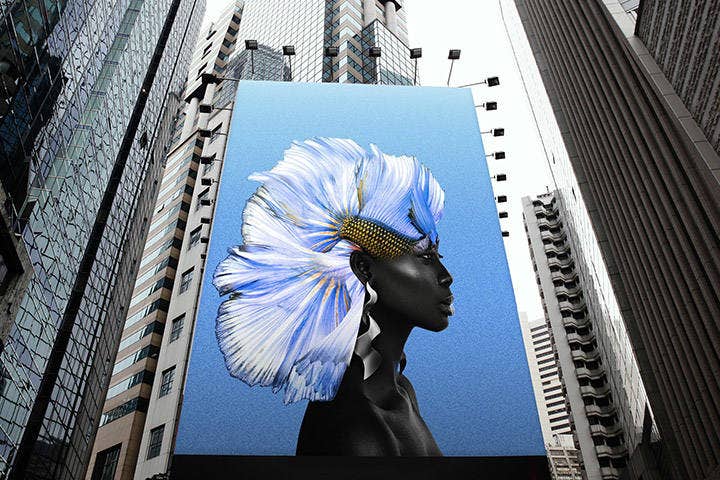
Some composites are fantastical or surreal, while others go for a more realistic blend. For example, you might want to swap the background of an image, a common technique used in commercial and editorial composite photography. If light and shadow are correctly modified, these composites can become indistinguishable from a photo shot on location.
There are dozens of different styles of composites to experiment with to create online graphics, posters and more, ranging from realistic edits to imaginative photo composite ideas. Here are just a few ideas:
Composite photography gives you the opportunity to experiment with new methods and features in Photoshop, especially when learning how to do composite photography step by step. Experiment with unlikely pairings to create striking new photo composites using these additional photo composite techniques from Julieanne Kost.
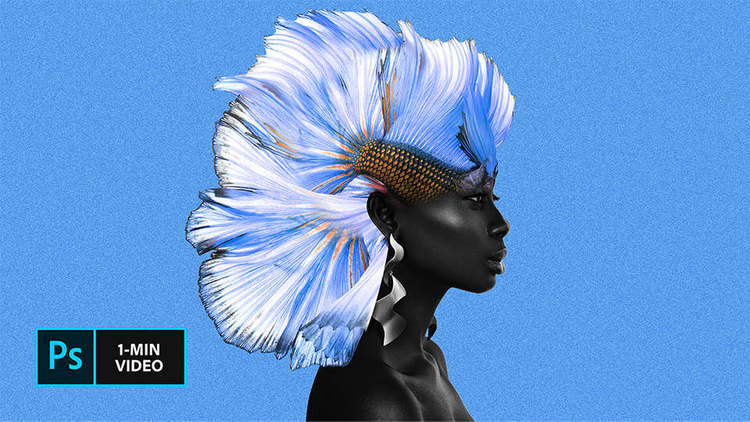
Follow this composite photography tutorial from Temi Coker. Download these sample images from Temi Coker or practice with your own.
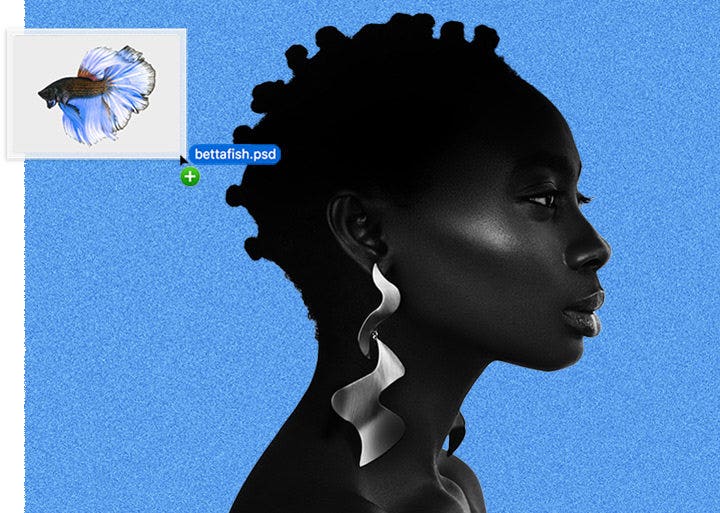
Open your base image and drag your secondary image as a new layer on top of your base image.
Choosing images with similar lighting direction and resolution makes the photo composite look more realistic and reduces editing time later. In this example, we will use a photo of a model as the base image and a betta fish as the secondary image..
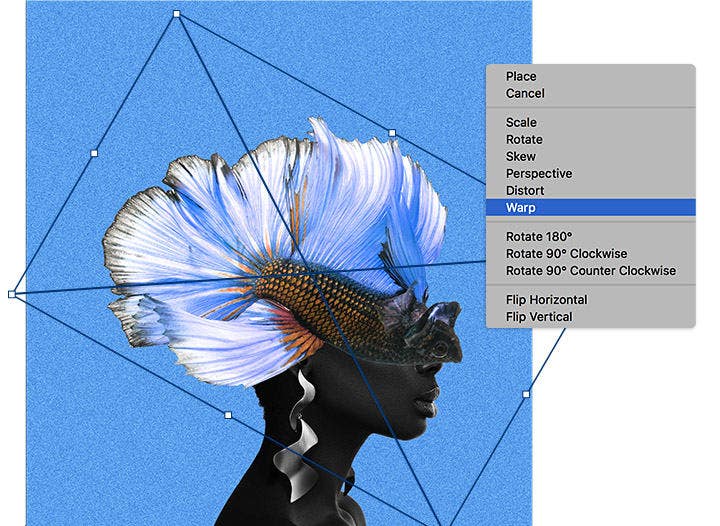
Using the transform controls, rotate and position the secondary image wherever you want. Right-click on the secondary image and select Warp to adjust the size and perspective. This step is essential in composite photography techniques, as correct scale and perspective help different images blend naturally into a single composite photo.
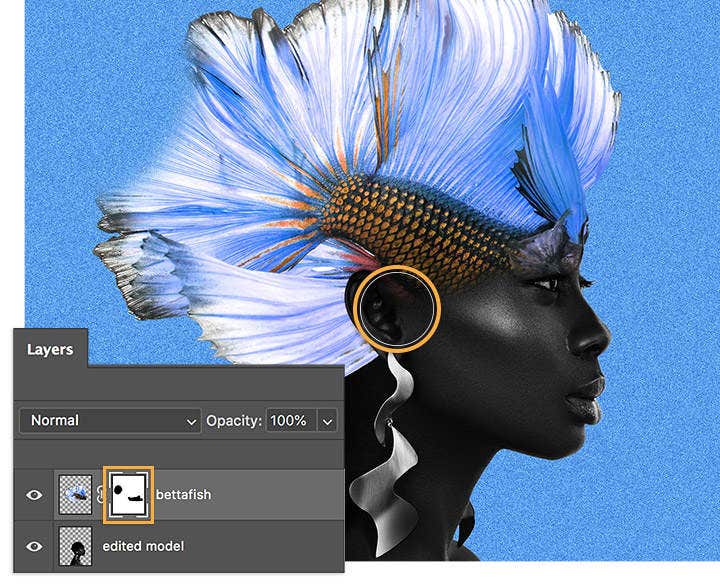
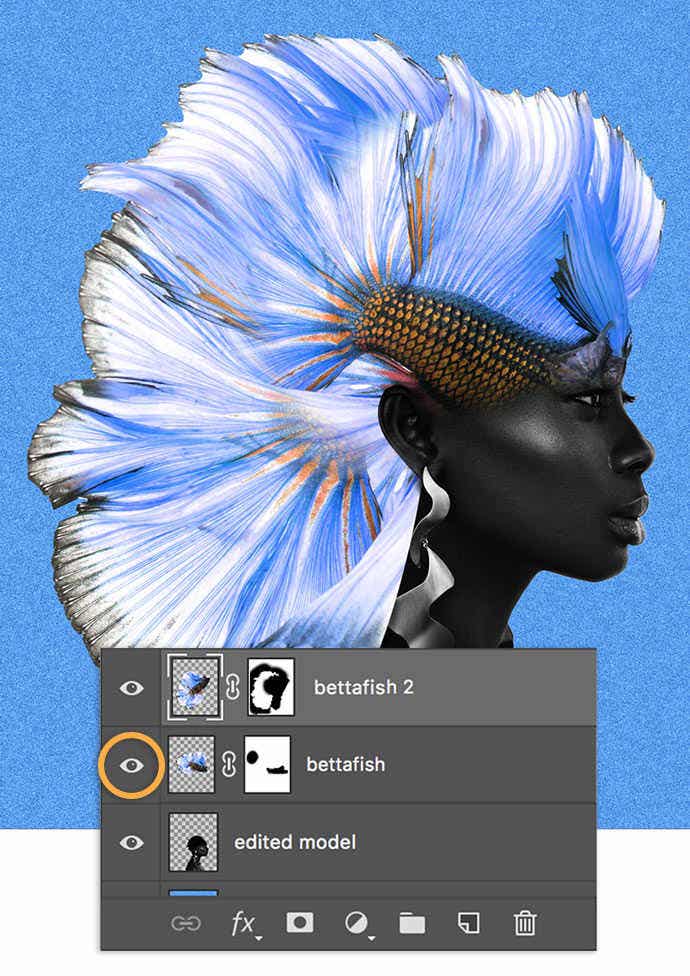
Select the secondary layer and click the Layer Mask icon to create a mask. Use the Brush tool with black selected to allow areas of the model’s face to show through. Layer masking is one of the most important composite photography techniques, giving you precise control when blending subjects from different pictures.
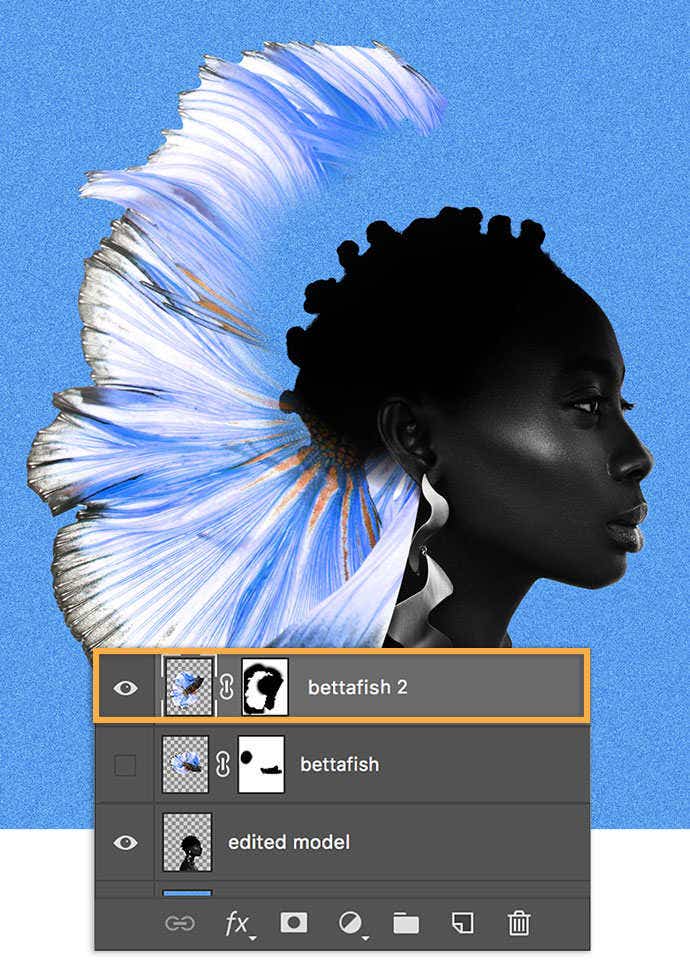
Create as many layer mask required to create the image you want.
In this example, Coker dragged the betta fish again to add another layer; then followed the previous steps to position the additional fins to create flowing “hair” on the model. Coker alternated turning layers on and off to edit in isolation; you can experiment the same way or view the composition in its entirety.
Repeating elements like this is a common approach in photoshop photo composite ideas, especially in conceptual portraits and surreal composite photography.
"Photo composite ideas help you explore the creative potential of composite photography by combining imagination with technical skill. Whether you are a beginner or an experienced creator, experimenting with different concepts can help you understand the composite photo meaning in a practical way.
Here are a few photo composite ideas to spark inspiration:
Exploring these photo composite ideas can help you better understand how different images interact, making it easier to develop your own composite photography style.
Photo compositing involves combining multiple images into a single composite photo, while photo composition focuses on arranging elements within one image for balance and visual impact.
Note: Project files included with this tutorial are for practice purposes only.
Contributors

Temi Coker
Former Adobe Creative Resident Temi Coker is a Nigerian American visual artist who finds joy in merging photography and graphic design; his goals in life are to create and educate others on how they can merge those media.
Based on your location, we think you may prefer the United States website, where you'll get regional content, offerings, and pricing.

