#1e1e1e

PHOTOGRAPHY

Capturing the moon: How to shoot and edit stunning lunar photos.

Master moon photography with expert tips on shooting, editing and sharing detailed lunar images across creative projects.
Explore Lightroom

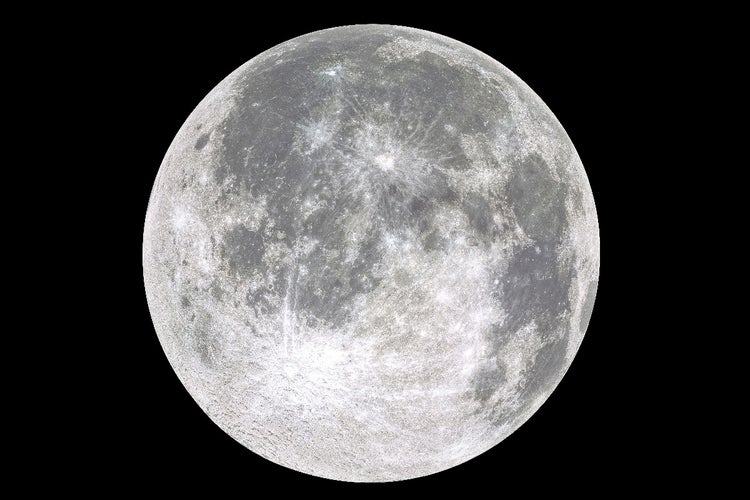
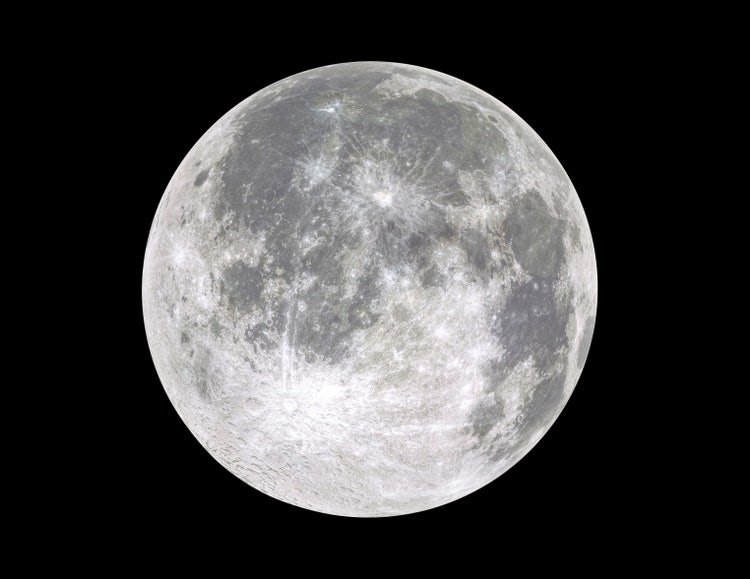
Detailed close-up of the full moon against a black night sky, showing craters and surface texture.
#F5F5F5
Moon photography is one of the most captivating ways to blend artistic vision with technical skill. For creative professionals in India, freelancers, video producers, desktop publishers, animators and more learning how to take a picture of the moon is not just a hobby. It’s an opportunity to create powerful visual content for storytelling, branding or client work. This guide walks you through everything you need to know about moon photography, from understanding the right equipment and settings to framing, timing and post-processing in Adobe Photoshop and Lightroom. Whether you are shooting with a moon camera like a DSLR or experimenting with your smartphone, this article offers actionable steps and practical tips to elevate your lunar photos from ordinary to extraordinary.

What is moon photography and why does it matter for creatives?

Moon photography involves capturing detailed images of the moon, typically at night or during twilight. These images can be artistic, symbolic or used as backgrounds, mood setters or focal points in branded content.

Why moon photos are valuable for creative professionals:

  • Visual storytelling: Adds atmosphere and emotion to animations, reels and design work
  • Symbolism: Represents growth, mystery or passage of time—great for client metaphors
  • Branding: Custom moon shots are more impactful than stock photos in branded content
  • Portfolio value: Showcases camera skill and editing technique in one project

Tip: Shoot your own moon photo instead of relying on stock to stand out in competitive creative pitches or moodboards.

https://www.youtube.com/live/AGfTSnf4TRg?si=4ku-NoORDz-ECg4Z

What equipment do you need for moon photography?

1. Camera options:

  • DSLR or mirrorless camera: Ideal for detail, lens flexibility and manual control
  • Bridge camera: Budget-friendly with high zoom capacity
  • Smartphone: Works with apps like Adobe Lightroom Mobile and lens attachments

2. Lens types:

  • Telephoto lens (200mm or longer): Captures surface detail
  • Zoom lens (70-300mm): Versatile for both moon and landscape
  • Prime lens with wide aperture: Useful in lower light conditions

3. Essential accessories:

  • Tripod: Keeps your shot steady at slow shutter speeds
  • Remote shutter or timer: Prevents camera shake
  • Moon filter (optional): Reduces glare and improves contrast

Tip: If you're just starting out, a smartphone with manual mode and a steady tripod can still yield impressive results.

How to take photos of the moon: Best camera settings.

Getting sharp, detailed images of the moon requires careful control of exposure. Here's how to optimise your settings.

  1. Shutter speed.
  • Start with 1/125s to 1/250s
  • Avoid long exposures to prevent blur from the moon’s movement
  1. Aperture.
  • Use f/8 to f/11
  • Ensures sharpness across the moon’s surface
  1. ISO.
  • Keep ISO low (100–400)
  • Reduces noise and preserves clarity
  1. Focus.
  • Switch to manual focus
  • Use Live View or zoom preview to adjust focus on the moon’s edge
  1. White balance.
  • Set to daylight or manually adjust in post

Troubleshooting tip: If your photo looks blown out, reduce exposure compensation or narrow the aperture slightly.

When is the best time to photograph the moon?

Timing can dramatically affect the mood and clarity of your moon photos.

  1. Best phases for detail:
  • First quarter and last quarter: Craters are more visible due to side lighting
  • Full moon: Brighter but flatter in texture
  1. Ideal times:
  • Golden hour (after sunset or before sunrise): Balanced light, softer shadows
  • Blue hour: Creates a natural contrast between the moon and sky
  • Moonrise or moonset: Position the moon near the horizon for dramatic composition

Tip: Use an app like PhotoPills or timeanddate.com to track moonrise, moonset and phase information.
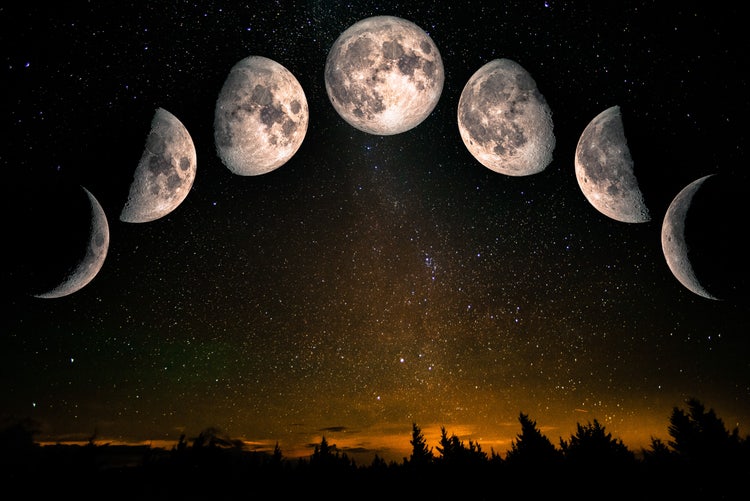
Phases of the moon over a starry night sky with a forest silhouette.

How to compose your moon shot like a pro.

The moon alone is beautiful, but adding context can create a more engaging image.

  1. Composition techniques:
  • Rule of thirds: Place the moon off-centre for balance
  • Foreground interest: Silhouettes of trees, buildings or mountains add scale
  • Reflection shots: Capture the moon reflected in water for added drama
  • Zoomed-in vs wide: Use tight shots for detail or wide angles for storytelling
  1. Creative challenges:
  • Supermoon illusions: Use telephoto lenses and compression to make the moon appear larger near the horizon
  • Double exposure: Combine moon and landscape in Photoshop for surreal visuals

Example: A freelance designer shot the moon rising over the Mumbai skyline and used it as a branded campaign background, blending motion graphics over the image.

How to photograph the moon with a smartphone.

Yes, it’s possible - with a few smart adjustments.

Recommended settings and steps:

  1. Use a tripod or steady surface
  2. Set focus manually on the moon
  3. Lower exposure by tapping and sliding down the brightness slider
  4. Use Adobe Lightroom Mobile for RAW capture and manual control
  5. Zoom less; crop later to maintain clarity

Tools:

  • External clip-on telephoto lens
  • Night photography apps like Halide (iOS) or ProCam X (Android)

Tip: Always shoot multiple frames and bracket exposures to find the sharpest result.

How to edit moon photos in Adobe Lightroom and Photoshop.

Editing is where the real magic happens. Whether you want to boost clarity, adjust tones or composite your moon shot into a creative scene, Adobe apps are ideal.

In Lightroom:

  • Increase Clarity and Texture to enhance detail
  • Adjust Whites and Highlights to recover surface contrast
  • Fine-tune Sharpness and reduce Noise
  • Crop for tighter composition or to remove distractions

In Photoshop:

  • Use Curves to refine contrast
  • Apply Selective Colour to control blue tones or warm the sky
  • Use Layer Masks for blending multiple exposures
  • Add creative overlays or transform your image into a surreal lunar composite

Troubleshooting tip: If colours look unnatural, reset white balance or use the eyedropper to sample from a neutral tone on the moon’s surface.

How Creative Cloud supports moon photography from capture to delivery.

Adobe Creative Cloud apps streamline every stage of your lunar photography workflow.

Key integrations:

  • Lightroom Mobile: Capture in RAW, edit on the go, sync across devices
  • Photoshop: High-end editing and composites
  • Bridge: Organise and preview moon shots
  • {{premiere}}: Add music and effects for social-ready lunar clips
  • After Effects: Animate transitions or create moonlit scenes
  • Creative Cloud Libraries: Share assets with clients and collaborators instantly

Tip: Save your moon editing presets in Lightroom to apply a consistent style across all your night photography projects.

Capture stunning moon photos with the right techniques and tools.

Learning how to photograph the moon is more than a technical challenge. It’s an opportunity to tell visual stories that stand out across digital and print media. Whether you’re working with a professional moon camera, a mirrorless setup or even your smartphone, capturing detailed and beautiful moon photos is within reach. By mastering camera settings, timing, composition and post-production in apps like Photoshop and Lightroom, you can elevate your portfolio, delight clients and create reusable assets that bring long-term value. Start experimenting, stay patient, and let your moonlight masterpiece take shape - one frame at a time.

Frequently asked questions.

Can I capture detailed moon photos in cities with light pollution like Mumbai or Delhi?

Yes, you can still photograph the moon in cities with light pollution, especially during a full moon when it is brightest. Use a telephoto lens to isolate the moon and minimise ambient light interference. Post-processing tools such as Adobe's photography apps can also help reduce haze and enhance contrast, giving you greater control over your images.

What’s the best way to plan moon photography sessions around Indian lunar events?

Use local calendars and astronomy apps to track Indian lunar phases, festivals like Karwa Chauth, or supermoon events. These offer unique visual opportunities and can add cultural context to your moon photography. For editing these special moments, you can explore the Photography Plan from Adobe Creative Cloud to access powerful apps tailored for photographers.

Are mobile photography apps enough for editing moon photos captured on smartphones?

While mobile apps can be helpful, professional results often require more precise adjustments. Adobe Lightroom for mobile offers advanced controls over shadows, highlights, and clarity for better lunar photo editing. Explore Lightroom Mobile to get started and take your mobile photography to the next level.

Can I combine moon shots with landscape images to create composites?

Yes, compositing a sharp moon photo with a separately captured landscape can result in dramatic visuals. Adobe Photoshop makes this easy by allowing seamless blending, masking, and layering. Try it using Adobe Photoshop, part of Adobe’s comprehensive Creative Cloud suite.

What kind of lens is ideal for capturing the moon with detail in India’s weather conditions?

A telephoto lens between 200mm and 600mm works well in most Indian conditions. However, during monsoon or high humidity, you may need to shoot at higher elevations like in the Western Ghats or Ladakh for clearer skies.

How do I avoid lens fogging when shooting the moon during colder nights?

To prevent condensation, keep your camera and lens at outdoor temperature for a while before shooting. You can also use lens warmers or anti-fog cloths, especially in colder regions like Himachal Pradesh or Uttarakhand.

Can I create a moon phase collage using Adobe Creative Cloud apps?

Absolutely. You can capture different phases of the moon over a month and arrange them in a grid or timeline using Adobe Express. It’s an easy way to create shareable and visually engaging content.

How can I print my moon photos without losing quality?

Export your edited moon photos in high resolution using Adobe Lightroom or Photoshop. Use the CMYK colour profile for professional printing. Always choose a matte or fine art paper to preserve detail and contrast.

What’s a creative way to present moon photography on social media?

You can create vertical reels or carousels using Adobe {{premiere}} or Adobe Express, combining time-lapse shots, transitions, and text overlays to make your content engaging. Check out Adobe {{premiere}} for high-quality video storytelling.

Can beginners in India join online moon photography workshops or communities?

Yes, many Indian photographers and astronomy clubs conduct workshops, especially around lunar events. Platforms like Behance and Adobe Live India also showcase moon photography tutorials and allow beginners to engage with experienced creators.

https://main--cc--adobecom.aem.page/creativecloud/design/roc/blog/fragments/cc-apps-banner

You may also like

Content as a Service v3 - photo - Thursday 17 July 2025 at 16:38

https://main--cc--adobecom.aem.page/cc-shared/fragments/seo-articles/do-more-lightroom-color-blade