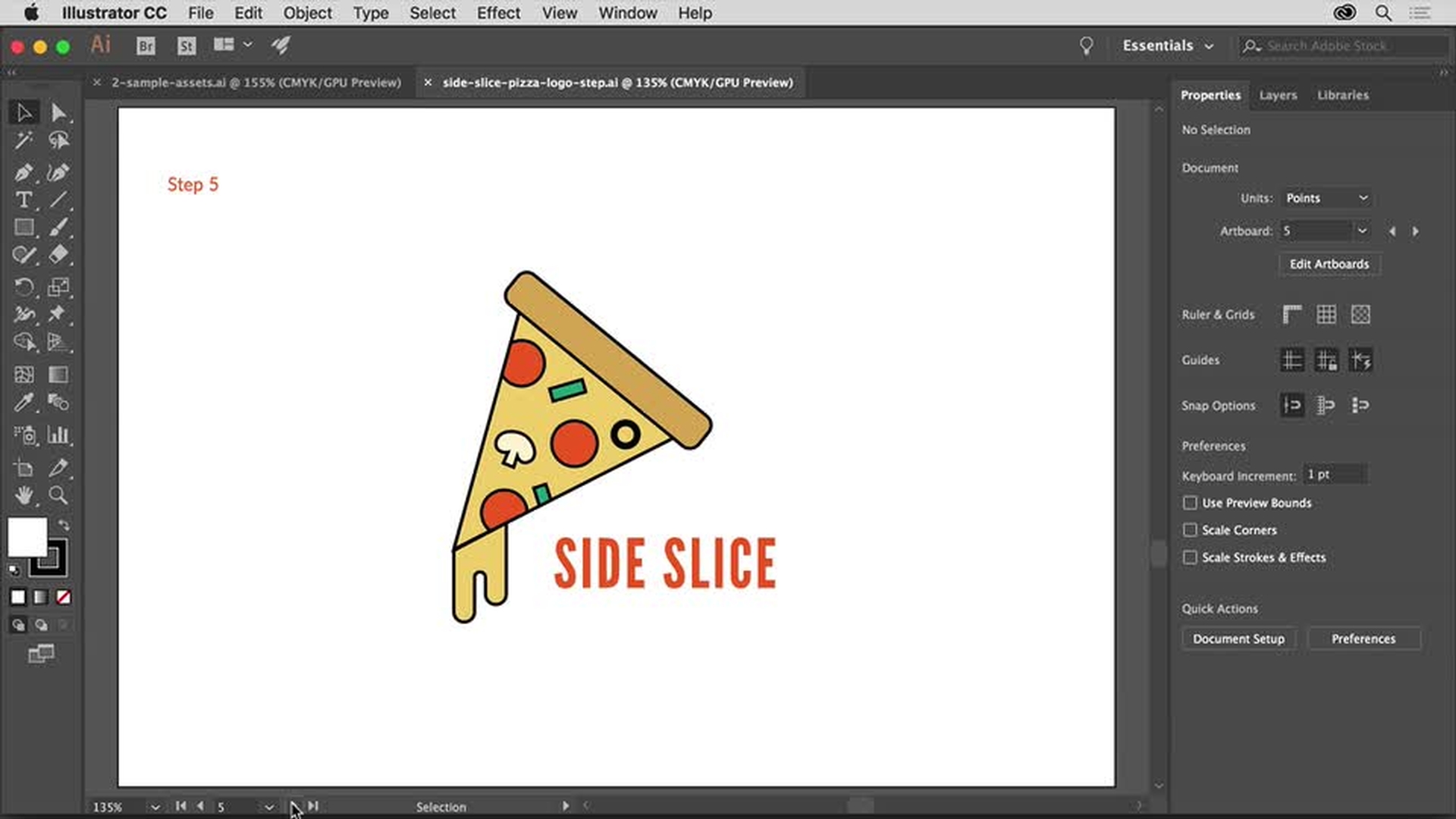
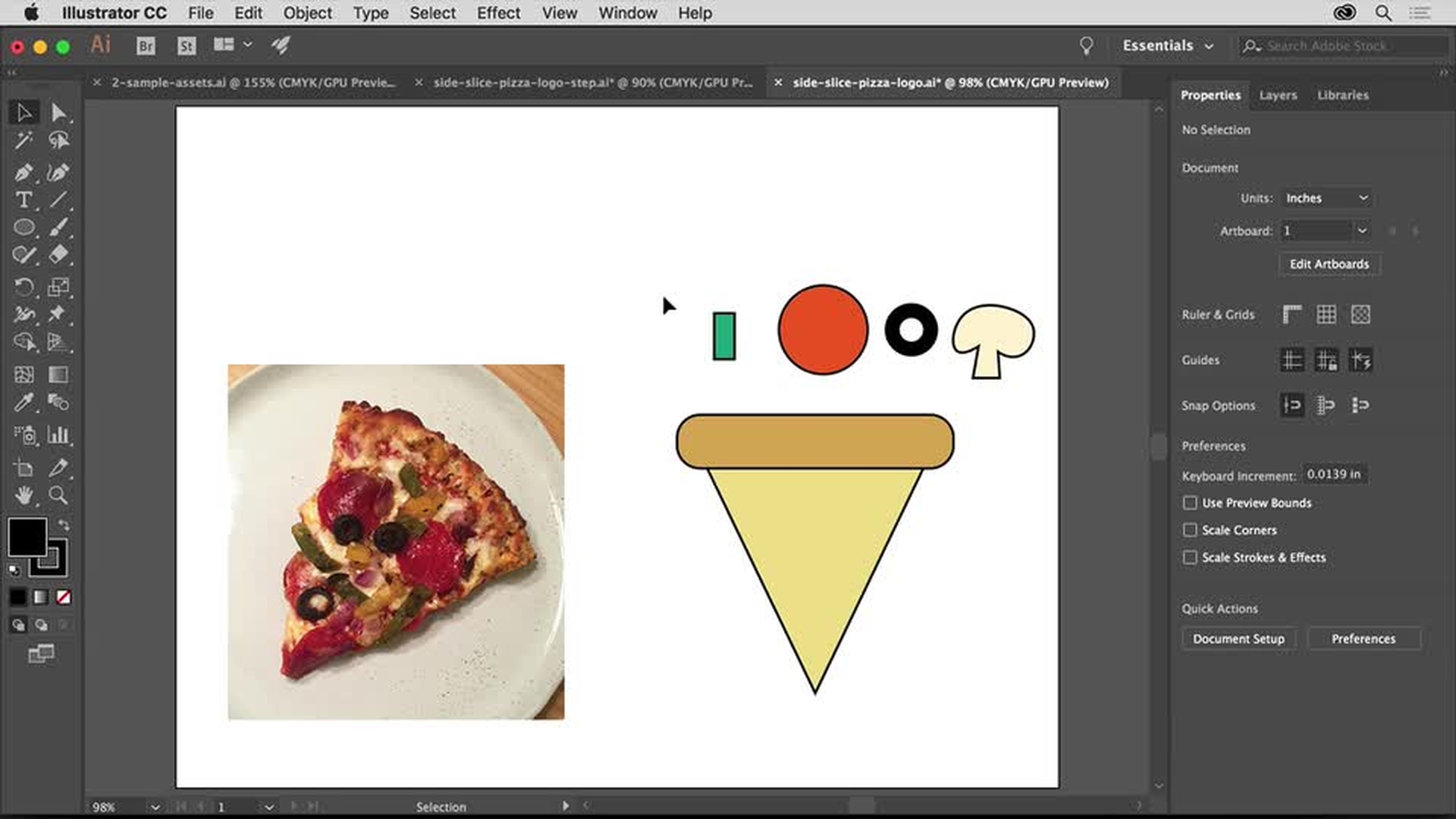
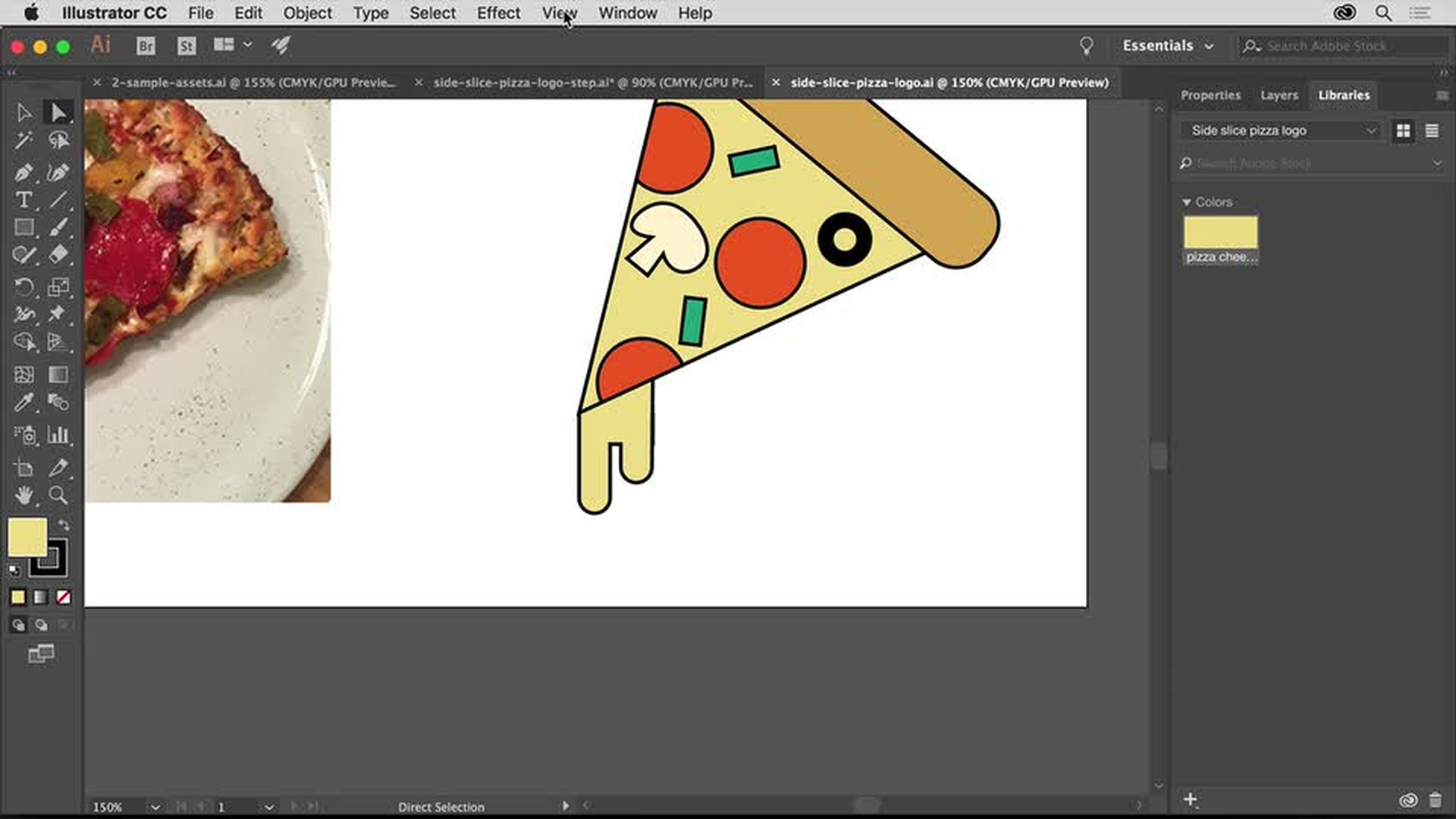
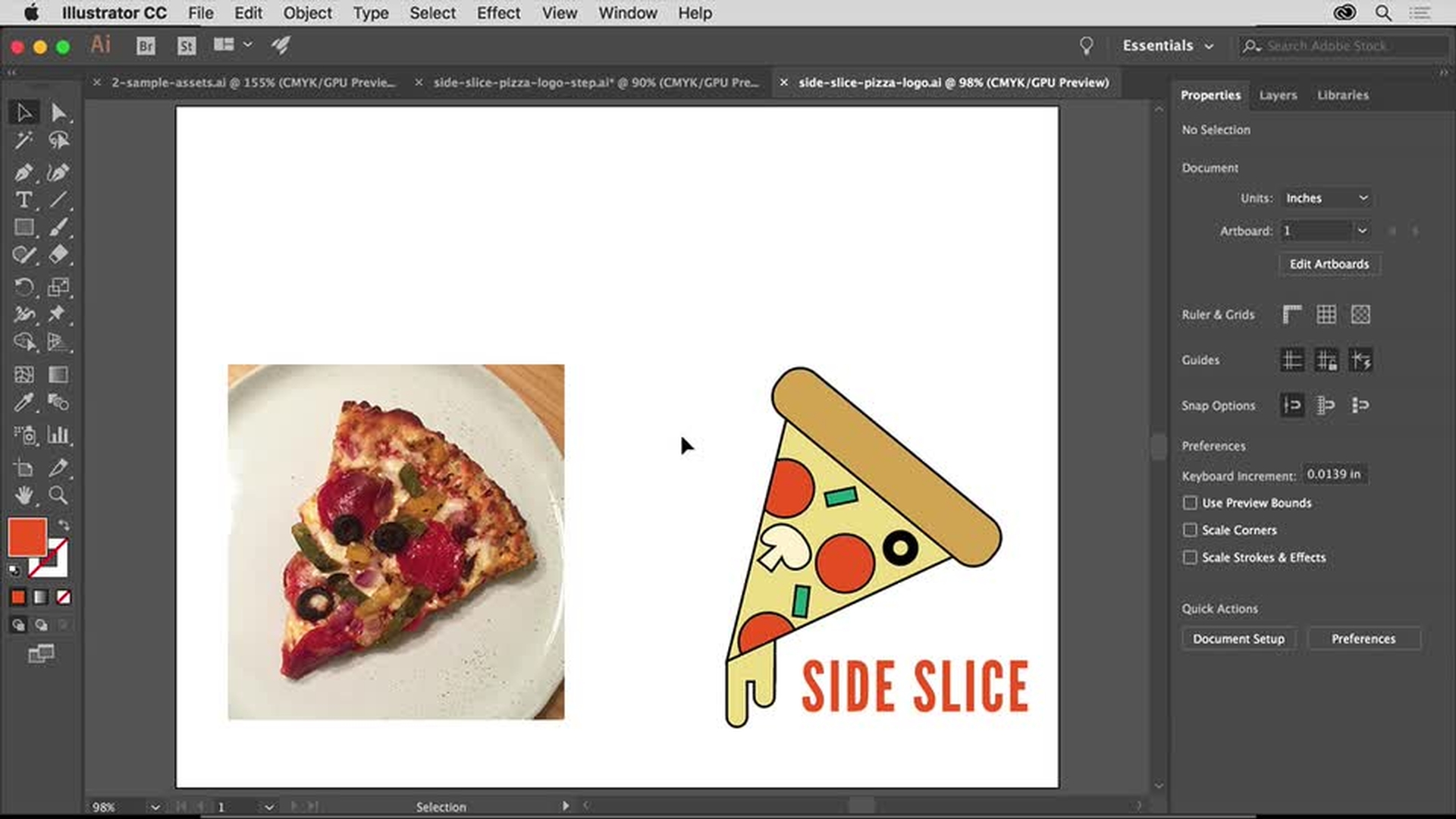
Usa le forme vettoriali in Adobe Illustrator per creare un logo che abbia una buona resa sia su schermo che stampato. L’aspetto migliore della grafica vettoriale è che può essere adattata a qualsiasi formato - dal biglietto da visita al cartellone pubblicitario - senza perdere in qualità.
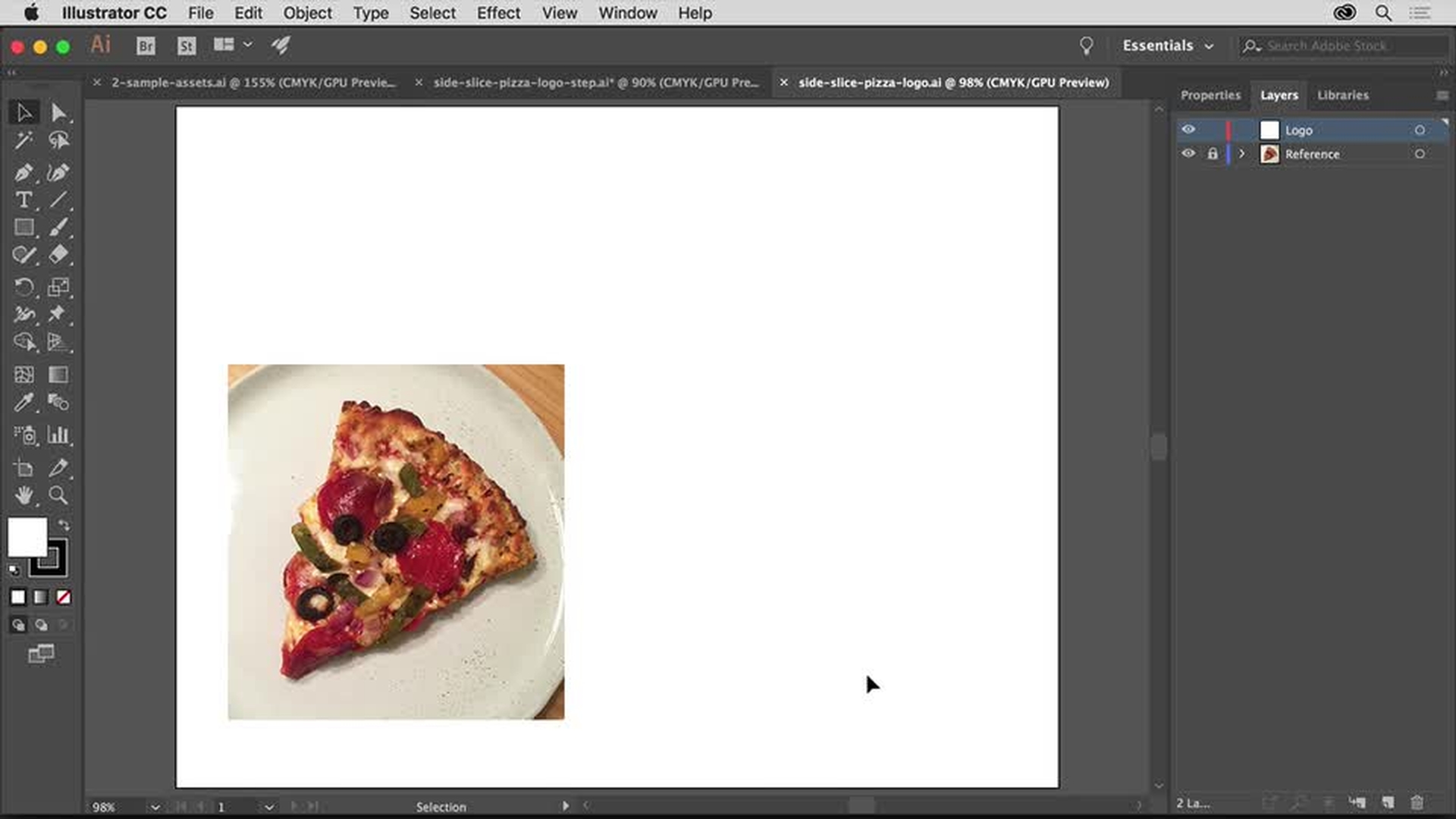
Crea un nuovo documento e imposta la tua area di lavoro. Importa un’immagine di riferimento da usare come spunto e usa il pannello Livelli per gestire facilmente la grafica.
Impara come creare un nuovo documento, impostare l’area di lavoro, inserire un’immagine di riferimento e aprire il pannello Livelli.
2
Usare forme di base per creare grafiche complesse
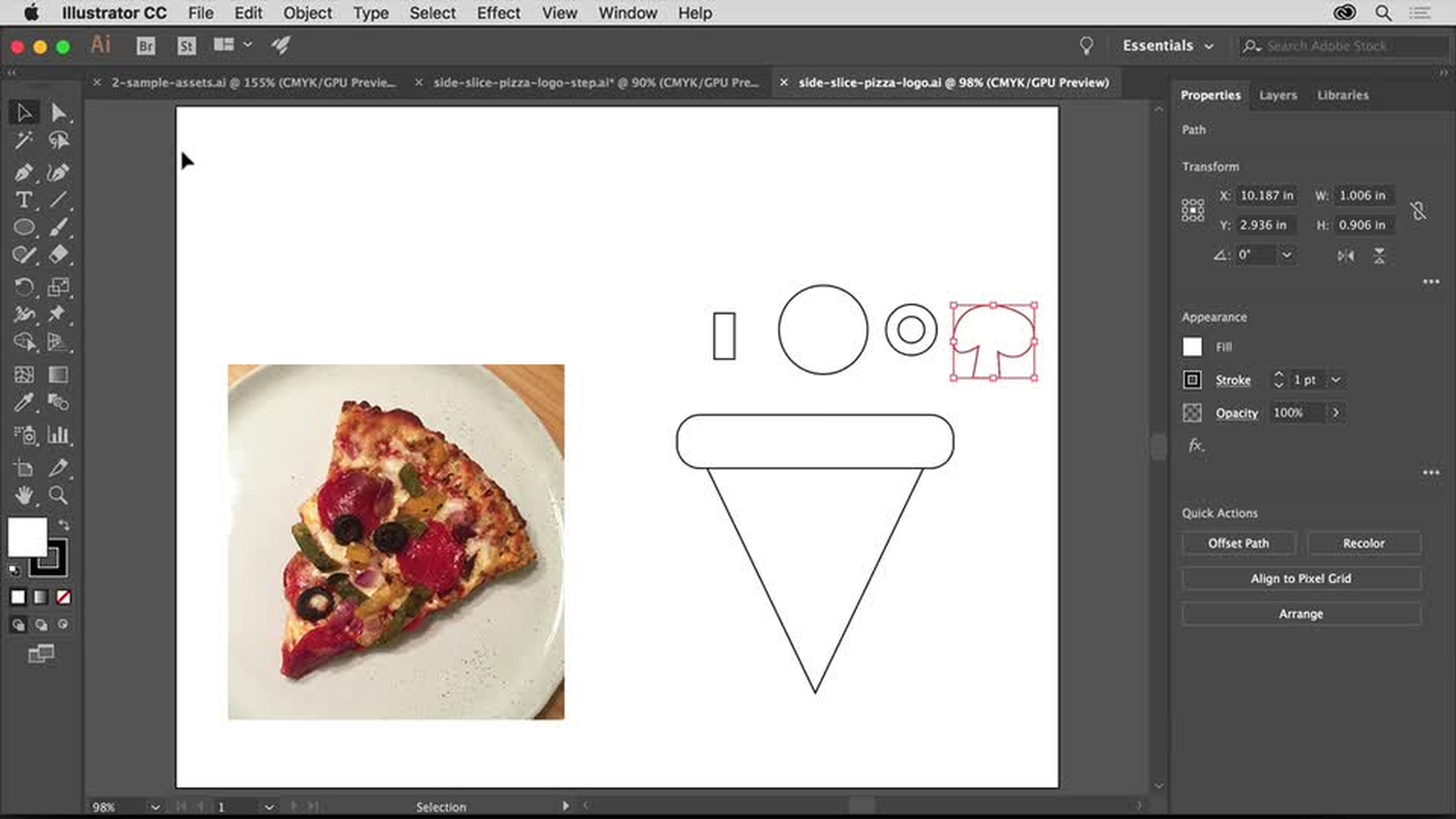
Unisci rettangoli, triangoli, cerchi e forme a mano libera per realizzare la tua grafica. Usa le Guide sensibili per allineare i vari elementi.
Impara come attivare le Guide sensibili per allineare facilmente gli elementi grafici, come manipolare una forma dinamica e disegnare una forma a mano libera.
3
Aggiungere colore
Applica i colori a tutti i componenti del tuo logo utilizzando controlli intuitivi che ti permettono di apportare modifiche in tutta semplicità. Per avere sempre a portata di mano i colori e le forme del tuo logo, aggiungili alle tue Librerie Adobe Creative Cloud.
Impara come modificare un colore, salvare un colore in una libreria e accedere alle librerie predefinite di campioni colore.
4
Perfezionare un logo personalizzato
Regola le dimensioni delle tue forme e ruotale per assemblare gli ingredienti presenti sul tuo spicchio di pizza.
Impara come ruotare una forma e riutilizzare un colore da una libreria.
5
Aggiungere testo
Rifinisci il tuo logo aggiungendo la ragione sociale del cliente. Per personalizzare il testo, sfrutta le avanzate funzionalità tipografiche di Illustrator. Gli abbonati a Creative Cloud possono scegliere i caratteri da usare da Adobe Typekit (ora Adobe Fonts), un’ampia libreria di font di alta qualità.
Impara come aggiungere scritte, cambiare il font, aggiungere font da Typekit (ora Adobe Fonts) e inserire una spaziatura tra le lettere.
6
Visualizzare in anteprima e salvare il logo personalizzato
Guarda che effetto fa il tuo logo su vari oggetti di uso comune, come t-shirt e biglietti da visita, utilizzando gli appositi modelli di progetto. E scopri com’è facile salvare la grafica del tuo logo per la stampa, condividerla in PDF, pubblicarla sul web e tanto altro.
Scopri come salvare il logo finito in una libreria, salvarlo in PDF e scegliere altre opzioni per l’uso generico sul web.
You can control how Adobe websites use cookies and similar technologies by making choices below. But note that if you disable cookies and similar technologies entirely, Adobe websites may not function properly.
Cookies are small text files stored by your web browser when you use websites. There are also other technologies that can be used for similar purposes like HTML5 Local Storage and local shared objects, web beacons, and embedded scripts. These technologies help us do things like remembering you and your preferences when you return to our sites, measure how you use the website, conduct market research, and gather information about the ads you see and interact with.
You can make choices in the menu below about what cookies and other technologies you want us to use on Adobe sites when you visit them from this browser. You can always change those choices later by clicking on the Cookie Preferences link at the bottom of the page.
If enabled:
We can improve your experience by tailoring the site and the content to things we think might be of interest
We can better keep track of your preferences — like what language you prefer to use
We will better understand your likely interests so we can provide you more relevant Adobe ads and content on non-Adobe websites and in non-Adobe apps
It will help us improve the performance of our website and those of our partners who use the Adobe Experience Cloud
If disabled:
We won’t be able to remember you from session to session so the experience may not be tailored to your interests
You’ll still have access to the content of the site but certain features that depend on cookies may not function
You’ll still see ads, they just may not be as relevant to you
General information
You can control how Adobe websites use cookies and similar technologies by making choices below. But note that if you disable cookies and similar technologies entirely, Adobe websites may not function properly.
Cookies are small text files stored by your web browser when you use websites. There are also other technologies that can be used for similar purposes like HTML5 Local Storage, web beacons, and embedded scripts. These technologies help us do things like remembering you and your preferences when you return to our sites, measure how you use the website, conduct market research, and gather information about the ads you see and interact with.
You can make choices in the menu below about what cookies and other technologies you want us to use on Adobe sites when you visit them from this browser. You can always change those choices later by clicking on the Cookie Preferences link at the bottom of the page.
If enabled:
We can improve your experience by tailoring the site and the content to things we think might be of interest
We can better keep track of your preferences — like what language you prefer to use
We will better understand your likely interests so we can provide you more relevant Adobe ads and content on non-Adobe websites and in non-Adobe apps
It will help us improve the performance of our website and those of our partners who use the Adobe Experience Cloud
If disabled:
We won’t be able to remember you from session to session so the experience may not be tailored to your interests
We’ll still count your use of our site and services
You’ll still have access to the content of the site but certain features that depend on cookies may not function
You’ll still see ads, they just may not be as relevant to you
Operate the site and core servicesOperate site and measure engagement
Always active
These cookies are required, and they are used to enable the site and related services core functionality. Without them the site could not operate, so they cannot be disabled.
These cookies enable the site and related services’ core functionality and collect statistics about user engagement, such as counting active use to help us understand trends. These cookies cannot be disabled.
Measure performance
These cookies are used to analyze site usage to measure and improve performance. Without them Adobe cannot know what content is most valued and how often unique visitors return to the site, making it hard to improve information we offer to you.
These cookies are used to analyze site usage to measure and improve performance. Without them Adobe cannot know what content is most valued, making it hard to improve information we offer to you.
Extend functionality
These cookies are used to enhance the functionality of Adobe sites such as remembering your settings and preferences to deliver a personalized experience; for example, your username, your repeated visits, preferred language, your country, or any other saved preference.
Personalize advertising
These cookies are used to enable Adobe and our partners to serve ads more relevant to your interests. Without them you will still see ads, but they might not be as relevant to you.
Personalize advertising
These cookies are used to enable Adobe and our partners to serve ads more relevant to your interests. Without them you will still see ads, but they might not be as relevant to you.