




Save time on everyday document tasks and focus on work that matters. Acrobat AI Assistant includes a comprehensive AI prompt guide, filled with ready‑to‑use questions and commands designed to help extract answers, insights and summaries from documents quickly. With the right AI prompts, creating clear and effective instructions becomes second nature.
Featured prompts
Explore a curated selection of the best AI prompts designed for common document tasks, including summarising PDFs, analysing reports, rewriting content and extracting key points. These AI prompt examples show how small changes in wording can dramatically improve accuracy, clarity and usefulness when working with Acrobat AI Assistant.
 Ask
AskExecutive summary
AnalysePro/Con list
BrainstormWebinar ideas
GenerateEmail highlights
Get started with these simple AI prompts.
Acrobat AI Assistant supports a wide range of use cases, from quick document questions to deeper analysis and idea generation. This collection of AI prompt examples can help you understand how to prompt AI effectively, whether the goal is editing content, researching a topic or brainstorming new ideas.
Use the prompt guide as a practical AI prompt helper and reference point to help deliver consistent, high‑quality results. Show me how
AskSum it up
AskGet the gist
AskBreak it into bullets
AskFind what matters most
AskMake an outline
AskIdentify key players
AskPull out the stats
AskOutline action items
AskConfirm deadlines
AskReveal the reasoning
AskFind the address
AskDiscover top value propositions
AskDig into the details
AskOutline research strategy
AskPinpoint the perspective
AskFind the contact info
AskUnderstand customer pain points
AskOutline the orgs
AskNote any disclaimers
AskGet the low-down
AskSteer clear of jargon
AskRecap the presentation
AskScan for safety info
AskPrep your grocery list
AskCheck in on time
AskDiscover product use cases
AskCalculate recipe time
AskCreate a study guide
AskSum up lecture notes
AskUnderstand anything
AskCompare and contrast
AskGet the TL;DR
AskGet to the point of any paper
AskSum up your syllabus
AnalysePoint out tech advantages
AnalyseDiscover false info fast
AnalyseTake action on tips
AnalyseSum up any meeting
AnalysePut your content to work
AnalyseIdentify the main point
AnalyseFind your ideal audience
AnalyseCut out repetition
AnalyseSwitch it up for new audiences
AnalyseMake it even better
AnalyseIdentify the key challenge
AnalyseComplement your docs
AnalyseFind risks of skipping advice
AnalyseAnticipate customer concern
AnalyseDetect risks and benefits
AnalyseSee what your doc is missing
AnalyseDiscover data outliers
AnalyseIdentify effects of data trends
AnalyseSum up any doc
AnalyseFind tips to solve any problem
AnalyseSign your lease confidently
AnalyseTravel like an expert
AnalyseUnderstand the fine print
AnalyseUnderstand opposing views
AnalyseFocus on the main subject
AnalyseDrive your point home
AnalyseMake your report stand out
AnalyseIdentify test-worthy topics
AnalyseSummarise the plot
ModifyShorten up the intro
ModifyPut clarity first
ModifySwitch up the tense
ModifyMake it conversational
ModifySound like an expert
ModifyMake it scannable
ModifyCreate content that converts
ModifyMake it technical
ModifyList it out
ModifyFrame it for your audience
ModifySwitch the POV
ModifyPut it in layman’s terms
ModifyAdd some personality
ModifyWin over your audience
ModifyTrim up bios
ModifyShow off your skills
ModifyClean up your resume
ModifyLand your dream job
ModifyRephrase it
ModifyMake it crystal clear
ModifyCite sources in seconds
ModifyCreate a checklist
ModifyKeep it concise
ModifyReword it
GenerateAttract top talent
GenerateGenerate a helpful email
GenerateCreate a video script
GenerateMake marketing look easy
GenerateCreate engaging banner ads
GenerateGive your boss the rundown
GenerateSum up a lab report
GenerateTurn docs into keynotes
GenerateMake a script superfast
GenerateCreate a lesson plan
GenerateCraft a nifty newsletter
GenerateOutline simple instructions
GenerateMake sales easier
GeneratePromote it on social
GeneratePrep an insightful interview
GenerateWrite web copy in a click
GenerateFind the perfect title
GenerateMake a conference itinerary
GeneratePersonalise any interview
GenerateGenerate fresh titles
GenerateRemember every ingredient
GeneratePrep for your book club
GenerateCreate a cover letter
GenerateNail your interview
GenerateSum up travel details
GenerateAce the test
GenerateWin the debate
GenerateKnow your concepts
GenerateFind essay topics
GenerateBuild a study guide fast
BrainstormGet your CEO’s POV
BrainstormWork around any drawback
BrainstormSpark webinar ideas
BrainstormBrainstorm blog topics
BrainstormIdentify SEO keywords
BrainstormKeep the convo going
BrainstormCreate instant taglines
BrainstormGet more from your content
BrainstormCreate essay questions in a click
BrainstormTrain employees effortlessly
BrainstormSee how data can level up business
BrainstormThink like the board
BrainstormCreate the perfect talk track
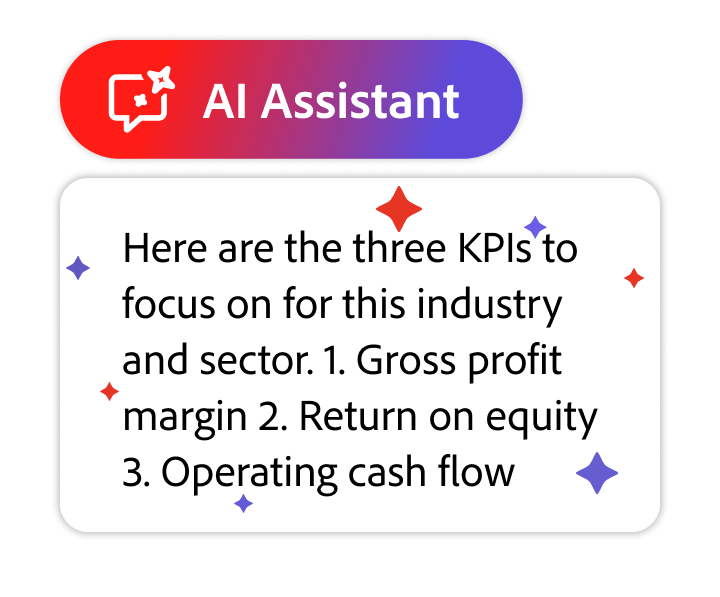
BrainstormGet quick KPI recommendations
BrainstormBrainstorm a new workshop series
BrainstormUnlock learning opportunities
BrainstormLevel up customer experiences
BrainstormMake onboarding a breeze
BrainstormCraft engaging courses
BrainstormBoost your bottom line
BrainstormBuild handy demos
BrainstormProve your expertise
BrainstormCollaborate quickly with AI
BrainstormCreate the perfect itinerary
BrainstormStand out from the crowd
BrainstormBring home an A
BrainstormGet pointers for any paper
BrainstormMake a compelling case
BrainstormFind the main points
BrainstormChannel your inner storyteller
Frequently asked questions
Prompts and documents are handled using responsible practices designed to protect privacy and content security. Adobe and its service providers do not use customer content to train the large language models that power Acrobat AI Assistant.
Read more about Adobe Generative AI User Guidelines.

