ACROBAT | 6-MINUTE READ
Pages file: How to open, view or edit.
Struggling with .pages files? Learn how to open and convert them.

What is a .pages file?
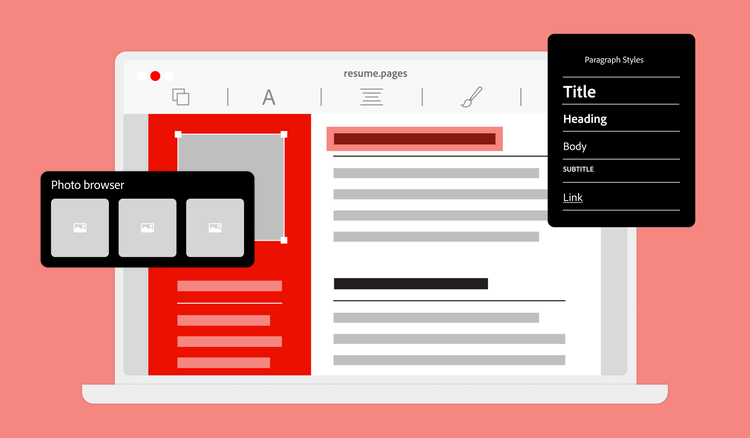
A .pages file is a file format created by Apple. Its proprietary Pages software generates the .pages extension, which is compatible with iOS and macOS. Pages is essentially Apple’s word processor, which is part of the iWork suite. It can handle text-based documents like essays, resumes and work reports. Since it comes pre-installed on Mac computers, this is the most convenient word processor for Apple users.
The .pages file has been a fixture of Apple computers and services since 2005. The first iteration launched for macOS, but Apple later extended its compatibility to work across iOS, iPadOS and even iCloud’s online services.
The .pages format works across all of Apple’s popular devices, including Mac, iPad and iPhone. That’s great news for Apple users, but the proprietary format is difficult for Windows, Linux and Android users. Pages files are incompatible with many non-Apple platforms, which can create hurdles for sharing documents.
Although .pages files are an Apple file format, they can be converted for use with other text-based software, such as Microsoft Word or Google Docs. Conversion is handy for sharing files with other teams or sending documents to clients who may not work within the Apple suite.
Convert .pages files to PDF for ultimate shareability. Once you’ve drafted your documents, Pages has the built-in ability to save them as locked PDF files. This is ideal for saving and sending content in a non-editable file, such as a finalised contract.
How to open a .pages file.
If you’re using a Mac, iPhone or iPad, opening a .pages file is straightforward:
1 Ensure that you have the Pages Reader app installed. It’s usually standard on Apple devices, but if you don’t have it, you can download it for free from the App Store.
2 Once you have Pages installed, double-click any file with a .pages extension to open it.
A .pages file is the default document format for Apple’s Pages application, but it can be tricky to open on non-Apple devices. You’ll have to convert the .pages file to a compatible format, like a DOCX or PDF:
1 Download the original .pages file.
2 Choose to download it as a DOCX or PDF.
If you have an iCloud account, you can also use it to open a .pages file and download it as a PDF, Word document or other format.
How to create or edit a .pages file.
You can create a .pages file in three ways:
- Pages. Use Apple Pages to create your document on an Apple device. It’ll save as .pages by default.
- Google Docs. You can save and download your Google Docs file as a .pages document to use on your Apple hardware. Just make sure you check that your formatting transfers correctly before sending your new document to other people.
- PDF converter. Use the Adobe Acrobat PDF converter tool to help you to convert PDFs to .pages files and vice versa. While it can’t convert the file types directly, you can save a .pages document as a DOCX file and then convert that to a PDF.
Editing a .pages file is effortless if you’re a Mac user. Just open the programme and use Pages tools to modify text, images, formatting and layout. The programme automatically saves your changes, but you can also manually save them with File > Save. You can do this via your iCloud account too.
If you aren’t an Apple user, you can use a workaround to edit the content. The easiest way to access a Pages file is to sign into an iCloud account and view it via your browser.
If you don’t have an iCloud account, your best option is to convert the .pages file to a compatible format. Download the .pages file to your device. Click Open With and view the text using your word processor of choice. Keep in mind that special characters and formatting likely won’t look the same because of compatibility issues. To view the .pages file as intended, convert it to a PDF. If you need to adjust the copy, you can always convert the PDF to a Word document to make changes.
While .pages files are great for Apple users, they don’t work for many people. PDFs are more suitable if you’re sharing documents with non-Apple users, need to maintain the document’s formatting or want advanced features like password protection and e-signatures.
Pros and cons of .pages files.
While Pages documents simplify word processing for Mac users, they have limitations, especially regarding compatibility with non-Apple devices. Here’s a breakdown of the pros and cons of using .pages files.
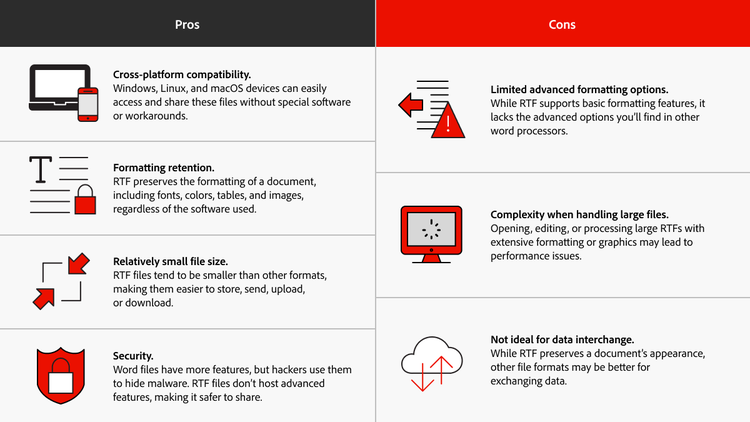
The .pages file format is useful for Apple-exclusive teams that need a native word processor. However, sharing these files with non-Apple users requires the receiver to convert the file, which can cause confusion and frustration.
PDFs are a universal file type that preserves formatting across all devices. Plus, Acrobat comes with helpful tools for editing, commenting and securing PDFs, making collaboration a breeze. Work with PDFs to overcome the hurdles of .pages files. Try Acrobat today to streamline document management, sharing and advanced editing — all in one place.
Frequently asked questions.