ACROBAT | 10-MINUTE READ
Weekly schedule: What it is, why it’s important – plus free templates.
Boost productivity with our weekly schedule templates. Learn how to make a weekly schedule with Adobe Acrobat, explore the benefits, and access free customisable weekly schedule options.


A weekly schedule is more than a basic time management tool. It’s a structured approach to improving work-life balance, staying organised, and increasing efficiency. From managing multiple projects, leading a remote team, or balancing personal and professional commitments, the right schedule can transform how you work.
In this guide, we’ll explore the benefits of a weekly schedule and show you how one can support productivity and well-being in hybrid and remote work environments. You’ll also find practical tips and examples, including a free weekly work schedule template that you can put into action.
What is a weekly schedule template?
A weekly schedule template is a practical tool that helps organise tasks, meetings, and activities into a clear, structured format. Acting as a visual guide, a weekly schedule template typically displays the days of the week alongside time slots, so you can allocate time effectively. You can choose layouts such as Monday-to-Sunday or a Sunday-to-Saturday schedule template if that suits your routine. Time slots can be set hourly or in broader segments like morning, afternoon, and evening. This flexibility allows you to prioritise tasks, keep track of commitments, and create a schedule that works for your personal or professional needs.
5 different types of weekly schedules.
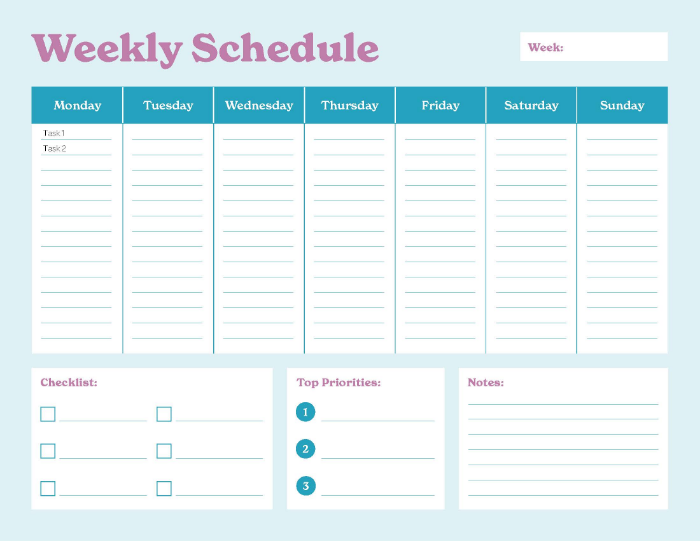
1. Monday-to-Friday schedule template
The Monday-to-Friday schedule template is perfect for those working within a traditional business week. It offers structured planning for tasks and deadlines across weekdays, while leaving weekends free for rest or personal activities. This format works especially well for office professionals whose main responsibilities fit within standard working hours.
This template gives a clear view of the week ahead, helping you to manage workloads effectively and avoid over-scheduling. You can customise it to suit your needs by adding time slots and task priorities.
By focusing on work-related activities Monday through Friday, you can open your weekends to hobbies or spending quality time with friends and family. This makes it a practical tool for achieving weekly objectives while maintaining a healthy work-life balance.
2. Sunday-to-Saturday schedule template
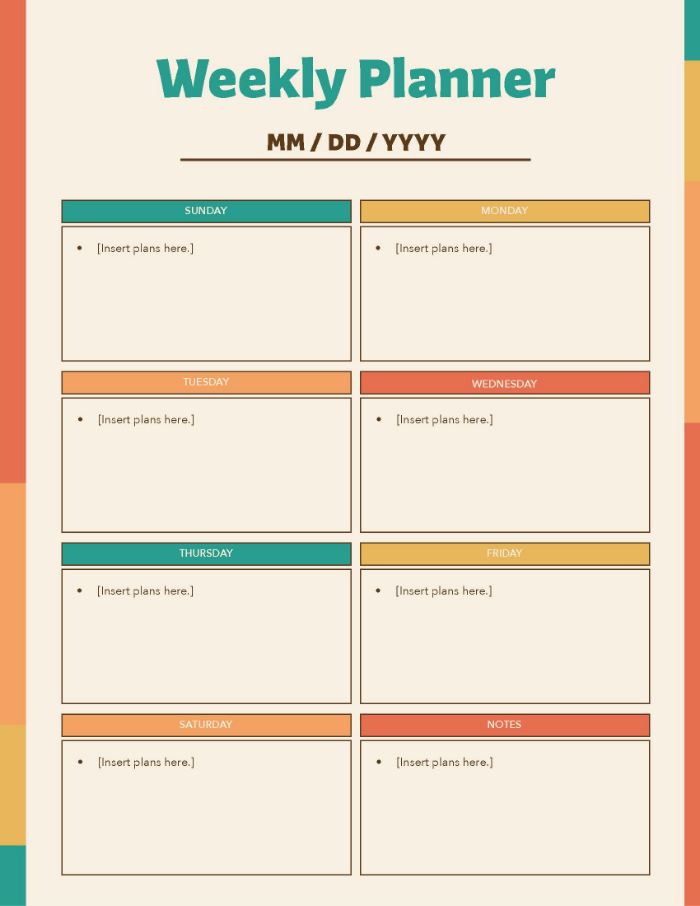
The Sunday-to-Saturday schedule template gives you a complete view of the week, including weekends. This makes it ideal for people whose commitments extend beyond a traditional Monday-to-Friday routine. This flexibility makes it especially useful for freelancers, shift workers, or professionals with irregular hours.
Including weekends in your weekly planner schedule means you can plan leisure activities in advance. It’s also valuable for tracking weekend habits and events that may be missed in a standard workweek. One of its biggest advantages is the comprehensive overview it provides, making it easier to plan thoroughly and avoid surprises.
You can customise this weekly schedule template to record work-based tasks and other events. This provides you with a well-structured, all-week approach to your time management.
3. Hourly schedule template
The hourly schedule template breaks your week into hourly segments, giving you a detailed view of your working time. This is a valuable tool for students, project managers or anyone managing a packed timetable requiring a lot of detail in their schedule.
By mapping out tasks, appointments, and breaks hour-by-hour, this weekly planning tool promotes structure and discipline. It’s also ideal for tracking billable hours, meeting tight deadlines, and spotting patterns where time might be lost. The level of detail makes it highly effective, but it works best when reviewed and updated consistently to reflect changes in your schedule.
4. 30-minute increments schedule template
For those who prefer an even more detailed structure, the 30-minute increments schedule template offers flexibility beyond an hourly plan. It’s perfect for short, focused tasks and quick transitions between activities.
This weekly schedule template is particularly valuable for professionals like therapists, consultants, and estate agents, whose days are filled with frequent appointments. Benefits include maximising productivity, staying on track with tight deadlines, and ensuring time is allocated efficiently. Its high level of detail works best when balanced with regular breaks to help maintain focus and avoid fatigue.
5. Work schedule template
The work schedule template is designed to streamline professional planning, giving teams a clear view of weekly tasks and priorities. It’s perfect for organising meetings and prioritising deadlines in one place.
Benefits include better resource allocation, improved workload distribution, and easier tracking of team productivity. By using a weekly job schedule template, you can also maintain boundaries between your professional and personal life, ensuring both areas get the attention they deserve.
Benefits of having a weekly schedule template.
Using a weekly schedule template consistently can transform the way you approach your week. Here’s how one can help you thrive in hybrid or remote working environments.
- Improves time management. A weekly planner schedule gives clarity by defining work hours and personal time, helping you use your time wisely.
- Decreases procrastination. Planning with a team weekly schedule template reduces distractions and keeps you engaged with current tasks.
- Increases productivity. A weekly schedule tool with a to-do list template can highlight your priorities, making it easier to focus on what matters most.
- Reduces stress and achieves a better work-life balance. Clear boundaries between work and life can improve well-being and peace of mind.
- Builds consistency and routine. A regular structure fosters discipline and efficiency in a flexible setting.
- Simplifies goal setting. Your weekly job schedule template becomes a roadmap for both immediate and long-term objectives.

Other types of schedule templates.
A weekly schedule template works for many people, but the beauty of using planning tools is that you can browse different types and select one that reflects your lifestyle. Here are some useful options to consider.
Daily schedule template
If you prefer focusing on one day at a time, a daily schedule template can help. It divides your day into morning, afternoon, and evening segments, making it easy to organise even the busiest days. Ranging from back-to-back meetings, family events, or personal DIY projects.
Monthly schedule template
For those who prefer a big-picture approach, a monthly planner template offers a complete overview of the month. You can map deadlines, events, and milestones well in advance, helping you spot busy periods and plan your workload accordingly.
Flexible schedule template
A flexible schedule template gives you room to adapt when plans change. This is particularly valuable for freelancers or contractors who often have shifting priorities. Adjustable time slots and movable tasks make it easy to stay on track, even with unexpected changes.
Prioritised schedule template
Designed to help you focus on what matters most, a prioritised schedule template lets you organise your time by urgency. This format usually includes categories like ‘high,’ ‘medium,’ and ‘low’ priority tasks so that you can distribute your time and resources efficiently. This ensures critical deadlines are met while still leaving space for less urgent tasks.
Non-prioritised schedule template
If you work best without strict categories, a non-prioritised schedule template could be the right fit. It creates a balanced approach to task management, promoting a stress-free and steady workflow. Highly favourable for creative professionals.
Frequently asked questions.
How do I make a weekly schedule?
Begin by listing your key tasks, goals, appointments, and other responsibilities for the week. After you’re done with that, assign a day and time for those tasks.
Leave some flexibility for unexpected changes, personal downtime, or longer-than-planned tasks to maintain balance.
Is there a weekly schedule template in Excel?
Does Google Docs have a weekly planner template?
How do I make a simple weekly planner?