Get 20+ apps, integrated Adobe Firefly creative AI features and the latest updates as soon as they’re available. Create across apps, collaborate and share assets easily with cloud-based workflows.
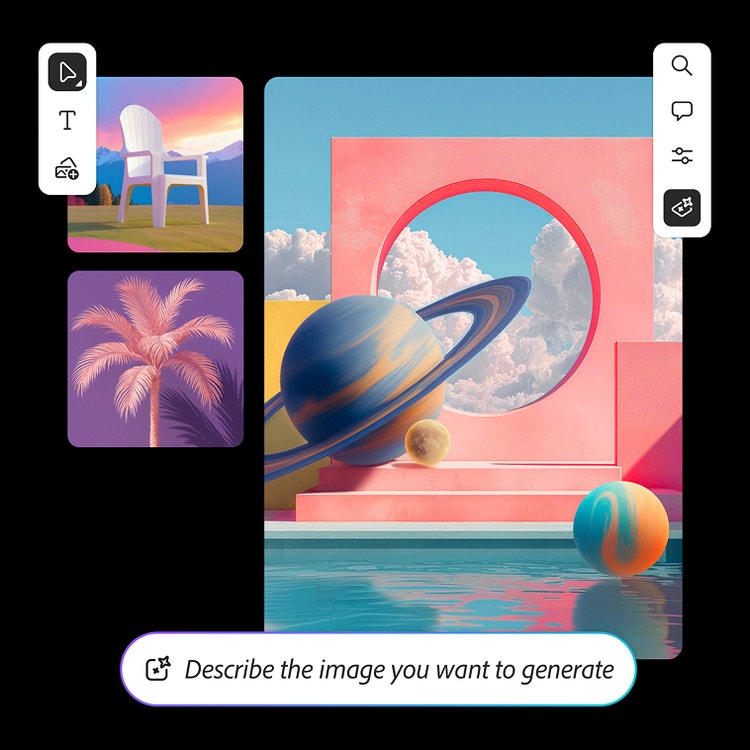
Upload inspirational images and quickly generate new ones based on your ideas. Remix assets to see how their styles combine. Collaborate with your team in the same space and then bring what you’ve got into Creative Cloud apps to continue working.
Access popular AI models in Creative Cloud apps.
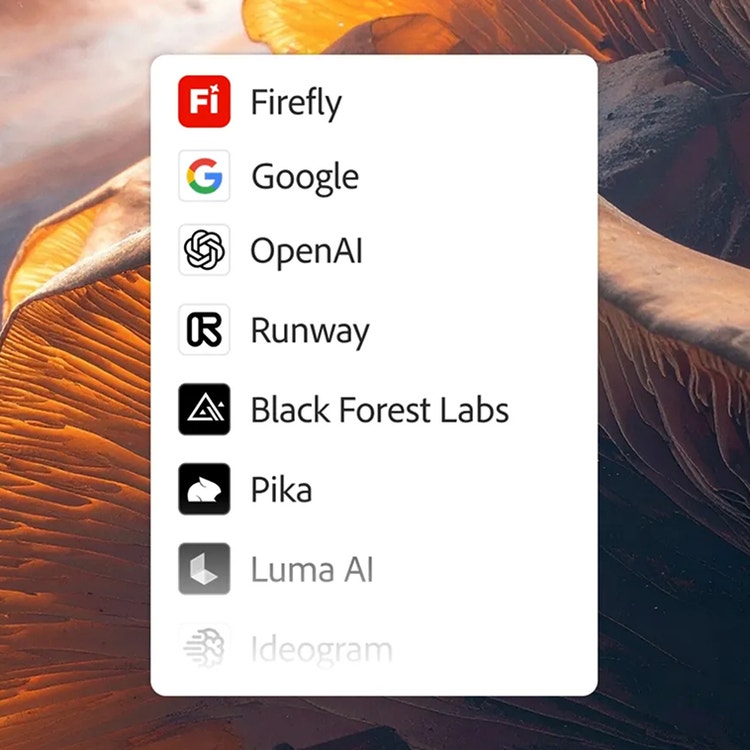
Take advantage of different AI models’ strengths inside Creative Cloud and Firefly. Adobe’s commercially safe Firefly models, Google’s Gemini 2.5 (Nano Banana), Veo, Flux, Runway, Ray and others are integrated in the tools you use every day, so you can focus on creative work.
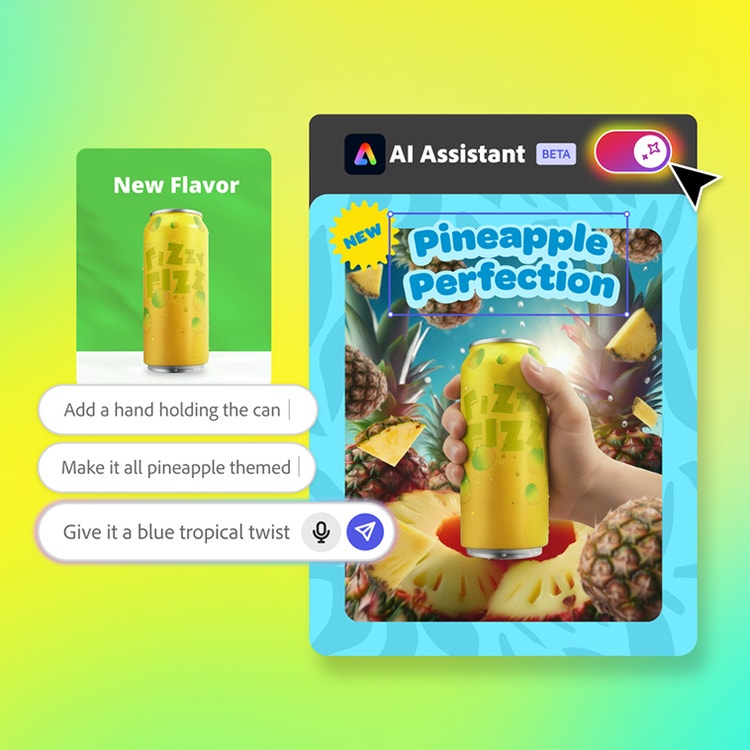
Prompt to edit in Adobe Express and Photoshop.
Adobe Express and Photoshop anticipate your needs, assist in co-ordination and keep your projects moving with new AI Assistants (in beta). Of course, you remain in control. Your AI assistant does only the jobs you assign it to — and you can always check its work.
style
Three up, l-spacing
Get so much more with Creative Cloud.
Discover the Adobe difference in this Affinity vs. Adobe comparison.
Adobe Creative Cloud Pro
Affinity by Canva*
Affinity V2 Universal Licence (suite)
Apps included
20+
1 with 3 default studios Vector, Pixel, Layout
3
Photo editing apps
Design apps
Video apps
Social media apps
Document & PDF apps
Generative AI tools
Access to Canva AI is limited to a single model, Canva Design and requires a Canva Pro subscription
Conversational assistants
Requires Canva Pro subscription
Cloud-based workflows
Collaboration requires exports to Canva
*Video, social media and document and PDF apps may require additional subscriptions or product licensing from Affinity/Canva.
Use everyday language to create extraordinary results with generative AI
4000 monthly generative credits for premium creative AI video and audio features
Unlimited in-app access to standard creative AI image and vector features
Adobe Fonts — 30,000+ fonts at your fingertips
Libraries to gather and share logos, images and brand elements
Adobe Stock — One million+ free photos, drawings, video clips and more
Discounts and offers to partner brands like Dropbox, LinkedIn Premium and Logitech
Creative ways to collaborate with Frame.io
Adobe Portfolio — Design your own websites in minutes
style
three up, xl spacing top, xxl spacing bottom, static links
Frequently asked questions
Creative Cloud Pro offers a comprehensive suite of 20+ professional-grade creative apps, supercharged by commercially safe Firefly generative AI models and access to popular third-party generative AI partner models including Google’s Nano Banana and Veo. Ideate in Firefly Boards and create with AI features integrated into flagship apps like Photoshop. Produce quick, on-brand content with Adobe Express and scale it through Firefly Creative Production. Every stage of your creative journey is seamlessly connected, empowering you from end to end with Creative Cloud Pro.
Affinity by Canva does not include video editing and social media apps. It does not include third-party AI models and access to AI features requires a Canva Pro subscription.
Adobe provides advanced tools for photography, design, video and publishing. Adobe’s tools are deeply integrated and built for freelancers, agencies and teams.
No. Affinity customers do have the ability to access a generative AI model via the Canva Design Model within Canva AI, but doing so requires a Canva Pro subscription. Adobe Creative Cloud Pro membership includes Adobe Firefly — a commercially safe generative AI model — along with access to popular third-party partner models including Nano Banana and Veo.
Yes. The Adobe Creative Cloud membership plan provides more tools, commercially safe and top generative AI features and models, continuous updates and added perks and benefits, ideal for creative professionals.
We believe the best design software for professionals helps creative pros ideate, iterate and collaborate quickly. Adobe Creative Cloud Pro makes this easy with professional-grade workflows, a range of creative tools, top-notch generative AI capabilities, cloud services and added perks and benefits.
Explore your ideas, wherever they lead.
style
Two up, l-spacing
Cookie Settings
General information
You can control how Adobe websites use cookies and similar technologies by making choices below. But note that if you disable cookies and similar technologies entirely, Adobe websites may not function properly.
Cookies are small text files stored by your web browser when you use websites. There are also other technologies that can be used for similar purposes like HTML5 Local Storage and local shared objects, web beacons, and embedded scripts. These technologies help us do things like remembering you and your preferences when you return to our sites, measure how you use the website, conduct market research, and gather information about the ads you see and interact with.
You can make choices in the menu below about what cookies and other technologies you want us to use on Adobe sites when you visit them from this browser. You can always change those choices later by clicking on the Cookie Preferences link at the bottom of the page.
If enabled:
We can improve your experience by tailoring the site and the content to things we think might be of interest
We can better keep track of your preferences — like what language you prefer to use
We will better understand your likely interests so we can provide you more relevant Adobe ads and content on non-Adobe websites and in non-Adobe apps
It will help us improve the performance of our website and those of our partners who use the Adobe Experience Cloud
If disabled:
We won’t be able to remember you from session to session so the experience may not be tailored to your interests
You’ll still have access to the content of the site but certain features that depend on cookies may not function
You’ll still see ads, they just may not be as relevant to you
General information
You can control how Adobe websites use cookies and similar technologies by making choices below. But note that if you disable cookies and similar technologies entirely, Adobe websites may not function properly.
Cookies are small text files stored by your web browser when you use websites. There are also other technologies that can be used for similar purposes like HTML5 Local Storage, web beacons, and embedded scripts. These technologies help us do things like remembering you and your preferences when you return to our sites, measure how you use the website, conduct market research, and gather information about the ads you see and interact with.
You can make choices in the menu below about what cookies and other technologies you want us to use on Adobe sites when you visit them from this browser. You can always change those choices later by clicking on the Cookie Preferences link at the bottom of the page.
If enabled:
We can improve your experience by tailoring the site and the content to things we think might be of interest
We can better keep track of your preferences — like what language you prefer to use
We will better understand your likely interests so we can provide you more relevant Adobe ads and content on non-Adobe websites and in non-Adobe apps
It will help us improve the performance of our website and those of our partners who use the Adobe Experience Cloud
If disabled:
We won’t be able to remember you from session to session so the experience may not be tailored to your interests
We’ll still count your use of our site and services
You’ll still have access to the content of the site but certain features that depend on cookies may not function
You’ll still see ads, they just may not be as relevant to you
Operate the site and core servicesOperate site and measure engagement
Always active
These cookies are required, and they are used to enable the site and related services core functionality. Without them the site could not operate, so they cannot be disabled.
These cookies enable the site and related services’ core functionality and collect statistics about user engagement, such as counting active use to help us understand trends. These cookies cannot be disabled.
Measure performance
These cookies are used to analyze site usage to measure and improve performance. Without them Adobe cannot know what content is most valued and how often unique visitors return to the site, making it hard to improve information we offer to you.
These cookies are used to analyze site usage to measure and improve performance. Without them Adobe cannot know what content is most valued, making it hard to improve information we offer to you.
Extend functionality
These cookies are used to enhance the functionality of Adobe sites such as remembering your settings and preferences to deliver a personalized experience; for example, your username, your repeated visits, preferred language, your country, or any other saved preference.
Personalize advertising
These cookies are used to enable Adobe and our partners to serve ads more relevant to your interests. Without them you will still see ads, but they might not be as relevant to you.