How does Facebook advertising work?
Facebook advertising allows you to place paid content – known as Facebook ads – directly into the feeds of your target audience. But let’s start from the beginning. What are Facebook ads exactly and why are they so popular?
Facebook ads are created specifically for Facebook and published there. Entrepreneurs, small businesses and large companies use this highly customisable form of social media advertising to increase their visibility and reach, generate sales and improve their search engine rankings. And the great thing is that these ads can be tailored based on user behaviour, interests, demographic data and much more.
And that brings us to the actual core of Facebook advertising and how it works. Facebook advertising is tailored to your marketing goals.
These can be:
- Improving customer engagement: Focus on content that resonates with your target audience. Improving social media engagement is a common and measurable goal. By using key performance indicators, you can track social media activities and their impact on your brand awareness.
- Increasing brand awareness: Make more people in a target market aware of your brand and what you offer. The more people know your brand, the more likely they’re to interact with it in some way.
- Generating leads: Attract potential customers and capture their contact details. Great content – yes, we’re talking about Facebook ads! – can encourage consumers to sign up for a demo, register for an event, or request access to a resource centre, thereby becoming potential customers.
- Increasing sales and revenue: Increase the number of sales or the total revenue from these sales. You can do this by actively promoting your product or service on Facebook with targeted Facebook ads. This can be done quite straightforwardly, without beating around the bush. But please note that on Facebook, too, users appreciate original content that offers them added value.
- Improving customer loyalty: Encourage existing customers to return and make repeat purchases. Retaining an existing customer is usually more cost-effective than acquiring a new one. Therefore, this goal can also help to achieve all other goals that focus on the budget.
For example, you can identify any potential issues that might cause existing customers to leave your business. You can also explore ways to improve their experience.
- Improving website traffic and search engine rankings: Drive more visitors to your website and improve its visibility in search results. More website traffic means more conversions. At the same time, it improves your search engine rankings and thus increases your reach within the industry.
Of course, there are many more marketing objectives – and you know yours best! The way Facebook ads work can vary depending on your specific goal. However, if you choose the right ad type for your goal and follow a few general rules, you can achieve it. More on that later.
Why your Facebook business page matters.
Before you launch any ad, your Facebook business page needs to be in top shape. Why? Because this page is the anchor point for all your advertising activity. And because your Facebook business page acts as your business card. Here, you have the opportunity to add a short description of your business and what you offer, insert images that represent your business and make it more approachable, while providing contact details or links to your other social media accounts.
Thus, a well-optimised Facebook business page boosts trust and signals professionalism. It also gives users a reason to follow you or return after seeing your ad.
Here are some simple tips on how to optimise your page:
- Add your company name. Name your page after your company or choose another name with which users will find your company.
- Add a professional profile picture and cover image. Many companies use their logo as their profile picture. For your cover photo, choose a picture of your business, your products or an image from your current marketing campaign. With the Adobe Express cover maker for Facebook you can create a cover photo with the correct dimensions in no time at all.
- Write a concise but compelling “About” section. Here, too, be sure to include important keywords that represent your business and that users are searching for.
- Provide up-to-date contact details such as website information, opening hours and – if you wish to make this public – your business address. Especially if you have a small café or beauty salon, you should ensure that people can find you.
- Add a call-to-action button. Select an action you want users to take. For example, you can use a call-to-action that encourages people to visit your website or call your business.
Once you’ve added all the relevant information, you should make sure to regularly publish relevant content on your Facebook business page, as this signals to your followers that you’re active on Facebook. With Adobe Express, you can create Facebook posts with royalty-free images, design elements, fonts and more.
Also, make sure to respond quickly to messages and comments. Depending on the volume of messages, consider setting up professional community management so that you can react to questions and comments from your community in a consistent, professional tone.
Facebook ad types you should test.
Facebook offers a variety of ad formats. Choosing the right format depends on your goals. The good news? You can (and should) test multiple formats to see which work best. But please note: The ad type you select may also affect the availability of ad placements, meaning if and where your Facebook ad will be displayed.
Here are some of the most popular Facebook ad types:
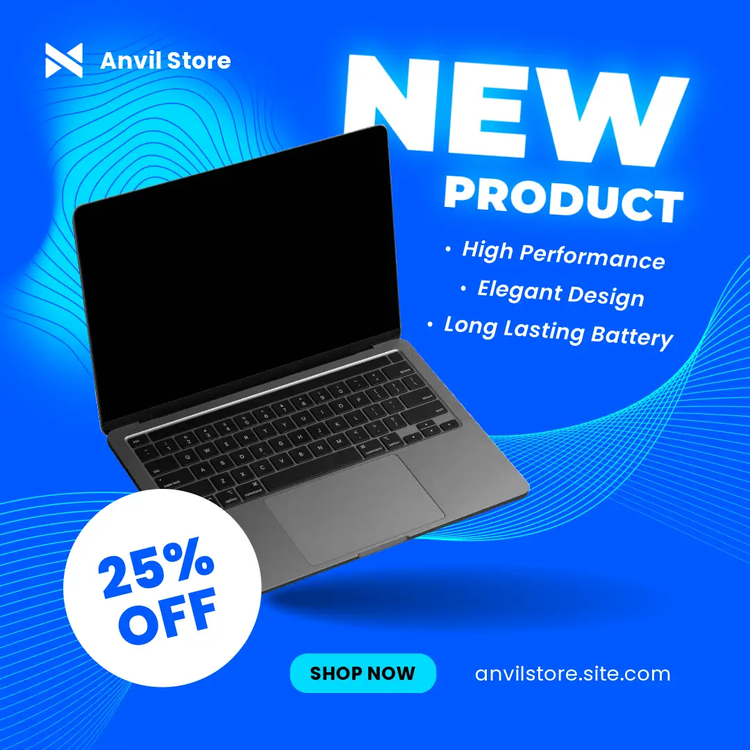
- Image Ads: Simple and effective, Facebook Image Ads feature a single image with a short message. You should also add a call-to-action button. Great for brand awareness and product highlights.
- Video Ads: These can be short clips or longer (brand) stories. Facebook Video Ads grab attention in the feed and are perfect for storytelling, product demos, or testimonials. Use movement and sound to attract attention.
- Carousel Ads: Users can swipe through a series of images or videos – with each image or video having its own link. The Facebook Carousel Ad format is ideal for telling a story or showcasing multiple products at once.
- Stories Ads: Facebook Stories Ads are vertical, full-screen ads that appear between users' stories. They are fast, immersive and optimised for mobile devices – perfect for grabbing attention in a fast and entertaining way.
- Collection Ads: A Facebook Collection Ad consists of a main video or image and three smaller images arranged in a grid below it. Users who tap on this ad to browse or learn more are seamlessly taken to the so-called Instant Experience – without even having to leave Facebook.
- Instant Experience Ads (formerly Canvas Ads): Facebook Instant Experience Ads are full-screen, mobile-only ads that open instantly when someone taps on them. They provide an immersive viewing experience and load quickly.
- Lead Ads: Lead Ads are used to collect contact details (such as name, email address or telephone number) directly within Facebook. This means that users no longer need to be redirected to an external landing page – the forms open directly within the platform.
- Dynamic Ads: Facebook Dynamic Ads automatically promote products to people who’ve shown interest in them – based on their behaviour on your website or app. They draw their data from your product catalogue and are updated in real time – ideal for retargeting users who have viewed products, added them to their shopping basket or purchased them.
- Messenger Ads: Facebook Messenger Ads appear – as the name suggests – within the Facebook Messenger to encourage direct conversations with customers. They are perfect if you want users to take action via chat – for example, ask a question, make an appointment or request further information.
There are even more Facebook ad types such as Playable Ads, Augmented Reality (AR) Ads and more. Therefore, we recommend: try different types, monitor the results, and iterate. It’s the only way to know what resonates with your audience.