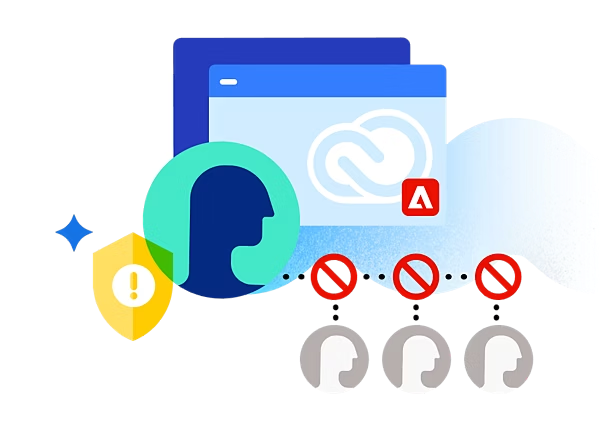
Adobe accounts can be signed into two computers — but only used by you and only on one computer at a time.
If you’re trying to share your account with someone, they’ll need to purchase their own individual plan. If you need to manage accounts for more than one person, switch to an Adobe teams plan.
Your account appears to be in use by more than one person. You are being asked to change your password to help protect your Adobe account. An Adobe account can be used by only one person — and not shared.
To change your Adobe account password, visit this page for detailed instructions.
Sign in (activate) your account on up to two devices
If you would like to sign in to (activate) Adobe apps on a third device, you’ll need to sign out of (deactivate) another device first. Learn more about using an Adobe app on more than one device.
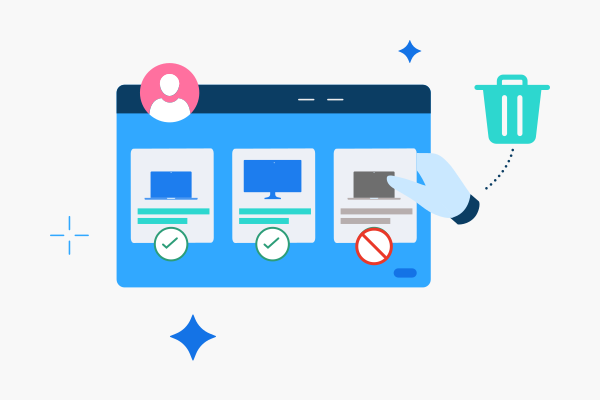
Follow these steps to manage devices you’re signed into (activated devices) on your Adobe account.
Go to the drop-down menu below Plans and payment and click Activated devices.
Sign yourself or someone else out of a device by clicking the Deactivate button next to the name of the device.
When you sign out of (deactivate) a device, the Adobe apps on that device will no longer work and files will stop syncing.
It may take 24-48 hours for you to stop receiving these notifications after you changed your password and signed out of all active log ins.
No. Individual plans are for one person only. You cannot have more than one person share an individual plan. Additional information can be found in the Adobe General Terms of Use, 3. Use of Services and Software.
In most circumstances, individuals can switch from an individual to a team plan but there are some exceptions. Team plans are for multiple people. However, each team member requires a licence (that can easily be managed in the Admin Console). Read the requirements to upgrade from an individual to a team plan.
Learn more about how to sign out of an Adobe app or account.
style
Grid-width-10
background
#F8F8F8
style
xl-spacing-bottom
background
#F8F8F8
Need additional help?
Call Adobe Support at 448009176453 or start a chat.
Ce site Adobe ne correspond pas à votre zone géographique
Pour accéder à du contenu, des offres et des tarifs correspondant davantage à votre zone géographique, rendez-vous plutôt sur le site web France.
You can control how Adobe websites use cookies and similar technologies by making choices below. But note that if you disable cookies and similar technologies entirely, Adobe websites may not function properly.
Cookies are small text files stored by your web browser when you use websites. There are also other technologies that can be used for similar purposes like HTML5 Local Storage and local shared objects, web beacons, and embedded scripts. These technologies help us do things like remembering you and your preferences when you return to our sites, measure how you use the website, conduct market research, and gather information about the ads you see and interact with.
You can make choices in the menu below about what cookies and other technologies you want us to use on Adobe sites when you visit them from this browser. You can always change those choices later by clicking on the Cookie Preferences link at the bottom of the page.
If enabled:
We can improve your experience by tailoring the site and the content to things we think might be of interest
We can better keep track of your preferences — like what language you prefer to use
We will better understand your likely interests so we can provide you more relevant Adobe ads and content on non-Adobe websites and in non-Adobe apps
It will help us improve the performance of our website and those of our partners who use the Adobe Experience Cloud
If disabled:
We won’t be able to remember you from session to session so the experience may not be tailored to your interests
You’ll still have access to the content of the site but certain features that depend on cookies may not function
You’ll still see ads, they just may not be as relevant to you
General information
You can control how Adobe websites use cookies and similar technologies by making choices below. But note that if you disable cookies and similar technologies entirely, Adobe websites may not function properly.
Cookies are small text files stored by your web browser when you use websites. There are also other technologies that can be used for similar purposes like HTML5 Local Storage, web beacons, and embedded scripts. These technologies help us do things like remembering you and your preferences when you return to our sites, measure how you use the website, conduct market research, and gather information about the ads you see and interact with.
You can make choices in the menu below about what cookies and other technologies you want us to use on Adobe sites when you visit them from this browser. You can always change those choices later by clicking on the Cookie Preferences link at the bottom of the page.
If enabled:
We can improve your experience by tailoring the site and the content to things we think might be of interest
We can better keep track of your preferences — like what language you prefer to use
We will better understand your likely interests so we can provide you more relevant Adobe ads and content on non-Adobe websites and in non-Adobe apps
It will help us improve the performance of our website and those of our partners who use the Adobe Experience Cloud
If disabled:
We won’t be able to remember you from session to session so the experience may not be tailored to your interests
We’ll still count your use of our site and services
You’ll still have access to the content of the site but certain features that depend on cookies may not function
You’ll still see ads, they just may not be as relevant to you
Operate the site and core servicesOperate site and measure engagement
Always active
These cookies are required, and they are used to enable the site and related services core functionality. Without them the site could not operate, so they cannot be disabled.
These cookies enable the site and related services’ core functionality and collect statistics about user engagement, such as counting active use to help us understand trends. These cookies cannot be disabled.
Measure performance
These cookies are used to analyze site usage to measure and improve performance. Without them Adobe cannot know what content is most valued and how often unique visitors return to the site, making it hard to improve information we offer to you.
These cookies are used to analyze site usage to measure and improve performance. Without them Adobe cannot know what content is most valued, making it hard to improve information we offer to you.
Extend functionality
These cookies are used to enhance the functionality of Adobe sites such as remembering your settings and preferences to deliver a personalized experience; for example, your username, your repeated visits, preferred language, your country, or any other saved preference.
Personalize advertising
These cookies are used to enable Adobe and our partners to serve ads more relevant to your interests. Without them you will still see ads, but they might not be as relevant to you.