PHOTOSHOP FEATURES
How to smooth or soften edges in Adobe Photoshop.
Explore how you can smooth rough edges to help blend different elements into a single image.
PHOTOSHOP FEATURES
Explore how you can smooth rough edges to help blend different elements into a single image.


When you’re retouching a photo, use smoothing tools to help cover any imperfections.
Adding something new to an existing image? Smooth out the edges of the new component to help it blend.

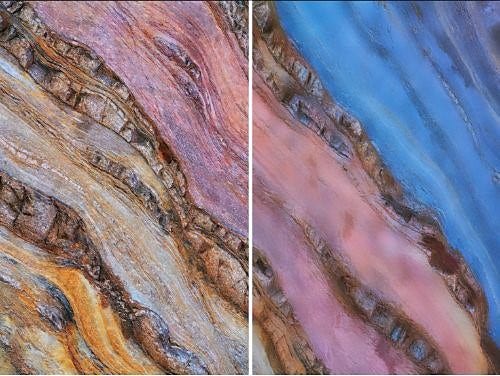
Photoshop can help you smooth out textured elements to create a sleeker look for your graphic.
If you’ve removed a section of your image, smooth over the edges to cover up evidence of the edit.
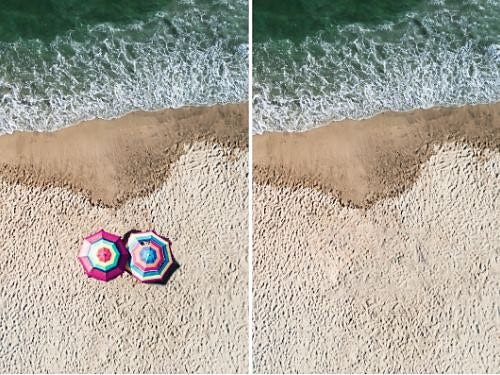
Anti-aliasing gently softens the opacity and colour transition between edge pixels and background pixels, preserving the image’s clarity and detail. In plain English, this means that it blends the pixels along the edge of an image to make lines and borders look nice and smooth.

Another way to smooth the edges of your image is feathering. Feathering basically softens up the edges of your selection by gently fading between the pixels on the border and the pixels in the surrounding area. This blunts any sharp edges, but it also can cause some loss of detail at the feathered edge of the selection.
For more experienced users, the Blur tool is an effective way to create a soft edge between two images.
Explore Photoshop tutorials to help you to make the most out of every image.
Put your edge-smoothing skills to the test by combining two images to make a composite.
Make a photo composite
Discover quick fixes that can help to perfect your photos on the fly.
Transform photos fast
Annual, billed monthly
£21.98/moincl. VAT
Get Photoshop on desktop and iPad as part of Creative Cloud.
Get 20+ Creative Cloud apps, including Photoshop on desktop and iPad.
Annual, billed monthly
£16.24/moincl. VAT
Save over
Industry-leading creative apps with simple licence management.

Based on your location, we think you may prefer the United States website, where you'll get regional content, offerings, and pricing.


