What is ray casting?
This guide will explain what ray casting is, how it shapes digital visuals and how you can get started with this 3D modelling technique.


This guide will explain what ray casting is, how it shapes digital visuals and how you can get started with this 3D modelling technique.
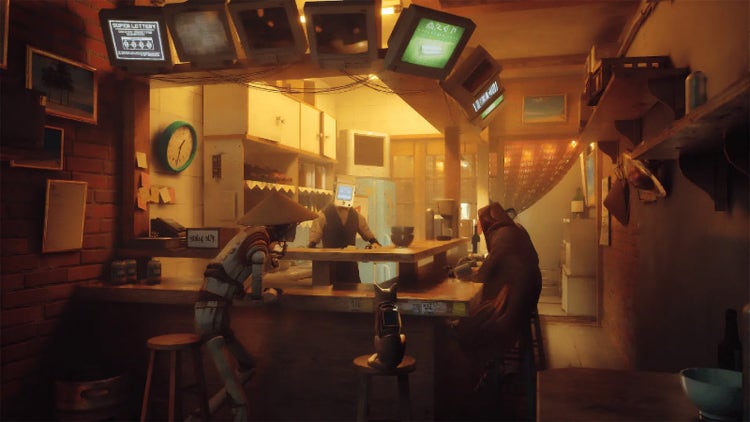
Ray casting is a method for determining how light will hit the eye (or camera) in a virtual scene. With 3D graphics, ray casting mimics sending digital beams of light from the viewer’s perspective into the digital environment. The rays will intersect with objects in the scene and, based on where the intersections occur and the properties of each object, ray casting helps you to determine the colour and brightness of the pixels on the screen.
Ray casting is critical for rendering and visualisation because it creates realistic lighting. This technique simulates how light interacts with objects in the real world in a digital environment, which allows for astonishingly realistic characters, objects and scenes.
Ray casting is a fundamental technique for modern 3D design, but the technology is decades old. In the 1960s, computer scientists explored methods to simulate how light interacts with surfaces for realistic image generation. In the 1980s, Turner Whitted wrote a paper on recursive ray tracing that popularised the technique. It introduced the concept of handling reflections and refractions by recursively casting rays — a true game-changer for ray casting.
John Carmack popularised ray casting in the early 1990s with the game “Wolfenstein 3D,” which used ray casting to create a 3D perspective in a 2D world. In the 2000s, ray casting techniques blended with rasterisation to support real-time rendering in digital simulations. Today, companies are developing hardware-accelerated ray tracing, which pushes the boundaries of what’s possible.
Ray casting is great for video games, but it also has other important applications, such as:
Volumetric ray casting goes a step beyond standard ray casting. This technique uses volumetric data, such as 3D textures and datasets. Standard ray casting intersects rays with surfaces, while volumetric ray casting samples data throughout the space. This is useful in applications like medical imaging, where the model visualises 3D data from CT or MRI scans.
Adobe Substance 3D is a creative suite for generating, modifying and stylising 3D models. Ray casting is a big part of Substance 3D, which helps with texture baking or how light interacts with digital materials. In addition to Substance 3D’s suite of 3D tools, ray casting makes it possible to create detailed, accurate textures for highly realistic 3D models.
Let’s take a look at how ray casting compares to other rendering techniques:
Here’s a quick guide to how you can get started with ray casting:
While this will help you to get started, don’t forget to continue investing in your ray casting skills. Online tutorials, communities and guides from Adobe Substance 3D will enhance your skills over time.
Ray casting creates more realistic digital scenes by mimicking real-world lighting in digital spaces. From medical imaging to video games, ray casting brings reality to the digital era. Build your own stunning visuals: experiment with ray casting in Adobe Substance 3D now.
1. Initialisation. Define the camera (also called the ray origin) and the viewing plane or the scene.
2. Casting. The software will cast a ray from the camera through the pixel and into the scene. Look for intersections between the ray and objects in the scene. You may want to adjust the colour of the pixel based on the closest intersected object or lighting conditions.
3. Display. Once you’ve chosen the pixel colours, render the scene and finalise the lighting.
Based on your location, we think you may prefer the United States website, where you'll get regional content, offerings, and pricing.

