





Why you need official Adobe apps.
Unlicensed apps could cause missed deadlines, files that won’t sync, and potential damage to your device. Why risk it? Only official apps give you the best tools, features, and security possible.
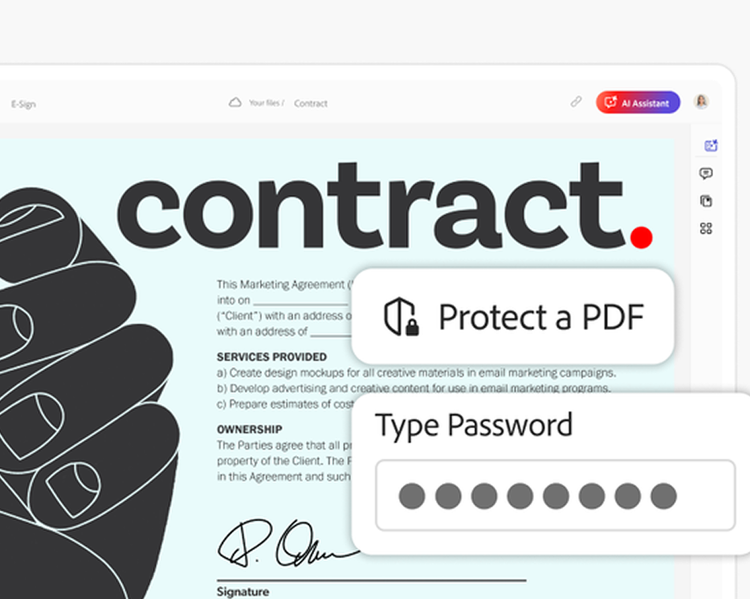
Protect your work.
Built-in security features help protect your projects and keep your data private, so you can work with confidence.

Stay in sync.
Your work is automatically saved and synced to the cloud, and you'll always have the latest app updates and bug fixes.

Get ahead.
Official apps include the most up-to-date tools and features so you’re always equipped for what comes next.
What you get with official apps.
Unlicensed apps
Official apps
Security updates and malware protection
Advanced privacy and safety from embedded viruses


Use on desktop, mobile, and web
Auto-save and cloud access, wherever you go
Customer support
Full access to Adobe Customer Care and technical support
How to replace your unlicensed app.

STEP 2
Uninstall all unlicensed apps

STEP 3
Install official Adobe apps
Shop official Adobe apps.
Safety, support, and the latest industry-leading tools needed for superior work.

Creative Cloud Pro
Annual, billed monthly
Save 50%. Get 20+ apps, including Photoshop, Illustrator, Premiere, and Acrobat Pro, plus Adobe Firefly creative AI. Pay US$34.99/mo for the first 3 months and US$69.99/mo after that. New subscribers only.
Best value

Adobe Firefly Pro
US$19.99/mo
Get 4,000 credits for creative AI, edit with Adobe Photoshop on web and mobile, and design with Adobe Express Premium.

Acrobat Pro
US$19.99/mo
Annual, billed monthly
Create, edit, sign, and manage your PDFs — quickly, easily, anywhere.

Photoshop
US$22.99/mo
Annual, billed monthly
Create beautiful graphics, photos, and art on desktop, web, and mobile.
Questions? We have answers.
There are several ways this might have happened.
Common reasons include:
- Buying from an unauthorized marketplace or reseller (i.e., "cracked Photoshop," "Photoshop crack," etc.).
- Receiving it from someone who may not have known the original source of the software/app.
We recommend you only install genuine Adobe software or apps that are legally licensed and purchased directly from Adobe or an authorized reseller.
Unlicensed Adobe apps are apps that are copied, modified, distributed, shared or sold outside of Adobe or authorized resellers.
Unlicensed Adobe apps may include:
- Fraudulently obtained keys or accounts
- Usage that isn’t in line with licensing terms of use, including the end user agreement
Unlicensed (cracked) apps do not have the full functionality and security of official (genuine) Adobe apps, and could expose the user to:
- High chance of malware or viruses embedded in the installation files.
- Lack of customer support or updates
- Crashing software, apps not working as expected, loss of work and files
- Loss of document integrity or functionality
- Legal consequences for violating software piracy laws
If you are still receiving notifications from Adobe, it means you could still have an unlicensed Adobe app installed on your device. You must uninstall all unlicensed Adobe apps to stop receiving these notifications from Adobe. If unlicensed Adobe apps remain on your device, you will continue to receive notifications even if you’ve switched to official (genuine) Adobe apps.
For more support or further questions, please start a chat with Adobe Support or call them at 866-493-4991.
The Adobe Genuine Service periodically verifies whether installed Adobe apps are licensed (genuine) or not, helping protect customers from security vulnerabilities and harmful malware that may be present in unlicensed apps.
When unlicensed Adobe apps are detected, the AGS can inform the user through notifications. The notifications provide detailed information on how to resolve the issue. In an effort to block fraudulent activity and help safeguard the user's machine, Adobe may disable the unlicensed Adobe app.
For more information on the AGS, visit: Adobe Genuine Service.
