Adobe Illustrator on alan johtava graafisen suunnittelun työkalu, jonka avulla suunnittelet kaikkea, mitä voit kuvitella – alkaen logoista ja kuvakkeista grafiikkaan ja kuvituksiin. Voit myös mukauttaa sen ammattilaistason tarkkuudella sekä aikaa säästävillä toiminnoilla, kuten
Toistuvilla kuvioilla tai
Globaaleilla muokkauksilla. Voit käyttää Illustrator-sovelluksella luotua grafiikkaa missä koossa tahansa digitaalisessa tai painetussa muodossa. Voit luottaa siihen, että grafiikat näyttävät suunnittelemiltasi.
Voit luoda kauniita, tarkkoja malleja ja grafiikkaa molemmilla tuotteilla. Ero on siinä, miten ne on luotu. Illustrator sopii parhaiten, kun luodaan grafiikkaa, jota voidaan suurentaa tai pienentää äärettömästi. Se ei sumene, koska se on tehty pisteistä, suorista ja käyristä – ei pikseleistä. Voit käyttää tätä vektorigrafiikkaa missä tahansa halutussa muodossa – pienessä tai erittäin suuressa tai digitaalisessa tai painetussa muodossa. Toisaalta Photoshop on ihanteellinen valokuvien käsittelyyn ja pikselipohjaisen tai rasterigrafiikan luontiin ja muokkaukseen. Lue tästä lisätietoja siitä, milloin on paras käyttää Illustratoria vs. Photoshopia.
Erikoistarjous: 50 % alennus ensimmäisten 3 kuukauden ajan Photoshopista tietokoneelle, verkkosovelluksena ja mobiililaitteille sekä Adobe Express Premium -sopimus. Maksa 13,70 €/kk ensimmäisten 3 kuukauden ajan ja 27,41 €/kk tämän jälkeen. Vain uudet tilaajat. Katso käyttöehdot.
Lisätietoja hankintavaihtoehdoista on Creative Cloudin jäsenyyssivulla.
Ei lainkaan. Voit käyttää muotoja, viivoja, käyriä ja reunoja Illustratorilla luodaksesi kauniita malleja sellaisilla ominaisuuksilla kuin
Shape Builder, vaikka et olisi koskaan elämässäsi piirtänyt mitään. Tai kokeile muokattavia malleja, kun haluat aloittaa projektin nopeasti. Parasta on, että voit jatkuvasti muokata ja muuttaa värejä, kirjasimia, muotoja ja muuta – milloin tahansa ja niin paljon kuin haluat.
Kyllä. Voit ladata sen App Storesta. Se sisältyy Illustrator- tai Creative Cloud Pro -tilaukseen. Illustrator iPadille on erityisen hyvä, jos pidät digitaalisesta piirtämisestä luonnollisilla kädenliikkeillä – esimerkiksi Apple Pencilillä.
Lue lisää Illustratorista iPadille tästä.
27,41 €/kk Sis. ALV:n vuosittain laskutettu kuukausimaksu.
Autamme sinut alkuun opastusvideoilla ja käytännön harjoituksilla, maksuttomilla kirjasimilla ja malleilla, Adobe Express Premiumin käyttöoikeudella ja muulla.
Lue lisää ostovaihtoehdoista Creative Cloud -sopimusten sivulta.
Jos olet kiinnostunut muista Adoben luovista sovelluksista, voit myös hankkia Illustratorin osana Creative Cloud Pro -sopimusta, joka on saatavana hintaan 50 % ensimmäisten 3 kuukauden ajan. Maksat alennetun hinnan Säännöllisesti hintaan 82,25 €/kk 41,11 €/kk Sis. ALV:n ensimmäisten 3 kuukauden ajan ja sen jälkeen 82,25 €/kk. Vuosittain laskutettu kuukausimaksu. Vain uudet tilaajat. Katso käyttöehdot.
Lue lisää ostovaihtoehdoista Creative Cloud -sopimusten sivulta.
Illustrator maksetaan kuukausittaisella tai vuosittaisella tilauksella. Voit myös rekisteröityä
maksuttomaan seitsemän päivän kokeiluun nähdäksesi, onko Illustrator sinulle paras graafinen suunnittelutyökalu. Voit vaihtoehtoisesti tehdä sommitelmia, lehtisiä, videoita ja animaatioita
Adobe Expressillä – aina maksutta.
Kyllä, opiskelijat ja opettajat säästävät yli 75% Creative Cloud Pro -jäsenyyden hinnasta. Lue lisää opiskelijajäsenyyksistä
täältä.
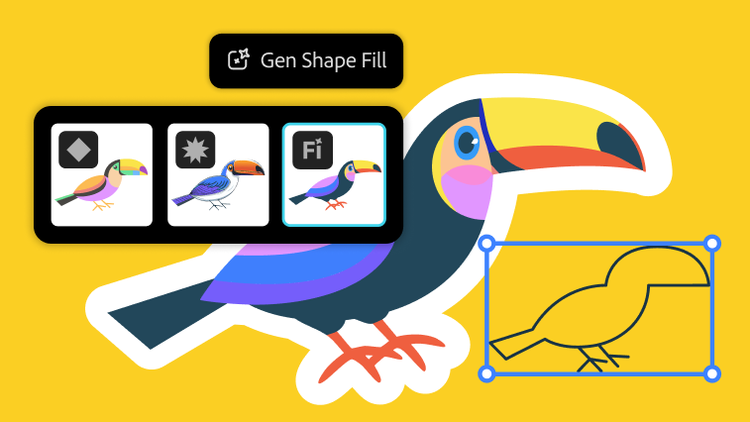
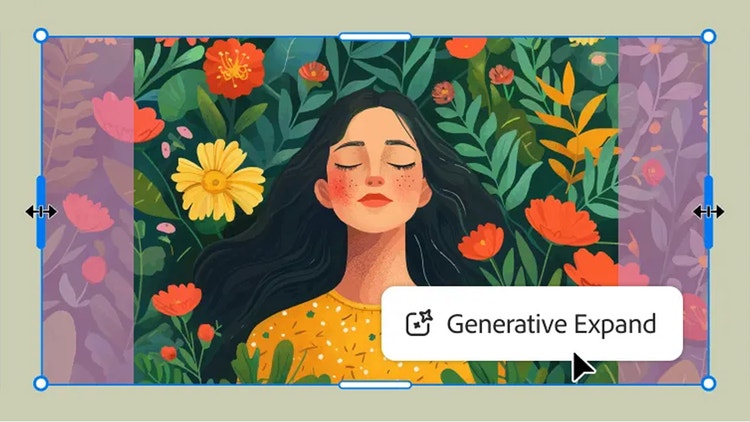
Kun generoit sisältöä, voit valita Adoben omia malleja tai kumppanimalleja avattavasta Malli-valikosta. Illustrator on yksi Creative Cloud -sovelluksista, joihin on integroitu valmiiksi Adoben tehokas generatiivisen tekoälyn teknologia Adobe Firefly. Voit myös käyttää kolmannen osapuolen malleja, joihin kuuluvat muun muassa GPT 4o, Nano Banana, Ideogram, ja Imagen 4. Generatiivinen muodon täyttö, Teksti vektorigrafiikaksi, Teksti kuvioksi ja Generatiivinen laajennus generoivat muokattavia vektoreita, joita voi skaalata kätevästi.