Adobe
Products
Acrobat
Creative Cloud
Creative Suite
Digital Marketing Suite
Digital Publishing Suite
Elements
Photoshop
Touch Apps
Student and Teacher Editions
More products
Solutions
Digital marketing
Digital media
Education
Financial services
Government
Web Experience Management
More solutions
Learning Help Downloads Company
Buy
Home use for personal and home office
Education for students, educators, and staff
Business for small and medium businesses
Licensing programs for businesses, schools, and government
Special offers
Search
 
Info Sign in
Welcome,
My cart
My orders My Adobe
My Adobe
My orders
My information
My preferences
My products and services
Sign out
Why sign in? Sign in to manage your account and access trial downloads, product extensions, community areas, and more.
Adobe
Products Sections Buy   Search  
Solutions Company
Help Learning
Sign in Sign out My orders My Adobe
Preorder Estimated Availability Date. Your credit card will not be charged until the product is shipped. Estimated availability date is subject to change. Preorder Estimated Availability Date. Your credit card will not be charged until the product is ready to download. Estimated availability date is subject to change.
Qty:
Purchase requires verification of academic eligibility
Subtotal
Review and Checkout
Adobe Acrobat /

Acrobat X Suite / FAQ

Overview Features Tech specs Reviews FAQ Showcase
Buying guide

Jump to:

  • General information
  • Acrobat X and Microsoft
  • Purchasing Acrobat X
  • Upgrading and support
  • Adobe Product Improvement Program
  • Acrobat.com
  • Standards and accessibility
General information
To the top
Which products make up the Adobe® Acrobat® X Family of software?

The Adobe Acrobat X Family for Windows® includes:

  • Adobe Acrobat X Suite
  • Adobe Acrobat X Pro, which includes Adobe LiveCycle® Designer ES2
  • Adobe Acrobat X Standard
  • Adobe Reader® X

For Mac OS, Adobe offers:

  • Adobe Acrobat X Pro
  • Adobe Reader X
Which products are included in Adobe Acrobat X Suite?

The following products are included in Acrobat X Suite, for Windows only:

  • Adobe Acrobat X Pro, which includes Adobe LiveCycle Designer ES2
  • Adobe Photoshop® CS5
  • Adobe Captivate® 5
  • Adobe Presenter 7
  • Adobe Media Encoder CS5
How do I choose which products in the Acrobat X Family are right for me?

 See the Acrobat X product comparison.

Is the Acrobat X family of products 64-bit compliant?

Yes, Acrobat continues to be a 32-bit application that can run and has been tested on Microsoft® Windows 7 64 bit, Windows Vista® 64 bit, Windows XP 64 bit, and Windows Server® 2003 64 bit.

Is there a trial version of Acrobat X?

Yes, there is a fully functional, 30-day trial version of Acrobat X Suite. You can download the free trial software in English, French, German, and Japanese.

Does Adobe have tools to help IT departments deploy Acrobat X and Reader X across the enterprise?

Yes, a free downloadable utility is available to help IT professionals take greater control of enterprise-wide deployments of Acrobat and Reader. By using the Adobe Customization Wizard, IT personnel can:

  • Optimize the behavior of the installer by including silent installation, preserialization, reboot, multilingual, and custom setup choices
  • Customize key application preferences such as automatic updates, default job options, and collaboration and security settings
  • Help prevent users from modifying certain preferences

Additionally, Acrobat X includes improved support for Microsoft System Center Configuration Manager (SCCM) and Windows Group Policy Objects. This enables IT personnel to automate the deployment of Acrobat X across the network, while enforcing security settings and IT policies. Updates can be efficiently imported and published via Microsoft System Center Updates Publisher (SCUP), as well.

See IT resources for more information.

How does activation work in Acrobat X?

Acrobat X products for Windows will automatically attempt to activate over the Internet. No personal information will be transmitted. See the Adobe software activation page for more information.

What is Protected Mode in Adobe Reader X and Protected View in Adobe Acrobat X?

Protected Mode and Protected View represent new advancements in mitigating the impact of attempted attacks on users' computers through PDF files. By default, Adobe Reader X opens files in Protected Mode, an isolated "sandboxed" instance of the application. Protected View in Acrobat X provides similar sandboxing protection by opening a file in a read-only environment until you decide the document is safe. In Acrobat X, you can set Protected View as the default mode for opening files from potentially unsafe locations or as the default mode for opening all files by modifying the Enhanced Security Preferences. To experience Protected View in Acrobat X, download the Acrobat 10.1 update for Windows or Mac OS.

How can I install the latest updates and security patches for Acrobat?

For optimal performance, Adobe recommends that you always install the latest updates and security patches. To do so, navigate to the Help menu within Adobe Acrobat and choose "Check for Updates." The Adobe Updater scans your system and lets you know if updates are available. Click "Download and Install Updates" to bring Acrobat up to date.

Acrobat X and Microsoft
To the top
How does Acrobat X work with Microsoft Office 2010?

Acrobat X is integrated with key functionality of Microsoft Office 2010. With Acrobat X Pro or Acrobat X Standard, you can:

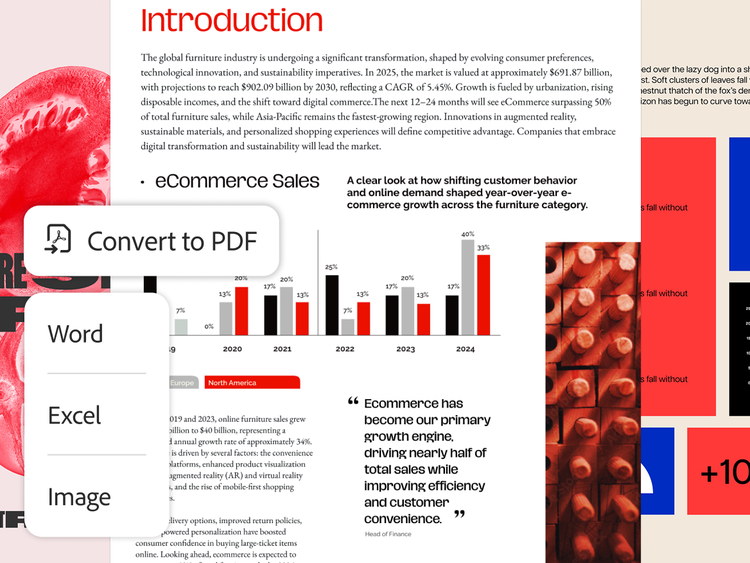
  • Create PDF files with one-button ease from within the most popular Microsoft Office 2010 applications — including Word, Excel, PowerPoint, and Outlook with Acrobat X Standard and additionally Visio, Project, Publisher, and Access with Acrobat X Pro
  • Export PDF files as Microsoft Word files or Excel spreadsheets and retain layouts, formatting, and tables
  • Import comments from a PDF file into the source Word document as markups that can be accepted or rejected with the Track Changes tool

Acrobat X lets you create PDF files with a single click in 32-bit Microsoft Office 2010 applications from a button in the Office ribbon. The Acrobat 10.1 update extends this functionality to 64-bit Office 2010 versions of Word, Excel, PowerPoint, and Outlook. Download and install this update for Windows or Mac OS.           

Note: One-button PDF file creation in Microsoft Office 2010 and the ability to import comments into Word are available only in Acrobat X for Windows. To create PDF files from Office 2010 applications when using earlier versions of Acrobat or Acrobat X for Mac OS, select Adobe PDF as the printer in the Print dialog box.

Do products contained in Acrobat X Suite work with Windows 7?

Yes, they do.

Do products contained in Acrobat X Suite work with Microsoft Office 2010 products?

Yes, the applications in Acrobat X Suite each work with applications in Microsoft Office 2010.

  • Adobe Acrobat X Pro works with Microsoft Office 2010 products, including one-button creation of PDF files from the most popular Office 2010 applications.
  • Adobe Presenter 7 works as a plug-in to Microsoft PowerPoint 2007 or 2010.
  • Adobe Captivate 5 lets you import projects created in Microsoft PowerPoint 2007 or 2010. You can also edit PowerPoint content in Adobe Captivate and keep your projects in sync.
  • Adobe Media Encoder CS5 converts video files to an Adobe Flash® Player compatible format. As such, it doesn't contain any direct integration with Microsoft Office products.
  • Adobe LiveCycle Designer ES2 lets you import a Microsoft Word document to use as the basis for creating a new form template. It currently supports files created with Word 2007, but does not yet support the import of files created with Word 2010. You can work around this easily by converting the Word document to PDF first, and then importing it into LiveCycle Designer ES2.
  • Adobe Photoshop CS5 is the industry standard for image editing. As such, it doesn't contain any direct integration with Microsoft Office products.
Does Acrobat X integrate with Microsoft SharePoint?

Yes, you can easily work with PDF files in SharePoint. Access SharePoint from within any Acrobat X Open or Save dialog box. Open PDF files from within SharePoint to view and collaborate on PDF documents. You can even check PDF documents out of SharePoint to edit, and then check them back in once you're finished.

Do Acrobat X and Reader X support Windows 7?

Yes, both Acrobat X and Reader X support Windows 7.

What about older versions of Acrobat and Windows 7?

Acrobat 9.2 is the first version to support Windows 7. If you own Acrobat 7 or Acrobat 8, Adobe recommends you upgrade to Acrobat X through your Adobe reseller or the Adobe Store. Upgrading to Acrobat X will ensure compatibility with Windows 7 and access to the latest product enhancements. Enterprise customers with a Gold or Platinum support plan can contact Customer Support for upgrade tips and planning help.

There are Home Premium, Professional, and Ultimate versions of Windows 7. Which versions does the Acrobat X Family support?

Adobe Acrobat X Pro and Acrobat X Standard have been tested and are confirmed to operate on the Ultimate version of Windows 7, which includes all the features of the Windows 7 Home Premium and Professional versions.

Purchasing Acrobat X
To the top
When will Acrobat X be available?

Acrobat X Standard, Acrobat X Pro, and Acrobat X Suite are now available worldwide.

How do I order Acrobat X?

Select a store to order Acrobat X products, or go through your Adobe Reseller. Find out where to buy. To purchase for your organization, learn more about Adobe Volume Licensing.

Upgrading and support
To the top
What versions of Acrobat does Adobe currently support?

Adobe actively supports Acrobat X and Acrobat 9. Per the Adobe Enterprise Support Lifecycle Policy, support for Acrobat 8 and Reader 8 ended on November 3, 2011.

I own a previous version of Acrobat software. Am I eligible for an upgrade to Acrobat X?

For information about upgrading to a new Acrobat X product, read the Acrobat X Standard buying guide, the Acrobat X Pro buying guide, or the Acrobat X Suite buying guide. If you own Acrobat Pro Extended or Acrobat 3D, read the 3D PDF and geospatial PDF FAQ.

What support options are available for Acrobat X products?

Registered owners of the current version of Adobe Acrobat are eligible to receive person-to-person support on issues related to installation and products. There is no ongoing charge for this service; you pay only the cost of the call.

Visit the Acrobat Help and Support page for additional support information, including worldwide telephone support numbers, Knowledgebase articles, tutorials, and more, available free of charge. The Acrobat Help and Support page also provides detailed information on common Acrobat issues to help you:

  • Troubleshoot installation errors or freezes for Acrobat 9 on Windows XP
  • Troubleshoot printing problems for Adobe Reader and Acrobat on Windows
  • Troubleshoot printing problems for Adobe Reader and Acrobat on Mac OS
  • Troubleshoot scanner issues for Acrobat 8 and 9 on Windows
  • Troubleshoot scanning problems for Acrobat 8 and 9 on Mac OS
Adobe Product Improvement Program
To the top
What is the Adobe Product Improvement Program?

The Adobe Product Improvement Program was introduced with Acrobat 9 and continues in Acrobat X. This program invites users of Acrobat X and Reader X to help Adobe design future products by providing anonymous information on how they use certain features and functions within the application. Initially, you are prompted by an automatic dialog box with the option to opt in (the default is opt out), as well as a link to a web page where you can learn more about the program. If you agree to participate in the program, the data collection process is invisible to you and does not affect your experience or your computer's run time. After you close out of Acrobat X or Adobe Reader X, anonymous data, such as operating system, browser type, menu options, and buttons selected, is sent to Adobe. By analyzing usage trends among large groups of unidentified users, Adobe will be able to offer future products that are better able to meet your needs.

Do other software companies have programs like this?

Yes, Adobe joins many companies such as Microsoft and Intuit that already use customer feedback programs to enhance their products.

How is my privacy protected?

Adobe takes many precautions in protecting the information that is collected and transmitted from potentially harmful access. We collect data only for the specific product(s) listed in the Adobe Product Improvement Program dialog box, and the data is disclosed only according to the terms described in the Adobe Online Privacy Policy. Data collected is stored or processed in the United States or any other country where Adobe or third-party partners operate. This program is not spyware and cannot collect information without your full knowledge or consent. The program takes only those actions described on this page, and only provided you give your permission. Since no personal identifiable information is collected as part of the Adobe Product Improvement Program, the anonymous data will not be meaningful to anyone else besides specific Adobe product teams.

Will a third-party collect and analyze information on behalf of Adobe and possibly use the information for its own purposes?

No, there will be no third parties accessing data generated by this program.

Can participants in the Adobe Product Improvement Program stop participating after they have opted in?

Yes, we have made it simple for users to stop participating. Simply go to the Help menu in Acrobat X or Reader X and select "Improvement Program Options." When the dialog box appears, you can choose not to participate.

Where can I learn more about the Adobe Product Improvement Program?

Read the full Adobe Product Improvement Program FAQ.

Acrobat.com
To the top
What is Acrobat.com?

Acrobat.com is a set of hosted document exchange and collaboration services that help individuals and teams work better together. Virtually anyone can work online, from anywhere in the world. Acrobat.com services extend your working environment to help you streamline and simplify your projects with Acrobat X software.

How can Acrobat X customers take advantage of Acrobat.com?

By combining the power of Acrobat X software with services at Acrobat.com, you and your teammates can work smarter, collaborate better, and get more done every day. Each service in the Acrobat.com family has its own unique focus.

Sign up for a free subscription to the main Acrobat.com service to:

  • Share PDF forms and collect data. You'll use the Acrobat.com service to host the PDF form and Acrobat X to track and manage the responses.
  • Create and manage shared document reviews. You'll use Acrobat X Pro to prepare a PDF file for review and manage the process. The Acrobat.com service hosts the document in a shared environment so that reviewers can see and build on one another's comments in real time.

Upgrade to a paid subscription to the main Acrobat.com service to:

  • Host web conferences with a readily available online meeting room without involving an IT expert.
  • Get up to 100GB of permanent online file storage with the ability to set up document and folder permissions so that only intended recipients can view and download your files.
  • Create documents and tables collaboratively with teammates using the Adobe Buzzword® online word processor and the Acrobat.com spreadsheet tool.

The Acrobat.com family also includes additional subscription services:

  • Adobe SendNow lets you send, share, and track large files without the headaches of email size restrictions. Easily send PDF files using the Share pane in Acrobat X, or use your web browser to send a wide range of file types, including graphics, audio, and video files.
  • Adobe FormsCentral lets you create, distribute, and analyze professional-quality HTML web forms and surveys that anyone can complete using a web browser. FormsCentral is easily accessed through the Form Wizard in Acrobat X.
  • Adobe CreatePDF and Adobe ExportPDF provide basic PDF conversion services. These services are ideal for individuals and small businesses just getting started with PDF files. Simply upload a file online using a web browser, and then download the converted file to your desktop.
In what language versions are these services available?

Acrobat.com and Adobe SendNow are available in English, French, German, Italian, Japanese, and Spanish. Adobe Buzzword, a service at Acrobat.com, is available only in English.

Adobe CreatePDF is available in English, French, German, Italian, and Spanish. Adobe FormsCentral and Adobe ExportPDF are available in English only.

In which countries are these services available?

Acrobat.com, Adobe SendNow, Adobe FormsCentral, Adobe CreatePDF, and Adobe ExportPDF are available for purchase worldwide in the following Adobe online stores: Australia, Austria, Belgium, Brazil, Bulgaria, Canada, Cyprus, Czech Republic, Denmark, Estonia, Finland, Germany, Greece, Hong Kong, Hungary, Ireland, Italy, Latvia, Lithuania, Luxembourg, Malta, Mexico, Netherlands, New Zealand, Norway, Poland, Portugal, Romania, Singapore, Slovakia, Slovenia, South Africa, Spain, Sweden, Switzerland, United Kingdom, and the United States.

Acrobat.com, Adobe SendNow, and Adobe CreatePDF are available for purchase in the Adobe online store in France.

Acrobat.com and Adobe SendNow are available for purchase in the Adobe online store in Japan.

Are there plans to offer these services in other languages?

Yes. Specific languages will be determined based on market conditions and customer demand.

Where can I learn more about Acrobat.com services?

Visit Acrobat.com to learn more. 

Standards and accessibility
To the top
What version of the PDF specification does Acrobat X support?

Acrobat X supports ISO 32000, the open standard maintained by the International Organization for Standardization (ISO). Learn more about the ISO.

What PDF-based standards does the Acrobat X Family support?

Adobe Acrobat X enables the creation and validation of these workflow-specific PDF standards:

  • PDF/A for archive (ISO 19005): PDF/A-1a, PDF/A-1b, PDF/A-2a, and PDF/A-2b
  • PDF/E for engineering (ISO 24517): PDF/E-1
  • PDF/X for print production (ISO 15930): PDF/X-1a, PDF/X-3, PDF/X-4, PDF/X-5g, and PDF/X-5pg
What is PDF/A?

PDF/A provides specifications for creating, viewing, and printing digital documents for long-term preservation. Records managers, archivists, and industry-compliance professionals can use Acrobat X to preserve and protect final documents of record as self-contained files.

What is PDF/E?

PDF/E provides specifications for creating, viewing, and printing documents used in engineering workflows. Architects, engineers, construction professionals, and manufacturing product teams can use Acrobat X to facilitate the exchange of documentation and drawings with others in the supply chain, and to streamline review and markup of documents.

What is PDF/X?

PDF/X provides specifications for creating, viewing, and printing final print-ready or press-ready pages. This standard provides guidelines for PDF settings that affect critical aspects of printing, such as color space and trapping. Print professionals, graphic designers, and other creative professionals can use Acrobat X to create and deliver predictable, press-ready PDF/X-compliant files.

Does Acrobat X work in conjunction with any other PDF standards or initiatives?

Yes. Acrobat X supports the creation and use of PDF in compliance these additional standards and initiatives:

  • PadES (ETSI): PDF Advanced Electronic Signature provides specifications to ensure compliance with digital signature standards in the European Union. Adobe Acrobat X supports PAdES Parts 2, 3, and 4.
  • PDF for healthcare (AIIM): The AIIM PDF Healthcare Committee provides best practice and implementation guidelines to facilitate the capture, exchange, preservation, and protection of healthcare information.
Where can I learn more about standards?

 See additional details about Acrobat and PDF standards and Adobe and industry standards.

Does Acrobat X help provide document accessibility?

With either Acrobat X Standard or Acrobat X Pro, anyone can create accessible PDF documents. Acrobat X and Reader X address the needs of both users with disabilities and authors of accessible content. This ensures that users with disability can access, read, and use Adobe PDF documents and forms across multiple languages more easily.

Using Acrobat X Standard, Acrobat X Pro, or Adobe Reader X, users and authors can:

  • Customize accessibility preferences with an easy-to-use wizard
  • Set high-contrast colors for better visibility
  • Enable large-type display by setting text to reflow through pages

Authors can work with Acrobat X Standard or Acrobat X Pro to make PDF documents more accessible by adding tags to control reading order and improve navigation.

Using Acrobat X Pro, authors can:

  • Validate accessible PDF documents and check for possible accessibility problems  
  • Provide reading order for pages or columns of text

Learn more at the Adobe Accessibility Resource Center.

Learning

More
  • Acrobat User Community
  • Acrobat on Adobe TV
  • Training
  • Tutorials
  • MAX Online

Help

More
  • Customer support
  • Product activation
  • Windows updates
  • Mac updates
  • User forums

Resources

  • Enterprise benefits
  • IT resources
  • Developer Center
  • Standards
  • Accessibility
  • Security and privacy
  • Acrobat for education
  • Acrobat for manufacturing
  • Why choose Acrobat?
  • Adobe PDF history
  • Product comparison

Page tools

Share on Facebook
Share on Twitter
Share on LinkedIn
Bookmark
Print

Adobe online services are available only to users 13 and older and require an Internet connection and agreement to additional terms. Services are not available in all countries or languages. Fees or subscription charges may apply. Services may be discontinued without notice.

Acrobat X Suite

Get six tools, including Acrobat X Pro and Photoshop, at a great price.

x
Acrobat X Suite
Upgrade from
Buy Try
Add to Cart
Purchase requires verification of academic eligibility
Student & teacher pricing ›
Not a student or teacher? 
See home/home office pricing
Other ways to buy

Education Store

Students, educators, and staff

Business Store

Small and medium businesses

Enterprise purchasing

Volume licensing options

Call 800-585-0774

Adobe Reader Download Adobe Reader

Products

  • Acrobat
  • Creative Cloud
  • Creative Suite
  • Digital Marketing Suite
  • Digital Publishing Suite
  • Elements
  • Mobile Apps
  • Photoshop
  • Touch Apps
  • Student and Teacher Editions

Solutions

  • Digital marketing
  • Digital media
  • Web Experience Management

Industries

  • Education
  • Financial services
  • Government

Help

  • Product help centers
  • Orders and returns
  • Downloading and installing
  • My Adobe

Learning

  • Adobe Developer Connection
  • Adobe TV
  • Training and certification
  • Forums
  • Design Center

Ways to buy

  • For personal and home office
  • For students, educators, and staff
  • For small and medium businesses
  • For businesses, schools, and government
  • Special offers

Downloads

  • Adobe Reader
  • Adobe Flash Player
  • Adobe AIR
  • Adobe Shockwave Player

Company

  • News room
  • Partner programs
  • Corporate social responsibility
  • Career opportunities
  • Investor Relations
  • Events
  • Legal
  • Security
  • Contact Adobe
Choose your region United States (Change)
Choose your region Close

North America

Europe, Middle East and Africa

Asia Pacific

  • Canada - English
  • Canada - Français
  • Latinoamérica
  • México
  • United States

South America

  • Brasil
  • Africa - English
  • Österreich - Deutsch
  • Belgium - English
  • Belgique - Français
  • België - Nederlands
  • България
  • Hrvatska
  • Česká republika
  • Danmark
  • Eastern Europe - English
  • Eesti
  • Suomi
  • France
  • Deutschland
  • Magyarország
  • Ireland
  • Israel - English
  • ישראל - עברית
  • Italia
  • Latvija
  • Lietuva
  • Luxembourg - Deutsch
  • Luxembourg - English
  • Luxembourg - Français
  • الشرق الأوسط وشمال أفريقيا - اللغة العربية
  • Middle East and North Africa - English
  • Moyen-Orient et Afrique du Nord - Français
  • Nederland
  • Norge
  • Polska
  • Portugal
  • România
  • Россия
  • Srbija
  • Slovensko
  • Slovenija
  • España
  • Sverige
  • Schweiz - Deutsch
  • Suisse - Français
  • Svizzera - Italiano
  • Türkiye
  • Україна
  • United Kingdom
  • Australia
  • 中国
  • 中國香港特別行政區
  • Hong Kong S.A.R. of China
  • India - English
  • 日本
  • 한국
  • New Zealand
  • 台灣

Southeast Asia

  • Includes Indonesia, Malaysia, Philippines, Singapore, Thailand, and Vietnam - English

Copyright © 2012 Adobe Systems Incorporated. All rights reserved.

Terms of Use | Privacy Policy and Cookies (Updated)

Ad Choices

Reviewed by TRUSTe: site privacy statement