Adobe
Products
Acrobat
Creative Cloud
Creative Suite
Digital Marketing Suite
Digital Publishing Suite
Elements
Photoshop
Touch Apps
Student and Teacher Editions
More products
Solutions
Digital marketing
Digital media
Education
Financial services
Government
Web Experience Management
More solutions
Learning Help Downloads Company
Buy
Home use for personal and home office
Education for students, educators, and staff
Business for small and medium businesses
Licensing programs for businesses, schools, and government
Special offers
Search
 
Info Sign in
Welcome,
My cart
My orders My Adobe
My Adobe
My orders
My information
My preferences
My products and services
Sign out
Why sign in? Sign in to manage your account and access trial downloads, product extensions, community areas, and more.
Adobe
Products Sections Buy   Search  
Solutions Company
Help Learning
Sign in Sign out My orders My Adobe
Preorder Estimated Availability Date. Your credit card will not be charged until the product is shipped. Estimated availability date is subject to change. Preorder Estimated Availability Date. Your credit card will not be charged until the product is ready to download. Estimated availability date is subject to change.
Qty:
Purchase requires verification of academic eligibility
Subtotal
Review and Checkout
Adobe Acrobat /

Adobe CreatePDF for mobile / FAQ

Overview Tech specs FAQ

Jump to:

  • General information
  • Purchasing information
  • Upgrading and support
General information
To the top
What is the benefit of creating PDF files using the Adobe® CreatePDF application for mobile devices?

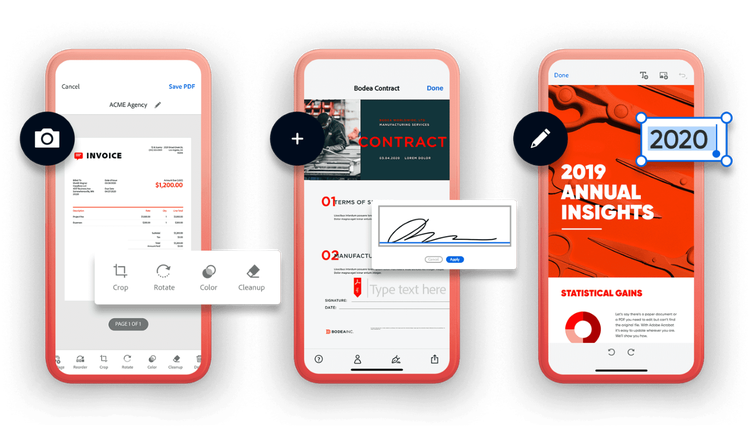
Developed by the inventors of the Portable Document Format (PDF), the Adobe CreatePDF app lets you create PDF files with the same look and feel of your original documents on your iPhone, iPad, or Android™ device. The converted PDF files can be viewed by anyone using free Adobe Reader® software.

What file formats can I convert to PDF using the CreatePDF app?

You can convert the following common file formats to PDF files:

  • Microsoft Word (DOCX, DOC), Excel (XLSX, XLS), PowerPoint (PPTX, PPT), and Publisher (PUB)
  • Adobe Illustrator® (AI), InDesign® (INDD), and Photoshop® (PSD)
  • OpenOffice (ODF, ODG, ODP, ODS, ODT), StarOffice (SXD, SXC, SXI, SXW, STW), and WordPerfect (WPD)
  • Images (BMP, GIF, JPEG, PNG, TIFF)
  • Rich Text Format (RTF), text (TXT, PS) and WordPerfect (WPD)
How many files can I convert to PDF with the CreatePDF app?

 You can convert an unlimited number of files to PDF.

Is there a limit on how large a file I can convert to PDF with the CreatePDF app?

There is a 100MB limit per file.

Can I convert web pages to PDF using the CreatePDF app?

The current version does not support conversion of web pages. Adobe plans to add this support soon.

How do I convert a file to PDF using the CreatePDF app?

The CreatePDF app uses the "Open In" (iOS) or "Share" (Android) feature for sharing files across applications. To convert a file to PDF, select the Open In or Share menu option within the application in which you have opened the file. If the file format is supported, Adobe CreatePDF will appear in the pull-down list. Select Adobe CreatePDF to start the conversion. If the file format is not supported, Adobe CreatePDF will not appear in the list.

What apps support the iOS Open In feature?

A number of iPad and iPhone apps support the Open In feature, including, but not limited to, the following:

  • Mail apps to open attachments (for limited file formats)
  • Cloud storage apps, such as Dropbox (for limited file formats)
  • Office apps, such as Office2 HD and Documents To Go

If you are viewing a file in an app that doesn't support the Open In feature, you cannot use Adobe CreatePDF to convert the file to PDF. Some common iPad and iPhone apps that do not support the Open In feature include:

  • Photos
  • Safari web browser
  • Mail for some file formats, including images
  • Notes
  • Contacts
How do I convert images to PDF using the CreatePDF app?

Using CreatePDF for Android, you can convert to PDF images from the camera, screen captures, or emails that have been downloaded onto your device. On an iOS device, you can convert an image to PDF by opening it in an iOS app that supports the Open In feature, such as SugarSync for iPad. Currently, the Mail app for iPad and iPhone does not support the Open In feature for image attachments.

Can I open PDF files using the CreatePDF app?

The CreatePDF app lets you convert supported files to PDF. After conversion, you can view the converted PDF files using the app. You cannot open an existing PDF file with the app.

I have opened a CreatePDF supported file format in an app that supports the iOS Open In feature. Why can't I see Adobe CreatePDF in the Open In pull-down list?

Try scrolling down to see if the app is listed lower in the list. If it's not in the list, it is possible that you've exceeded the maximum number of apps that can be shown in the Open In list. Try uninstalling or deleting a few of the other apps in the list to allow CreatePDF to appear.

Purchasing information
To the top
How do I purchase the Adobe CreatePDF app?

You can purchase the app from the Apple iTunes App Store or the Android Market.

Upgrading and support
To the top
How can I install updates of the CreatePDF app?

You will see a notification in the App Store or Android Market app on your device whenever a CreatePDF update is available. Select the Install Update option to install the latest application update.

What kind of support is included with the CreatePDF app?

Support options available to all users include online product knowledgebase documents and moderated forums:

  • iOS user forum
  • Android user forum

Resources

  • User forums
  • CreatePDF on Adobe TV
  • Adobe PDF history

Page tools

Share on Facebook
Share on Twitter
Share on LinkedIn
Bookmark
Print

Adobe online services are available only to users 13 and older and require an Internet connection and agreement to additional terms. Services are not available in all countries or languages. Fees or subscription charges may apply. Services may be discontinued without notice.

Adobe CreatePDF
Adobe CreatePDF for mobile

Create PDF files from anywhere

Create PDF files from anywhere
Buy now
US $999
iPhone / iPad
Android
Adobe Reader X
Adobe Reader X for mobile

Access PDF files on the go

Adobe Reader X for mobile
Download now
for free
iPhone / iPad
Android

Products

  • Acrobat
  • Creative Cloud
  • Creative Suite
  • Digital Marketing Suite
  • Digital Publishing Suite
  • Elements
  • Mobile Apps
  • Photoshop
  • Touch Apps
  • Student and Teacher Editions

Solutions

  • Digital marketing
  • Digital media
  • Web Experience Management

Industries

  • Education
  • Financial services
  • Government

Help

  • Product help centers
  • Orders and returns
  • Downloading and installing
  • My Adobe

Learning

  • Adobe Developer Connection
  • Adobe TV
  • Training and certification
  • Forums
  • Design Center

Ways to buy

  • For personal and home office
  • For students, educators, and staff
  • For small and medium businesses
  • For businesses, schools, and government
  • Special offers

Downloads

  • Adobe Reader
  • Adobe Flash Player
  • Adobe AIR
  • Adobe Shockwave Player

Company

  • News room
  • Partner programs
  • Corporate social responsibility
  • Career opportunities
  • Investor Relations
  • Events
  • Legal
  • Security
  • Contact Adobe
Choose your region United States (Change)
Choose your region Close

North America

Europe, Middle East and Africa

Asia Pacific

  • Canada - English
  • Canada - Français
  • Latinoamérica
  • México
  • United States

South America

  • Brasil
  • Africa - English
  • Österreich - Deutsch
  • Belgium - English
  • Belgique - Français
  • België - Nederlands
  • България
  • Hrvatska
  • Česká republika
  • Danmark
  • Eastern Europe - English
  • Eesti
  • Suomi
  • France
  • Deutschland
  • Magyarország
  • Ireland
  • Israel - English
  • ישראל - עברית
  • Italia
  • Latvija
  • Lietuva
  • Luxembourg - Deutsch
  • Luxembourg - English
  • Luxembourg - Français
  • الشرق الأوسط وشمال أفريقيا - اللغة العربية
  • Middle East and North Africa - English
  • Moyen-Orient et Afrique du Nord - Français
  • Nederland
  • Norge
  • Polska
  • Portugal
  • România
  • Россия
  • Srbija
  • Slovensko
  • Slovenija
  • España
  • Sverige
  • Schweiz - Deutsch
  • Suisse - Français
  • Svizzera - Italiano
  • Türkiye
  • Україна
  • United Kingdom
  • Australia
  • 中国
  • 中國香港特別行政區
  • Hong Kong S.A.R. of China
  • India - English
  • 日本
  • 한국
  • New Zealand
  • 台灣

Southeast Asia

  • Includes Indonesia, Malaysia, Philippines, Singapore, Thailand, and Vietnam - English

Copyright © 2012 Adobe Systems Incorporated. All rights reserved.

Terms of Use | Privacy Policy and Cookies (Updated)

Ad Choices

Reviewed by TRUSTe: site privacy statement