
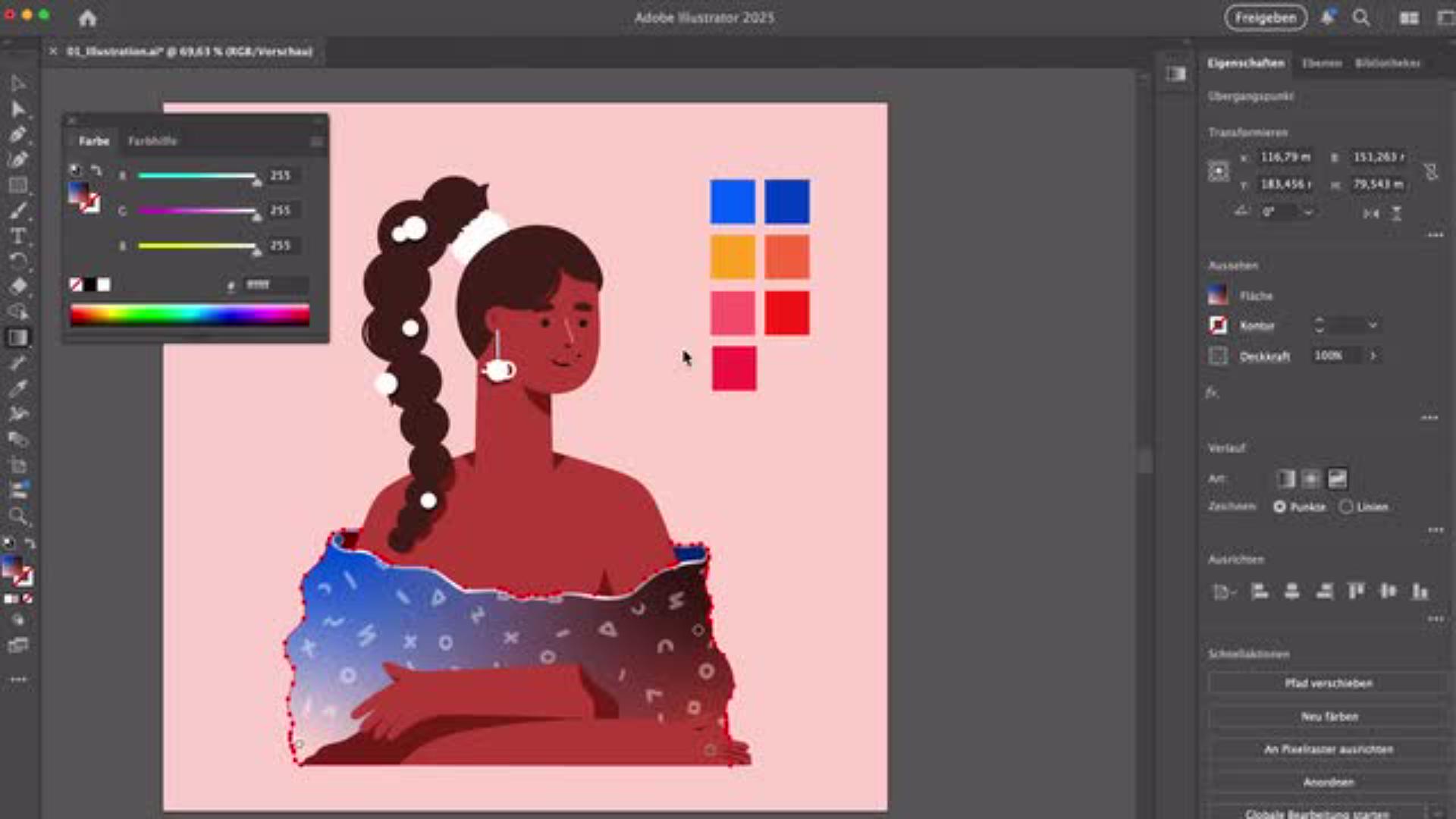

Farbverlauf erstellen: Bunte Outfits in Illustrator
Lass deine Charaktere lebendig werden, indem du einen Farbverlauf erstellst und die Outfits deiner Figuren farbenfroh gestaltest. Der Künstler Samy Löwe zeigt dir Schritt für Schritt, wie du die Verlaufswerkzeuge in Illustrator einsetzt, Farben harmonisch kombinierst und kreative, dynamische Ergebnisse erzielst.
Benötigte Materialien
In der Anwendung üben
Wir bringen Farbe in deine Illustrationen
Warum Farbe wichtig ist
Farben verleihen Illustrationen nicht nur Ausdruck und Tiefe, sondern machen sie auch spannend und ansprechend. Mit einem Farbverlauf kannst du Flächen abwechslungsreich gestalten und unterschiedliche Farbtöne elegant miteinander verbinden.
Tools für kreative Farbverläufe
In Illustrator stehen dir verschiedene Verlaufswerkzeuge zur Verfügung. In diesem Tutorial lernst du den Freihandverlauf und den linearen Verlauf als kreative Optionen kennen. Beide helfen dir, fließende Übergänge zu erzeugen, Farben weich zu mischen und Oberflächen plastisch wirken zu lassen. Samy zeigt dir die richtige Verwendung dieser Werkzeuge, um deine Outfits farbenfroh zu gestalten und einen professionellen Look zu erzielen.

Den Freihandverlauf anwenden
Das Oberteil einfärben
Mithilfe der Einstellungen des Freihandverlaufs färben wir das Oberteil unserer Illustration ein. Die automatisch erzeugten Punkte lassen sich bearbeiten, ändern, in ihrer Position und Reihenfolge verschieben, bis die Farben so verlaufen, wie du es dir wünschst.
Farbverlauf erstellen leicht gemacht
Durch kleine Änderungen an den Steuerungspunkten, wie z. B. das Vergrößern oder Verkleinern des Radius zur Mitte hin, kannst du die Übergänge sanft gestalten. So kannst du selbst feine Nuancen einstellen und eine besondere Optik erzeugen.
Den linearen Verlauf anwenden
Highlights setzen mit dem linearen Verlauf
Um die Oberfläche noch interessanter zu gestalten, nutzen wir den linearen Verlauf. Über die Deckkraft und den Rotationspfeil können die Stärke der Transparenz und der Winkel frei eingestellt werden. Damit setzen wir an einigen Stellen Highlights, zum Beispiel am Ärmel. Akzente in der Helligkeit verleihen der Illustration einen realistischen Glanz und lassen das Outfit plastischer wirken.
Bunte Farbübergänge mit dem linearen Farbverlauf
Mit dem linearen Farbverlauf lassen sich neben Licht-Effekten auch Füllungen mit bunten Farbverläufen in beliebiger Richtung hinzufügen. Samy gibt dir alle nötigen Informationen, wie du Farben harmonisch kombinierst und durch diese Mischung fließende Übergänge erzeugst.
Feinschliff und Export
Letzte Anpassungen vornehmen
Zum Abschluss finalisieren wir das Outfit, indem wir die Ebenen der kleineren Objekte wie Ohrringe oder Haarschmuck auswählen und mit der Pipette einfärben.
Bereit für den Export
Nach dem Feinschliff ist deine Illustrator-Datei fertig für den Export. Du kannst sie für Print, Web oder digitale Präsentationen speichern. Dein buntes Outfit ist bereit, in Szene gesetzt zu werden!

Über den Künstler
Samy Löwe ist digitaler Illustrator und Künstler aus Stuttgart. Für seine farbenfrohen und experimentellen Werke nutzt er sowohl die Creative Cloud als auch klassisch Pinsel und Leinwand. Auf Social Media teilt er seine Leidenschaft für Kreativität und Kunst mit Millionen von Menschen weltweit und zeigt in interaktiven Tutorials auf Adobe Learn seine liebsten Tipps und Tricks.
You can control how Adobe websites use cookies and similar technologies by making choices below. But note that if you disable cookies and similar technologies entirely, Adobe websites may not function properly.
Cookies are small text files stored by your web browser when you use websites. There are also other technologies that can be used for similar purposes like HTML5 Local Storage and local shared objects, web beacons, and embedded scripts. These technologies help us do things like remembering you and your preferences when you return to our sites, measure how you use the website, conduct market research, and gather information about the ads you see and interact with.
You can make choices in the menu below about what cookies and other technologies you want us to use on Adobe sites when you visit them from this browser. You can always change those choices later by clicking on the Cookie Preferences link at the bottom of the page.
If enabled:
We can improve your experience by tailoring the site and the content to things we think might be of interest
We can better keep track of your preferences — like what language you prefer to use
We will better understand your likely interests so we can provide you more relevant Adobe ads and content on non-Adobe websites and in non-Adobe apps
It will help us improve the performance of our website and those of our partners who use the Adobe Experience Cloud
If disabled:
We won’t be able to remember you from session to session so the experience may not be tailored to your interests
You’ll still have access to the content of the site but certain features that depend on cookies may not function
You’ll still see ads, they just may not be as relevant to you
General information
You can control how Adobe websites use cookies and similar technologies by making choices below. But note that if you disable cookies and similar technologies entirely, Adobe websites may not function properly.
Cookies are small text files stored by your web browser when you use websites. There are also other technologies that can be used for similar purposes like HTML5 Local Storage, web beacons, and embedded scripts. These technologies help us do things like remembering you and your preferences when you return to our sites, measure how you use the website, conduct market research, and gather information about the ads you see and interact with.
You can make choices in the menu below about what cookies and other technologies you want us to use on Adobe sites when you visit them from this browser. You can always change those choices later by clicking on the Cookie Preferences link at the bottom of the page.
If enabled:
We can improve your experience by tailoring the site and the content to things we think might be of interest
We can better keep track of your preferences — like what language you prefer to use
We will better understand your likely interests so we can provide you more relevant Adobe ads and content on non-Adobe websites and in non-Adobe apps
It will help us improve the performance of our website and those of our partners who use the Adobe Experience Cloud
If disabled:
We won’t be able to remember you from session to session so the experience may not be tailored to your interests
We’ll still count your use of our site and services
You’ll still have access to the content of the site but certain features that depend on cookies may not function
You’ll still see ads, they just may not be as relevant to you
Operate the site and core servicesOperate site and measure engagement
Always active
These cookies are required, and they are used to enable the site and related services core functionality. Without them the site could not operate, so they cannot be disabled.
These cookies enable the site and related services’ core functionality and collect statistics about user engagement, such as counting active use to help us understand trends. These cookies cannot be disabled.
Measure performance
These cookies are used to analyze site usage to measure and improve performance. Without them Adobe cannot know what content is most valued and how often unique visitors return to the site, making it hard to improve information we offer to you.
These cookies are used to analyze site usage to measure and improve performance. Without them Adobe cannot know what content is most valued, making it hard to improve information we offer to you.
Extend functionality
These cookies are used to enhance the functionality of Adobe sites such as remembering your settings and preferences to deliver a personalized experience; for example, your username, your repeated visits, preferred language, your country, or any other saved preference.
Personalize advertising
These cookies are used to enable Adobe and our partners to serve ads more relevant to your interests. Without them you will still see ads, but they might not be as relevant to you.
Personalize advertising
These cookies are used to enable Adobe and our partners to serve ads more relevant to your interests. Without them you will still see ads, but they might not be as relevant to you.