
Photoshop Generative Fill: Fotos erweitern wie Laura Zalenga
Mit Photoshop Generative Fill ist es viel einfacher geworden, sich bei der digitalen Bildbearbeitung künstlerisch auszutoben. Fotokünstlerin Laura Zalenga zeigt dir in ihrem interaktiven Tutorial, wie sie ihr Selbstporträt in der Badewanne mithilfe der generativen KI in ein faszinierendes Kunstwerk verwandelt – indem sie den gesamten Bildhintergrund mit pinkem Badewasser flutet.
Im interaktiven Tutorial nimmt Laura dich Schritt für Schritt auf ihren kreativen Prozess mit – vom präzisen Auswählen über das Generative Füllen bis hin zur Farbkorrektur. Du lernst, wie KI und künstlerische Intuition verschmelzen, um surreale und poetische Bildwelten zu schaffen.
Benötigte Materialien
In der Anwendung üben
Das lernst du in diesem Tutorial
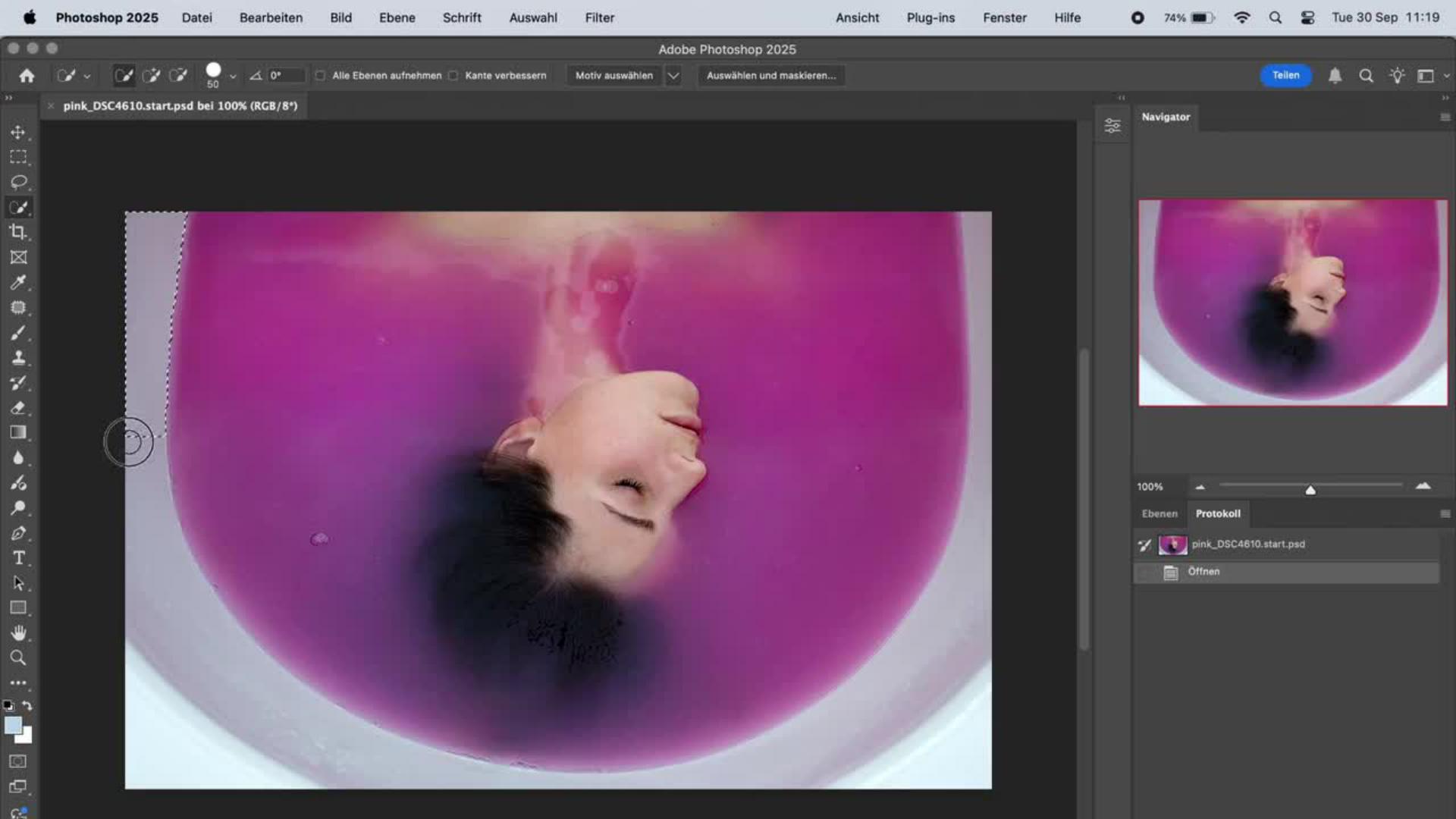
Badewanne auswählen – mit dem Schnellauswahl-Werkzeug eine präzise Auswahl treffen.
Generatives Füllen anwenden – die Auswahl mit pinkem Wasser fluten.
Farbkorrekturen vornehmen – mit einer Einstellungsebene zur selektiven Farbkorrektur das perfekte Farbergebnis erzielen.
Schritt-für-Schritt-Anleitung
Badewannenrand auswählen
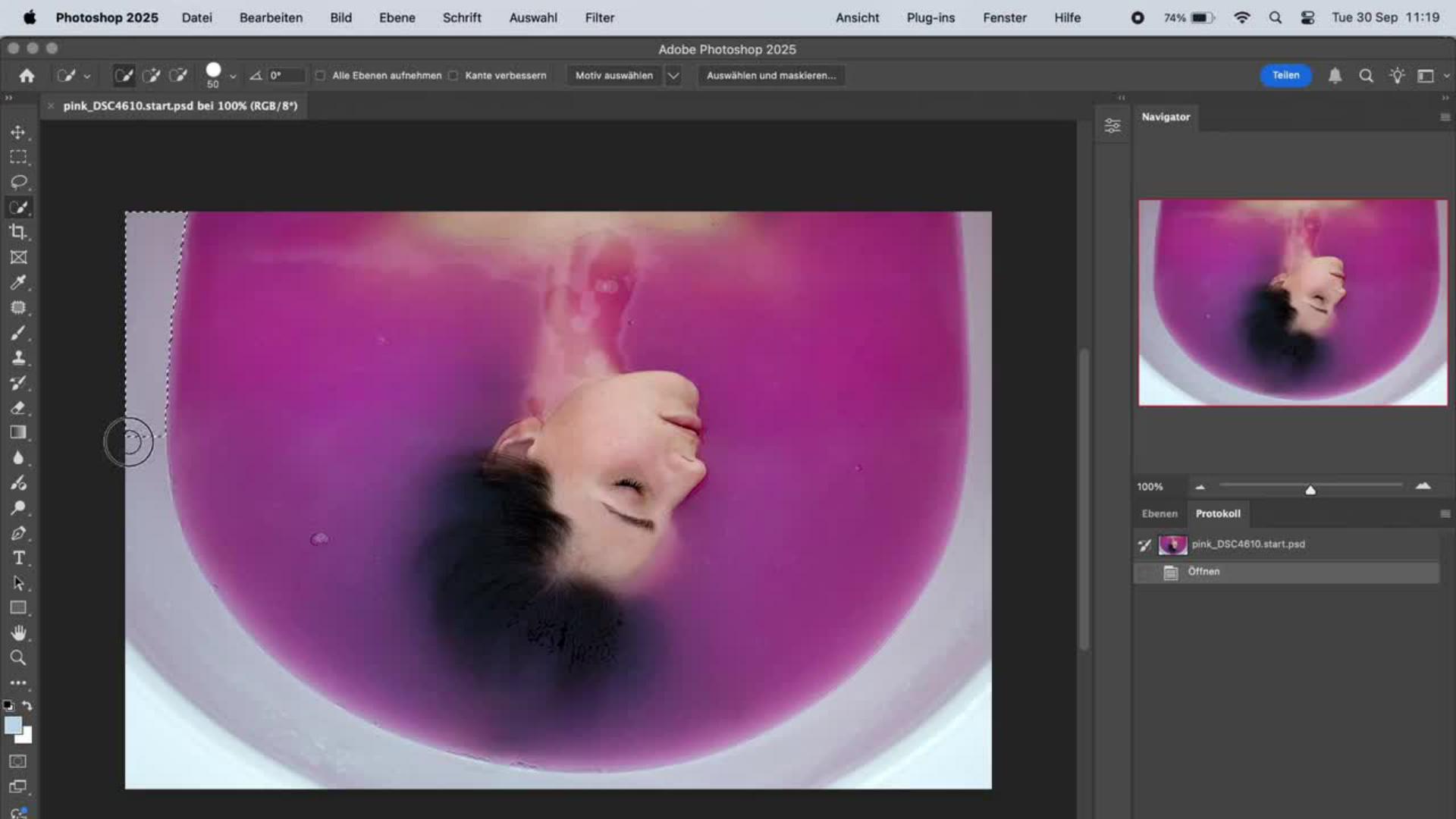
Starte mit dem Schnellauswahl-Werkzeug (Pinselgröße etwa 50), um den Rand der Badewanne zu markieren.
Passe die Auswahl an: Wähle im Menü „Auswahl > Auswahl verändern > Erweitern…“ und erweitere sie um 50 Pixel.
Für weiche Übergänge nutze „Auswahl > Auswahl verändern > Weiche Kante…“ mit einem Radius von 20 Pixeln. Damit stellst du sicher, dass auch Lichtreflexionen und feine Wasserverläufe im nächsten Schritt nahtlos wirken.
Mit Generative Fill das Badewasser erweitern
Nun kommt der spannende KI-Part: Gehe im Menü auf „Bearbeiten > Generatives Füllen…“
Gib den Prompt „pinkes Wasser“ ein und klicke auf Generieren.
Photoshop Firefly erzeugt automatisch drei Varianten. Im Eigenschaftenfenster kannst du die Version wählen, die am besten zu deiner Bildidee passt.
Farben korrigieren
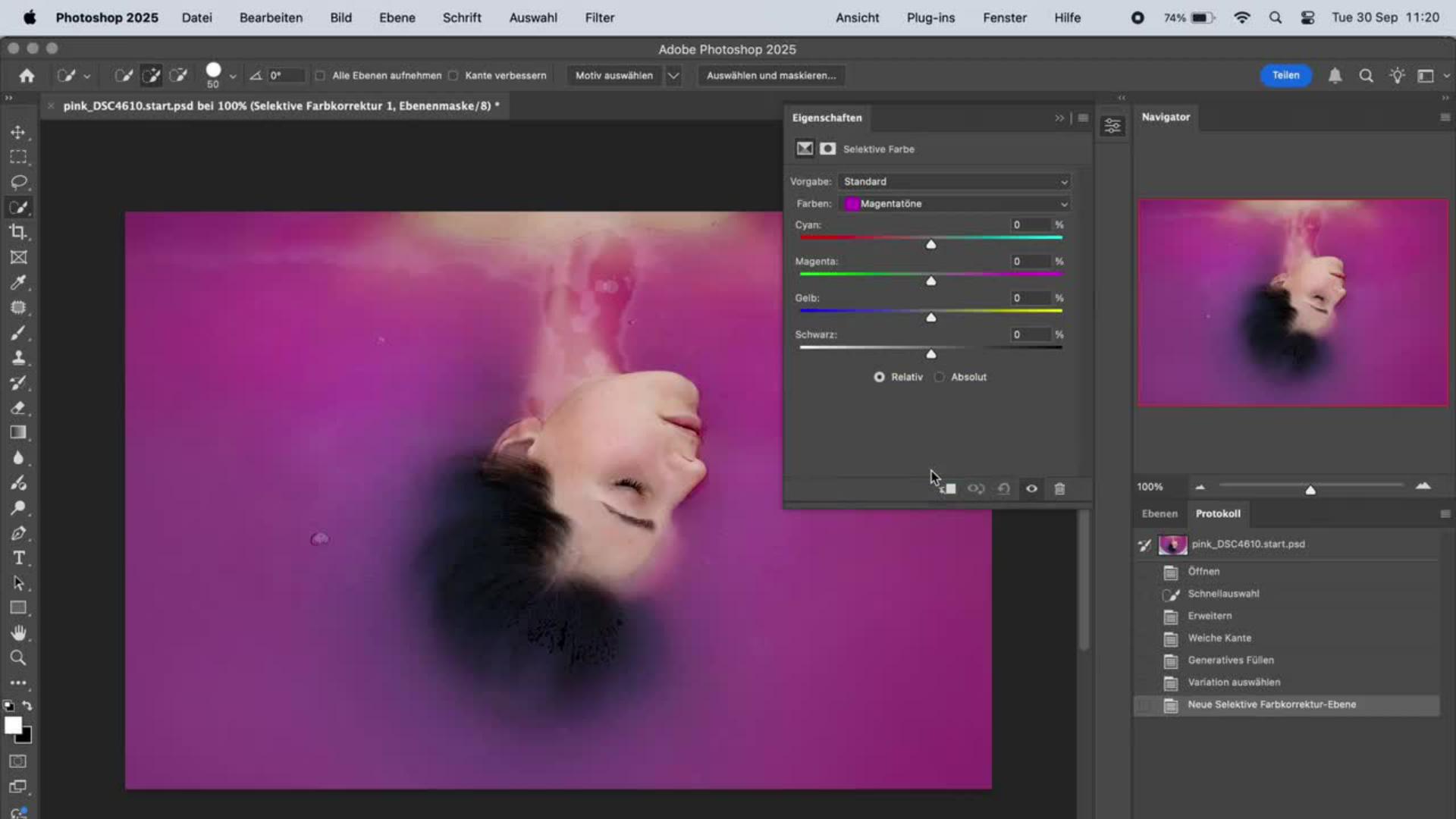
Damit die Farbtöne des KI-generierten Bildteils perfekt mit dem Rest harmonieren: Gehe im Menü auf „Ebene > Neue Einstellungsebene > Selektive Farbkorrektur…“
Um Tiefe, Struktur und Leuchtkraft ins gesamte Bild zu bringen und diesen einzigartigen, träumerischen Look von Laura Zalenga zu erzielen, ändere die Werte in den Magentatönen wie folgt: Cyan: -16 Magenta: +16 Gelb: 0 Schwarz: +50
Lauras Tipp: „Die selektive Farbkorrektur kannst du immer dann ohne vorherige Auswahl des Bildteils nutzen, wenn die Farbe, die du veränderst, nicht auch in anderen Teilen des Bildes vorkommt.“

Über die Künstlerin
Laura Zalenga ist eine renommierte Fotokünstlerin, Digital Artist und ehemalige Adobe Creative Resident, deren Werke auf der ganzen Welt ausgestellt wurden. Sie ist bekannt für ihre stillen, introspektiven Selbstporträts und surrealen Bildwelten, die sich zwischen Realität und Traum bewegen.
Was als Experiment mit Selbstporträts begann, entwickelte sich über die Jahre zu einer unverwechselbaren Bildsprache, die Themen wie Selbstwahrnehmung, Naturverbundenheit und emotionale Transformation erforscht. Ihr Stil zeichnet sich durch sanfte Farben, klare Kompositionen und eine tief persönliche Symbolik aus.
In ihren Arbeiten nutzt Laura heute auch gerne moderne KI-Techniken, um die Grenzen zwischen Fotografie, Illustration und digitaler Kunst spielerischaufzulösen. In ihren interaktiven Photoshop-Tutorials zeigt sie, wie Technologie ihr dabei hilft, Gefühle zu visualisieren, die mit Worten schwer zu beschreiben sind, und inspiriert andere Künstler:innen dazu, die Grenzen digitaler Fotokunst neu zu definieren.

Probiere diese Tutorials mit Photoshop aus
Fotos bearbeiten, um neue Bilder und Grafiken zu schaffen
You can control how Adobe websites use cookies and similar technologies by making choices below. But note that if you disable cookies and similar technologies entirely, Adobe websites may not function properly.
Cookies are small text files stored by your web browser when you use websites. There are also other technologies that can be used for similar purposes like HTML5 Local Storage and local shared objects, web beacons, and embedded scripts. These technologies help us do things like remembering you and your preferences when you return to our sites, measure how you use the website, conduct market research, and gather information about the ads you see and interact with.
You can make choices in the menu below about what cookies and other technologies you want us to use on Adobe sites when you visit them from this browser. You can always change those choices later by clicking on the Cookie Preferences link at the bottom of the page.
If enabled:
We can improve your experience by tailoring the site and the content to things we think might be of interest
We can better keep track of your preferences — like what language you prefer to use
We will better understand your likely interests so we can provide you more relevant Adobe ads and content on non-Adobe websites and in non-Adobe apps
It will help us improve the performance of our website and those of our partners who use the Adobe Experience Cloud
If disabled:
We won’t be able to remember you from session to session so the experience may not be tailored to your interests
You’ll still have access to the content of the site but certain features that depend on cookies may not function
You’ll still see ads, they just may not be as relevant to you
General information
You can control how Adobe websites use cookies and similar technologies by making choices below. But note that if you disable cookies and similar technologies entirely, Adobe websites may not function properly.
Cookies are small text files stored by your web browser when you use websites. There are also other technologies that can be used for similar purposes like HTML5 Local Storage, web beacons, and embedded scripts. These technologies help us do things like remembering you and your preferences when you return to our sites, measure how you use the website, conduct market research, and gather information about the ads you see and interact with.
You can make choices in the menu below about what cookies and other technologies you want us to use on Adobe sites when you visit them from this browser. You can always change those choices later by clicking on the Cookie Preferences link at the bottom of the page.
If enabled:
We can improve your experience by tailoring the site and the content to things we think might be of interest
We can better keep track of your preferences — like what language you prefer to use
We will better understand your likely interests so we can provide you more relevant Adobe ads and content on non-Adobe websites and in non-Adobe apps
It will help us improve the performance of our website and those of our partners who use the Adobe Experience Cloud
If disabled:
We won’t be able to remember you from session to session so the experience may not be tailored to your interests
We’ll still count your use of our site and services
You’ll still have access to the content of the site but certain features that depend on cookies may not function
You’ll still see ads, they just may not be as relevant to you
Operate the site and core servicesOperate site and measure engagement
Always active
These cookies are required, and they are used to enable the site and related services core functionality. Without them the site could not operate, so they cannot be disabled.
These cookies enable the site and related services’ core functionality and collect statistics about user engagement, such as counting active use to help us understand trends. These cookies cannot be disabled.
Measure performance
These cookies are used to analyze site usage to measure and improve performance. Without them Adobe cannot know what content is most valued and how often unique visitors return to the site, making it hard to improve information we offer to you.
These cookies are used to analyze site usage to measure and improve performance. Without them Adobe cannot know what content is most valued, making it hard to improve information we offer to you.
Extend functionality
These cookies are used to enhance the functionality of Adobe sites such as remembering your settings and preferences to deliver a personalized experience; for example, your username, your repeated visits, preferred language, your country, or any other saved preference.
Personalize advertising
These cookies are used to enable Adobe and our partners to serve ads more relevant to your interests. Without them you will still see ads, but they might not be as relevant to you.
Personalize advertising
These cookies are used to enable Adobe and our partners to serve ads more relevant to your interests. Without them you will still see ads, but they might not be as relevant to you.