


Photoshop
Create gorgeous images, rich graphics, and incredible art.


Access 20+ industry-leading apps, including Photoshop, Illustrator, Premiere, and more, plus responsible AI features from Adobe Firefly. Also available for teachers.







Join us for three days of creative skill-building, visionary keynotes, and valuable connections. Nov 10–12 in Miami Beach and online.
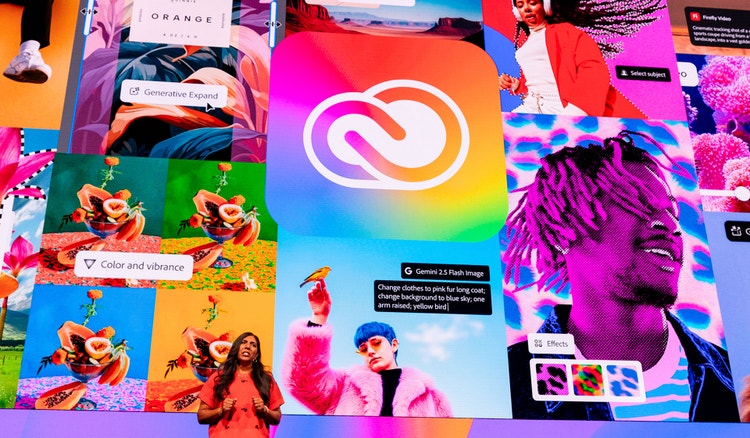
Find exactly what you need to get anywhere you want to go in school, at work, and in life. It all starts with Creative Cloud Pro.
20+ photo, graphic design, and video apps
Unlimited access to standard creative AI image and vector features like Generative Fill in Photoshop
4,000 monthly generative credits for premium creative AI video and audio features like Text to Video
Access to industry-leading AI models from Adobe, Google, OpenAI, and more
Unlimited access to Firefly Boards for exploring ideas and developing storyboards
Access to non-Adobe generative AI models in Firefly
Adobe Express Premium, Frame.io for Creative Cloud, tutorials, fonts, templates, and 100GB of cloud storage
Save 71% on 20+ apps and Adobe Firefly creative AI for images, video, and audio. Pay US$19.99/mo the first year and US$39.99/mo after that.
Apps for everything. Loads of perks. Plus, Firefly generative AI features for creating images with simple text prompts.
Create gorgeous images, rich graphics, and incredible art.

Create beautiful designs, icons, and more — then use them anyplace at any size.

Create, edit, sign, and manage your PDFs — quickly, easily, anywhere.

Use everyday language to create extraordinary results with generative AI.

Create pro-quality videos like documentaries, short films, and more.

Edit and share photos anywhere for social posts, club websites, and blogs.
Create gorgeous images, rich graphics, and incredible art.

Edit and share photos anywhere for social posts, club websites, and blogs.
Edit and share photos anywhere for social posts, club websites, and blogs.
Create pro-quality videos like documentaries, short films, and more.

Create movie titles, intros, and transitions with the industry standard for motion graphics and visual effects.
Edit and share photos anywhere for social posts, club websites, and blogs.

Edit and transform your photos on the go.
Create beautiful designs, icons, and more — then use them anyplace at any size.
Create gorgeous images, rich graphics, and incredible art.

Enjoy a natural painting and drawing experience with the world’s largest collection of brushes.

Model, texture, and render 3D assets and scenes. Free for eligible students and teachers. Not included in Creative Cloud Pro.
See what’s included.



Access hands-on tutorials and digital badges through Adobe Learn. Whether you’re starting out or looking to level up, explore resources you can use to build real-world creative skills and showcase on your resume.
Eligible students and teachers can start with a
Some colleges and universities also provide Adobe Creative Cloud Pro at no cost through institution-wide licensing. Check with your school's IT department or Adobe administrator to find out if your institution offers this access.
The Adobe Creative Cloud student discount is available to current students aged 13 and older. The subscription must be purchased with a credit card by someone who is at least 18 years old. Eligible students are currently enrolled at an accredited educational institution or online platform, such as:
The Adobe Creative Cloud teacher discount is available to educators and staff currently employed at an accredited educational institution or online platform, such as:
The Adobe Creative Cloud Pro plan for students and teachers provides access to all Creative Cloud apps, including Photoshop, Illustrator, Premiere, and many other industry-standard tools used by designers, photographers, filmmakers, and creators worldwide. Included Adobe apps:
For a complete breakdown of apps and membership perks, see what's included in Adobe Creative Cloud Pro.
At Adobe, we know AI raises real questions, from jobs to training data to the environment. That's why our approach across Creative Cloud and Acrobat is built on principles designed to protect what matters most to students.
