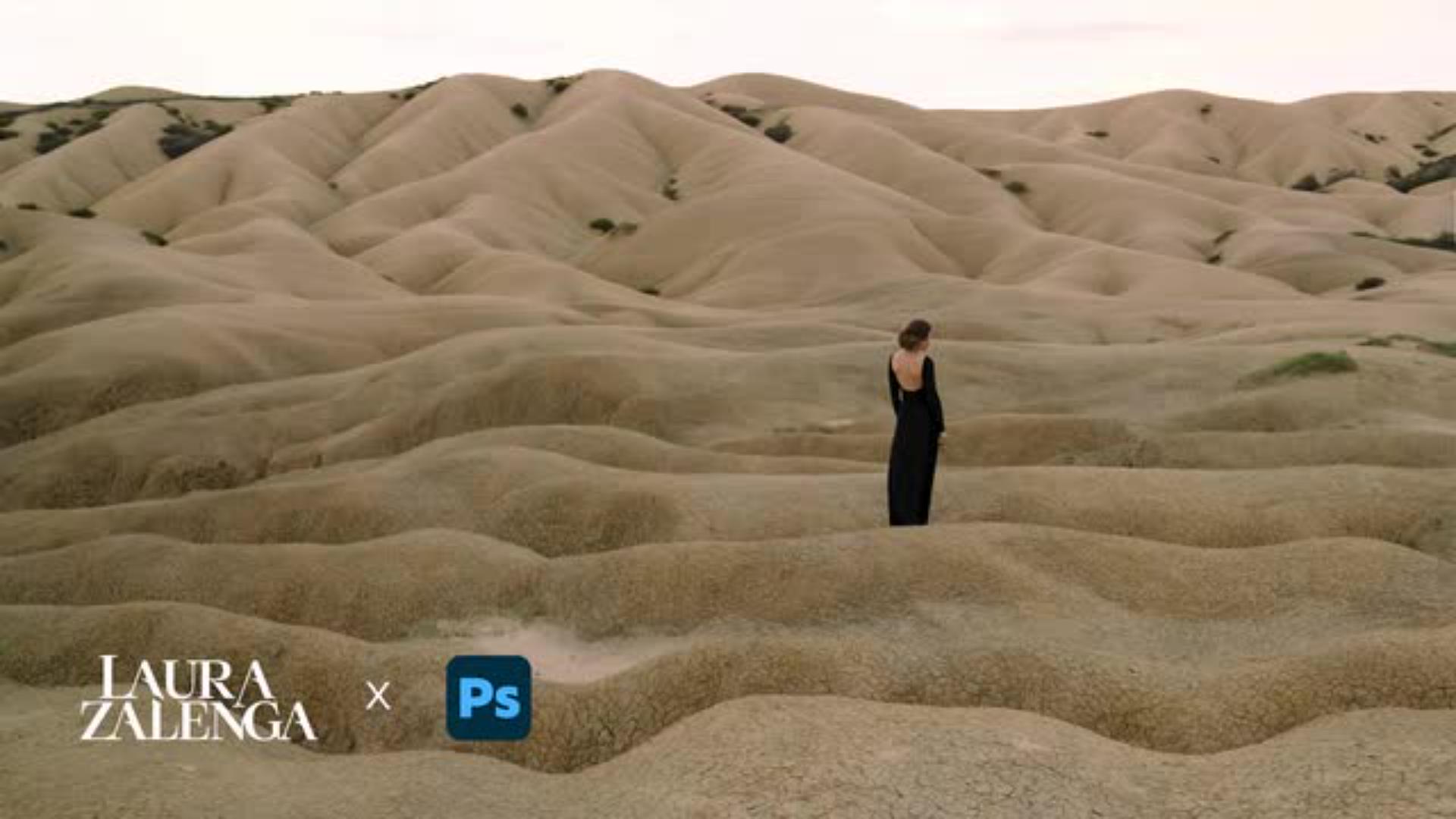
Fotokünstlerin Laura Zalenga zeigt dir in diesem Tutorial, wie du Landschaften in Photoshop formen kannst, wie du magst.
Veröffentlicht am
Manchmal schafft es ein einziges Foto nicht, die Magie eines Ortes so zu transportieren, wie man sie in der Realität aus verschiedenen Perspektiven wahrgenommen hat.
Mir ging es zum Beispiel so mit einem Foto von einer hügeligen Landschaft, die aber auf dem Originalfoto weniger hügelig aussah, als ich sie vor Ort erlebt hatte.
Zum Glück gibt es dafür das Verflüssigen-Werkzeug in Photoshop.
Mein Name ist Laura Zalenga und ich entwickle konzeptuelle Selbstportraits für Brands wie Sony, Adobe und Disney, in denen ich Kreativität, Minimalismus und emotionale Tiefe verbinde.
In diesem Tutorial zeige ich dir, wie du das Verflüssigem-Werkzeug nutzen kannst, um Formen organisch zu verändern, zum Beispiel um sanfte Hügel in der Landschaft zu verstärken.
Unter Filter wähle ich das Verflüssigen-Werkzeug.
Die Einstellungen setze ich auf Größe 500 und Dichte und Druck jeweils auf 35.
Jetzt kann ich das Werkzeug nutzen, um die Hügel im Bild sanft etwas zu ziehen oder tiefer zu drücken, damit etwas mehr Leben in die Linien kommt.
Am Ende dupliziere ich meine Ebenen mit den angepassten Hügeln und stelle ihren Mischmodus auf Weiches Licht, um ganz schnell mehr Kontrast zu erhalten.
Viel Spaß beim Entdecken des Verflüssigen-Werkzeuges!
Das lernst du in diesem Tutorial
Manchmal schafft es ein einzelnes Foto nicht, die Magie eines Ortes so wiederzugeben, wie man sie vor Ort erlebt hat. Genau diese Herausforderung kennt Laura Zalenga aus ihrer eigenen fotografischen Praxis. In diesem Tutorial zeigt sie dir, wie sie mit dem Verflüssigen -
Werkzeug in Photoshop die Wirkung der Landschaft nachträglich verändert hat, indem sie die Hügel damit sanft verformt hat.
Zusätzlich lernst du, wie du mit dem Mischmodus „Weiches Licht“ mehr Kontrast und Tiefe in deine Landschaftsaufnahmen bringst. Öffne jetzt das Tutorial über den Button oben auf der Seite direkt in Photoshop und lerne Schritt für Schritt, wie es geht.
Schritt für Schritt Landschaften in Photoshop verändern
Mit dem Verflüssigen-Werkzeug formst du Hügel und Berge im Bild und passt ihre Wirkung organisch an.
Mit dem Ebenen-Mischmodus „Weiches Licht” verstärkst du Kontraste und verleihst deiner Landschaft mehr Tiefe.
Dabei arbeitest du auf einer duplizierten Ebene, um dein Originalbild zu erhalten.
Über die Deckkraft der Ebene passt du die Stärke des Effekts individuell an.
Über die Fotokünstlerin Laura Zalenga
Laura Zalenga ist eine konzeptionelle Portrait-Fotografin aus Deutschland und lebt heute in der Nähe von München. Ihr Architekturstudium prägt bis heute ihre klare, minimalistische Bildsprache, die sich besonders in ihren ausdrucksstarken Selbstporträts zeigt. Im Mittelpunkt ihrer Arbeiten steht das Zusammenspiel zwischen den Protagonist:innen und ihrer Umgebung – sei es in der Natur oder im urbanen Raum.
Neben ihrer fotografischen Arbeit gibt Laura Zalenga ihr Wissen in Kursen und interaktiven Tutorials weiter. Sie zeigt, wie aus kreativen Ideen außergewöhnliche Bilder entstehen, und gibt Einblicke in ihren Workflow – von der Bildkonzeption bis zur finalen Bearbeitung in Photoshop. Wenn dir dieses Tutorial gefallen hat, magst du bestimmt auch ihre Anleitungen für Dreamwave-Portraits,
analoge Film-Looks und kreative Edits mit der Generativen Photoshop-KI.
You can control how Adobe websites use cookies and similar technologies by making choices below. But note that if you disable cookies and similar technologies entirely, Adobe websites may not function properly.
Cookies are small text files stored by your web browser when you use websites. There are also other technologies that can be used for similar purposes like HTML5 Local Storage and local shared objects, web beacons, and embedded scripts. These technologies help us do things like remembering you and your preferences when you return to our sites, measure how you use the website, conduct market research, and gather information about the ads you see and interact with.
You can make choices in the menu below about what cookies and other technologies you want us to use on Adobe sites when you visit them from this browser. You can always change those choices later by clicking on the Cookie Preferences link at the bottom of the page.
If enabled:
We can improve your experience by tailoring the site and the content to things we think might be of interest
We can better keep track of your preferences — like what language you prefer to use
We will better understand your likely interests so we can provide you more relevant Adobe ads and content on non-Adobe websites and in non-Adobe apps
It will help us improve the performance of our website and those of our partners who use the Adobe Experience Cloud
If disabled:
We won’t be able to remember you from session to session so the experience may not be tailored to your interests
You’ll still have access to the content of the site but certain features that depend on cookies may not function
You’ll still see ads, they just may not be as relevant to you
General information
You can control how Adobe websites use cookies and similar technologies by making choices below. But note that if you disable cookies and similar technologies entirely, Adobe websites may not function properly.
Cookies are small text files stored by your web browser when you use websites. There are also other technologies that can be used for similar purposes like HTML5 Local Storage, web beacons, and embedded scripts. These technologies help us do things like remembering you and your preferences when you return to our sites, measure how you use the website, conduct market research, and gather information about the ads you see and interact with.
You can make choices in the menu below about what cookies and other technologies you want us to use on Adobe sites when you visit them from this browser. You can always change those choices later by clicking on the Cookie Preferences link at the bottom of the page.
If enabled:
We can improve your experience by tailoring the site and the content to things we think might be of interest
We can better keep track of your preferences — like what language you prefer to use
We will better understand your likely interests so we can provide you more relevant Adobe ads and content on non-Adobe websites and in non-Adobe apps
It will help us improve the performance of our website and those of our partners who use the Adobe Experience Cloud
If disabled:
We won’t be able to remember you from session to session so the experience may not be tailored to your interests
We’ll still count your use of our site and services
You’ll still have access to the content of the site but certain features that depend on cookies may not function
You’ll still see ads, they just may not be as relevant to you
Operate the site and core servicesOperate site and measure engagement
Always active
These cookies are required, and they are used to enable the site and related services core functionality. Without them the site could not operate, so they cannot be disabled.
These cookies enable the site and related services’ core functionality and collect statistics about user engagement, such as counting active use to help us understand trends. These cookies cannot be disabled.
Measure performance
These cookies are used to analyze site usage to measure and improve performance. Without them Adobe cannot know what content is most valued and how often unique visitors return to the site, making it hard to improve information we offer to you.
These cookies are used to analyze site usage to measure and improve performance. Without them Adobe cannot know what content is most valued, making it hard to improve information we offer to you.
Extend functionality
These cookies are used to enhance the functionality of Adobe sites such as remembering your settings and preferences to deliver a personalized experience; for example, your username, your repeated visits, preferred language, your country, or any other saved preference.
Personalize advertising
These cookies are used to enable Adobe and our partners to serve ads more relevant to your interests. Without them you will still see ads, but they might not be as relevant to you.
Personalize advertising
These cookies are used to enable Adobe and our partners to serve ads more relevant to your interests. Without them you will still see ads, but they might not be as relevant to you.