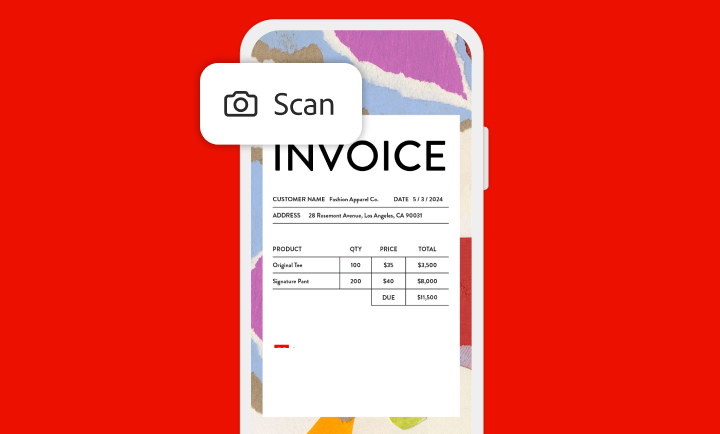
Con la aplicación de Adobe Scan, puedes capturar y convertir documentos, formularios, tarjetas de presentación y pizarras en archivos Adobe PDF de alta calidad con facilidad. Además, gracias a los diferentes modos de captura y a la detección de límites automática, puedes obtener las mejores digitalizaciones siempre.
Digitalizaciones mejoradas mediante IA
Más claro, más preciso y más fácil
Adobe Scan utiliza IA para corregir la perspectiva de la imagen, enfocar texto manuscrito o impreso y quitar reflejos y sombras. Con OCR (reconocimiento óptico de caracteres), puedes convertir los documentos escaneados al instante en archivos editables y en los que se puede buscar. Extrae texto fácilmente y escribe texto nuevo con fuentes personalizadas que coincidan con el archivo original.
Dibuja sobre las digitalizaciones o guarda en formato JPEG
Saca más partido a tus digitalizaciones
Adobe Scan te permite añadir dibujos o formas con herramientas de anotación directamente en la aplicación. Guarda archivos como JPEG para más flexibilidad e incorpóralos en documentos. Comparte digitalizaciones con un enlace o un correo electrónico, o cárgalas en tus aplicaciones favoritas en la nube.
Suscríbete para disfrutar de más funciones
Protege, exporta, comprime y mucho más
Adobe Scan es más que solo una aplicación, por lo que puedes escanear con seguridad. Protege tus documentos más importantes con contraseña. Exporta PDF digitalizados a diferentes tipos de archivo para realizar ediciones. Comprime los archivos para liberar espacio de almacenamiento y envía digitalizaciones rápidamente a otras personas.
style
s-spacing
Organiza tus documentos escaneados.
Archiva tus documentos sin complicaciones. Adobe Scan te permite almacenar archivos rápidamente con los nombres de archivo y fechas recomendados, y organizarlos en carpetas personalizadas. Las digitalizaciones almacenadas están accesibles desde cualquiera de las aplicaciones de Acrobat: la de escritorio, web o móvil.
Ábrelos en Acrobat.
Abre las digitalizaciones en la aplicación de Acrobat —ya sea la de escritorio, web o móvil— para rellenar formularios, firmar documentos, añadir notas o comentarios a PDF, y revisarlos con otras personas.
style
Two up, xl spacing, grid width 10
background
#F2F8FB
Impulsa tu negocio con Adobe Acrobat Reader
El programa gratuito de referencia en todo el mundo para ver, anotar y firmar archivos PDF de forma fiable. Cientos de millones de personas ya confían en él. Suscríbete para obtener aún más herramientas.
You can control how Adobe websites use cookies and similar technologies by making choices below. But note that if you disable cookies and similar technologies entirely, Adobe websites may not function properly.
Cookies are small text files stored by your web browser when you use websites. There are also other technologies that can be used for similar purposes like HTML5 Local Storage and local shared objects, web beacons, and embedded scripts. These technologies help us do things like remembering you and your preferences when you return to our sites, measure how you use the website, conduct market research, and gather information about the ads you see and interact with.
You can make choices in the menu below about what cookies and other technologies you want us to use on Adobe sites when you visit them from this browser. You can always change those choices later by clicking on the Cookie Preferences link at the bottom of the page.
If enabled:
We can improve your experience by tailoring the site and the content to things we think might be of interest
We can better keep track of your preferences — like what language you prefer to use
We will better understand your likely interests so we can provide you more relevant Adobe ads and content on non-Adobe websites and in non-Adobe apps
It will help us improve the performance of our website and those of our partners who use the Adobe Experience Cloud
If disabled:
We won’t be able to remember you from session to session so the experience may not be tailored to your interests
You’ll still have access to the content of the site but certain features that depend on cookies may not function
You’ll still see ads, they just may not be as relevant to you
General information
You can control how Adobe websites use cookies and similar technologies by making choices below. But note that if you disable cookies and similar technologies entirely, Adobe websites may not function properly.
Cookies are small text files stored by your web browser when you use websites. There are also other technologies that can be used for similar purposes like HTML5 Local Storage, web beacons, and embedded scripts. These technologies help us do things like remembering you and your preferences when you return to our sites, measure how you use the website, conduct market research, and gather information about the ads you see and interact with.
You can make choices in the menu below about what cookies and other technologies you want us to use on Adobe sites when you visit them from this browser. You can always change those choices later by clicking on the Cookie Preferences link at the bottom of the page.
If enabled:
We can improve your experience by tailoring the site and the content to things we think might be of interest
We can better keep track of your preferences — like what language you prefer to use
We will better understand your likely interests so we can provide you more relevant Adobe ads and content on non-Adobe websites and in non-Adobe apps
It will help us improve the performance of our website and those of our partners who use the Adobe Experience Cloud
If disabled:
We won’t be able to remember you from session to session so the experience may not be tailored to your interests
We’ll still count your use of our site and services
You’ll still have access to the content of the site but certain features that depend on cookies may not function
You’ll still see ads, they just may not be as relevant to you
Operate the site and core servicesOperate site and measure engagement
Always active
These cookies are required, and they are used to enable the site and related services core functionality. Without them the site could not operate, so they cannot be disabled.
These cookies enable the site and related services’ core functionality and collect statistics about user engagement, such as counting active use to help us understand trends. These cookies cannot be disabled.
Measure performance
These cookies are used to analyze site usage to measure and improve performance. Without them Adobe cannot know what content is most valued and how often unique visitors return to the site, making it hard to improve information we offer to you.
These cookies are used to analyze site usage to measure and improve performance. Without them Adobe cannot know what content is most valued, making it hard to improve information we offer to you.
Extend functionality
These cookies are used to enhance the functionality of Adobe sites such as remembering your settings and preferences to deliver a personalized experience; for example, your username, your repeated visits, preferred language, your country, or any other saved preference.
Personalize advertising
These cookies are used to enable Adobe and our partners to serve ads more relevant to your interests. Without them you will still see ads, but they might not be as relevant to you.
