How to study with AI in 3 simple steps.

Study, revise and prepare for exams with AI study tools in three simple steps:

  1. Upload your study materials
    Add notes, PDFs or class resources to Study Spaces to organise everything in one place.
  2. Create AI-powered study tools
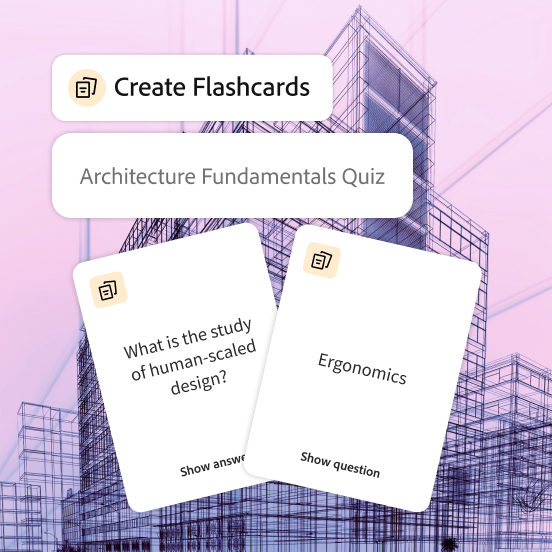
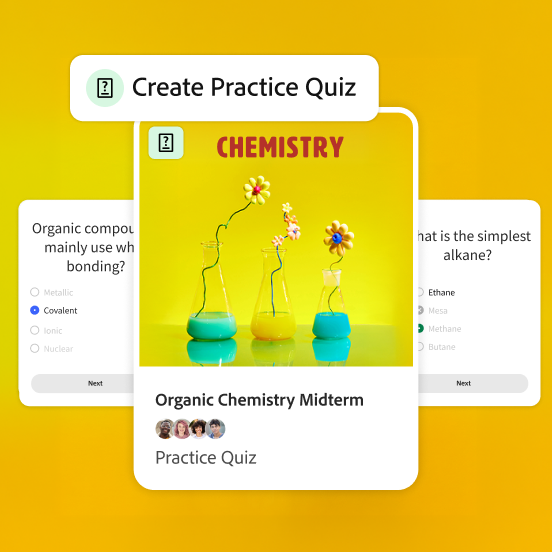
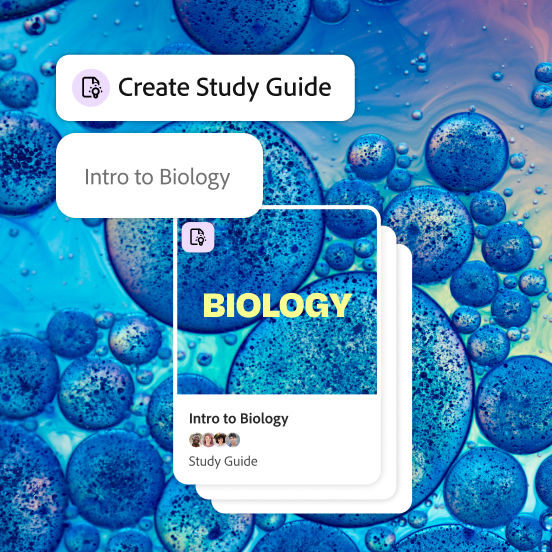
    Turn your materials into flashcards, quizzes, study guides, mind maps and study packets, or generate podcasts, video summaries and presentations to suit different learning styles.
  3. Revise, practise and collaborate
    Test your knowledge with quizzes, review key points with flashcards, listen to podcasts on the go and collaborate with classmates using shared notes and group study features.

Free AI study tools in Student Spaces

From study to success, students share how AI helps them learn.

“Student Spaces feels like a product that could meaningfully change how students study rather than simply summarise content.”

—Abhee, Information Science major

“This is a game changer! The in-text citations make it easy to refer to actual context within sources. A great product through and through.”

—Mehul, Computer Science major

“Student Spaces gives my other study tools a strong run for their money.”

—Joshua, Communications major

“I'm an auditory learner so I really like the podcast feature. It's helpful to have audio playing and an interactive chat to ask questions.”

—Angel, Communications major

“Student Spaces makes it easy to trust the AI.”

—Alan, Computer Science major

A smarter way to study.

See how Student Spaces can help you to take the guesswork out of any class.

Get started with Student Spaces.

https://main--da-dc--adobecom.aem.page/dc-shared/assets/videos/acrobat/student-spaces/media_1244b335be9317376f456b8c817a2e36b7db3ca21.mp4#_autoplay&mute=true

Verify answers, straight from your sources.

Study with information you can trust and easily double-check for accuracy with citations.

Make your hardest class click.

Understand more, faster, with tools powered by your course materials and notes.

https://main--da-dc--adobecom.aem.page/dc-shared/assets/videos/acrobat/student-spaces/media_1f1c4245c9e964c67604249b537c9e2d94dcbd027.mp4#_autoplay&mute=true
https://main--da-dc--adobecom.aem.page/dc-shared/assets/videos/acrobat/student-spaces/media_1813c018969437aec0f7712969a58d5cefc671b48.mp4#_autoplay&mute=true

Create standout content. On campus or off.

Turn your best ideas into beautiful, customisable presentations for classes, clubs and more.

Get career-ready with tools professionals use.

Prep for what's next with resume feedback, interview guidance and all your documents in one place.

https://main--da-dc--adobecom.aem.page/dc-shared/assets/videos/acrobat/student-spaces/media_1ecbe4fc2e672e192f80745fd5d4692f1f9a19364.mp4#_autoplay&mute=true

AI for board exams, competitive exams and every learner.

Use AI for exam preparation across boards, competitive exams and diverse learning needs:

  • School students (CBSE, ICSE, State Boards)
    Create flashcards, quizzes and study guides for Class 10 and Class 12 board preparation, NCERT revision, sample papers and previous year questions.
  • Entrance exam aspirants (JEE, NEET, CLAT, CUET, GATE)
    Revise concepts faster with quizzes, mind maps and study packets for engineering, law, medical and postgraduate entrance exams.
  • Competitive exam candidates (UPSC, SSC, CA, banking and government exams)
    Organise large syllabus topics with summaries, study guides and quizzes for structured revision and exam preparation.
  • College students
    Turn lecture notes into presentations and video summaries for engineering, commerce, medical, humanities and management coursework.
  • Self-learners and distance learners
    Learn at your own pace with podcasts, mind maps and interactive study guides across academic and professional subjects.
  • Working professionals preparing for certifications
    Revise with flashcards and quizzes for PMP, AWS, CFA and other certifications alongside a full-time job and busy schedule."

Student Spaces FAQs: AI study tools for students

What are Student Spaces?
Student Spaces is an AI-powered study hub in Adobe Acrobat that helps you to understand, organise and learn from your materials. Upload your files, ask questions and create study tools without jumping between apps or tabs. It is designed as an AI study helper for students to study, revise and prepare for exams in one place. You can access Student Spaces on Acrobat web from any mobile or desktop browser.
What are the best AI study tools for students?
AI study tools help students create summaries, flashcards, quizzes and study guides from their materials. Tools like Student Spaces in Adobe Acrobat combine these features in one place, making studying more efficient and organised.
How does Student Spaces help me study smarter?
Student Spaces turns your class materials into interactive study tools like flashcards, quizzes, study guides, mind maps, videos and podcasts. You can chat with an AI tutor, take notes and keep everything for a topic together so studying feels simpler and more focused. These AI study tools help students revise faster, understand complex topics and improve exam preparation.
How can AI help with exam preparation?
AI can support exam preparation by summarising notes, generating practice questions and explaining complex topics. Using AI for study helps students revise faster and focus on key concepts more effectively.
Can I use Student Spaces for JEE and NEET exam preparation?
Yes. Student Spaces in Adobe Acrobat can support JEE and NEET preparation by helping you organise NCERT notes, revise concepts and practise more effectively with AI study tools. Create flashcards, quizzes, study guides and mind maps from your study material, summarise difficult topics and review previous year question papers in one place.
Can I use Student Spaces for UPSC and competitive exam preparation?
Yes. Student Spaces in Adobe Acrobat can help UPSC and competitive exam aspirants manage extensive reading and structured revision more efficiently. Convert current affairs notes, PDFs and preparation material into concise study guides, summaries and flashcards, and use quizzes and podcasts to reinforce important topics throughout your preparation journey.
What are the file limits for Student Spaces?
You can upload up to 100 files of 600 pages or fewer in Student Spaces. Within these limits, you can use AI study tools to create flashcards, quizzes, study guides, presentations, podcasts and more to support revision and exam preparation.
Can I trust the AI responses?
When you upload documents or links, AI-generated answers and study tools include clear citations. You can click any citation to see exactly where the information came from, so you stay in control of what you learn. While we always strive for accuracy across our tools, please make sure that you double-check your responses for accuracy. For more information, please learn more about our generative AI user guidelines.
Does Student Spaces support Hindi and regional language study materials?
Student Spaces supports a wide range of study materials uploaded to Adobe Acrobat, including documents in Hindi and other regional languages, depending on the quality and format of the source material. For the best experience, use clear and well-structured notes, PDFs or scanned documents.
Is Student Spaces free for students?
Yes. Student Spaces is free for students for a limited time with fair-use limits on standard study tools. Premium tools, like podcasts, presentations and video summaries, are available when you create a free personal Adobe account.
Can I collaborate with classmates?
Absolutely. You can share a Student Space with classmates or friends and choose their access level, so you can review notes, study tools and materials together in one shared space.
It is ideal for group revision using AI study tools, helping students collaborate and prepare for exams more effectively.