PHOTOGRAPHY
A guide to ecommerce photography & editing.
Learn how to edit and optimise your ecommerce product photos using Adobe Photoshop and Creative Cloud apps, from cleaning up backgrounds to creating platform-ready visuals for India’s top marketplaces.
JUMP TO SECTION
What is ecommerce photography?
How to take great product photos
Types of ecommerce photography
Why editing matters in ecommerce photography
Editing photos for different online marketplaces in India
Refine your product photos with Photoshop
Common mistakes to avoid when photo editing for ecommerce
For sellers on platforms like Amazon, Flipkart, and Meesho, product imagery is your most powerful selling tool. High-quality ecommerce photography helps your listings stand out in crowded marketplaces, builds trust with potential buyers, and directly influences conversion rates. Whether you’re showcasing fashion, electronics, beauty, or home essentials, professional product photography can help convert casual browsers into loyal customers and boost your ecommerce sales.
In this guide, we will cover what ecommerce product photography is, the different styles to use, and how to create platform-compliant, high-converting visuals using Adobe Photoshop and AI-powered features in Creative Cloud tailored specifically for Indian marketplaces.
What is ecommerce photography?
Ecommerce photography is the process of shooting and editing images of your products to showcase them online. It goes beyond just taking a clear picture, it is about creating a visual experience that reflects quality, builds trust, and drives sales.
In India’s competitive ecommerce space, compelling visuals are essential for:
- Increasing click-through and conversion rates
- Reducing returns and buyer hesitation
- Improving search visibility within platforms
- Building credibility and brand recognition
Low-quality images, cluttered backgrounds, or poor lighting can instantly damage a buyer’s perception of your product, no matter how good the product is.
How to take great product photos.

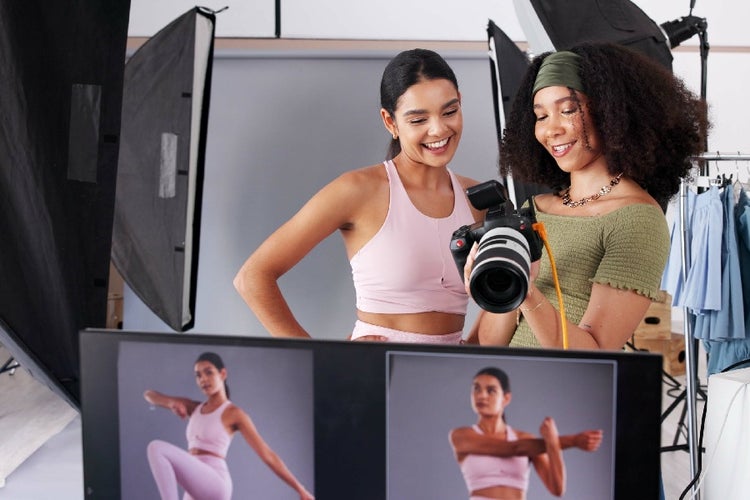
You do not need a high-end studio setup to capture great ecommerce images. With basic equipment and the right techniques, you can shoot professional-quality photos even from home.
One of the most common and effective styles is the product-only image, shot straight on against a white background. This format is preferred on platforms like Amazon and Flipkart for hero images. It minimises distractions and allows your product’s shape, size, colour, and silhouette to come through clearly, helping buyers make informed decisions.
Here are some best practices to follow:
- Use natural light or soft, diffused lighting to avoid harsh shadows
- Use a tripod to maintain sharpness and consistency between shots
- Shoot from multiple angles to cover every detail
- Keep the background clutter-free, plain white foam boards or fabrics work well
- Keep colours true to life and avoid over-editing
- Fine-tune your camera settings to control how light and detail are captured:
- Shutter Speed: Use faster shutter speeds to freeze motion and avoid blur; slower speeds work for stationary products but require steady hands or a tripod.
- Aperture (f-stop): A lower f-stop (e.g. f/2.8) creates a wider opening for light and a shallower depth of field, ideal for making your product stand out from the background.
- ISO: A lower ISO gives you sharper images. Increase ISO only in low light, and avoid going too high to prevent grainy, distorted photos.
With some practice and attention to these details, you can create high-quality, conversion-ready product photos — even without a full studio setup. Explore Adobe Creative Cloud’s full guide to product photography.
Types of ecommerce photography.
Using a mix of image styles helps customers understand your product better and creates a richer browsing experience. Common types include:
- White background images: The default for hero images on Amazon and Flipkart. These are clean, distraction-free, and keep the focus on your product.
- Lifestyle images: Show the product in real-life settings — for example, a kurti worn outdoors or cookware in a modern kitchen.
- Infographic images: Combine product photos with text, icons, or arrows to highlight key features or specifications.
- Close-ups or texture shots: Emphasise materials, craftsmanship, or fine details.
- Scale/context shots: Help buyers understand size by comparing the product to a hand, model, or everyday object.
By combining these image types, sellers can provide more context and build buyer confidence.
Why editing matters in ecommerce photography.
Even well-shot product photos need polishing. Editing is where you bring consistency, compliance, and clarity to your visuals. Shoppers often judge a product by its images long before they read the description, so first impressions truly matter. Marketplaces also have strict requirements and without proper editing, even beautiful images may get rejected. Adobe Photoshop gives you full control to refine every detail, so your listings look credible and convert.
Editing photos for different online marketplaces in India.
Each ecommerce platform in India has its own set of product image requirements, from background colour and file size to what can or cannot appear in the frame. For example, Amazon requires a pure white background, with the product occupying at least 85% of the frame, while Meesho mandates a plain, uncluttered background for the first image and restricts the use of text or watermarks. These platform-specific guidelines influence not only how you shoot your products, but also how you edit them.

Refine your product photos with Photoshop.
Adobe Creative Cloud makes it easy to create platform-ready image sets for Amazon, Flipkart, Meesho, and more, all while maintaining a high-quality, professional look. With Adobe Photoshop, you can streamline your editing workflow and meet marketplace requirements efficiently.
Here is how Photoshop helps:
- Resize and crop with precision: Easily adjust aspect ratios to match platform standards, such as square (1:1) for Amazon and Meesho.
- Fill in missing space with Generative Expand: If your original photo does not meet required dimensions, use Generative Expand to naturally extend the background — maintaining composition without awkward cropping.
- Clean up your shots: Use Photoshop’s photo retouch tool to remove dust, wrinkles, uneven lighting, or background distractions, keeping your visuals clean, consistent, and professional.
- Create impactful secondary images: With Generative Fill, you can generate lifestyle variations, alternate angles, or infographic-style compositions without the need for additional shoots.
- Create platform-friendly infographics: Add text overlays, arrows, icons, and product highlights directly in Photoshop, ideal for Flipkart and Meesho’s flexible image slots.
- Add natural-looking shadows: Apply drop shadows to give flat-lay or isolated products more depth and dimension, making them pop on the screen.
- Touch up and enhance textures: Use Photoshop’s Image Upscaler, AI-powered sharpening tool, to bring out textures on fabric, packaging, or surfaces, perfect for fashion, skincare, or home décor.
- Remove backgrounds instantly: Leverage Photoshop’s Remove Background feature to isolate products in one click and creating clean, white, or transparent backgrounds that meet marketplace listing standards and keep focus on the product.
- Export in the right formats: Save final images in JPEG, PNG, or TIFF, depending on platform requirements, all from a single working file.
With these capabilities, Photoshop empowers Indian sellers to meet technical requirements and stand out visually, turning simple product listings into compelling shopping experiences.
Common mistakes to avoid when photo editing for ecommerce.
- Over-editing or using unrealistic effects: Too much retouching, harsh filters, or artificial colours can make products appear misleading and lead to customer dissatisfaction.
- Inconsistent lighting or colour tone: Each image in a listing should match in tone, brightness, and white balance. Inconsistencies make your brand look unprofessional.
- Ignoring platform guidelines: Dimensions, margins, and file formats vary across ecommerce platforms. Be sure to double-check specs before uploading to prevent rework.
- Neglecting image sharpness: Blurry or low-resolution photos can make even high-quality products appear cheap. Use Photoshop’s sharpening and upscaling tools to maintain detail.
- Forgetting to align and crop consistently: Irregular framing makes listings look uneven. Use Photoshop’s crop and ruler tools for precise, consistent alignment.
- Skipping visual storytelling: Relying solely on plain product shots misses the chance to show real-life context. Add secondary lifestyle images or infographics that highlight features and uses.
By steering clear of these common editing mistakes (and using Photoshop’s tools to refine, retouch, and standardise your visuals), you can be sure to meet marketplace requirements the first time. Plus, you can successfully establish a professional brand identity that drives higher engagement and conversions.
Frequently asked questions.
Can I edit my product images without installing Photoshop?
Can I use my smartphone for ecommerce photography?
Will using Photoshop help reduce image rejections from marketplaces?
Can I reuse my edited product photos for marketing materials?
Can I move my edited photos from Photoshop to other Adobe apps?
How can I ensure brand consistency when editing multiple product images?
Photoshop makes it easy to maintain a cohesive visual identity across your entire product range. You can apply consistent adjustments using presets, batch editing workflows, and adjustment layers to standardise lighting, colour, and composition.
For even greater control of brand style, you can store your logos, colour palettes, and text styles in Creative Cloud Libraries, making it easy to apply the same look and feel across all your photos, ensuring every image aligns with your brand across ecommerce listings, social content, and video.
You may also like
Content as a Service v3 - file-type photo collection - Tuesday, 9 December 2025 at 20:47