
Photography
What is product photography and how can you do it?
This commercial form of photography presents unique challenges and opportunities. From styling to editing, discover how to perfect your product images and capture exceptional photos.


Photography
This commercial form of photography presents unique challenges and opportunities. From styling to editing, discover how to perfect your product images and capture exceptional photos.
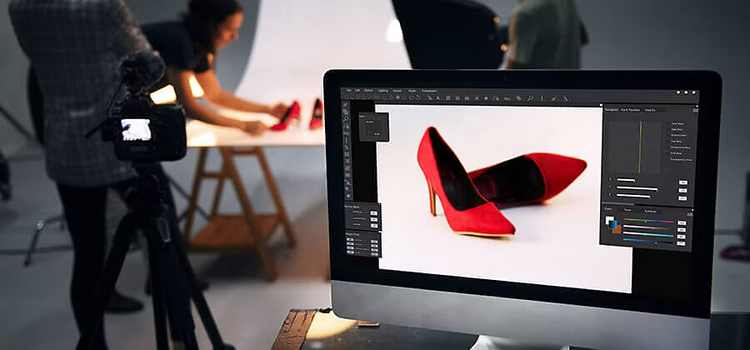
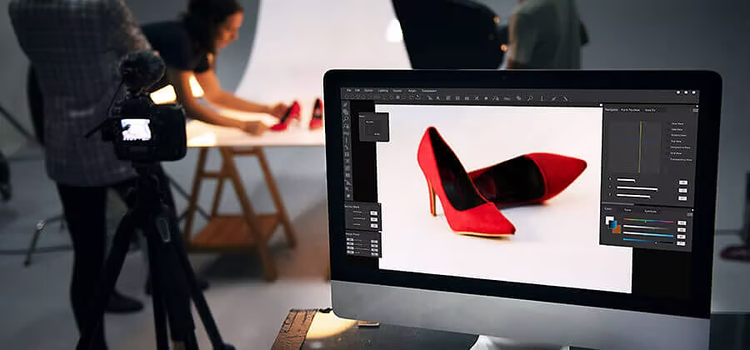
Creating high-quality product photos is no simple feat. Professional product photography is the commercial form of still life photography. Learning how to style products, set up lighting and composite different exposures takes time. Explore techniques for capturing simple product-only photos for e-commerce and intricate lifestyle photos showcasing a product in use.
One main form of product photography is product-only imagery shot straight on. Commonly used for product listings in online shops like Amazon or Etsy, these photos are usually taken with a simple white background to minimise distractions. Product-only images capture the details of the subject, such as size, silhouette and colour. These specifics help consumers find exactly what they’re looking for when shopping online.
Before diving into your product shots, make sure you connect with your client and find out exactly what they’re looking for. Are there specific angles of the product they need to get? Does the label need to be visible in every shot? Planning makes perfect, so gather the info you need before setting up your photoshoot.
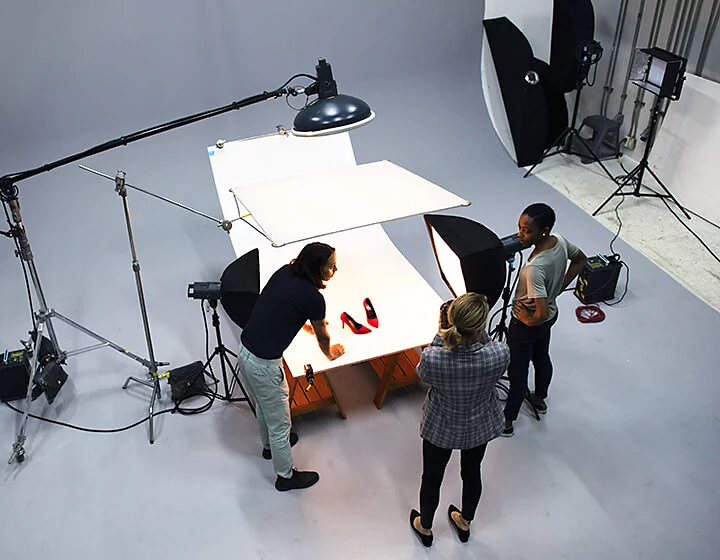
For more information on getting the right equipment, check out our list of essential photography tools you’ll need to create professional-quality product images.
It goes without saying that you’ll need a good camera for your product shoot. If your budget is limited, don’t hesitate to use your smartphone. A high-resolution phone camera can take impressive photos and they can be imported directly into photo editing software on your computer for easy retouching. That said, most professionals prefer to use DSLR cameras, which offer a broader range of manual settings, interchangeable lenses, and greater control over image quality.
Choosing the right lens can make or break your product photoshoot. A longer lens — 100 mm or more — is great for photographing faraway objects in an outdoor environment. But on a product shoot where you’ll be a lot closer to your subject, shorter lenses are your best friend.
For strict product shots, “I almost always use my 50 mm lens with my DSLR,” notes product and food photographer Sarah Aagesen. “I’ll also bring a 20 mm for wider-angle shots and a macro lens in case there are small details I need to capture.” Carrying a variety of lenses ensures you're ready for different compositions, scales, and lighting challenges during the shoot.
With stationary product photos, never use the autofocus function on your camera. “If your subject’s not moving, there’s no reason to use autofocus. Place your camera on a tripod and use manual focus,” explains professional photographer Jason Deymonaz. Also, make sure that you use a shutter release cable, so you don’t unintentionally move the camera while taking a photo. If you’re capturing multiple exposures from the same angle for compositing, using a tripod and shutter release saves valuable editing time and improves image consistency.
As a product photographer, it’s your responsibility to make the product look the best it possibly can. Deymonaz says, “I always have my cleaning kit with some glass cleaner, scissors and Goof Off to remove labels, fingerprints and dust. I make the product look as beautiful as possible in camera, which saves me a lot of time in post-production.” If a speck of dust gets on the product and it’s visible in every photo, that translates into a significant amount of time editing every image. If you’re photographing clothing or fabrics, make sure to iron out any wrinkles and consider using clips or pins to maintain structure and symmetry during the shoot.
After your product is looking pristine, set up the rest of your shot. Create high-quality images by shooting on a solid background, such as white or black fabric or paper. The product needs to shine in these photos, so keep the background simple and clean to avoid distractions and draw focus to key details like shape, colour, and texture.
Consider using a softbox for product photography lighting. These light modifiers create soft, diffused light that reduces harsh shadows. Since you want viewers to be able to read the labels and take in the details, your lighting set-up for product-only photos should be straightforward with everything well lit. Consider using light tents and artificial light too. Light tents are wireframe cubes covered in thin white fabric. They create a soft, diffused atmosphere inside that’s perfect for evenly lighting small objects. This consistency is especially useful for catalogue images and e-commerce listings where uniformity is key.

“With product-only photos, I don’t recommend using natural light because it can change so quickly,” explains Aagesen. “You’re usually taking multiple shots from different angles and if you’re using light from a window, when it gets cloudy, you’re suddenly shooting in a totally different light.” Since natural lighting is changeable and difficult to replicate, studio lighting is often better for successful product photography. Using artificial light sources ensures greater control, uniformity, and repeatability—essential when photographing batches of similar products.
Be sure you have strobes, reflectors or other light sources on hand in case you need to switch up your lighting.
Product photography is all about consistency and precision, which is why you should always work with a tripod. With an adjustable tripod you can experiment until you find the perfect angle for your product and how it’s lit and then lock it in place to take your shots. Always photograph your product from multiple angles—not only so consumers can see its dimensions, but also so the images look distinctive and engaging on websites, catalogues, and social media platforms.
For some subjects, you’ll need to take multiple exposures of the same shot to capture different details or parts of the product in the best possible light. “I’ll take anywhere from three to ten different captures and composite them into one shot,” notes Deymonaz. If you have a small subject or are shooting with a shallow depth of field, you may also need to use focus stacking to ensure every part of the subject is in focus. This approach improves sharpness and allows for professional-grade depth and clarity across the entire product.
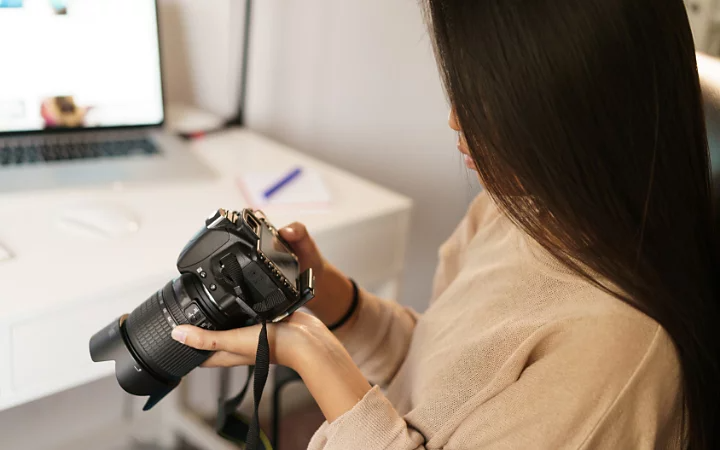
Don’t be afraid to adjust your exposure settings between shots. Even a small change to one of three key settings can drastically alter the look and feel of the image you’re shooting.

Edit, organise, store and share photos from anywhere.
Once the photoshoot is over, the real fun begins. When you import your photos, whether that’s from a hard-drive, cloud storage or directly from your camera’s memory card, it’s time to put the finishing touches on them that’ll make the product look its best.
You can streamline your photo editing workflow by using a photo management programme like Adobe Photoshop Lightroom, which makes it easy to organise the dozens or hundreds of photos you took during the shoot. You can even apply batch edits to all your images as they’re imported to correct for any mistakes made in the studio.
When it comes to editing photos, every photographer has their preferences. “I always start editing by first adjusting any brightness and exposure issues,” says Aagesen. “I’ll then adjust the white balance, make sure the colours are just right and then I’ll edit the contrast, highlights and shadows.”
You might also consider applying lens corrections, removing chromatic aberration, and adding light vignettes to direct attention toward the product. Small refinements like these can significantly elevate the final presentation.

Postproduction editing can take your product photo from bland to beautiful, but understanding the tools at your disposal is key to making sure your product photos shine. Check out these post-processing tutorials to help your photos stand out from the crowd:
You can also enhance product textures using clarity and structure tools, and consider exporting final files in multiple formats to meet different platform requirements.
Lifestyle photos give customers a better idea of how to use a product — they help them to visualise it in their daily lives. While different from product-only images, many of the same rules apply for lifestyle photos.
With lifestyle photos, you’ll probably work with models to help illustrate the product in use. “While models are a big part of the shoot, they’re not the focus of the photo shoot,” explains Aagesen. “They’re just supporting characters and the product is the star. You don’t need to show the model’s face in every photo.” Try taking close-ups of your product in someone’s hand and try different poses to keep it looking natural. Ensure that the setting complements the product — props, location and wardrobe should all support the product's tone and target audience without overpowering it.

Make a shot list to ensure that you get everything you need out of the shoot. Take a wide variety of shots and after you’ve finished your shot list, allow yourself to experiment a bit. This is your opportunity to be more artistic and imaginative with your product photography. Sometimes unplanned photos are the best of the shoot.
While natural light isn’t great for product-only shots, it’s often perfect for lifestyle photos. It can evenly and naturally light your scene without much effort on your part. “But be careful shooting in direct sun, since it can create harsh shadows, especially if your product is reflective or shiny,” notes Aagesen. If it’s a particularly bright day, try shooting in the shade and use reflectors to bounce natural light into your shot. If you're shooting indoors, consider mixing natural window light with fill lights or reflectors to soften contrast and maintain a balanced exposure.
Whether you captured unintentional glare on your product or you need to edit people or cars out of your background, check out these tutorials to help you perfect that product shot.
With the rise in online shopping, there’s never been a better time to be a professional product photographer. E-commerce websites like Amazon dominate retail sales and with sites like Shopify, Etsy and eBay, any small business can quickly build an online presence. To get hired to create product photos for any business, first demonstrate that you can do good work.
The first step to growing your business as a product photographer is to create a portfolio. Collect your best work on one site, which you can then share as a link with potential clients. Include only your very best photos so you don’t overwhelm people with too much work. Limit yourself to 20 or 25 images and try to show a variety of shots of different products in different styles and settings. You want to demonstrate your versatility as well as your artistry. Be sure to regularly update your portfolio as your skills evolve and trends change, to keep it relevant and reflective of your current abilities.
High-resolution image files tend to be very large and hosting a lot of them on your website can take up a great deal of server space. To upload as many images as possible without breaking the bank paying for web hosting, consider using a programme like Adobe Lightroom to compress your images before you upload them. By saving your images as JPG or TIFF files you can reduce the file size without affecting the quality or clarity of your photography. Also ensure your portfolio website is mobile-optimised and loads quickly — this improves the user experience and increases the chance of securing new clients.
Spend time crafting your About section. Offer basic background information, like your relevant work experience and education, but also add some personal details that help convey your personality and interests — maybe even include a photo of yourself. And of course, make sure to include your email address or phone number so people can contact you. You could also mention any awards, client testimonials or media coverage to add credibility and social proof to your personal brand.
Pricing depends on your experience, costs and the difficulty or location of the project. For e-commerce photos, you can charge per image the client uses, typically starting at around ₹1,500 per photo, and working your way up to ₹4,000 or more, depending on the quality, usage rights, and complexity. For larger projects that include several products or a whole catalogue, you can charge per product shoot.
To figure out what you should charge per shoot, check the rates of more established photographers in your area to get a sense of the local market. Then share your portfolio with businesses in your area and offer competitive pricing. As you gain experience in commercial photography, you can begin to charge flat project fees—you might go from earning ₹8,000 to ₹15,000 for a basic half-day shoot to eventually charging ₹25,000 to ₹50,000 or more for full-day professional product shoots with styling and editing included.
You could also consider offering tiered pricing packages that cater to different client needs — such as basic, standard and premium options. This not only provides flexibility but helps potential clients understand what they’re paying for.
No matter where you start, remember that with each assignment you learn more and add to your portfolio. Every new problem you solve gives you one more tool in your kit. As long as you keep taking photos, you’ll keep getting better and as you get better, you can seek more challenging assignments and charge more for your work.
Over time, positive client feedback and referrals can help you increase your rates as demand for your services grows.
Starting out in product photography can be exciting, but beginners in India often face a unique set of challenges. From choosing the right tools to managing lighting and edits, small oversights can affect the professionalism of your final images. Being aware of these common mistakes can help you produce cleaner, client-ready work right from the start:
Avoiding these mistakes can improve your craft, build trust with local businesses, and help you grow into a confident, market-ready photographer.
Contributors
Based on your location, we think you may prefer the United States website, where you'll get regional content, offerings, and pricing.


