

Creativity for all
Photography, video, graphic design, illustration and so much more. Everything you need, wherever your imagination takes you.


PHOTOGRAPHY
Depth of field is one of the most powerful tools in photography, allowing you to decide how much of a scene looks sharp and how much looks blur. In this guide, we explain what depth of field is, the factors that affect it, and how to use it creatively in portraits, landscapes, macro shots, and more.
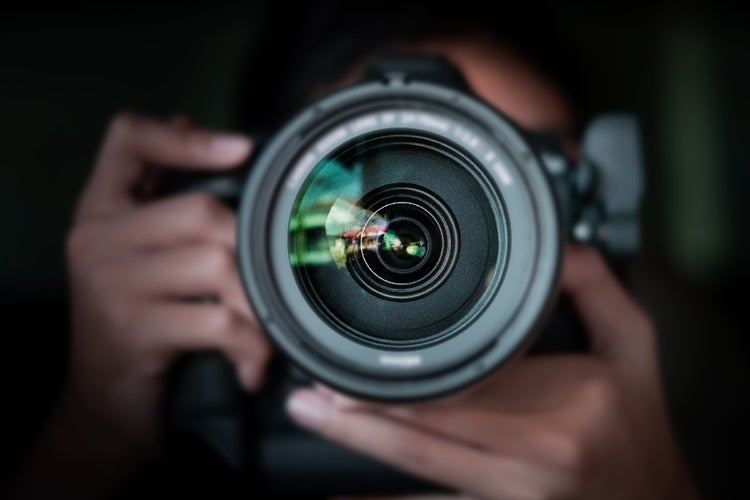
Depth of field is the distance between the nearest and farthest objects in a photograph that appear acceptably sharp and in focus. In simple terms, it describes how much of an image looks sharp from front to back.
A shallow depth of field means only a small area of the scene is sharp, while everything else falls away into blur. This is often used in portraits to separate the subject from the background. A deep depth of field means that most or all the scene looks sharp, which is useful for landscapes or architecture where you want detail throughout the frame.
Depth of field is used in photography to control how much of the scene appears sharp and how much is blurred. It is one of the simplest yet most effective ways to influence how an image feels and to direct the viewer’s attention.
A shallow depth of field can make a subject stand out by softening everything around it. Think of a portrait where the person is crisp and clear, while the background melts into gentle blur. On the other hand, a deep depth of field brings clarity right through the frame, which is why it is often chosen for sweeping landscapes or architectural shots where every detail matters.
In short, depth of field is not just about technical settings. It is a creative choice that helps turn a photograph into a story.
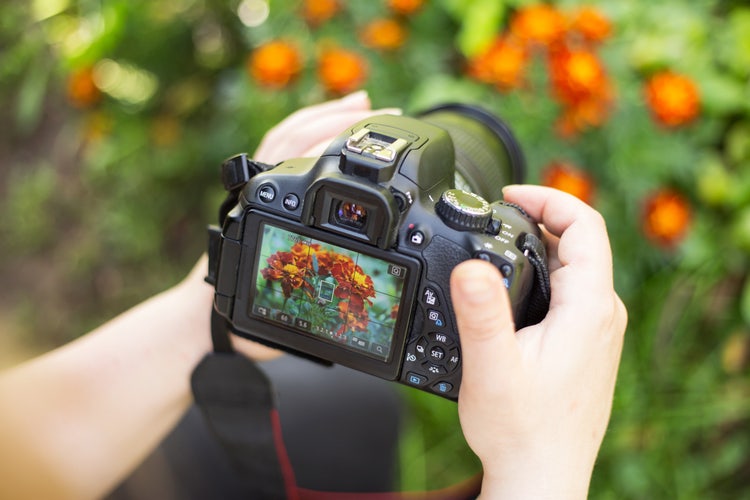
Depth of field is influenced by several factors that work together to determine how much of the scene appears sharp. The main ones are focal length, aperture, camera-subject distance, sensor size, and shutter speed. Understanding these helps you take control of how much of your image is in focus.
Focal length affects how much of a scene appears sharp. Longer focal lengths, such as telephoto lenses, produce a shallower depth of field and stronger background blur. Shorter focal lengths, such as wide-angle lenses, produce a deeper depth of field, making more of the scene appear sharp.
Aperture directly controls depth of field. It refers to how wide or narrow the opening of your lens is, expressed in f-stops.
Choosing aperture is a balancing act between depth of field, available light, and the creative look you want.
Camera-subject distance changes the sharpness zone in your image. The closer you are to your subject, the shallower the depth of field becomes. Stepping further back from your subject increases the depth of field and brings more of the scene into focus.
Sensor size changes how depth of field looks in your photos because larger sensors usually need longer lenses to achieve the same framing. As a result, full-frame cameras are more likely to create a shallower depth of field than smaller-sensor systems such as APS-C or Micro Four Thirds, when using equivalent settings.
Shutter speed itself does not directly affect depth of field. However, because it works in combination with aperture and ISO to control exposure, adjusting shutter speed may force a change in aperture, which then alters the depth of field.
How you preview depth of field depends on the type of camera you are using.
Most DSLRs have a depth of field preview button. Pressing it stops the lens down to your chosen aperture, giving you a direct look at what will be sharp in the final photo. The downside is that the viewfinder often becomes darker at small apertures, which makes it hard to judge. Switching to live view on the rear screen usually provides a clearer and brighter preview.
Mirrorless cameras use electronic viewfinders and LCD screens to show depth of field directly from the sensor. What you see is normally very close to the final image, and you can watch the depth of field change in real time as you adjust your settings. For more accuracy, features like focus peaking or magnification can help confirm exactly what is in focus.
Smartphones often simulate depth of field using portrait mode. The effect on screen is usually a good guide to how the background blur will appear, and many phones let you adjust the strength of the blur after you have taken the shot. This makes them a useful way to play around with shallow and deep depth of field.
If you prefer precision, there are also depth of field calculators and mobile apps that let you enter your lens, aperture, and distance to the subject. They will tell you exactly how much of the scene should appear sharp. These tools are helpful when starting out, but with practice you will develop a feel for depth of field without needing them.
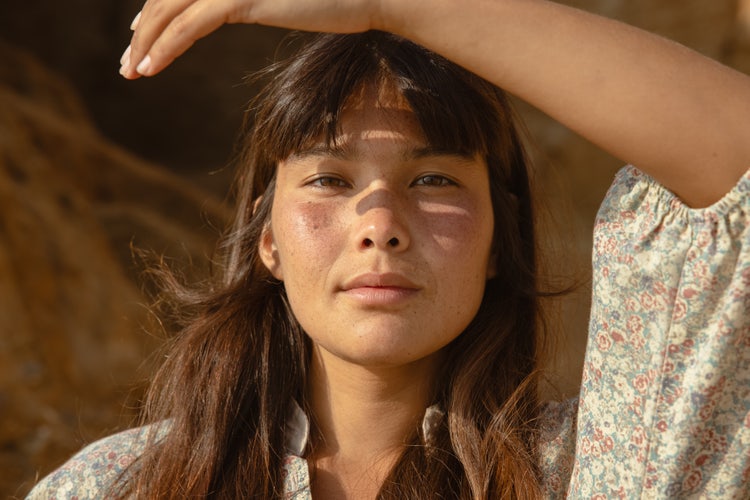
Portrait photographers often use a shallow depth of field to isolate their subject and blur the background. Shooting at a wide aperture such as f/2.8 or wider makes the subject stand out, while background elements melt into soft blur. This effect is particularly striking with telephoto lenses, which naturally enhance background separation.
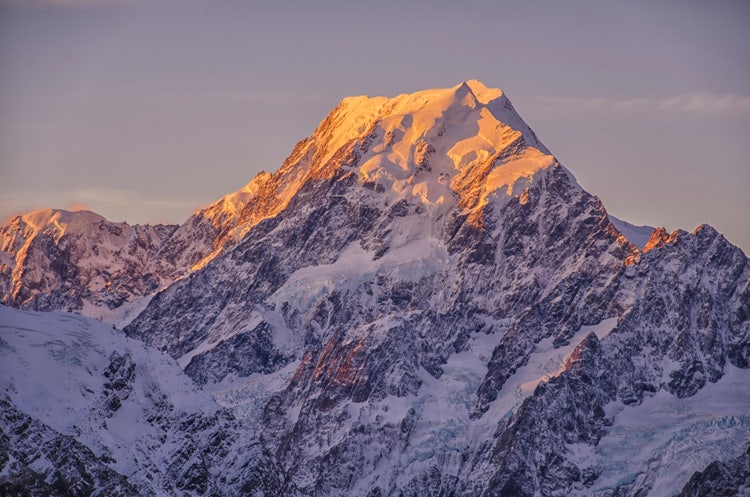
In landscape photography, a deep depth of field is usually preferred to keep everything sharp from the foreground to the horizon. Using a narrow aperture such as f/11 or f/16 with a wide-angle lens ensures that all the detail across the scene is captured clearly.
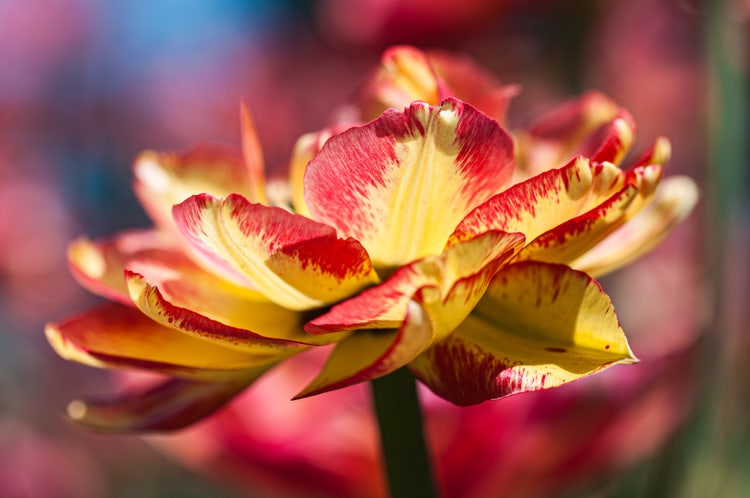
Macro shots of flowers, insects or other small subjects typically have an extremely shallow depth of field. Even when using mid-range apertures such as f/5.6 or f/8, only a small part of the subject may be sharp, which is why careful focusing is so important in close-up photography.

In everyday snapshots and street photography, depth of field is usually somewhere between shallow and deep. Using a moderate aperture such as f/5.6 to f/8 balances subject sharpness with a touch of background blur, so your photos feel natural without losing context.

Bokeh photography uses shallow depth of field creatively, turning out-of-focus highlights into pleasing circles of light. This is often seen in portraits taken outdoors, where sunlight filtering through leaves or streetlights creates a dreamy background glow.
Depth of field is mostly created in-camera, but editing gives you plenty of ways to fine-tune the effect or even create it afterwards.
If you are working with a shallow depth of field, Lightroom makes it easy to gently blur the background and keep the focus on your subject. Tools like masking or radial filters can help soften distractions, while a touch of sharpening or contrast on the subject makes them pop. If you want even more control, Photoshop lets you get very precise. With selections and tools like Lens Blur, you can boost or even simulate background blur if your lens didn’t blur the background as much as you wanted.
When it comes to a deep depth of field, editing is usually about bringing out detail everywhere in the frame. Lightroom is great for getting a little more clarity or texture, especially in landscapes or architecture shots. Photoshop really shines when you want to fine-tune. You can sharpen the rocks in the foreground without over-sharpening the clouds, or brighten one part of the image without affecting the rest. That extra control is what makes Photoshop especially useful for photos where everything needs to look crisp.
With Adobe Creative Cloud Pro, you have powerful tools to take full control of depth of field in your photos. Lightroom allows you to enhance or subtly adjust the blur in your images, while Photoshop provides precise control for selective sharpening, masking, and background manipulation. Together, these apps make it possible to perfect your depth of field, whether you want to emphasise a subject with shallow focus or bring every detail into sharpness with a deep focus.


“I work across multiple apps for my branding projects. With Illustrator and Photoshop, I can move seamlessly between the two, without hampering my productivity.”
Nisha Droch, Designer & Co-founder, Creative Hatti
Photography, video, graphic design, illustration and so much more. Everything you need, wherever your imagination takes you.
Based on your location, we think you may prefer the United States website, where you'll get regional content, offerings, and pricing.



