


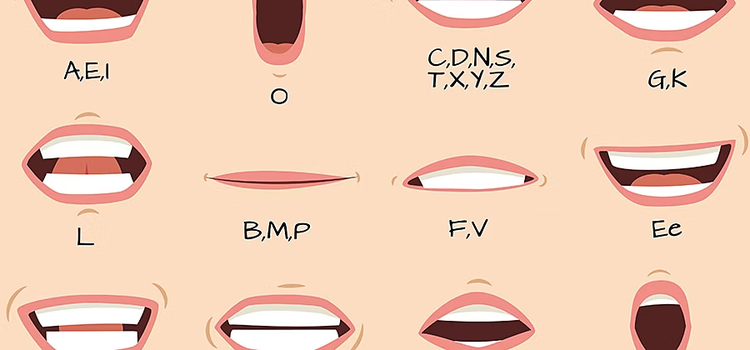
What is lip sync animation?
Lip sync animation is the process of matching a character’s mouth movements with spoken dialogue or sound. It involves creating mouth shapes, known as visemes, that correspond to the sounds or phonemes in speech. By synchronising these shapes with audio, animators make characters appear as if they are naturally speaking. This technique is essential for conveying emotion, personality, and realism in animated storytelling.
Streamline animation with Adobe AI technology.
Animating a character’s mouth as it speaks has traditionally been one of the most time- and labour-intensive aspects of animation. With Adobe Character Animator and Adobe Animate, you can now simplify lip sync animation and mouth lip sync animation using Adobe Sensei AI technology. This intelligent system automates lip movement animation, radically reducing the amount of time and effort it takes to create accurate character lip sync that matches recorded dialogue.

Animating lip-syncing with Adobe Character Animator.
You can use Adobe Sensei AI technology in Character Animator to assign mouth shapes, or visemes, to mouth sounds or phonemes. There are two ways to do this.
- Control a puppet for lip sync animation in Character Animator using your own movements captured through a camera.
- Upload prerecorded audio to create mouth lip sync animation with an existing puppet, while adding gestures and other movements manually.
In either case, you can customise and alter specific mouth shapes in Character Animator or manually assign certain mouth shapes to the puppet at particular times in the recording. You can tweak how long mouth shapes last and how exaggerated they are. This goes a long way to showing what a character is thinking or feeling.
Except for the neutral, smiling and surprised expressions, which come from the camera, everything that drives mouth shapes in Character Animator comes from the audio.
Each mouth shape used in lip movement animation is created as an Adobe Photoshop or Illustrator document. You can borrow a mouth for one character and use it on another, or make new mouth sets entirely for different types of lip sync animation.
To further enhance realism, you can explore facial motion capture in Character Animator, which lets you record subtle expressions and then sync them naturally with your audio.
Discover more about Character Animator.
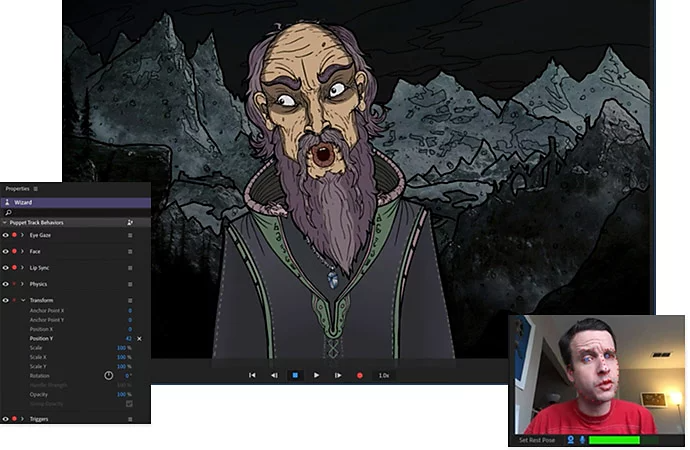
Create mouth shapes for lip sync animation.
Find out how mouth movements work in Character Animator and how to customise existing mouth shapes or create your own for accurate mouth lip sync animation.
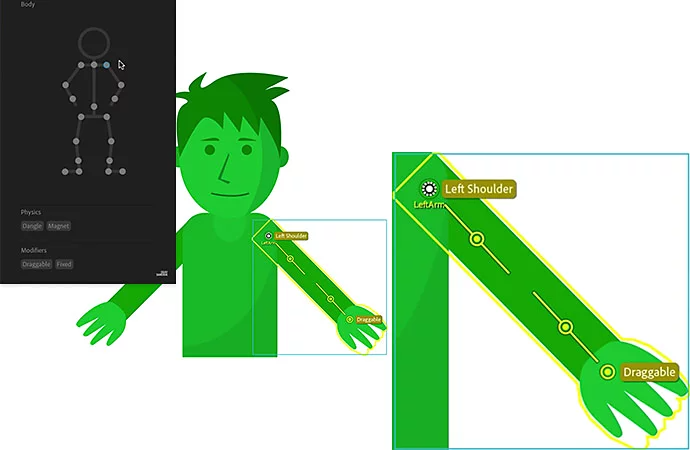
Control puppets using behaviours.
Behaviours in Character Animator include how a character moves, how it speaks and phenomena like motion lines. Discover how to customise character lip sync and refine lip movement animation to match every tone or emotion.
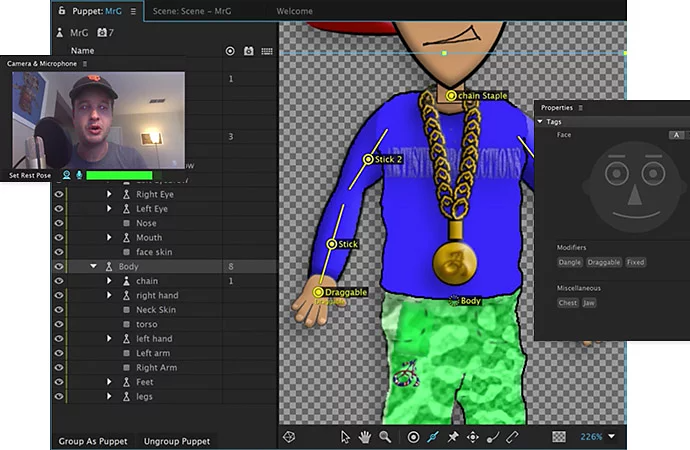
Tips and tricks for streaming.
Stream as a cartoon character and perform in real time. Learn how lip sync animation enhances live performances by syncing your speech with your puppet’s expressions.
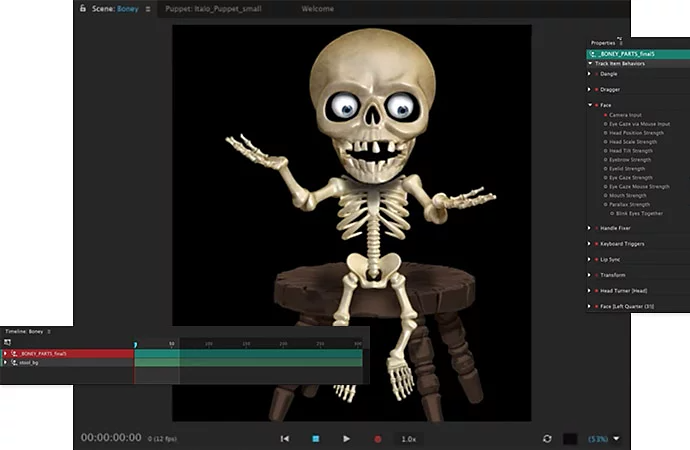
Keyboard shortcuts for Character Animator.
Make the fastest animation application even faster. Learn the shortcuts, save time and get animating in record time.

Animating lip-syncing with Animate.
Adobe Animate supports AI-powered lip sync animation, giving creators total control over movement, timing and expression. Animate uses Adobe Sensei AI technology to automatically match visemes to phonemes, ensuring accurate mouth lip sync animation that brings characters to life.
In addition to automation, Animate also supports traditional frame-by-frame lip-sync animation. Animators can work with an audio track and mouth chart to place mouth shapes manually, precisely matching images to given keyframes within the timeline.
Work seamlessly with other Adobe Creative Cloud applications and go from initial illustrations and concept art to edited, finished video in a single, unified system.
- Create your own library of mouth shapes in Animate and even import assets from Adobe Photoshop or Illustrator for consistent lip sync animation.
- Record dialogue and other audio in Adobe Audition for clear, synchronised sound.
- Bring characters to life in Animate with movement, speech and facial expressions.
- Add visual effects and transitions in Adobe After Effects.
- Edit everything together in Adobe Premiere for a professional final output.
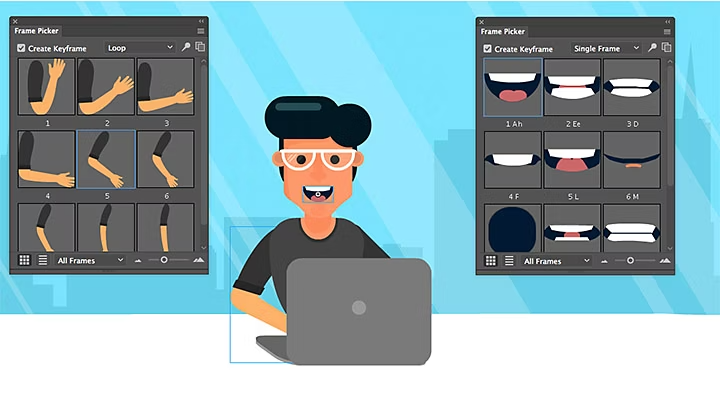
Discover more about Animate.
Create and work with symbol instances in Animate.
Map sounds to visuals for lip sync animation. Learn how to create and manage symbol instances for mouth lip sync animation in Adobe Animate, allowing each mouth shape to appear precisely on your animation timeline.
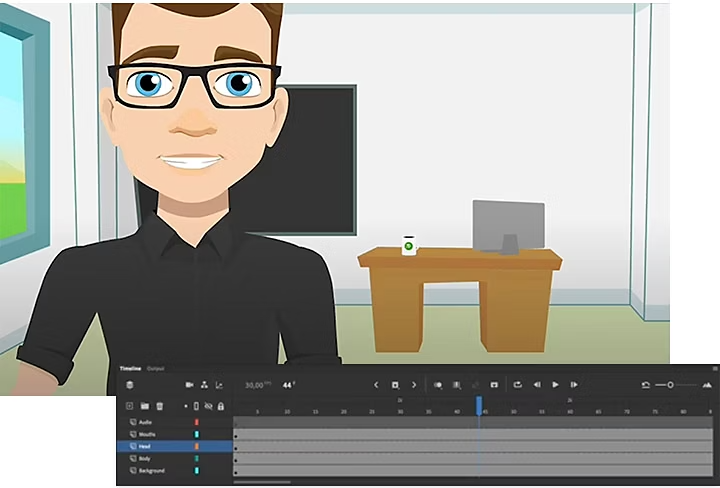
Auto lip-syncing.
Find out how to create a library of mouth shapes for AI-powered lip sync animation and assign them automatically to speech using Adobe Animate AI.
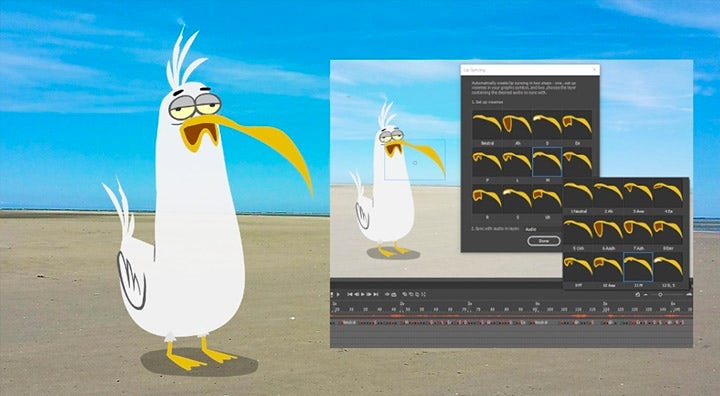
How to lip-sync with Auto Lip-Sync.
Watch a video series that outlines the step-by-step process of assigning mouth shapes to parts of speech.
Take your animation even further.
Take your lip sync animation projects even further by creating animated explainer videos for your audience. Combine AI-powered character lip sync with expressive visuals to make stories more engaging and relatable.
Automated lip-syncing is only one of the ways Character Animator and Animate enhance the animation process. Explore more cartoon animation techniques to see how Adobe tools help you animate just about anything.
Frequently asked questions about lip sync animation.
Lip sync animation is the process of matching a character’s mouth movements to spoken dialogue or sounds. It helps bring animated characters to life and makes their speech look natural and expressive.
You can automate much of the process using Adobe Character Animator or Adobe Animate, both of which use Adobe Sensei AI technology to analyse audio and assign mouth shapes accurately.
Character Animator is ideal for real-time performances and live streaming, where you can control a puppet with your own expressions. Animate offers more manual control, allowing artists to create frame-by-frame lip sync animation for detailed projects.
Yes, AI helps detect speech patterns and automatically map visemes to phonemes. This saves time and ensures smooth, precise mouth movements without sacrificing creative control.
Lip sync animation adds realism and emotional depth, helping viewers connect with characters. It transforms dialogue into expressive performance, which is essential for films, explainer videos, and online content.

title
Animated lip-syncing powered by Adobe AI
tags
caas:content-type/article,caas:products/character-animator,caas:products/animate,caas:product-categories/video
description
Give your characters a voice. Both Adobe Character Animator and Adobe Animate help you streamline animating speech.
cardImage

cardImageAltText
Cartoon mouths depicting letter being said


Speed up your video workflows with Adobe Firefly generative AI.
Visualise shots and effects ahead of the shoot, generate assets missed in production to complement your edit and eliminate tedious tasks to stay focused on your creative ideas.


