High key lighting vs low key lighting in videography.
Lighting has artistic ramifications. It changes the mood and style of your video, so the content you intend to shoot should inform your lighting choices.
Lighting is one of the most important tools a videographer can use to tell a story, create a mood and connect with the audience. Learning to achieve your desired results takes time and successfully creating the exact lighting effects you’re looking for often comes via trial and error.
“When you’re filming, you’re trying to emulate a three-dimensional space within two dimensions,” explains videographer Hiroshi Hara. Light and shadow give objects weight and depth and lighting the same object differently can change its shape and meaning.
style
xl spacing, two up
High key vs low key lighting.
High-key and low-key lighting are two studio lighting techniques that result in very different moods and aesthetics. High-key lighting reduces the lighting ratio in the scene, meaning there’s less contrast between the darker tones and the brighter areas. Alternatively, low-key lighting has greater contrast between the dark and light areas of the image with a majority of the scene in shadow. Whether you’re creating corporate training videos or edgy art house films, it’s important to explore the ins and outs of high-key and low-key lighting so you can use them to effectively communicate ideas.
Illuminating ideas with high-key lighting.
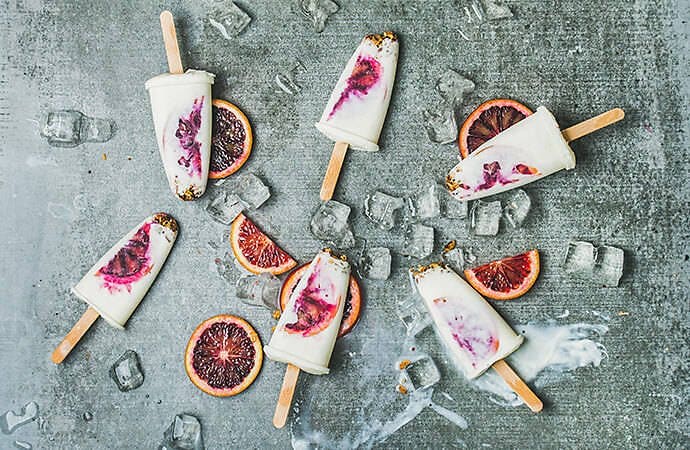
A key light is the main source of light in a video or photo. High-key lighting results in brightly lit subjects with more fill light and softer shadows. Fill lights are used to increase the amount of ambient light in a scene and reduce the contrast.
Where to use high-key lighting.
High-key lighting is often used in commercials for food and beauty products. The brightly lit scenes often suggest an upbeat mood and positive message. This look can also imply truth and openness, making it effective for video interviews or training videos. Your video content and lighting should work hand in hand so the message is cohesive and clear. If you shoot a sombre subject in high-key lighting, it may come across as insincere.
style
xl spacing, two up
How to get high key lighting shots.
The secret to creating high-key images and videos is using large light sources and soft shadows. Large softboxes or diffusers are effective for brightly lighting a scene without adding harsh shadows to your subject. “The larger your source of light, the softer your shadows look,” Hara notes. “The smaller the light, the harder they look.” High-key images often have lighter backgrounds as well, which helps reflect and amplify the ambient light in a scene.
While your goal is to soften and reduce shadows, “never put a light directly in front of your subject, because that’s just going to flatten everything,” as videographer Kenton Waltz explains. Try placing your light sources 30 degrees or so out from the camera. This angle, combined with a well-lit scene and fill light, will give your subject dimension without creating harsh shadows. Your lighting set-up while filming is essential for successful high-key imagery, but tweaking your exposure and brightness levels in post-production can help you to perfect your video.
Capturing drama with low-key lighting.
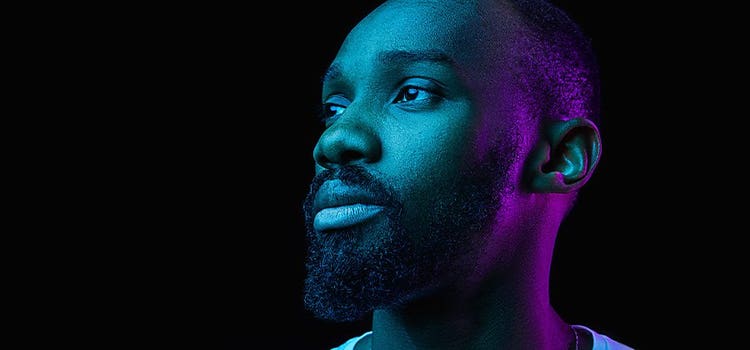
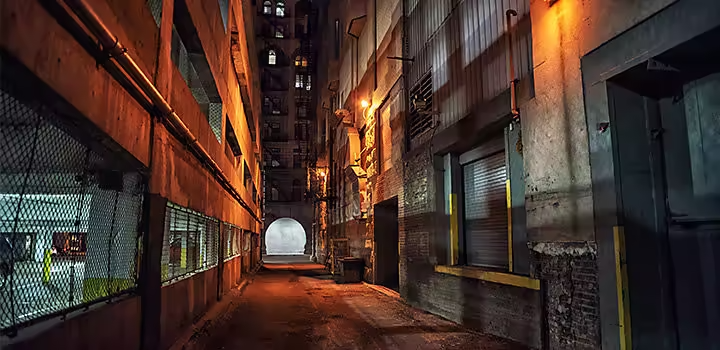
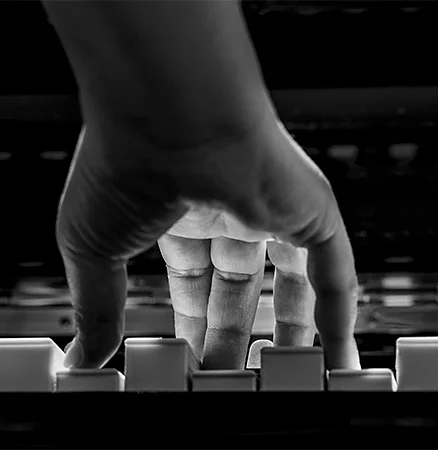
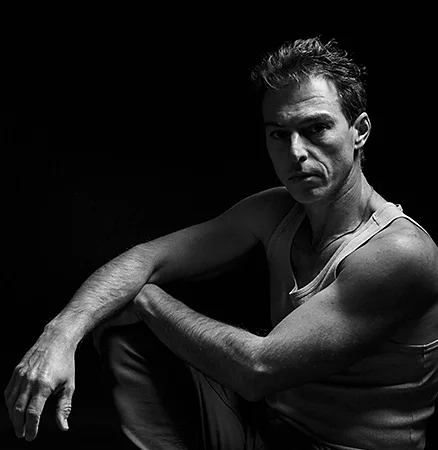
Shooting a low-key video results in darker shadows and a minimal amount of whites and midtones. As Hara notes, “Low-key lighting has been around in the art world for a long time in the form of chiaroscuro.” Chiaroscuro is when an artist uses a high contrast between light and dark to create a dramatic mood and draw the viewer’s eye to one part of the composition. Nowadays, low-key lighting serves a similar function in video and is characterised by its dark shadows and mysterious mood.
When and where to use it.
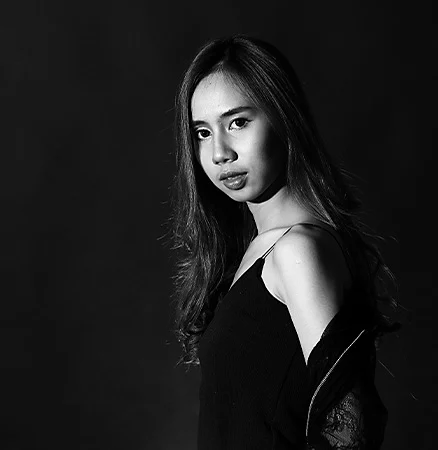
Low-key lighting is often used for more serious, dramatic or narrative videos. With its moody, dark tones, “low-key lighting is effective for drawing attention to serious subject matter or the darker, emotional side to the story,” notes Waltz. Low-key lighting translates well into black and white and is also popular in portrait photography. Film noir or stlylised Hollywood crime dramas, classically used low-key lighting. Due to its serious mood and high contrast, you’re less likely to see low-key lighting used in marketing or promotional materials.
How to achieve low-key effects.
For low-key lighting, you need to limit the ambient light in your scene and closely control your light source. Since white or light-coloured walls reflect light easily, low-key lighting is most effective when shot against dark backgrounds. You can also use strategically placed black fabric to reduce light and control what’s bouncing around. You can shoot low-key images and videos with natural light, but it requires you to control the set or environment more strictly.
style
xl spacing, three up
While low-key lighting is most effective when created in the scene, post-production edits can help to amplify the effect. Adjusting and tweaking your whites and blacks can also give your video the push it needs to successfully evoke the emotion and mood you’re looking for. But whether you’re shooting a bright and airy makeup commercial or a dark, serious short film, lighting makes a huge difference and will make or break your final product.
Lighting has artistic ramifications. It changes the mood and style of your video, so the content you intend to shoot should inform your lighting choices.
cardImage
cardImageAltText
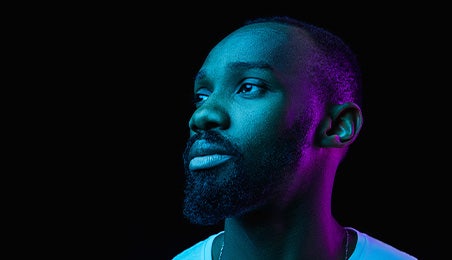
Blue and purple light illuminate the headshot of a man in an example of low-key lighting
Diese Adobe-Website entspricht nicht Ihrem Standort
Basierend auf deiner IP-Adresse könnte die Website für Österreich passender sein. Dort findest du lokal relevante Angebote, Preise und Inhalte.
You can control how Adobe websites use cookies and similar technologies by making choices below. But note that if you disable cookies and similar technologies entirely, Adobe websites may not function properly.
Cookies are small text files stored by your web browser when you use websites. There are also other technologies that can be used for similar purposes like HTML5 Local Storage and local shared objects, web beacons, and embedded scripts. These technologies help us do things like remembering you and your preferences when you return to our sites, measure how you use the website, conduct market research, and gather information about the ads you see and interact with.
You can make choices in the menu below about what cookies and other technologies you want us to use on Adobe sites when you visit them from this browser. You can always change those choices later by clicking on the Cookie Preferences link at the bottom of the page.
If enabled:
We can improve your experience by tailoring the site and the content to things we think might be of interest
We can better keep track of your preferences — like what language you prefer to use
We will better understand your likely interests so we can provide you more relevant Adobe ads and content on non-Adobe websites and in non-Adobe apps
It will help us improve the performance of our website and those of our partners who use the Adobe Experience Cloud
If disabled:
We won’t be able to remember you from session to session so the experience may not be tailored to your interests
You’ll still have access to the content of the site but certain features that depend on cookies may not function
You’ll still see ads, they just may not be as relevant to you
General information
You can control how Adobe websites use cookies and similar technologies by making choices below. But note that if you disable cookies and similar technologies entirely, Adobe websites may not function properly.
Cookies are small text files stored by your web browser when you use websites. There are also other technologies that can be used for similar purposes like HTML5 Local Storage, web beacons, and embedded scripts. These technologies help us do things like remembering you and your preferences when you return to our sites, measure how you use the website, conduct market research, and gather information about the ads you see and interact with.
You can make choices in the menu below about what cookies and other technologies you want us to use on Adobe sites when you visit them from this browser. You can always change those choices later by clicking on the Cookie Preferences link at the bottom of the page.
If enabled:
We can improve your experience by tailoring the site and the content to things we think might be of interest
We can better keep track of your preferences — like what language you prefer to use
We will better understand your likely interests so we can provide you more relevant Adobe ads and content on non-Adobe websites and in non-Adobe apps
It will help us improve the performance of our website and those of our partners who use the Adobe Experience Cloud
If disabled:
We won’t be able to remember you from session to session so the experience may not be tailored to your interests
We’ll still count your use of our site and services
You’ll still have access to the content of the site but certain features that depend on cookies may not function
You’ll still see ads, they just may not be as relevant to you
Operate the site and core servicesOperate site and measure engagement
Always active
These cookies are required, and they are used to enable the site and related services core functionality. Without them the site could not operate, so they cannot be disabled.
These cookies enable the site and related services’ core functionality and collect statistics about user engagement, such as counting active use to help us understand trends. These cookies cannot be disabled.
Measure performance
These cookies are used to analyze site usage to measure and improve performance. Without them Adobe cannot know what content is most valued and how often unique visitors return to the site, making it hard to improve information we offer to you.
These cookies are used to analyze site usage to measure and improve performance. Without them Adobe cannot know what content is most valued, making it hard to improve information we offer to you.
Extend functionality
These cookies are used to enhance the functionality of Adobe sites such as remembering your settings and preferences to deliver a personalized experience; for example, your username, your repeated visits, preferred language, your country, or any other saved preference.
Personalize advertising
These cookies are used to enable Adobe and our partners to serve ads more relevant to your interests. Without them you will still see ads, but they might not be as relevant to you.