


Adobe Firefly
The next evolution of creative AI is here for all your ideas, with image, video, audio and vector tools.


Faceless videos have quietly become one of the most effective content formats on YouTube and other social platforms. From history explanations and gaming walkthroughs to cooking tutorials and crime discussions, these channels are growing large audiences without ever appearing on camera.
This guide explains what faceless videos are, why they work so well, which niches perform best, and how you can create faceless videos step by step.
A faceless video is a type of video content where the creator does not appear on camera. Instead of showing a person’s face, the video relies on visuals such as stock footage, animations, screen recordings, text overlays, or illustrations, often paired with voiceovers or background music.
The focus of a faceless video is on information, storytelling, or value, rather than personality-driven visuals. This makes it especially appealing for creators who prefer to stay anonymous or who want to produce content efficiently.
Faceless videos have surged in popularity because they align perfectly with how modern content platforms are designed to surface and reward videos. YouTube, in particular, does not prioritise who the creator is. Rather, it prioritises what keeps viewers watching. Metrics such as click-through rate, average watch time, session duration, and repeat views matter far more than whether a face appears on screen.
For creators, this shifts the focus away from personal visibility and toward content performance. A faceless video that delivers clear information, strong storytelling, or visual interest can outperform a personality-led video if it keeps viewers engaged longer. This makes faceless content especially attractive for new creators who may not yet have a recognisable personal brand.
Other key reasons for their popularity include:

Faceless videos continue to evolve as viewer preferences shift toward immersive, story-driven, and information-rich content. Many of today’s top-performing faceless formats focus on narrative, visuals, and pacing, making them highly engaging even without a visible creator. These formats work especially well on YouTube, YouTube Shorts, and long-form video platforms, where audiences consume content across education, entertainment, and utility.
If you’re looking for ideas for your own faceless YouTube channel, here are some of the most popular formats that are performing well today:
Crime story channels narrate real-life cases, unsolved mysteries, or fictional crime narratives using voiceovers, text overlays, and visual storytelling. These videos often include suspenseful pacing, dramatic background music, and structured narratives to keep viewers engaged.
Why they work for a faceless channel:
These channels dive deep into educational or informational content, presenting data, historical events, societal trends, or technological innovations using visuals, narration, and archival media. Topics can be anything: technology, nature, culture, business, and society.
Why they work for a faceless channel:
These channels provide educational explanations of historical events, cultural milestones, or geographic concepts. They often use maps, animations, archival images, and narrated storytelling to make content engaging and informative.
Why they work for a faceless channel:
Animated storytelling channels bring fictional or real-life stories to life through illustrations, motion graphics, or simple character animations. These can range from moral stories and folklore to life lessons and personal experiences adapted into animation.
Why they work for a faceless channel:
Gaming channels showcase gameplay, walkthroughs, tutorials, or live streams. Commentary, text instructions, and background music supplement the visual gameplay, making it engaging for viewers.
Why they work for a faceless channel:
Cooking channels focus on the food, ingredients, hands-on preparation, and step-by-step instructions rather than the chef’s face. Overhead shots, text overlays, and occasional voiceovers guide the viewer through recipes.
Why they work for a faceless channel:
Faceless travel vlogs highlight top tourist destinations, local experiences and cuisines, landscapes, and activities without showing the creator. Adding music, captions, and narration guide the story of the entire travel.
Why they work for a faceless channel:
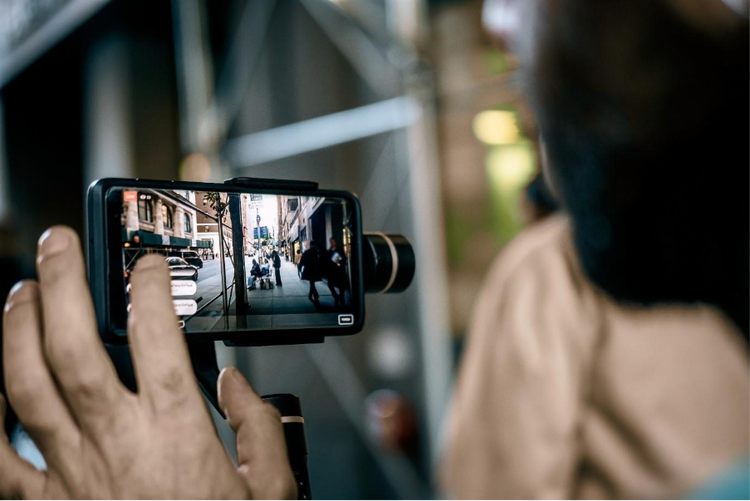
Creating a faceless video involves a clear workflow, from planning to publishing. Each step ensures the content is engaging, professional, and scalable, even without showing a creator on camera.
Start by identifying trending or highly searchable topics using tools like YouTube Search, Google Trends, or keyword research platforms. Focus on content that solves a problem, entertains, or educates your audience. Check existing competition to see what works, but aim to provide a unique angle or perspective, and consider localising topics for Indian audiences, such as exam prep, regional recipes, or trending apps.
A strong script keeps your faceless video clear and engaging. Break your content into sections or bullet points, write concise conversational lines that read naturally aloud, and include hooks at the start and calls-to-action at the end. Scripts should also indicate where visuals, animations, or text overlays will appear to guide the editing process effectively.
Since the creator’s face isn’t on camera, visuals must capture attention. You can use stock footage, screen recordings for tutorials or app demos, or AI-generated visuals and animations. Choose visuals that support the script, emphasise key points, and maintain viewer interest throughout the video.
Audio is critical for engagement in faceless videos. Use voiceovers, either human or AI-generated, to narrate your script clearly, and add background music that complements but doesn’t overpower the narration. Sound effects and subtle transitions can enhance pacing and keep viewers focused on the content, while multilingual AI voices can broaden your reach, especially in India.
Editing brings all elements together into a cohesive video. Combine visuals, voiceovers, text overlays, and music, ensuring smooth transitions and logical flow. Animated text or graphics can highlight key points, and tight pacing helps retain viewer attention, which is essential for faceless formats.
Optimising your video ensures it reaches the right audience. Use keyword-rich titles and descriptions, create clear text-focused thumbnails, and include topic-relevant tags for discoverability. Add subtitles to expand reach. Schedule uploads consistently, and track analytics to refine your content strategy, ensuring sustained growth and engagement.

Video creation is known to be a tedious process, but it doesn’t have to be that way all the time. Using AI, creating faceless videos can become faster, more efficient, and accessible, even for solo creators. With Adobe Firefly, for instance, you can generate visuals, animations, and voiceovers without ever appearing on camera, allowing you to produce professional-quality content at scale.
Describe a scene or concept, and Firefly can generate high-quality AI images and AI videos that fit your script. You can do this by using text prompts or existing assets from previous shoots and projects. This is perfect for explainer videos, animated storytelling, or illustrative content.
Firefly’s Generate AI Character tool allows you to bring static illustrations or objects to life with smooth motion, making videos more dynamic and engaging without filming live footage. You can also describe the character you want to generate and watch as Firefly brings it to life. AI characters are a great visual focus to add to faceless videos.
Firefly’s AI text-to-speech makes it easy to turn scripts into natural-sounding voiceovers for faceless videos. Creators can generate high-quality voices in 20+ languages and make adjustments to tone, pacing, emotion, emphasis, and pronunciation, making it simple to produce content for diverse and multilingual audiences without recording audio themselves.
Adobe Express video templates help you create and share attention-grabbing videos in minutes. Templates are searchable by theme, aesthetic, niche, or video type, making it easy to find a starting point that fits your content goals. Simply upload your clips, then crop, trim, or split videos using beginner-friendly editing tools. With the drag-and-drop online editor, you can add icons, graphics, fonts, and one-click animated effects to quickly customise faceless videos for social, marketing, or educational use.
Starting a faceless video channel is one of the lowest-friction ways to enter content creation, but success still depends on having the right foundations in place. Because faceless videos rely heavily on structure, clarity, and consistency, small decisions around tools, formats, and workflows can have an outsized impact on performance. The goal at the beginning is not perfection, but repeatability — creating a process you can sustain and improve over time.
Here are some tips to help you get started:

Based on your location, we think you may prefer the United States website, where you'll get regional content, offerings, and pricing.

