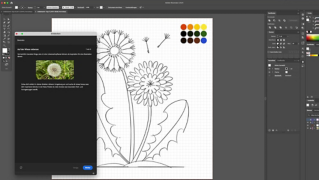
Eine Visitenkarte mithilfe einer Vorlage erstellen.
Mit den professionell gestalteten Adobe Stock-Vorlagen designst du schnell und einfach eigene Visitenkarten. Ändere Grafiken, Typografie und Farben für einen individuellen Look.
Die Beispieldatei enthält Adobe Stock-Elemente, mit denen du die Schritte dieses Tutorials nachvollziehen kannst. In der ReadMe-Datei in diesem Ordner findest du die Bedingungen für die Verwendung dieser Beispieldatei.Adobe Stock bietet Zugriff auf viele Millionen lizenzfreie Bilder und Videos für gewerbliche Zwecke.Teste Adobe Stock einen Monat lang kostenlos – 10 Bilder gratis inklusive.
1
Illustrator öffnen und eine Vorlage auswählen.
Hinweis: Sie benötigen die neueste Version vonAdobe Illustrator , damit Sie die verbesserten Funktionen nutzen können.
2
Alternative: Mit einer Vorgabe beginnen.
Wenn du keine passende Vorlage findest, kannst du auch mit einer Vorgabe für ein leeres Dokument beginnen und die Details im Fenster „Neues Dokument“ individuell anpassen.
Tipp: Klicke auf „Alle Vorgaben anzeigen“, um alle Vorgaben zu sehen.
Wähle eine Vorgabe aus, und ändere Aspekte wie die Seitenausrichtung und die Anzahl der Zeichenflächen. Klicke auf „Weitere Einstellungen“, wenn du die Anordnung der Zeichenfläche oder den Anschnitt ändern möchtest. Wenn du fertig bist, klicke auf „Erstellen“.
3
Vorlagen oder Vorgaben anpassen.
Die geöffnete Vorlage „Einfache Visitenkarte“ kannst du nach Bedarf bearbeiten.
Hinweis: Wenn das Fenster „Fehlende Schriftarten“ angezeigt wird, klicke auf „Schriftarten aktivieren“, um dieselben Schriften wie in der Vorlage zu verwenden. Du kannst die Schriften später jederzeit ändern.
In unserem Beispiel haben wir die Visitenkartenvorlage mit eigenem Text versehen, eine andere Farbpalette zugeordnet und Schriften aus Adobe Fonts hinzugefügt. Öffne die bereitgestellte Beispieldatei „illustrator-templates_Practice.ai“, um unsere Version anzusehen.
4
Weitere Vorlagen bei Adobe Stock.
Wo findet man weitere Anregungen für Projekte? Adobe Stock bietet eine große Auswahl an Vorlagen, Mockups, Symbolen und Designs. Wähle „Datei > Neu“. Gib im Fenster „Neues Dokument“ einen Suchbegriff ein, und klicke auf „Los“.
Hinweis: Um alle Illustrator-Vorlagen auf der Adobe Stock-Website anzuzeigen, klicke einfach auf „Los“, ohne zuvor einen Suchbegriff einzugeben.
Klicke oben auf der Adobe Stock-Website auf die Schaltfläche „Bedienfeld einblenden“, um deine Suche nach Programm oder nach Kriterien wie „Unentdeckte Inhalte“ einzugrenzen. Sobald du eine passende Vorlage gefunden hast, kannst du sie lizenzieren und auf deinen Computer herunterladen.
Nutze die professionellen Vorlagen von Adobe zum schnellen Erstellen hochwertiger, individueller Designs.
4. März 2020
Probiere diese Tutorials mit Illustrator aus
Illustrationen und andere Grafiken mit Vektoren erstellen
You can control how Adobe websites use cookies and similar technologies by making choices below. But note that if you disable cookies and similar technologies entirely, Adobe websites may not function properly.
Cookies are small text files stored by your web browser when you use websites. There are also other technologies that can be used for similar purposes like HTML5 Local Storage and local shared objects, web beacons, and embedded scripts. These technologies help us do things like remembering you and your preferences when you return to our sites, measure how you use the website, conduct market research, and gather information about the ads you see and interact with.
You can make choices in the menu below about what cookies and other technologies you want us to use on Adobe sites when you visit them from this browser. You can always change those choices later by clicking on the Cookie Preferences link at the bottom of the page.
If enabled:
We can improve your experience by tailoring the site and the content to things we think might be of interest
We can better keep track of your preferences — like what language you prefer to use
We will better understand your likely interests so we can provide you more relevant Adobe ads and content on non-Adobe websites and in non-Adobe apps
It will help us improve the performance of our website and those of our partners who use the Adobe Experience Cloud
If disabled:
We won’t be able to remember you from session to session so the experience may not be tailored to your interests
You’ll still have access to the content of the site but certain features that depend on cookies may not function
You’ll still see ads, they just may not be as relevant to you
General information
You can control how Adobe websites use cookies and similar technologies by making choices below. But note that if you disable cookies and similar technologies entirely, Adobe websites may not function properly.
Cookies are small text files stored by your web browser when you use websites. There are also other technologies that can be used for similar purposes like HTML5 Local Storage, web beacons, and embedded scripts. These technologies help us do things like remembering you and your preferences when you return to our sites, measure how you use the website, conduct market research, and gather information about the ads you see and interact with.
You can make choices in the menu below about what cookies and other technologies you want us to use on Adobe sites when you visit them from this browser. You can always change those choices later by clicking on the Cookie Preferences link at the bottom of the page.
If enabled:
We can improve your experience by tailoring the site and the content to things we think might be of interest
We can better keep track of your preferences — like what language you prefer to use
We will better understand your likely interests so we can provide you more relevant Adobe ads and content on non-Adobe websites and in non-Adobe apps
It will help us improve the performance of our website and those of our partners who use the Adobe Experience Cloud
If disabled:
We won’t be able to remember you from session to session so the experience may not be tailored to your interests
We’ll still count your use of our site and services
You’ll still have access to the content of the site but certain features that depend on cookies may not function
You’ll still see ads, they just may not be as relevant to you
Operate the site and core servicesOperate site and measure engagement
Always active
These cookies are required, and they are used to enable the site and related services core functionality. Without them the site could not operate, so they cannot be disabled.
These cookies enable the site and related services’ core functionality and collect statistics about user engagement, such as counting active use to help us understand trends. These cookies cannot be disabled.
Measure performance
These cookies are used to analyze site usage to measure and improve performance. Without them Adobe cannot know what content is most valued and how often unique visitors return to the site, making it hard to improve information we offer to you.
These cookies are used to analyze site usage to measure and improve performance. Without them Adobe cannot know what content is most valued, making it hard to improve information we offer to you.
Extend functionality
These cookies are used to enhance the functionality of Adobe sites such as remembering your settings and preferences to deliver a personalized experience; for example, your username, your repeated visits, preferred language, your country, or any other saved preference.
Personalize advertising
These cookies are used to enable Adobe and our partners to serve ads more relevant to your interests. Without them you will still see ads, but they might not be as relevant to you.
Personalize advertising
These cookies are used to enable Adobe and our partners to serve ads more relevant to your interests. Without them you will still see ads, but they might not be as relevant to you.