Introduction: Use lighting to bring cinematic lighting to your main character
[Cyn Lagos]: Are your photos already gorgeous but don't feel like they have main-character energy?
Let's turn your nice enough into cinematic using quick lighting moves in Photoshop mobile that you can repeat on every photo.
Hi, my name is Cyn Lagos.
I'm an artist exploring mediums like design, photo, and video.
And today I'm your visual mentor.
Let's get started.
First, we're going to invite your subject into the spotlight with one timeless technique - vignetting.
In Photoshop mobile, tap Light and color and then Effects.
Here, you will find your Vignette options.
Nudge the Vignette slider to the left to dim the surrounding area.
This instantly separates your subject from the background and creates a natural spotlight.
The viewer's gaze is drawn to the brightest part of the frame - so right where your main character shines.
Here's a quick way to level this up.
Add depth so your subject stands out naturally from the background
Duplicate your image, then go to Select area.
Then tap on your background so we can treat it separately.
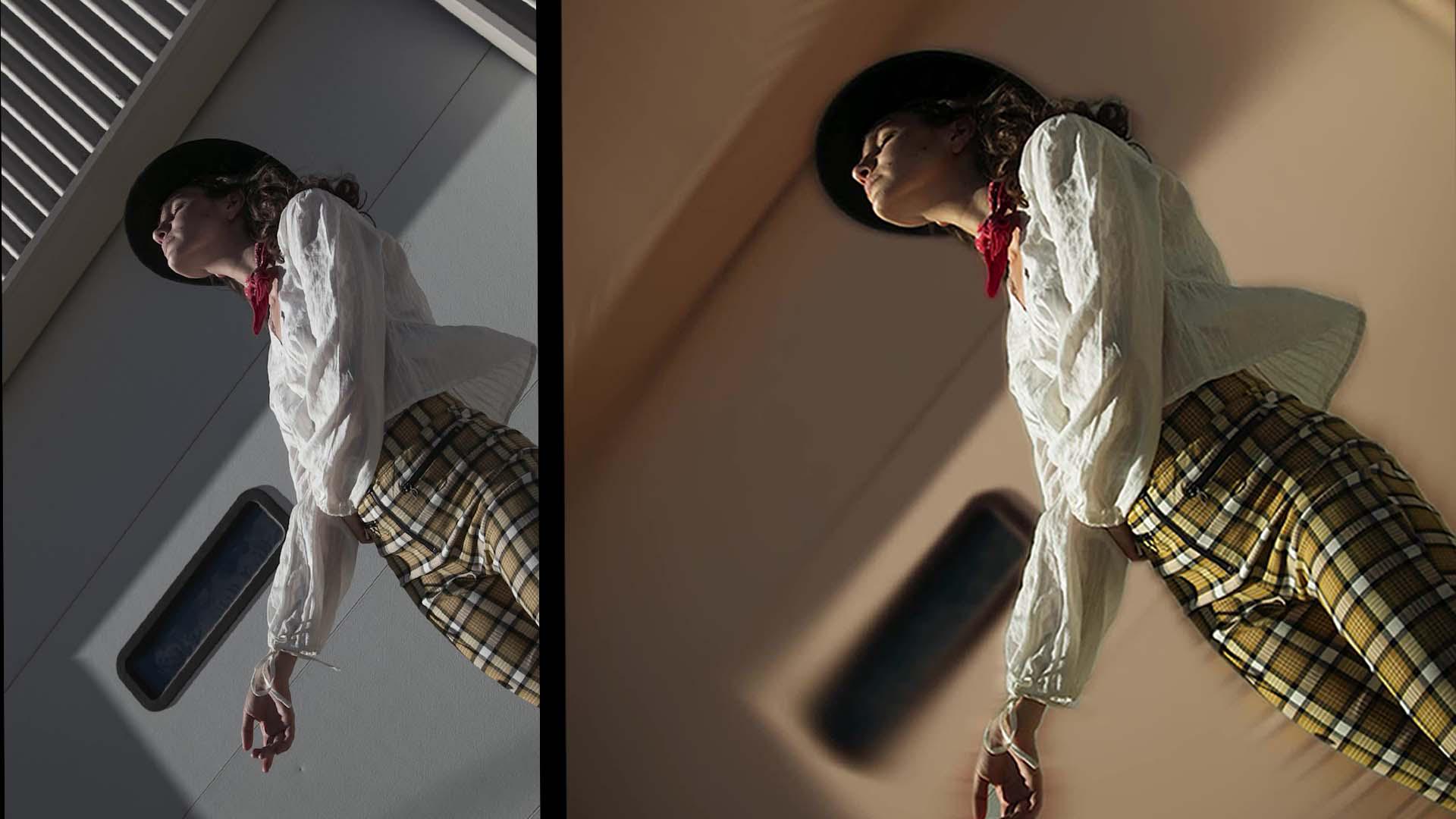
Next, with the background layer still active, go to Effects, then Blur.
This creates instant depth so your subject pops forward and the background softens.
And if you want a little energy, try a Radial blur to add a sense of motion.
Time for the curveball.
Shape mood through curves: light and color control
And yes, it's called curves.
Go to Adjustment layers and select Curves.
This is where you get real control over light.
I want a brighter image overall, so I am pulling up on the curve at the top of the grid, so it lifts the highlights.
And the best part?
You can control highlights and shadows by color.
So jump into the reds, the greens, or blues and nudge the curve - especially up near the top so that color can glow through the brighter parts of the image.
That way, you're not just adjusting brightness; you're shaping a mood - warm and romantic or cool and crisp.
Watch how your light starts telling the story with depth.
Your subject remains in the spotlight and the rest becomes the supporting cast.
Personally, I love pulling from the bottom of one color channel just a touch to tint the shadows.
It's subtle, but it really sets the tone.
And that's it.
So next time your photos feel flat, you don't need a new camera - you need a new edit.
Try it while you wait for your coffee, and run the same steps - invite your subject to take the lead - every time. [laughs]