AI document editor: How to optimise documents and save time.
Writing formal documents, emails, and announcements is a common everyday task for many employees. And with these kinds of texts, there comes an immense pressure to get everything right – from grammar and punctuation to tone of voice.
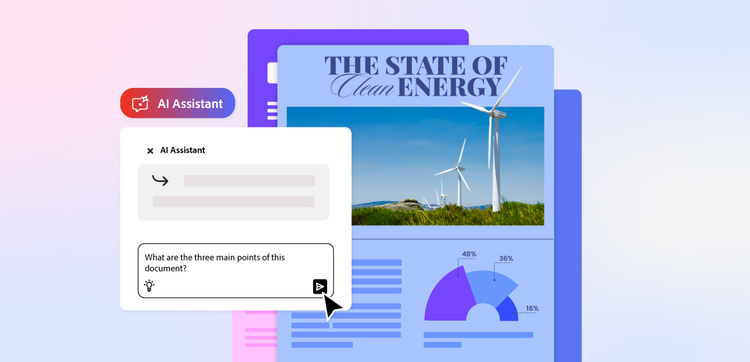
But what if there was a way to save yourself the time and stress of endless editing? That’s where AI document editors come in. Intelligent document editor tools like Adobe Acrobat’s AI Assistant use artificial intelligence to help businesses and individuals write, edit, and refine content with ease.
Find out more about AI document editors, their benefits, and how to use them.
What is an AI document editor?
An AI document editor is an intelligent writing and editing tool that uses artificial intelligence like natural language processing (NLP) to help you create, edit, and optimise written content.
Unlike traditional word editors that simply highlight errors in spelling, grammar and punctuation, AI document editors take things a few steps further. They can highlight and suggest areas for improvement in everything from tone and readability to structure and impact.
AI document editing tools are quick and simple to use. All you have to do is enter in written prompts and provide instructions on what you want, and the tool should respond with a well-written solution.
Prompt examples include writing or rewriting paragraphs, or improving tone, clarity and impact. You can even ask the editor to summarise content, or generate new text based on existing material.
Think of it as a comprehensive writing assistant – available to help you throughout the entire writing process, from draft to final copy.
What tasks can an AI document editor help with?
There are plenty of tasks that an AI document editor can help you with – covering every step of the writing process. These can include:
- Spelling, grammar and punctuation. At a basic level, AI document editors are designed to highlight and help you fix any errors in spelling, grammar and punctuation.
- Copy generation. Create effective pieces of writing that are engaging and fit for purpose with the help of an AI document editor. Use it to improve existing content or prompt it to start from scratch.
- Summarising/optimising existing content to boost readability. Get rid of the fluff and get your point across in a way that’s easy for readers to understand.
- Tone of voice. Ensure your writing has a consistent style and tone of voice throughout each section to maintain flow and boost readability.
- Extracting specific information from existing documents. Save time reading through entire documents and simply prompt the AI document editor to find the information you need.
- Stylistic suggestions. Receive recommendations for improving sentence structure, word choice, and overall readability. A tool can help you with everything from inclusive writing to maintaining professionalism throughout your text.
What are the benefits of an AI document editor?
The right AI document editor will bring a host of benefits to your business or project. These tools go beyond traditional word editors, offering innovative support throughout the writing process.
Let’s take a look at some of the main benefits of AI document editing tools:
- Saves time. Automate repetitive tasks like proofreading, formatting, and summarising, and focus your time on more high-value tasks.
- Maintains consistency throughout documents. Ensure all your documents have a consistent, uniform tone to reinforce branding and uphold business or personal standards.
- Helps generate ideas. Wave goodbye to writer’s block and get a headstart on your projects with an AI document editor. A tool can draft content, provide alternative phrasing, and give suggestions for improvement or expansion of topics.
- Boosts efficiency and productivity. Streamline the writing and editing process with the help of AI to reduce time spent on manual work and boost overall productivity.
- Ensures accuracy within documents. AI document editors can flag issues with accuracy and suggest improvements to ensure all your documents are professional, clear and reliable.
How to edit documents with the Acrobat AI Assistant.
Adobe Acrobat’s AI Assistant allows you to easily edit and enhance documents to create well-written, engaging text in seconds. Our intelligent tool makes composing, editing, reviewing and refining text simple and efficient – whether you’re working with a single file or multiple PDFs.
Modify and refine document content.
Our AI Assistant lets you easily edit existing content – all you need is to input a few clear, written prompts. You can then ask it to conduct further edits like rewrite sections, improve clarity, adjust tone of voice, simplify complex language, or optimise language for a specific audience.
Generate new content from prompts.
You can also generate brand-new content with our intelligent AI Assistant. With a simple prompt, the tool will expand on your ideas, draft new sections, or create summaries from existing text, giving you a valuable headstart on your project.
Edit and review multiple documents with PDF Spaces.
With PDF Spaces, you can group documents into a single workspace for a streamlined workflow. When used alongside our AI Assistant, you can summarise, compare, and extract insights across multiple files at once to improve organisation and efficiency.
Which industries need AI document editors?
AI document editors can be leveraged by a range of different sectors, thanks to their many benefits and capabilities. Whether you work in marketing or manufacturing, there are ways that editors like Adobe Acrobat’s AI Assistant can help your business boost productivity and efficiency.
The following industries could benefit from using AI document editors.
- Marketing. Create, edit, and optimise content tailored specifically for your target audience, all while maintaining a consistent tone of voice and branding. You can even include keywords in your prompt to support SEO.
- Legal sector. Draft, review, and summarise contracts and legal documents with accuracy, professionalism and consistency.
- Accountancy. Get assistance when writing reports to support your figures and findings. AI document editors can also help you write effective client communications.
- Consulting. Produce clear, professional reports and proposals for all your clients to communicate value and recommendations.
- Manufacturing. Create and standardise product documentation, package information and instructions. You can also produce professional policies and internal communications.
FAQs.
Is AI editing safe?
Yes, AI editing is safe when you use a credible, trusted platform. Reputable tools like Adobe Acrobat’s AI Assistant are designed to protect your data and provide secure processing.
It is, however, generally advised that you review any content created or edited by AI editing tools to ensure suitability and accuracy.
What is an example of AI editing?
An example of AI editing is a university lecturer using Adobe Acrobat’s AI Assistant to summarise lecture notes after every session, sending them on to students to support their academic journeys.
Can I edit a PDF with AI?
Yes, you can edit PDFs with an AI document editor. These helpful tools can review and refine text, adjust tone, summarise sections, and even generate new content to further improve the document.
More useful resources.
Useful PDF tools.
Editing content is just one of the many tasks that Adobe Acrobat makes simple. Sign up today to unlock a range of other capabilities.