AI document generator: How to turn AI prompts into useful documents.
Find yourself staring at a blank slate, unsure where to begin? You can now ditch the mundaneness of manual document work with an AI document generator.


Find yourself staring at a blank slate, unsure where to begin? You can now ditch the mundaneness of manual document work with an AI document generator.
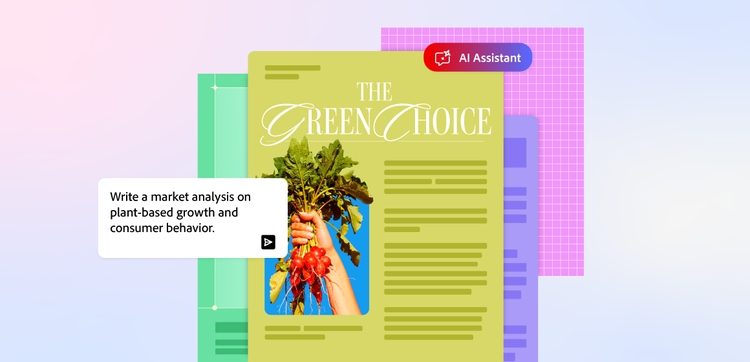
From drafting client documents to adapting reports into succinct executive summaries, input your desired prompts and see your documents come to life in seconds.
Automate the busywork and stay ahead of the curve with Adobe’s Acrobat’s AI assistant.
An AI document generator is a software tool that uses generative artificial intelligence to create structured, formatted PDFs and documents based on a text prompt.
Unlike traditional automation tools that simply fill static templates with data, AI generators understand context and tone. They’re capable of drafting entirely original content from scratch, generate custom templates, provide suggestions on layout, and adapt to any follow-up details provided.
Simply input your prompt(s) to automate the creation of your desired document, and the AI generator will produce an accurate and well-structured piece – ranging from reports, emails and even business contracts. You can even input a prompt to get a specific file format, such as Word doc, PDF, or Excel.
AI document generators can help make efficiencies in creating a wide range of file formats.
They can empower users to automate the drafting, structuring and formatting of various personal and professional documents, such as:
An AI document generator is a powerful assistant that can help you craft a wide array of professional materials, ranging from simple emails to complex reports. Here’s how you can go about maximising the power of generative AI to create your desired documents today.
The first step in effectively using an AI document generator is to select an appropriate tool that’s tailored to your needs. Take time to research the various options available in the market as they can differ significantly in capabilities, features and cost.
Consider whether a free AI document generator offers sufficient features for your tasks, or whether you want a more integrated option. For example, you could use the free Adobe Acrobat integration in ChatGPT to turn your AI-generated content into a polished PDF document. Alternatively, if you’re looking for something more advance, you could opt for an all-in-one AI workspace like Adobe Acrobat Studio.
Factors like the complexity of the documents you need to create, the volume of generation, and the desired output quality should guide your decision.
Once you’ve selected your AI tool, the next step is to instruct it to create your document. This involves writing a prompt describing your document requirements, such as the content, structure and style.
Most generators will also offer an option to select the desired output format, such as a spreadsheet, PDF or slide decks. After submitting these requirements, the AI tool will typically generate your document in seconds.
After generating your draft document, Adobe Acrobat’s AI Assistant offers robust capabilities to elevate your final product. You can:
These features ensure your AI-generated document is clear, concise, and perfectly aligned to your objectives.
The quality of your AI-generated document directly correlates with the quality of your prompt. An effective prompt acts as a blueprint, guiding the AI tool to generate content that meets your exact specifications and avoids the need for multiple revisions.
Here’s how to go about writing a comprehensive prompt:
The best AI document generator depends entirely on your specific needs, budget, and the complexity of the documents you create. Free tools suit basic tasks, while paid solutions like Adobe Acrobat’s AI Assistant tend to offer advanced features, integrations, and higher quality for professional use cases.
You can even test out the tool before you commit with a free 7-day trial.
Using an AI document generator provides notable benefits such as helping to overcome writer’s block, being cost-effective and scaling efficiency. On the downside, relying solely on AI could lead to potential plagiarism, factual inaccuracy and a lack of human creativity or nuance. It’s best to use an AI tool to supplement your writing and document creation rather than completely replace it.
AI-generated content can span various forms. For example, you might use an AI document generator to produce an executive summary of a financial report or build an initial idea for a video into a more actionable script. The opportunities are endless.
Ready to transform your documents with AI-powered precision? Sign up for Adobe Acrobat today.

