7-day free trial, then £19.97/moincl. VAT for Acrobat Pro + £4.98/moincl. VAT for AI Assistant Plus. Both are annual, billed monthly plans. Monthly plans also available.
Fee applies of half your remaining annual commitment if you cancel 14-days after your paid subscription begins.
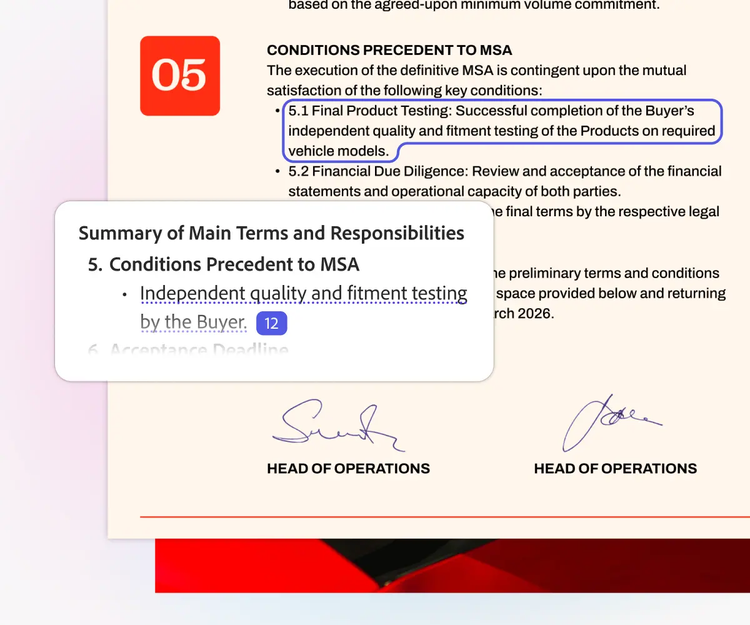
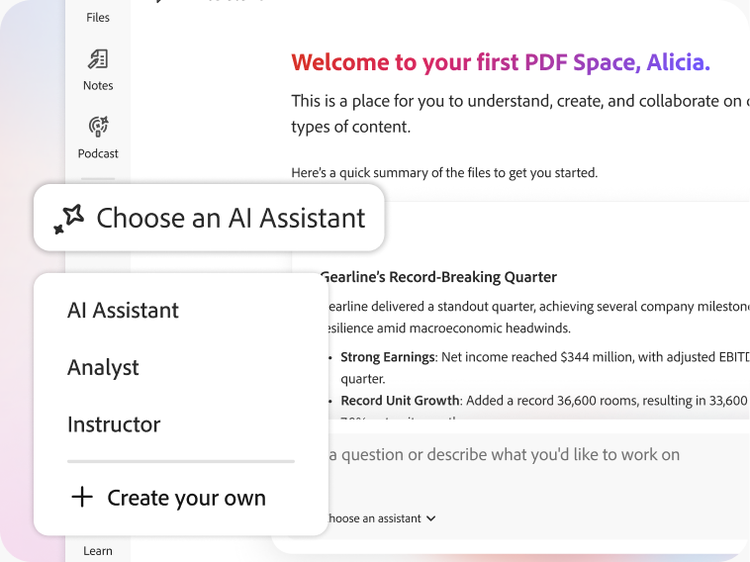
Includes 70+ features to edit, e-sign, generate summaries & more
You won’t be charged until your free trial ends.
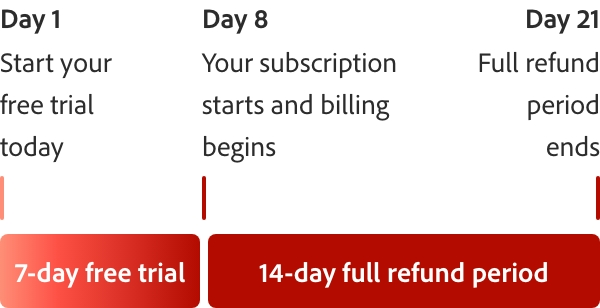
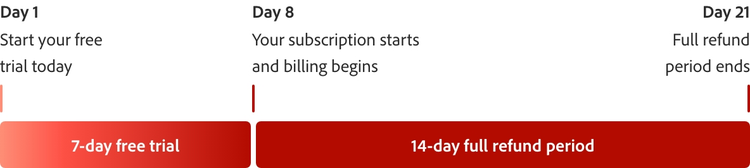
How the 7-day free trial works.
Try Acrobat with a 7-day free trial. If you need more time to try all the features, you’ll still have an extra 14 days to cancel and receive a full refund.
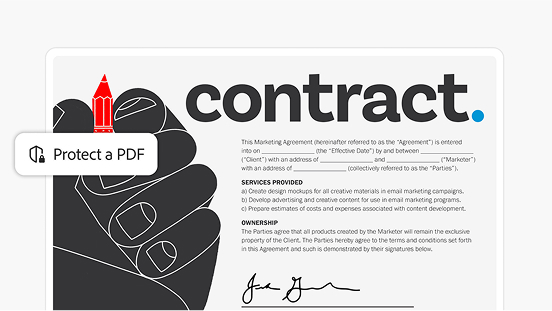
SSL security so you can work and share with confidence
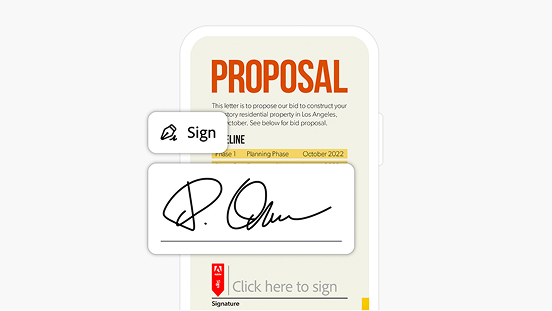
Binding, compliant and secure e-signatures
style
four-up, xl spacing
background
#f7f7f7
Frequently asked questions
To sign up for a 7‑day free trial of Adobe Acrobat Pro, go to the official Acrobat free trial page on Adobe.com and select Start free trial. You’ll be asked to sign in with an Adobe ID (or create one if you don’t already have one), choose a subscription plan, and enter payment details. You won’t be charged until the 7‑day trial ends, and you can cancel at any time during the trial from your Adobe account if you decide not to continue. [adobe.com]
After clicking “Start free trial” from this web page, you will be asked to provide your email address. If you already have an Adobe ID, you’ll be asked to sign in. Otherwise follow our steps to start your free trial.
The Adobe free trial period begins on the day you sign up. At the end of the free trial period, your payment method will be charged unless you cancel. Cancel before your free trial ends and you won't be charged. When the free trial expires, you can still use Acrobat to view PDFs, comment and fill forms. To access premium features again, you will need to purchase Acrobat.
After the 7‑day free trial ends, your subscription may automatically continue as a paid plan (monthly or annual, based on the option you selected during sign‑up), in accordance with Adobe’s subscription terms, and charges may apply. If you do not wish to continue with your selected plan, you must cancel your subscription before the free trial ends to avoid being charged.
Installation of Adobe Acrobat Pro free trial will uninstall any earlier version of Adobe Acrobat on Windows devices by default. If you choose to retain the existing Acrobat software on your machine, change the default by unchecking the “Remove earlier version” option in Acrobat downloader UI. If you have uninstalled the previous version, then you can reinstall it when you are finished with the trial. Make sure you have your original serial number and installation files.
Yes, this free trial is available for both Windows and Mac OS.
Windows
1.5 GHz or faster processor
Microsoft Windows Server 2016 (64 bit), 2008 R2 (64 bit), 2012 (64 bit) or 2012 R2 (64 bit); Windows 7 (32 bit and 64 bit), Windows 8 (32 bit and 64 bit) or Windows 10
1.5 GB of RAM
2.5 GB of available hard-disc space
1024 x 768 screen resolution
Internet Explorer 11; Firefox Extended Support Release (ESR); or Chrome
Video hardware acceleration (optional)
Mac
Intel® processor
Mac OS X v10.11, 10.12 or 10.13
1.0 GB of RAM
2.75 GB of available hard-disc space
1024 x 768 screen resolution
Safari 9.0 for OS X 10.11, Safari 10.0 for OS X 10.12, Safari 11.0 for OS X 10.13 (browser plug-in for Safari is supported on 64-bit Intel processor only)
Browser
These requirements apply to the Acrobat Pro subscription plan and are in addition to the desktop requirements listed above
Microsoft Windows 10 using Microsoft Edge, Internet Explorer 11, Firefox or Chrome
Microsoft Windows 7 using Internet Explorer 11 or later, Firefox or Chrome
Mac OS X v10.12 (Sierra) or later using Safari 11 or later, Firefox or Chrome
iOS: Native browser based on the iOS release and Chrome
Android: Native browser that ships with the OS and Chrome
Yes, you can access a range of free information and support anytime, including tutorials, forums and expert advice. Just visit our Adobe Customer Care page.
Adobe Acrobat will be set as your default PDF viewer, but you can reset Reader as the default by opening Reader DC application and going to Edit > Preferences > General. Click the Select As Default PDF Handler button and follow the on-screen instructions.
Yes, you can cancel your Adobe Acrobat Pro free trial at any time before the 7-day period ends. If you cancel within the trial period, you won't be charged. You can manage your subscription under 'Manage Plans' in your Adobe account.
Windows: To uninstall your free trial version on a Windows device, close any open Adobe software on your computer, open the Windows Control Panel and double-click Programmes and Features. Click Acrobat Pro and select “Uninstall” from the menu.
Mac OS: To remove the trial on a Mac, use the Acrobat Uninstaller in the /Applications/Adobe Acrobat Pro folder.
Adobe Acrobat is available in over 25 languages, including English, German, French, Spanish and Italian. See the Acrobat system requirements page for more details.
During your 7-day free trial, you'll get access to over 70 tools that come with a paid subscription. That way, you can get the full Adobe Acrobat experience before deciding if you want continue your subscription.
Yes, you can use the PDF editor during the free trial. When editing you can edit text, move components and more, all within your browser. Sign up to a free trial today to get access to the PDF editor.
Yes, the Adobe Acrobat Pro free trial includes access to Adobe Document Cloud tools and features. This allows you to store, share, and access your PDF documents online, as well as use features like sending documents for e-signature and tracking their status.
Try Acrobat Pro and AI Assistant Plus
7-day free trial then £19.97/moincl. VAT for Acrobat Pro + £4.98/moincl. VAT for AI Assistant Plus. Both are annual, billed monthly plans. Monthly plans also available.
Fee applies of half your remaining annual commitment if you cancel 14-days after your paid subscription begins.
You can control how Adobe websites use cookies and similar technologies by making choices below. But note that if you disable cookies and similar technologies entirely, Adobe websites may not function properly.
Cookies are small text files stored by your web browser when you use websites. There are also other technologies that can be used for similar purposes like HTML5 Local Storage and local shared objects, web beacons, and embedded scripts. These technologies help us do things like remembering you and your preferences when you return to our sites, measure how you use the website, conduct market research, and gather information about the ads you see and interact with.
You can make choices in the menu below about what cookies and other technologies you want us to use on Adobe sites when you visit them from this browser. You can always change those choices later by clicking on the Cookie Preferences link at the bottom of the page.
If enabled:
We can improve your experience by tailoring the site and the content to things we think might be of interest
We can better keep track of your preferences — like what language you prefer to use
We will better understand your likely interests so we can provide you more relevant Adobe ads and content on non-Adobe websites and in non-Adobe apps
It will help us improve the performance of our website and those of our partners who use the Adobe Experience Cloud
If disabled:
We won’t be able to remember you from session to session so the experience may not be tailored to your interests
You’ll still have access to the content of the site but certain features that depend on cookies may not function
You’ll still see ads, they just may not be as relevant to you
General information
You can control how Adobe websites use cookies and similar technologies by making choices below. But note that if you disable cookies and similar technologies entirely, Adobe websites may not function properly.
Cookies are small text files stored by your web browser when you use websites. There are also other technologies that can be used for similar purposes like HTML5 Local Storage, web beacons, and embedded scripts. These technologies help us do things like remembering you and your preferences when you return to our sites, measure how you use the website, conduct market research, and gather information about the ads you see and interact with.
You can make choices in the menu below about what cookies and other technologies you want us to use on Adobe sites when you visit them from this browser. You can always change those choices later by clicking on the Cookie Preferences link at the bottom of the page.
If enabled:
We can improve your experience by tailoring the site and the content to things we think might be of interest
We can better keep track of your preferences — like what language you prefer to use
We will better understand your likely interests so we can provide you more relevant Adobe ads and content on non-Adobe websites and in non-Adobe apps
It will help us improve the performance of our website and those of our partners who use the Adobe Experience Cloud
If disabled:
We won’t be able to remember you from session to session so the experience may not be tailored to your interests
We’ll still count your use of our site and services
You’ll still have access to the content of the site but certain features that depend on cookies may not function
You’ll still see ads, they just may not be as relevant to you
Operate the site and core servicesOperate site and measure engagement
Always active
These cookies are required, and they are used to enable the site and related services core functionality. Without them the site could not operate, so they cannot be disabled.
These cookies enable the site and related services’ core functionality and collect statistics about user engagement, such as counting active use to help us understand trends. These cookies cannot be disabled.
Measure performance
These cookies are used to analyze site usage to measure and improve performance. Without them Adobe cannot know what content is most valued and how often unique visitors return to the site, making it hard to improve information we offer to you.
These cookies are used to analyze site usage to measure and improve performance. Without them Adobe cannot know what content is most valued, making it hard to improve information we offer to you.
Extend functionality
These cookies are used to enhance the functionality of Adobe sites such as remembering your settings and preferences to deliver a personalized experience; for example, your username, your repeated visits, preferred language, your country, or any other saved preference.
Personalize advertising
These cookies are used to enable Adobe and our partners to serve ads more relevant to your interests. Without them you will still see ads, but they might not be as relevant to you.