ACROBAT | 10-MINUTE READ
Inventory management templates
An inventory template can streamline inventory management, helping to save time and improve efficiency.
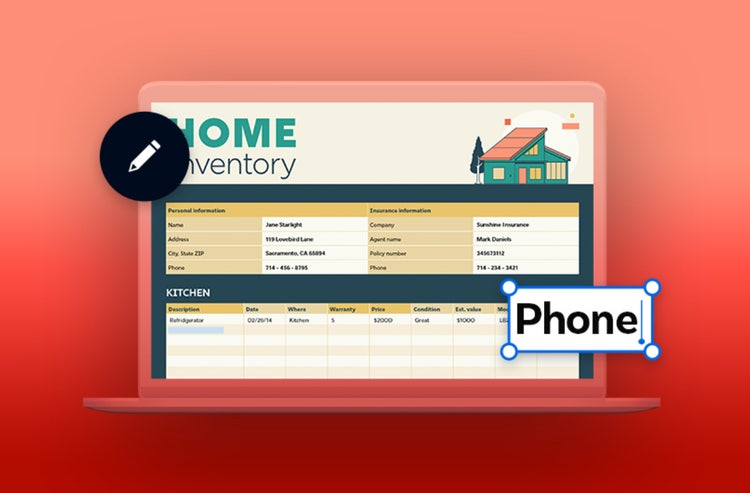
Inventory management is a critical task for businesses of all shapes and sizes. It allows you to keep track of stock levels to ensure you meet demand (and it’s great for keeping track of your personal possessions too).
Our inventory templates can help you keep an accurate inventory of your business or personal assets. Learn how Adobe Acrobat can help streamline your inventory management today.
What is the purpose of an inventory template?
An inventory template is a document you can fill out to help you keep track of specific assets in your home or business. It can help streamline inventory management, making it easier to track all your assets in a single place.
Stay on top of your stock with easy-to-use, free inventory templates. Choose a template to get started and make further edits with our free online PDF editor. You can even convert the PDF to an Excel spreadsheet, if you prefer.
What is an inventory template?
An inventory template is a file you can regularly fill out when you’re keeping careful track of a specific asset in your home or business. An inventory is great for basically whatever you need to record and track all in one place. Because an inventory is meant to be a comprehensive list, you’ll need to keep it updated meticulously. Missing or forgetting an item on your list could defeat the purpose of your inventory. Fortunately, using a template will make it simpler to go back and check that you aren’t missing any items from your inventory.
Below are some templates designed for software, asset, and even home inventories. They are visually simple but detailed enough to be a constructive place to start. You can always edit or customize the templates using Adobe’s online PDF editor or converting the PDF to an Excel spreadsheet. Choose a free inventory template that best fits your needs.
How can an inventory template benefit my business?
Maintaining accurate stock levels is vital for business operations. For example, if you’re an online retailer that sells custom jewellery, inventory management can help you keep track of stock levels. Inventory management helps keep track of the products you have in stock. With this system, you know what needs remaking or reordering.
An inventory template can help streamline this process, saving you time having to create an inventory system from scratch. Having a set of predefined fields can also allow for quick data entry, which can be especially useful if you’re starting and aren’t sure how to begin stock taking yet.
Inventory template types
There are different inventory templates you can use to manage different inventory, such as:
1. Software inventory template.
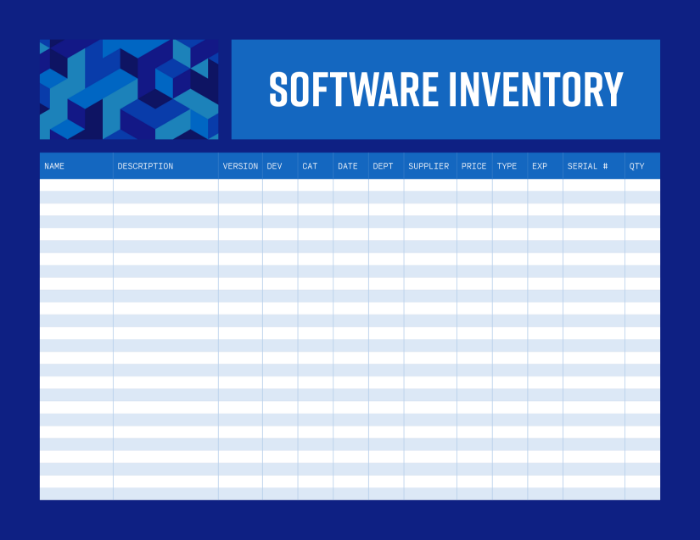
A software inventory template can keep track of the software your business is (or isn’t) using. This can help ensure your business makes the most of your software.
Keeping track of your business software can also help you understand where software is installed across your business, which can make it easier to schedule and deploy necessary software updates.
A software inventory template can reduce the burden of software management and make it easier for you to manage the software applications within your company. Just enter the serial number of your software, along with the version department(s) are currently using.
2. Asset inventory template.
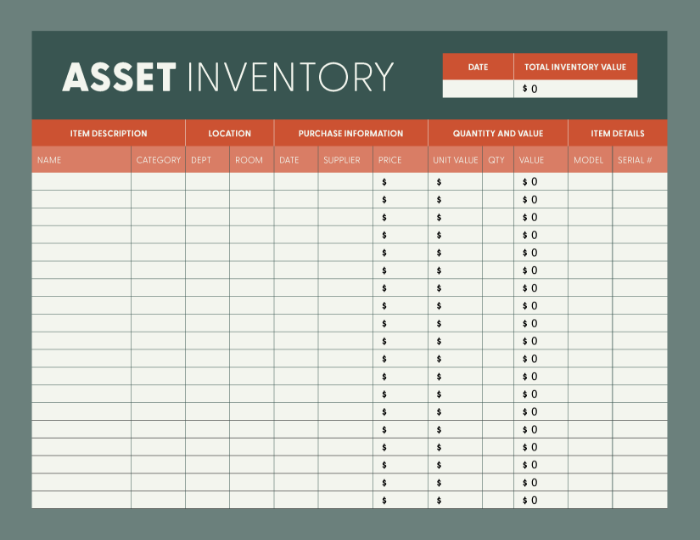
An asset inventory template can help you keep track of a variety of business assets, such as physical goods or company equipment. With our ready-made asset inventory template, you can keep tabs on which departments are using or storing certain assets and who the supplier is. You can also estimate the worth of each asset and compare it to its original price.
The model and serial number fields also make it easier for you to quickly identify assets. Streamline your asset management with our free asset inventory template. Download the template and click on each field to input your data. Easily share with your teams so you can keep an accurate track of inventory in real time.
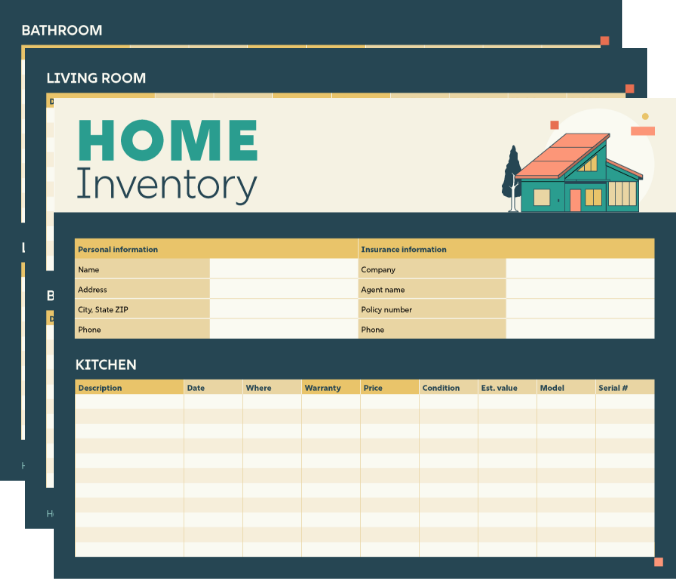
3. Home inventory template.
Keeping an inventory of the personal items and assets in your home can also be useful – and a template can make it easier to get started.
Maintaining a detailed inventory of the valuable possessions in your home, with their price and estimated value, can help you with insurance claims in the event of a household fire or theft. There’s even a field to record the warranty details of your assets. That way, you know how long specific items are covered for and who to contact if the product needs to be replaced or repaired.
Choose an individual area of your home to focus on or keep tabs on each area of your home. The choice is yours.
How to choose a good inventory template
An inventory template shouldn’t offer a quick fix. A good template should balance essential information with ease of use for effective tracking. Here are some key factors to consider when choosing an inventory template:
- Simple formatting. A good inventory template will utilise simple and easy-to-use formatting, and it’s good to have plenty of white space and large columns to manually input your data. Remember, your inventory template shouldn’t make inventory management more complex for you.
- Relevant details. An inventory sheet template should feature relevant columns specific to the inventory type. For example, an asset inventory template will feature columns where you can record the serial number and model of your assets for easier tracking.
- Price and value tracking. Tracking the price and value of your assets can help you manage your finances effectively. For business, this is an essential operation. A good inventory template should make it easy for you to track this information. If you’re using a spreadsheet, it should automatically generate a total value for you, too.
- Room to tailor to your needs. A good template should give you the flexibility to tailor the document to your needs. This can be especially important as your business grows over time. That way, you won’t have to get rid of your old template. You can build on it as your business expands.
Top tips for effective inventory management
- Share your inventory sheet with your team. This can ensure everyone is on the same page and can help reduce errors.
- Keep sensitive information safe. Password-protect your PDF inventory template to prevent access to people outside of your team.
- Leverage online tools. Make use of handy tools from Adobe Acrobat online services. Edit your PDF template, reorder pages, number pages and convert to and from PDF.
Frequently asked questions.
What is meant by inventory management?
Is inventory management difficult?
What is the biggest challenge in inventory management?
How do I create an inventory template?
How do I make an inventory list?