How to Create a Job Application PDF.
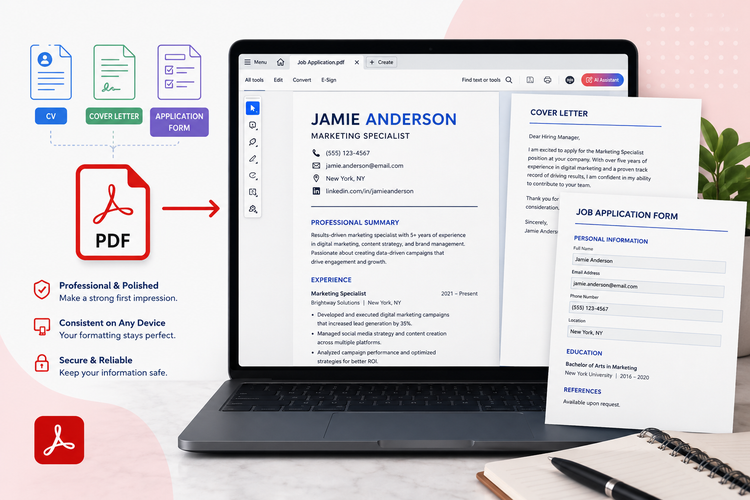
Crafting a professional job application involves a well-structured CV, compelling cover letter, and often a detailed application form. Presenting these as PDFs ensures a polished, consistent look across all devices.
This guide will show you when and why to use PDFs, sample CVs for job application PDFs, how to convert your documents, and top formatting tips to enhance your future applications.
Key takeaways.
- Submitting a job application as a PDF can help maintain consistent, professional formatting across all devices.
- Convert and combine your CV and cover letter as a PDF to prevent accidental edits.
- Although PDF job applications are often a safe bet, always check the job posting for the preferred format.
When can you use a job application PDF?
The Portable Document Format (PDF) is a universal file type designed to present documents reliably, independent of application software, hardware, or operating systems.
When applying for jobs, using PDFs for your key documents ensures your application maintains a professional appearance and formatting, exactly as you intended, across all viewing platforms.
CV.
Your CV is often the first impression a recruiter gets, and using a PDF ensures this impression is pristine. It locks in your carefully chosen fonts, layout, and design elements, preventing any accidental shifts or distortions that might occur with other file types.
This guarantees that your professional qualifications and experience are presented clearly and consistently, regardless of the software used to open it.
Cover letter.
A well-crafted cover letter complements your CV, showcasing your personality and specific interest in a role. Converting your cover letter to a PDF preserves its visual integrity, including any custom headers, footers, or formatting you’ve used to make it stand out.
This professional presentation reinforces your attention to detail and ensures your message is delivered exactly as you composed it. Free cover letter templates from Adobe can help you get started.
Application forms.
While many companies now use online application portals, some still require you to download, complete, and submit a specific application form. If you’re filling out a digital form or scanning a handwritten one, saving it as a PDF ensures all your responses and signatures are perfectly preserved.
This prevents any data corruption or layout issues, making your submission clear and complete for the hiring team.
Why create a job application PDF?
Formatting your CV, cover letter, or application form as a PDF offers numerous advantages, enhancing the professionalism and reliability of your submission.
However, always double-check the job posting or company guidelines first. Some applicant tracking systems (ATS) or specific employers might prefer other formats, like Word.
Assuming a PDF is acceptable, here’s why it’s an excellent choice for your job application documents:
- Preserves formatting across devices. A primary benefit of PDFs is their ability to maintain consistent formatting. No matter what device, operating system, or software a recruiter uses to open your document, your carefully designed layout, fonts, and images will appear exactly as you intended across your application, cover letter and CV. This prevents shifts or distortions that can occur with other file types.
- Prevents unwanted edits. Once converted to PDF, your CV and other documents become much harder to accidentally or intentionally alter. This ensures the integrity of your application, guaranteeing that the information you submit is precisely what the hiring manager reviews, without any risk of data corruption or unauthorised changes.
- Enhanced security. PDFs can be secured with passwords and encryption, offering a layer of protection for your personal information. While not always necessary for a standard job application, this feature underscores the format’s robustness and reliability in handling sensitive data.
- Avoids ‘flagged’ words. Unlike some word processing documents, PDFs are less likely to trigger email spam filters or be misinterpreted by older applicant tracking systems looking for specific keywords or formatting anomalies. This helps ensure your application reaches its intended recipient without being misfiled or blocked.
- Universal compatibility. PDF is an industry-standard format, meaning virtually everyone has software capable of opening and viewing these files. This widespread compatibility can ease concerns about whether a recruiter will be able to access your application, streamlining the review process for both parties.
How to turn a job application document into a PDF.
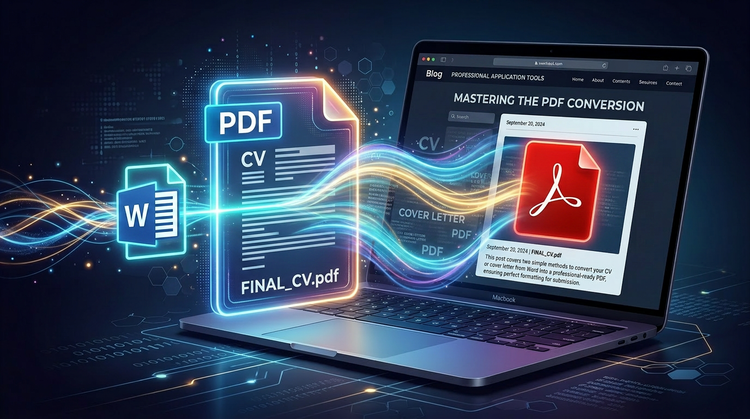
Converting your CV, cover letter, or any other job application document into a PDF is a straightforward process, especially if you’re starting with a Microsoft Word file.
There are two common methods you can use to achieve this, ensuring your documents are professionally formatted and ready for submission.
Convert job application documents in Microsoft Word.
If you’ve drafted your application materials in Microsoft Word, you can create a PDF directly within the application itself. This method is quick and ensures that your document’s formatting is preserved accurately.
Just follow these steps:
- Open your completed CV, cover letter, or application form in Microsoft Word.
- Click on the File tab located in the upper left-hand corner of the Word window.
- From the dropdown menu, select Save as.
- In the Save as dialogue box, locate the Save as type or File format dropdown menu.
- Select PDF from the list of available formats.
- Choose your desired save location and rename the file if necessary.
- Click Save. Your document will now be saved as a PDF.
Use Adobe Acrobat’s online tools.
Adobe Acrobat offers a suite of free online tools. The Word to PDF converter is particularly useful for job applicants.
To convert a Word document to PDF using Adobe Acrobat’s online tool:
- Visit the Adobe Acrobat Word to PDF converter page.
- Follow the on-screen instructions to upload your Word document.
- Adobe will automatically convert your file to a PDF.
- Download your new PDF document.
Adobe also provides similar online tools for converting other common file types, such as Excel spreadsheets to PDF and PowerPoint presentations to PDF.
And, once you have your PDF, Adobe Acrobat offers a range of other online PDF tools to help you finesse and optimise your document, including merging, compressing, or editing.
Top tips when formatting job application files as PDFs.
Once you’ve converted your job application documents to PDF, a final review is crucial to ensure they present you in the best light. Here are some essential formatting tips to keep in mind before sending off your application:
- Structure with headers and bullet points. Even in PDF, readability is key. Use clear headings and bullet points to break up large blocks of text, making your CV and cover letter easy to scan and digest for busy recruiters.
- Maintain consistent, professional fonts. Stick to one or two professional, easy-to-read fonts throughout your documents. Consistency in typography reinforces a polished and professional image.
- Ensure ample white space. Check that your margins are adequate and that text isn’t crammed together. White space improves readability and makes your document appear less overwhelming and more inviting.
- Use a professional file name. Never send a file named Document1.pdf or CV_final_final_v2.pdf. Instead, use a clear, professional naming convention like JohnDoe_CV.pdf or JaneSmith_CoverLetter_JobTitle.pdf.
- Thoroughly proofread and review. Before submitting, open your PDF on different devices if possible. Check for any typos, grammatical errors, blurry images, or unexpected formatting shifts. Ensure everything looks crisp and professional.
FAQs.
Where can I find a job application template PDF?
You can find professional, customisable templates for your job application documents online. Adobe Express also offers a variety of free templates for CVs and cover letters, which you can easily adapt and then convert to PDF. These resources can help you create a polished look efficiently.
Find cover letter templates with Acrobat.
Explore cover letter templates with Adobe Express.
Explore CV templates with Adobe Express.
Is it better to apply for jobs with a PDF or Word?
Generally, PDF is preferred for its consistent formatting and professional appearance. However, always check the job description or employer’s instructions carefully. Some applicant tracking systems (ATS) or recruiters might specifically request a Word document. When in doubt, PDF is often the safer, more professional choice.
For more insights, read our guide exploring which format a CV should be in.
How do I combine multiple application documents into one PDF?
To streamline your application, you might want to merge your CV, cover letter, and any supporting documents into a single PDF. Online tools like Adobe Acrobat’s Merge PDF tool can easily combine multiple files into one cohesive document, ensuring everything is submitted together neatly.
Can I reduce the file size of my PDF application?
Yes, if your PDF application is too large for an online portal, you can compress its file size. Tools like Adobe Acrobat’s Compress PDF online tool can significantly reduce the size without compromising document quality, ensuring your application meets submission requirements.
More resources.
- What is a Cover Letter?
- How to Embed Fonts in a PDF
- How to Save One Page of a PDF: a Step by Step Guide.
- Internship Cover Letter
Useful PDF tools.
For PDF editing, creation, and security features, explore the full suite of tools available at Adobe Acrobat online.