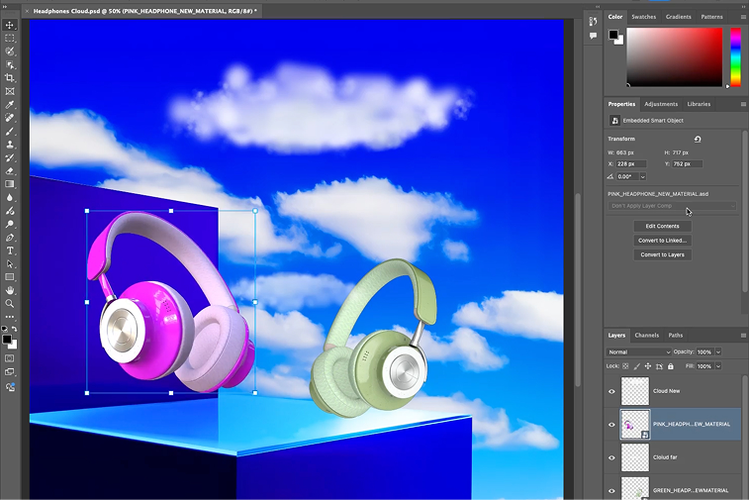
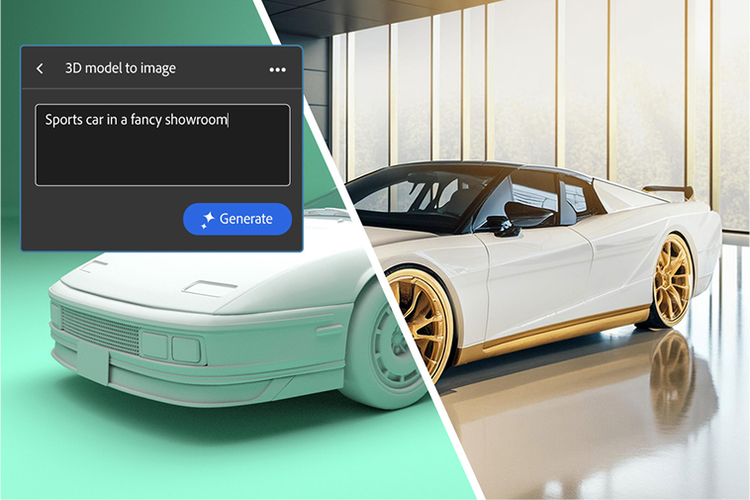
Gene Substance 3D Viewer (beta) makes it possible to incorporate 3D into your 2D designs through an integration with Photoshop (beta). You can also use Viewer as a stand-alone application to view, customise and create imagery from your 3D files.
Adobe Substance 3D Viewer is free to download for everyone with an Adobe ID for the duration of the beta. It does not require an active Adobe Creative Cloud or Substance 3D subscription during public beta. You can download Substance 3D Viewer (beta) from the Creative Cloud desktop app or
from the Beta apps tab of the Creative Cloud website.
Substance 3D Viewer is designed to open the most common 3D formats without requiring manual conversion, including CAD, USD, OBJ, FBX and STL files. This means designers can easily integrate these 3D models into their creative workflows without stopping to modify and prep models or hassling 3D design and artist teams to modify and update files before use.
While Viewer is a stand-alone app, it works in co-ordination with the Photoshop (beta) app. In the Photoshop (beta) app, you can use 3D models as Smart Object layers within your 2D designs, allowing you to move, scale and apply filters to them like any other Photoshop layer. When you need to adjust the 3D model itself, Substance 3D Viewer (beta) allows you to modify camera angles, lighting, shadows and even edit materials on the model with changes automatically sent back to Photoshop. In this workflow, Photoshop is used for overall composition, placement and 2D editing of designs, while Substance 3D Viewer is used to make detailed adjustments to 3D objects. For more support,
visit our forums page.