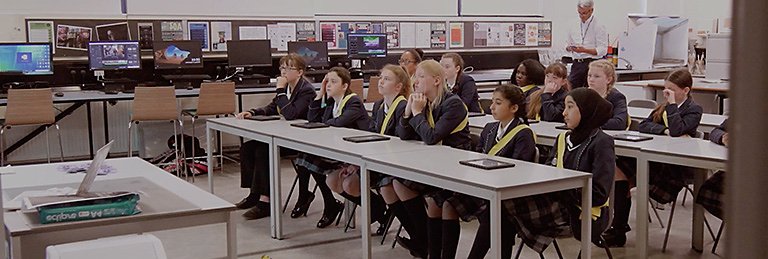
Technology integration is a key mechanism for augmenting student learning while teaching students essential digital communication skills that will help them become lifelong learners in the digital age. The projects and assessment methods provided here are from the Teacher Resource DVD that currently ships with the Adobe Digital School Collection and the Adobe® Photoshop® Elements 7 and Adobe Premiere® Elements 7 bundle.
![]()
Students will conduct research on a historical figure and then design a web page based on how this person would want to be represented on the Internet. During this project, students will learn about primary and secondary resources, cite research, and make a case for their web page decisions.
![]()
Students will create web pages to communicate information demonstrating their understanding of an academic concept. They begin by gathering information and images about animals. Then they use Contribute to add text, links, and images to a page in the class website.
![]()
Students will demonstrate their understanding of abstract concepts through the creation of a visual representation of the concept. In this lesson, students will create visual representations of the atom to illustrate their understanding of the atom and its elements.
![]()
Students will choose an issue that impacts them personally, the school, or their community to document in a short movie. Students will interview individuals on both sides of the issue, integrate video clips, create the documentary, and write a reflection detailing the learning process.
![]()
Students will explore the impact of photography on impressionism by taking photographs around the school to turn into impressionist works of art. Students will illustrate their understanding of impressionist-era work through the different imaging techniques they choose to use.

Students will choose a piece of music that they find interesting or transcendent; analyze the piece for its theoretical music form; research the historical and social context of the music and artist; collect supporting historical artifacts; evaluate the piece of music; narrate and record their commentary on top of the musical piece; and package and present a portfolio of their project.
For innovative and effective assessment strategies to record and grade projects, collections of projects, and semester or yearlong student work, you can use the same digital communication skills you teach the students. Following are three areas where these digital communication tools can be helpful. Open the Assessment Methods document to read more detailed ideas and techniques in these areas.
You can use Adobe Acrobat 9 Professional to provide feedback to students, engage students in peer collaboration and critique, assess student work, and collect data.
You can use still images in slide shows or time-lapse videos to document the learning process and assess student progress and their final products.
You can use e-portfolios for assessment: as a documentation of student growth, a display of their best work, or an aggregate of all their work. Students can generate these portfolios for distribution on and offline by using Adobe Contribute CS4 or Adobe Acrobat 9 Professional.
E-portfolios allow students and teachers to electronically communicate their accomplishments and share a large variety of documents, images, video, audio . . . almost any type of digital object . . . with peers, colleagues, and parents. A PDF e-portfolio created in Adobe® Acrobat® 9 Pro is the ideal e-portfolio container. Using Acrobat to wrap your material into PDF format allows everyone to view and interact with your materials. You control the presentation of all your digital objects, so everyone who interacts with them will have the same experience. This workshop, from Atomic LearningSM, will help you understand the nature and uses of e-portfolios, while showing you how easy it is to personalize your own e-portfolio and add media-rich content.
lynda.com provides software training videos online, offering hundreds of hours of instruction on Adobe tools.
A brief sample of lynda.com courses includes:
The lynda.com Online Training Library subscription service offers access to more than 30,000 “how to” movies on software tools, design concepts and principles, and creative inspiration. Students can learn new software tools, better understand their existing software, and keep their skills sharp — while teachers can let lynda.com videos teach the mechanics and devote class time to teaching ideas.
lynda.com offers academic programs for students and teachers that deeply discount our subscription and DVDs. Learn more.