ACROBAT | 5-MINUTE READ
What is a .DAT file?
Learn what DAT files are and how and when to use them.


ACROBAT | 5-MINUTE READ
Learn what DAT files are and how and when to use them.
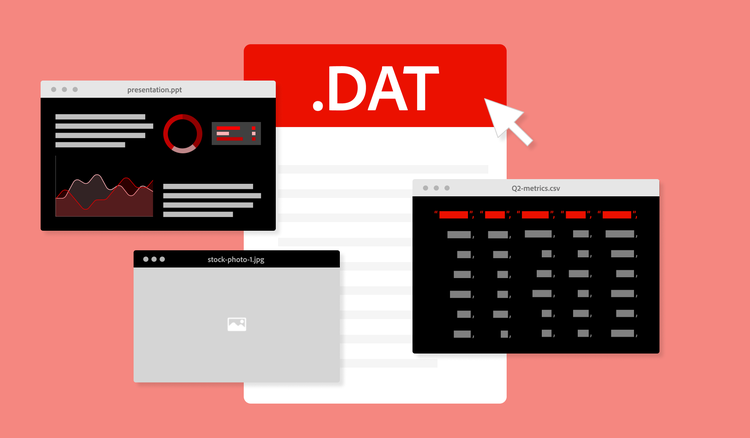
DAT files store specific information and data for a computer program. Almost any program can create a DAT file, but the information inside the file is only relevant to the program that created it in the first place.
Though DAT may look like an acronym, the file extension name (.DAT) is actually a shortened form of the word data. General conventions for file naming reduce an extension file name to three letters. These limits make file names easier to remember, type out, and read. So, when you see DAT, think data.
The term “DAT file” was first used in 1964, just six years after the computer chip was invented. At that time, academics and researchers were the primary computer users. Today, individuals of every generation, profession, and background use computers every day, and countless computer programs are available at the click of a button.
Whether you’re using your desktop or mobile device, playing a video game, or opening an email attachment, DAT files are everywhere. More DAT files are created each day than ever before, but the purpose of the DAT file — throughout the years and across applications — remains largely the same.
Before you can learn how to open a .DAT file, you’ll need to understand what type of data is inside of it.
Once you know what type of program you need to open your DAT file, follow these steps:
DAT files are usually created by a computer program automatically. This happens in the background as you use the program, and you may not even realize they exist. If you want to create your own DAT file, use a text editor like Notepad:
To edit a plain text DAT file that a program created or that you developed yourself, open the file in a text editor. Edit the text as you would in any other file, and save when you’re done.
The most common type of DAT file is text, so don’t be surprised if most of the DAT files you see are text-based files. Since DAT files are more difficult to open, edit, and share, you may want to convert them to a more accessible format.
PDFs preserve file formatting across devices and platforms. And, when you use a program like Acrobat for your PDF files, you can edit, track file sharing, implement permissions and other security measures, and even request digital signatures.
If your DAT file contains a PDF, you should be able to open the PDF directly in Acrobat. If the data isn’t already in PDF format, you can convert the DAT file to PDF using the Acrobat PDFconverter.
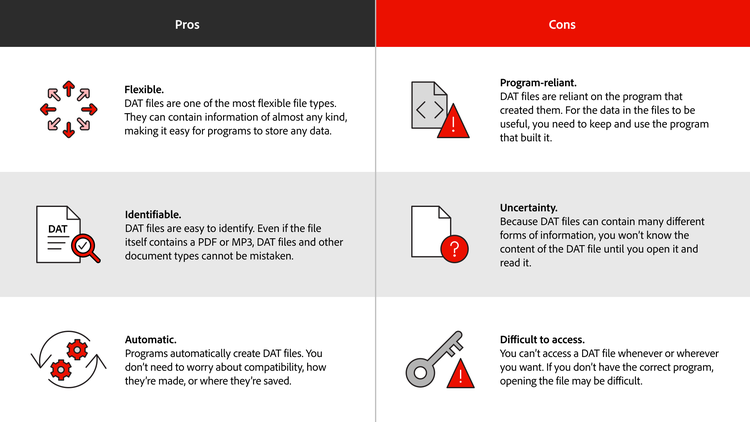
Different file formats have unique strengths and weaknesses depending on what you are trying to accomplish. This holds true with DAT files as well. Working with this file format comes with a specific set of advantages and disadvantages.
No, DAT files are not executable because they require specific software to be opened and used. An executable file, on the other hand, contains encoded instructions that allow it to be executed by an entire operating system.
You don’t need to manually run DAT files. Whenever you open a program or application, it will automatically run or create any DAT files necessary.
DAT files can come in almost infinite combinations of data types and computer programs. They are unique because they are simultaneously so flexible and so reliant on a specific program. Here are a few of the most common file types and what sets them apart from DAT files:
When you see a large list of DAT files stored on your computer, you may be tempted to clear them out. However, you shouldn’t delete your DAT files unless you are certain your program doesn’t need the information in them to run properly. A good rule of thumb is to only delete DAT files for uninstalled applications that you don’t plan on using again.


