Text to PDF

Drag and drop your text document to quickly convert it into a high-quality PDF with Adobe Acrobat.
Select your text document to quickly convert it into a high-quality PDF with Adobe Acrobat.
{{verb-widget-legal}}
Over 11M* files uploaded!
Join millions of users who have successfully converted text documents to PDF using Acrobat.
*Over an 18-24 month period.

How to convert text documents to PDF online

Text documents can be turned into polished PDFs in just a few clicks thanks to Acrobat online tools. Whether you’re sharing reports, resumes, letters, school assignments, or business documents, converting text files to PDF helps preserve formatting and makes your files easier to share.

Follow these steps to convert text to PDF:
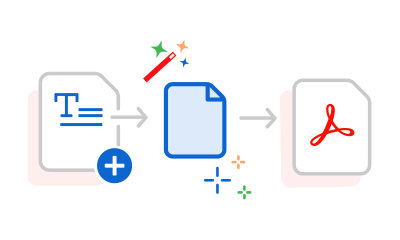
  • Use the tool above to upload or drag and drop your Word (.DOC or .DOCX) file.
  • Acrobat automatically converts your text document into a high-quality PDF while preserving the original formatting.
  • Download your new PDF in seconds.
  • Sign in to save, share, or continue working with your PDF using Acrobat online tools.
#F8F8F8

More ways to work with PDFs

Try our online tools to convert, compress, and merge PDF files — Acrobat can do it all.

Try our free PDF to Word converter

Try our free PDF to Word converter

Try our free JPG to PDF converter

Try our free JPG to PDF converter

Try our free Word to PDF conversion tool

Try our free Word to PDF conversion tool

Combine PDF files anytime, anywhere

Combine PDF files anytime, anywhere

Questions about the text to PDF converter? We have answers.

What file types can I convert to PDF?
This tool converts Microsoft Word (.DOC and .DOCX) documents into PDF files while preserving the document’s formatting whenever possible. It is also possible to convert Excel, PowerPoint, HTML, RTF, plain text, and image formats such as JPG, PNG, and TIFF to PDFs with the PDF converter.
Why should I convert text documents to PDF?
PDFs help preserve your document’s appearance across devices, making them ideal for sharing, printing, presenting, and archiving important files.
Will my formatting stay the same?
Acrobat is designed to preserve the original formatting of your text document, including fonts, images, tables, and page layout, so your PDF closely matches the source file.
Can I convert text to PDF on my phone?
Yes. Acrobat online tools work in your mobile browser, allowing you to convert Word documents to PDF from your smartphone or tablet.
Is it secure to convert text to PDF online?
Adobe processes your files using secure online services. Refer to Adobe’s privacy and security policy for details about how uploaded files are handled.

Try our free text to PDF converter

Discover the benefits of converting text documents to PDF with Acrobat online tools.

https://main--da-dc--adobecom.aem.page/dc-shared/assets/images/frictionless/icons/image-quality.svg

Preserve formatting

Keep fonts, spacing, images, tables, and page layouts consistent when converting text documents to PDF, so your file looks the way you intended.

https://main--da-dc--adobecom.aem.page/dc-shared/assets/images/frictionless/icons/share.svg

Share with confidence

PDFs are easy to open and view across devices and operating systems, making them a dependable format for sharing professional and personal documents.

https://main--da-dc--adobecom.aem.page/dc-shared/assets/images/frictionless/icons/pdf.svg

Create professional documents

Convert text documents into polished PDFs that are ideal for resumes, reports, proposals, contracts, and presentations.

https://main--da-dc--adobecom.aem.page/dc-shared/assets/images/frictionless/icons/print.svg

MPDFs help maintain consistent formatting for printing, reducing the risk of unexpected layout changes across different computers and printers.

https://main--da-dc--adobecom.aem.page/dc-shared/assets/images/frictionless/icons/folder.svg

Archive important files

Save text documents as PDFs for long-term storage while preserving the appearance and structure of the original document.

https://main--da-dc--adobecom.aem.page/dc-shared/assets/images/frictionless/icons/more.svg

More PDF features

Acrobat online tools make it easy to do more with your PDFs. Edit text, organize pages, combine files, compress PDFs, collect signatures, and help protect sensitive information with password protection.

Try these Acrobat online tools

Convert from PDF

Convert to PDF

Reduce file size

Edit

Sign & Protect

Generative AI

Convert from PDF
Convert to PDF
Reduce file size
Edit
Sign & Protect
Generative AI