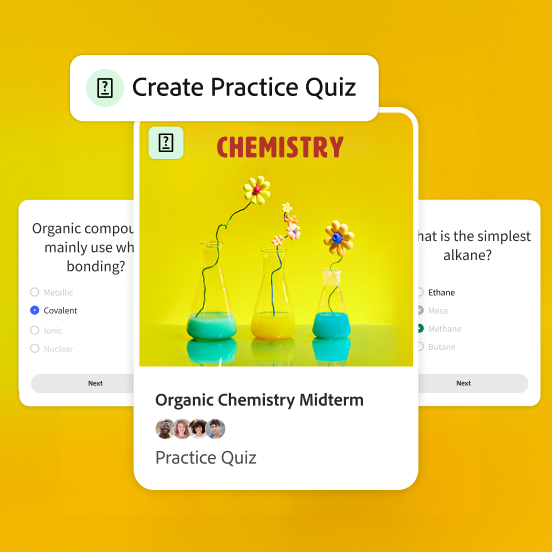
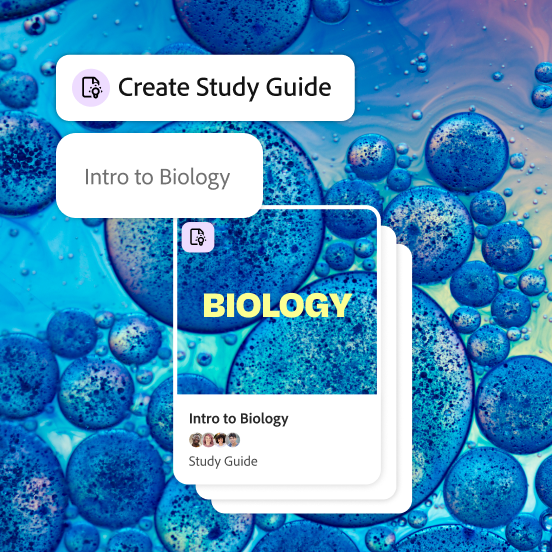
Student Spaces is your free, go-to partner for learning, studying and research in Adobe Acrobat. Upload your notes, PDFs or links and turn them into flashcards, quizzes, study guides and podcasts, all in one space, without switching between apps. See everything you can do.
Student Spaces is built for higher-ed and early career students, ages 18+, with a free personal Adobe account.
Yes. Standard study tools like flashcards, quizzes and study guides are free with fair-use limits. Premium tools, like podcasts, presentations and video summaries, are available with a free personal Adobe account.
Student Spaces grounds answers in your own materials. Upload a document and the AI pulls directly from it, with citations you can click to see exactly where an answer came from. That means less guessing and more confidence that what you're studying is actually accurate to your source. Learn more about citations.
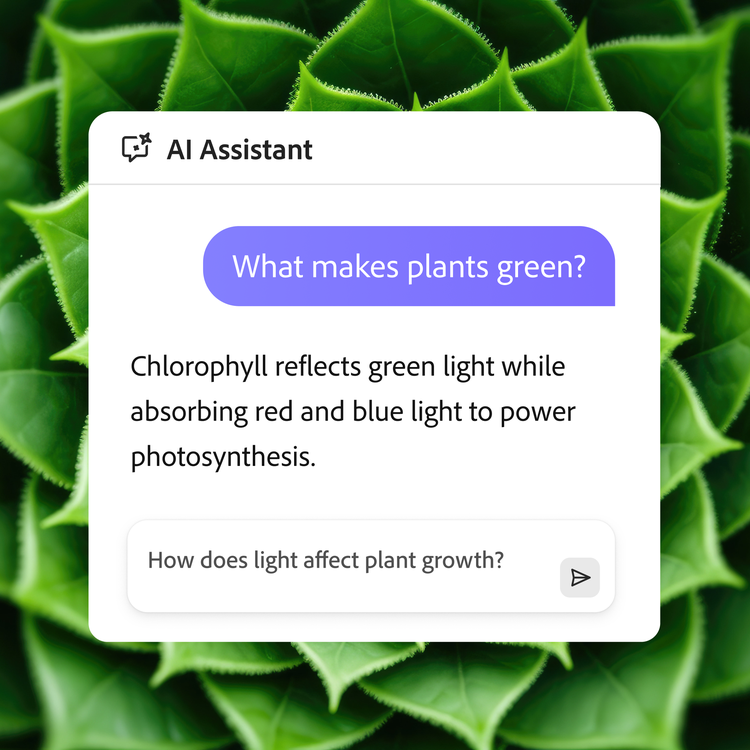
Yes. AI Assistant in Student Spaces acts as a built-in tutor: ask it questions, break down complex topics and get cited answers pulled from your own materials, any time you need it.
No. Beyond coursework, students use Student Spaces for career prep, extracurricular projects and club projects. You can turn to Student Spaces any time you need to organise materials, research a topic or think through ideas with AI support.
When you upload documents or links, AI responses and study tools are backed by citations linked to your uploaded source, so you can check exactly where an answer came from. We recommend double-checking accuracy. To learn more, read our generative AI user guidelines.
Go to Student Spaces directly. Sign in to save your work and share your Student Space with others. Create a free account at sign in, if you don’t have one yet. No downloading required: it works right in your browser. You can also access Student Spaces through the Acrobat Reader mobile app on Android.
Yes. Share a Student Space with classmates and set their access (view only, comment or full edit) so you can study, take notes and build presentations together. See how sharing works.
style
xxl-spacing-bottom
background
#fff
Cookie Settings
General information
You can control how Adobe websites use cookies and similar technologies by making choices below. But note that if you disable cookies and similar technologies entirely, Adobe websites may not function properly.
Cookies are small text files stored by your web browser when you use websites. There are also other technologies that can be used for similar purposes like HTML5 Local Storage and local shared objects, web beacons, and embedded scripts. These technologies help us do things like remembering you and your preferences when you return to our sites, measure how you use the website, conduct market research, and gather information about the ads you see and interact with.
You can make choices in the menu below about what cookies and other technologies you want us to use on Adobe sites when you visit them from this browser. You can always change those choices later by clicking on the Cookie Preferences link at the bottom of the page.
If enabled:
We can improve your experience by tailoring the site and the content to things we think might be of interest
We can better keep track of your preferences — like what language you prefer to use
We will better understand your likely interests so we can provide you more relevant Adobe ads and content on non-Adobe websites and in non-Adobe apps
It will help us improve the performance of our website and those of our partners who use the Adobe Experience Cloud
If disabled:
We won’t be able to remember you from session to session so the experience may not be tailored to your interests
You’ll still have access to the content of the site but certain features that depend on cookies may not function
You’ll still see ads, they just may not be as relevant to you
General information
You can control how Adobe websites use cookies and similar technologies by making choices below. But note that if you disable cookies and similar technologies entirely, Adobe websites may not function properly.
Cookies are small text files stored by your web browser when you use websites. There are also other technologies that can be used for similar purposes like HTML5 Local Storage, web beacons, and embedded scripts. These technologies help us do things like remembering you and your preferences when you return to our sites, measure how you use the website, conduct market research, and gather information about the ads you see and interact with.
You can make choices in the menu below about what cookies and other technologies you want us to use on Adobe sites when you visit them from this browser. You can always change those choices later by clicking on the Cookie Preferences link at the bottom of the page.
If enabled:
We can improve your experience by tailoring the site and the content to things we think might be of interest
We can better keep track of your preferences — like what language you prefer to use
We will better understand your likely interests so we can provide you more relevant Adobe ads and content on non-Adobe websites and in non-Adobe apps
It will help us improve the performance of our website and those of our partners who use the Adobe Experience Cloud
If disabled:
We won’t be able to remember you from session to session so the experience may not be tailored to your interests
We’ll still count your use of our site and services
You’ll still have access to the content of the site but certain features that depend on cookies may not function
You’ll still see ads, they just may not be as relevant to you
Operate the site and core servicesOperate site and measure engagement
Always active
These cookies are required, and they are used to enable the site and related services core functionality. Without them the site could not operate, so they cannot be disabled.
These cookies enable the site and related services’ core functionality and collect statistics about user engagement, such as counting active use to help us understand trends. These cookies cannot be disabled.
Measure performance
These cookies are used to analyze site usage to measure and improve performance. Without them Adobe cannot know what content is most valued and how often unique visitors return to the site, making it hard to improve information we offer to you.
These cookies are used to analyze site usage to measure and improve performance. Without them Adobe cannot know what content is most valued, making it hard to improve information we offer to you.
Extend functionality
These cookies are used to enhance the functionality of Adobe sites such as remembering your settings and preferences to deliver a personalized experience; for example, your username, your repeated visits, preferred language, your country, or any other saved preference.
Personalize advertising
These cookies are used to enable Adobe and our partners to serve ads more relevant to your interests. Without them you will still see ads, but they might not be as relevant to you.