40 T-shirt design ideas to help your personality shine through.

Explore T-shirt design ideas for your next design project.

Design with your idea

Easy all-in-one editor
One-click edits from any device
Fast creation with generative AI
Thousands of professionally-designed templates
toc-title
Table of contents:
toc-aria-label
table of contents links
content-1
Where to find T-shirt inspiration that shows your personality and style.
content-1-short
content-2
Classic T-shirt design ideas for any type of T-shirt.
content-2-short
content-3
School T-shirt design ideas that you can use to proudly wear your school spirit.
content-3-short
content-4
How to make the most of these T-shirt design ideas.
content-4-short
content-5
Creative T-shirt design ideas that are unique and fun.
content-5-short
content-6
Family reunion T-shirt design ideas to wear to your next family gathering.
content-6-short
content-7
How to make your T-shirt design look like real merch before you print it.
content-7-short

Where to find T-shirt inspiration that shows your personality and style.

T-shirts are both a fashion statement and a creative outlet, and they’re considered to be wearable messaging. The best shirts look good from a few feet away, feel intentional up close, and still hold up after you’ve worn them more than once. This guide breaks down T-shirt design ideas by style and occasion, including school t-shirt design ideas and family reunion t-shirt design ideas.

Classic T-shirt design ideas for any type of T-shirt.

If you want a T-shirt that works for almost anyone and still looks like you put real thought into it, keep the concept simple and make the layout do the flexing. These classic ideas are easy to customize, and they look especially good on everyday staples like white, black, heather grey, and washed neutrals.

Minimalist typography.

Use bold, clean fonts with a short, impactful phrase or word.

If your style is minimalist and you’re looking to add a bit of design to your everyday wear, a statement, word, or phrase written with a bold, sans serif font. You can create a typography template with Adobe Express to experiment with the best minimalist typography design for your T-shirt.

Abstract art.

Incorporate geometric shapes, splashes of color, or abstract patterns.

Pick one visual rule, like chunky geometric blocks, paint-swipe shapes, or a clean two-color swirl for uniformity. Abstract designs pop on solid color shirts like cobalt, forest green, or warm brown, especially when the print stays to two or three colors.

Nature-inspired.

Feature trees, mountains, or ocean waves for a calming aesthetic.

For nature lovers, adding elements that feature nature (like favorite plants, nature landscapes, or rock formations) is a great way to showcase that part of your personality. You can even add a photo collage of favorite nature landmarks to make the T-shirt design more meaningful.

Pop culture references.

Include quotes, symbols, or designs inspired by movies, TV shows, or music.

Do you have a favorite show, lyrics, or movie quote? Add it to your T-shirt, and go for a wink instead of a copy, like a symbol, color scheme, or a phrase that hints at the fandom without doing the most.

Retro vibes.

Use vintage fonts, faded colors, and 70s or 80s-inspired graphics.

The eras of years past have distinct qualities and characteristics, so incorporate those elements into your T-shirt design. For example, a 70s-era T-shirt design could feature groovy flower patterns and a disco ball over a faded, multicolored base.

Hand-drawn illustrations.
The best doodle tees look like someone talented had five minutes and a pen. Use uneven lines on purpose, keep the drawing simple, and give it breathing room.
Inspirational quotes.

Pair motivational phrases with creative typography or graphics.

Keep it punchy and let the typography carry the mood, like a big headline line with a smaller supporting line underneath. This style looks best on neutral tees with high contrast printing, and it gets a modern edge when you stack the words in a tight, poster-like layout.

Monochrome designs.

Stick to black-and-white for a sleek, modern look.

Use black and white only, then make it interesting with scale and placement, like an oversized type cropped at the edge or a small graphic placed off-center near the pocket area. Monochrome is a cheat code on black tees, white tees, and heather gray.

Custom portraits.

Use caricatures or stylized illustrations of people or pets.

Adding an adorable illustration of yourself, a loved one, or a beloved pet is a great way to (literally) wear your heart on your sleeve. Simplify the portrait so it reads fast, with clean outlines and one or two accent colors, then place it like a logo on the chest or make it a bold back print.

Cultural patterns.

Incorporate traditional patterns or symbols from different cultures.

Patterns can look amazing, but they work best when they’re specific and intentional, not mixed randomly. These T-shirt design ideas work best at a community event, heritage celebration, or a group shirt where the pattern actually means something to the wearer.

A great classic T-shirt design is basically a strong idea plus clean execution. Pick one concept, keep your colors tight, and make sure the design reads quickly, because the best tees are the ones people want to wear on repeat

recipe

collection=default&templateIds=urn:aaid:sc:VA6C2:fdd45e7b-a820-5ba1-99d1-e82ed93eea15,urn:aaid:sc:VA6C2:6f3bfa6e-cb0e-5ef4-ac7b-644c62127443,urn:aaid:sc:VA6C2:8118b140-1fef-565c-ab3d-d223433371ee,urn:aaid:sc:VA6C2:123af092-3159-5474-aa53-7238a6ff6e59

School T-shirt design ideas that you can use to proudly wear your school spirit.

School shirts work best when they feel like real merch, not a last-minute print job. The goal is to make the design readable from a distance, easy for students to wear again, and flexible enough to work for different grades, clubs, and events.

Mascot pride.

Feature the school mascot with bold colors and a dynamic pose.

Feature the school mascot in a bold, dynamic pose so it reads fast from the bleachers or across the hallway. This looks best when you keep the mascot large, limit the palette to school colors, and add the school name as a clean header or footer.

Class year design.

Highlight the graduating class year with creative typography (e.g., "Class of 2024").

A class shirt is a great way to commemorate a great school year. A good layout is big year in the center, “Class of” smaller above it, and the school name underneath, with a subtle texture or a special symbol that represents the class.

School motto.

Include the school’s motto or slogan with a clean, professional design.

Use the motto in one to two lines and give it space so it does not look crowded. Add one small graphic element like a line, star, or laurel if it needs structure.

Sports team spirit.

Create designs for specific teams with their names and logos.

Use the team name as the headline and add a number or sport icon as a supporting detail. Place the design higher on the chest so it stays visible under hoodies and jackets.

Event-specific shirts.

Design T-shirts for school events like field days, fundraisers, or spirit weeks.

Create event designs that can be used across T-shirts, flyers, banners, and posters. For example, create a design that says “Homecoming”, deck it out in school colors, then add extra details like team lists or sponsors on the back.

Subject-themed shirts.

Create designs for specific subjects, like science (atoms), art (paint splashes), or math (equations).

Choose one simple symbol that instantly signals the subject, like an atom or paint splash, and keep it graphic. Pair it with one short phrase that really highlights the subject.

Student artwork.

Feature winning designs from a student T-shirt design contest.

Involve the rest of the student body in coming up with school T-shirt design ideas by giving a list of guidelines and even a prize for winning the contest. Let the student design be the main focus and keep the school name and year small. Use clean placement so the art doesn’t get cramped or cut off.

Retro school logo.

Use a vintage version of the school logo for a nostalgic feel.

Use a vintage-style badge layout and slightly muted colors so it looks like real throwback merch. Keep it simple so it does not look like a costume shirt.

Unity theme.

Include phrases like "Together We Achieve" or "One Team, One Dream."

Use one short unity phrase and design it like a strong headline, not a paragraph. Bold type and clear spacing make it look more confident and less cheesy.

Customizable names.

Leave space for students to add their names or nicknames.

Leave a blank space for names on the back or sleeve so it is easy to write or print later. Keep the main design minimal so the name doesn’t get lost.

School shirts work best when they feel like real merch that really encourages school spirit. The goal is to make the design readable from a distance, easy for students to wear again, and flexible enough to work for different grades, clubs, and events.

recipe

collection=default&templateIds=urn:aaid:sc:VA6C2:a055acb5-8ca8-5470-ad6d-41c31c44a668,urn:aaid:sc:VA6C2:9fc33825-a5e4-51f9-8db4-129fccbc97a0,urn:aaid:sc:VA6C2:2538fcf7-790e-57f8-8bc0-1bff93fc7c88,urn:aaid:sc:VA6C2:b2c4d49d-619d-5973-b523-fa72faec83e4

How to make the most of these T-shirt design ideas.

Picture, Picture
Find your favorite.
Choose your favorite idea from our list or pick a few if it's hard to decide.
Start exploring.
Open Adobe Express and start exploring. Go straight to templates if you know what you want to make. Otherwise simply browse for inspiration and start a new project.
Experiment and have fun.
Play with the color themes, fonts, graphics and images. Upload your own photos or use some of ours – the choice is yours.
Bring your T-shirt design idea to life.
Add a personal touch to make the design your own. Try a photo filter or an image crop; add animation or a soundtrack – the possibilities are endless.
Save and share.
Download your files for printing or share to your socials directly from the app.

Creative T-shirt design ideas that are unique and fun.

Creative tees are where you can try something different, but the design still has to work on fabric, not just on a laptop screen. A good rule is to pick one “special feature” and build around it, so the shirt looks clever instead of messy.

Glow-in-the-dark ink.

Use glow-in-the-dark elements for a fun, interactive design.

Use glow elements as accents like outlines or small icons, not an entire full glow print. It looks cooler and it’s usually easier to print cleanly.

Interactive QR Code

Add a scannable QR code that links to a website, playlist, or message.

Put the QR code somewhere it feels intentional, like a sleeve or upper back, and make it large enough to scan. Add a short instruction so people know why it’s there, and indicate if it’s for FAQs, a donation, or an information portal.

Optical illusions.

Create designs that play with perspective or visual tricks.

Have you ever found yourself staring at a shirt for too long, trying to decode the pattern or the design? Use one illusion effect and keep the rest of the shirt simple so the trick reads clearly.

Split design.

Divide the shirt into two contrasting halves with different colors or patterns.

Divide the shirt into two halves with clear contrast, like light vs dark or pattern vs solid. Make sure the split looks intentional and symmetrical, so the design looks clear.

Hidden messages.

Use layered text or graphics that reveal hidden meanings when viewed closely.

Design one main message that reads first, then tuck the hidden detail into the outline or spacing. The hidden part should be a bonus, not the whole point.

3D effects.

Incorporate designs that appear to pop off the shirt.

Use outlines and shadows to create depth, but only on one main element. If everything is 3D, nothing stands out.

Collage style.

Combine photos, text, and graphics for a scrapbook-inspired look.

Use a scrapbook layout with a consistent border style so it does not look messy. Keep the collage limited so the shirt does not turn into noise.

Customizable patches.

Include areas where people can attach their own patches or pins.

Create a clean blank zone where patches or pins can go, like a faux pocket area. Make sure the base design still looks complete even before patches get added, then provide a few patches that they can start with, especially if the event is themed.

Typography art.

Use words or phrases to form shapes, like animals or objects.

Build one clear shape from words and keep the type size consistent. The silhouette needs to be read first before people try to read every word.

Reversible design.

Create a design that looks great from both the front and back.

Give the front a simple mark and the back a bigger statement so the shirt looks good from every angle. Keep fonts and style consistent so it feels like one design.

If the design idea is strong, you don’t need to add ten extra elements to prove it. Choose one bold move, keep the rest simple, and you’ll end up with a shirt people actually want to wear regularly.

recipe

collection=default&templateIds=urn:aaid:sc:VA6C2:9ef95f2b-caea-543d-a65d-9d609b6017ff,urn:aaid:sc:VA6C2:b04bf885-d144-4568-b568-e07defa7ec13,urn:aaid:sc:VA6C2:c023e359-14d6-5810-b703-8928b0aced29

Family reunion T-shirt design ideas to wear to your next family gathering.

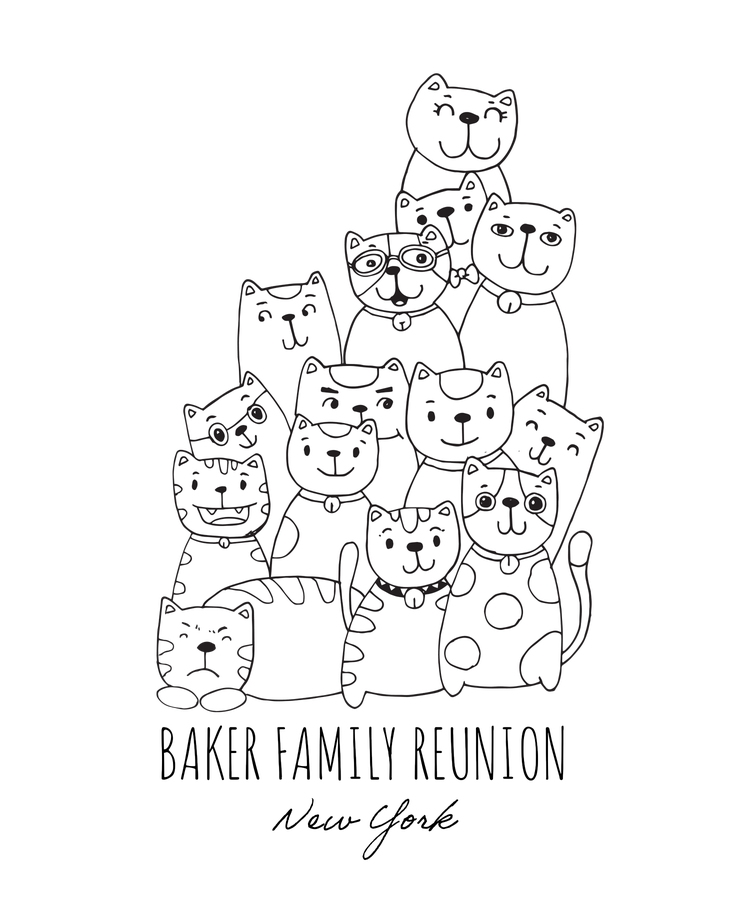
Family reunion shirts are basically the uniform for the group photo, so the design needs to be clear, readable, and easy to spot in pictures. The best ones also have one personal detail, like a name, year, or inside joke, so it doesn’t feel like a generic template.

Family tree design.

Include a tree graphic with the family name and branches for each generation.

Use a simple tree icon and list generations in short labels so it stays readable. Avoid stuffing every name into the tree unless you’re printing a large back design.

Last name focus.
Highlight the family’s last name with bold typography and a fun tagline (e.g., "The Smiths: Built to Last").
Year and location.

Feature the year and location of the reunion with a map or coordinates.

Put the year and location clearly on the front so it feels like a travel souvenir. A small map outline or coordinates are a clean extra detail if you want to add one.

Custom crest.

Design a family crest with symbols that represent your family’s values or history.

Use a shield layout with two to four symbols that actually represent your family, like a hometown or shared tradition. Keep the crest clean so it prints sharply, and create a color palette that represents your family.

Matching colors.

Use a color scheme that represents unity, with each branch of the family wearing a different shade.

Speaking of color palettes, assign different shirt colors to each branch of the family. This keeps the group coordinated without needing different layouts.

Inside jokes.

Include a funny phrase or inside joke that only your family will understand.

Use one short phrase that your family will immediately recognize. But, keep it short so it still looks like a shirt you would wear in public.

Generational pride.

Add phrases like "Generation Strong" or "Legacy in the Making."

Use a phrase like Generation Strong and pair it with the year or family name. Print it out in bold type and simple icons keep it looking clean.

Photo collage.

Use a collage of family photos as the main design.

Use fewer photos and make one or two of them large so faces are visible. Be careful of using too many small photos, because these can turn into a blurry patch from a distance.

Heritage theme.

Incorporate cultural symbols or flags that represent your family’s heritage.

Use heritage elements in a respectful, specific way and keep the rest of the design minimal. A small band, border, or accent is usually enough.

Reunion tagline.

Add a catchy tagline like "Together Again" or "Family: Where Life Begins and Love Never Ends."

Put the tagline under the family name like a slogan and keep it shorter than the headline. That way, it supports the design instead of competing with it.

Reunion shirts work best when the design is simple enough for everyone to wear comfortably, but specific enough to feel like your family. Keep the layout clean, make the text easy to read, and people will keep the shirt as a real keepsake from a fun family event.

recipe

collection=default&templateIds=urn:aaid:sc:VA6C2:82e350fe-7dbf-5595-9100-4378a6da0638,urn:aaid:sc:VA6C2:0926bced-98e9-5459-97c3-7a4a9a0ad3f2,urn:aaid:sc:VA6C2:d6960152-e67b-5034-af15-8035d2bc4943,urn:aaid:sc:VA6C2:4eba9901-1433-4d94-804d-b660868c1487

How to make your T-shirt design look like real merch before you print it.

If your design looks great on your screen but “off” on fabric, it’s usually a scale or contrast issue. Shirts wrinkle, bodies move, ink sits differently than pixels, and what looked crisp in a square artboard can suddenly look small, crowded, or low-contrast once it is on cotton. Start by sizing your main graphic so it reads from a few feet away, then do a quick squint test: if the design turns into visual mush, simplify the shapes or bump up contrast.

Start with distance readability. A real merch design should make sense from a few feet away, like when someone walks past you in a hallway. Do a quick squint test: zoom out until the shirt is roughly the size it would be in a full-body photo. If your design turns into a blur, your fix is almost always the same: make the main element bigger, cut tiny details, and simplify shapes.

Next, check contrast and line thickness. Thin strokes and light fonts can disappear after printing, especially on heather fabrics or darker shirts. If your design has outlines, make them thicker than you think you need. If you are using text, pick a weight that holds up when it is printed, not just when it is viewed on a bright screen.

Then, treat placement like the whole game. Center-chest prints look classic, but “real merch” often uses smarter placements: a small left-chest mark, a sleeve hit, or a big back print with a clean front. Mock it up on a shirt template before you commit so you can see how it sits on the body. You will usually catch issues like the design sitting too low, getting swallowed by the armpit area, or fighting with natural folds.

Keep your text bolder than you think you need, and avoid hairline strokes that can disappear once printed. A practical trick is to mock your design on a shirt template first, then adjust placement for the chest, pocket, sleeve, or back before exporting. Use these templates to sanity-check layout and placement and design your final print-ready version.

Quick design checklist for your T-shirt design ideas

Bring the best T-shirt design ideas to life with Adobe Express.

Once you’ve picked a direction, start with a template on Adobe Express so your spacing and proportions are already doing the heavy lifting. You can build the shirt design itself, then create matching extras for the same event or group, like a banner for the booth, a poster for the hallway, or a card insert for packaging. If you’re making shirts for a team, school event, or family reunion, save your finished design as a reusable template so names, dates, or locations are easy to swap without rebuilding everything.

You might also like...

View all