What makes a QR code worth scanning?
Quick-response codes, or QR codes, have evolved from industrial tracking solutions into tools providing a frictionless, mobile-first way to connect people with information, services, and digital experiences instantly.
You can find them on menus, posters, packaging, business cards, and yes, even t-shirts. When paired with thoughtful messaging, they go beyond providing information and guide users to the next step.
QR codes only work when people choose to scan them. This is where most strategies fail. It’s because users don’t understand why they should scan the QR code, don’t notice it, or are uncertain what they’ll get by scanning it.
Roberto Maggio, Chief Marketing Officer at QRCodeKIT, explains that scanning a QR code is intentional and requires effort, and good QR code design ideas offer context. When faced with a QR code, people ask whether interacting with it is worth it. If its purpose isn’t clear, it likely won’t get scanned.
Below are the important factors driving effective QR code engagement:
Intent and timing.
QR codes should appear where people are naturally looking for next steps. For example:
- At the bottom of a product guide: “Scan if you need troubleshooting.”
- On café menus: “Scan for today’s special.”
- At the end of a presentation slide: “Download resources here.”
A QR code is most useful when it reduces or removes friction from an action someone already wants to take.
Clarity of purpose.
The context of a QR code is key to encouraging people to interact with it.
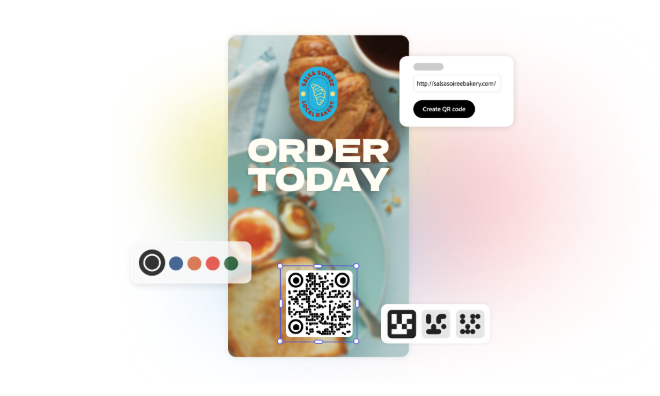
Imagine stumbling across a QR code, just the code and nothing else, on one of your walks. Compare that to a conference QR code on an on-brand poster with a clear CTA like “Scan to register.” The latter tells users what they can gain even before scanning the code.
Users are also more likely to engage when scanning the code offers them something they can’t get elsewhere. According to Uniqode founder Sharat Potharaju, successful QR code strategies work because they deliver unique value.
Clean design and scannability.
Styled QR codes look good and capture people’s attention. But when coming up with QR code design ideas, prioritize functionality. For best results:
- Use high contrast between the code and background.
- Avoid placing codes on patterned or busy textures, which may make it harder for scanners to detect the code.
- Leave breathing space around the code (the white space called the “Quiet Zone”) to make it easier for scanners to locate the finder patterns, which help with accurate code reading and recognition.
Lastly, test the QR code using multiple devices before finalizing for print or digital use. This helps confirm compatibility and prevent errors.
Trust signals.
People won’t scan a QR code they don’t trust. Per Maggio, intentional design, brand logo, and a clear message help people trust and scan your code.
Help build user confidence by clearly labeling QR code destinations and providing context before scanning.
Placement and size.
For printed materials, a QR code should be at least 1 x 1 inch, depending on viewing distance. If it’s too small, devices might not be able to read your QR code. For posters or signage, larger is better, so people can scan the code from a distance.
Scanning distance and the size of your printed material also matter. Per Scanova, the 10:1 rule is a good baseline, where 1 meter of scanning distance is equal to 10 cm of code.
Avoid fold lines, corners, or edges where scanning could be difficult.