



Free Screenshot Capture App For Desktop.
Adobe Express Photos is the free screenshot capture app for Windows built around the way people actually use screenshots at work, in the classroom, and at home. Capture a selection, your full screen, or an entire scrolling webpage. Mark up with text, arrows, and shapes. Crop and share without switching apps. Everything in one place, free from the Microsoft Store.
Now available on Windows only.
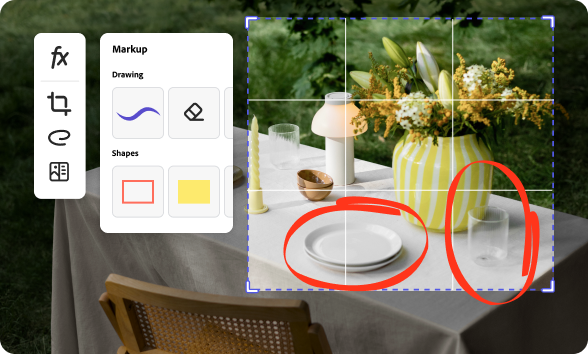
1. Download Adobe Express Photos.
Go to the Microsoft Store and download Adobe Express Photos to your Windows device.

2. Take a screenshot.
Open Adobe Express Photos from your desktop or enable shortcut permissions and use PrtSc or Win+Shift+S. Capture a selection of your screen, your full screen or an entire scrolling webpage in one click.

3. Annotate and share.
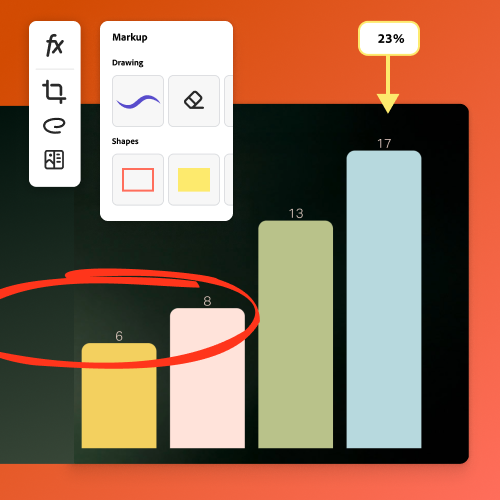
Add text, arrows, shapes, and highlights to your screenshot, and share directly from the app.
Snap and edit the ideal screenshot in one app.
Adobe Express Photos makes it easy to take a screenshot on Windows, then edit it from the same application using simple keyboard shortcuts. Select any area of your screen, grab a full-screen snapshot, or use scroll capture to screenshot an entire webpage as one image.
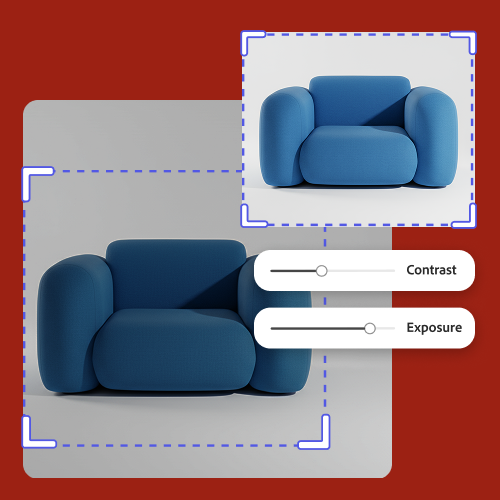
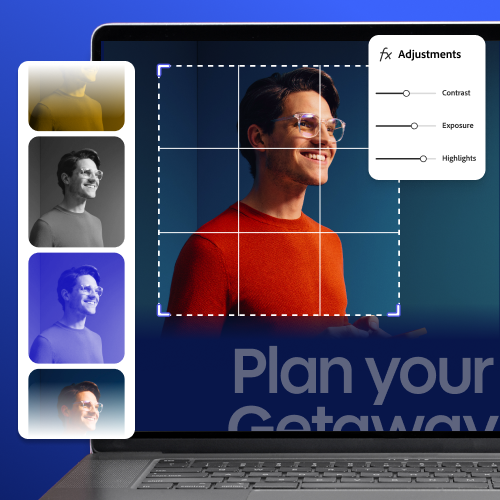
Capture scrolling screenshots in one click.
Capture documents, spreadsheets, entire webpages - no need to take and stitch together multiple screenshots. Then, easily annotate and share in seconds.
One app for every screenshot workflow.
Whether you're a marketer, a developer, a teacher, or a content creator, screenshots are part of your workflow. Adobe Express Photos handles every step, capture, annotate, share, so you can stop juggling multiple tools and focus on your work.
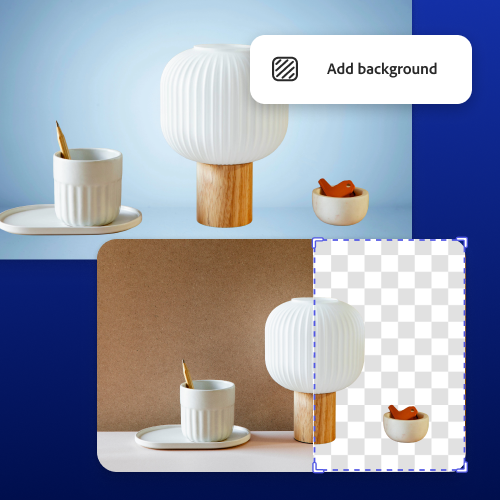
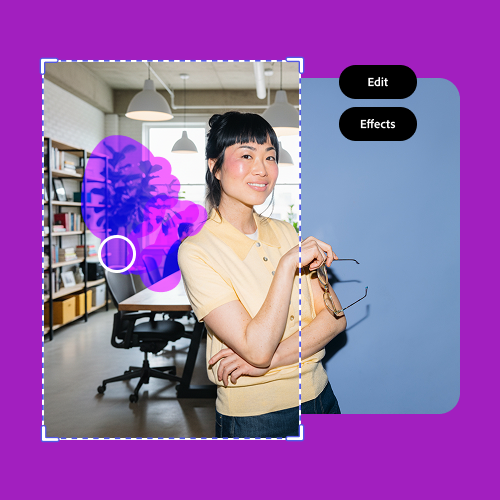
Save time with single click AI edits to your screenshot on Windows.
Adobe Express Photos also gives you AI-powered photo editing tools right in the same app for free with limited free daily generations. Remove unwanted objects, erase distractions, and remove backgrounds with one click to create clean, professional cutouts for presentations or social posts.
Turn to Adobe Express for polished designs.
Most screenshot tools stop at saving a file. Adobe Express Photos connects directly to Adobe Express, so your capture can become something more. Drop it into a social post template, build a step-by-step training guide, design a sales flyer with your brand kit or create a product launch announcement.
Frequently asked questions.
How do I download Adobe Express Photos?
It’s easy: just go to the Microsoft Store and search for Adobe Express Photos. You will be instructed to download the app directly to your device.
What makes Adobe Express Photos a standout option for taking screenshots on Windows?
Adobe Express Photos is a simple tool you can easily access on Windows devices. With it, you can take partial or full screenshots. The app also integrates seamlessly with Adobe Express, which means you have some of the most powerful tools at your fingertips for in-depth editing, creating, and exporting.
Are the AI tools in Adobe Express Photos easy to use?
Yes, the AI tools are designed to be super easy to use and may use generative credits. Just write a short prompt that describes what you want to add or change in your image, and generative AI does the rest.
How quickly can I screen capture an image using Adobe Express Photos?
If you choose AX Photos as the default for Print Screen, It's as quick as pressing the Print Screen key and clicking the area you want to capture. From there, you can edit your images right in the app, or send them to Adobe Express to access more powerful editing tools.
Can I get Adobe Express for free? If so, what’s included?
Yes, we have a free plan available for anyone. Enjoy everything you need to stand out, including thousands of templates, hundreds of Adobe Stock images, photo editing and effects, and much more. Visit our plans and pricing for details.
Can I blur or hide information in my screenshot?
Yes. Adobe Express Photos lets you blur out information directly within the app before sharing. Simply select the area you want to hide and blur or cover it in one step.
What's the difference between Adobe Express Photos and Adobe Express?
Adobe Express Photos is a free Windows desktop app focused on screenshot capture, image editing, and annotation. Adobe Express is the broader design platform for creating things like social posts, flyers, presentations, and branded content. The two work together seamlessly: capture and edit in Adobe Express Photos, then send your image straight into Adobe Express to further refine or transform it into content.
Is Adobe Express Photos available on Mac?
Adobe Express Photos is currently available on Windows only. You can download it for free from the Microsoft Store.
How do I share my screenshot?
Sharing your screenshots is easy. Click Share to copy the image to your clipboard, send directly to your contacts, or open in another app. Click More and Save as to export the screenshot to your device.



