



The free photo editor app for Windows.
Adobe Express Photos is a free photo editing app built for Windows. Edit images, capture and annotate screenshots and more, all from the free Windows desktop app.
Now available on Windows only.
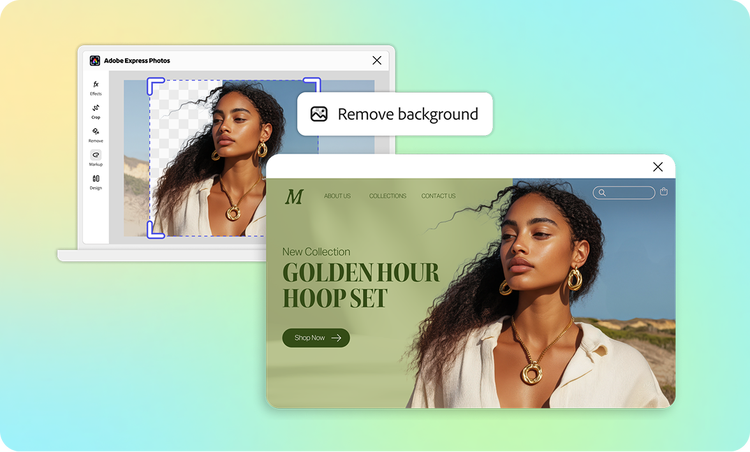
How to start with Adobe Express Photos.
1. Download Adobe Express Photos.
Download the free app from the Microsoft Store and open it on your Windows desktop.

2. Edit and enhance your photo.
Upload a photo from your device and crop, apply filters, remove backgrounds or use AI tools to clean up your shot (may use generative credits).
3. Download your image.
Download your edited photo directly, or send it to Adobe Express to use in a social post, flyer, or presentation.
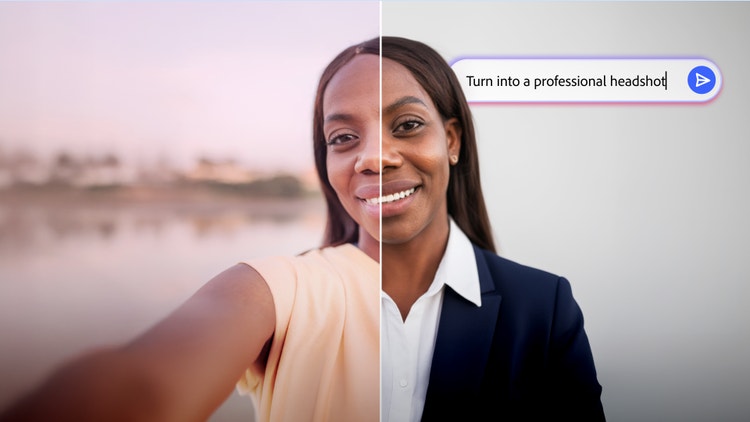
Transform photos with AI Assistant.
Turn any photo into polished, shareable results with AI powered edits and simple prompts – no previous design skills needed. Simply describe the updates you want to make and the AI Assistant (beta) applies edits directly to your photo.
Make every photo edit a quick one — right on your Windows desktop.
Crop, enhance, and apply filters to your photos without opening a complex editor. Adobe Express Photos gives you the most-used photo editing tools as a native Windows app — fast enough for daily use, powerful enough for standout results. Edit a photo for Instagram, a team presentation, or your personal portfolio in minutes, without leaving your desktop.


Mark up your photos on desktop on Windows.
Adobe Express Photos makes it easy to mark up your photos or screenshots with arrows and text, and share polished visuals without switching apps. Whether you're annotating a product photo for your team or marking up a screenshot for a client, everything happens right on your Windows desktop.
Turn your photos into designs with Adobe Express.
Once you've edited your photo in Adobe Express Photos, take it straight into Adobe Express to build something more. Add your photo to a flyer, social post, presentation, or banner using thousands of free templates. Your edited photos and designs stay in sync — no re-uploading needed.
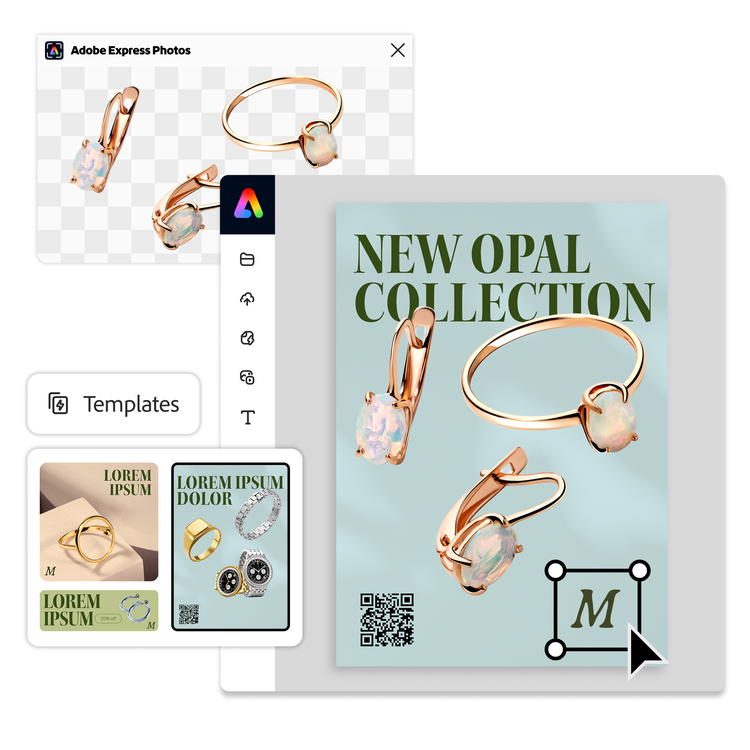
Everything you can do with Adobe Express Photos.
The free photo editor for Windows: what makes Adobe Express Photos different.
Many photo editors for Windows are either too complex for everyday use or too basic to produce professional results. Adobe Express Photos sits in the middle as a free Windows photo editing app with AI-powered tools, a clean interface, and direct integration with Adobe Express designs (may use generative credits). Whether you're editing a single photo or building a full social campaign, it's built to fit the way you actually work on Windows.
Photo editing that fits your Windows workflow.
Unlike browser-based photo editors, Adobe Express Photos is a native Windows desktop app, which means fast performance, easier access to files on your device, and no need to upload photos to a website every time you want to make an edit. Open a photo from your desktop and apply your edits.
AI-powered photo tools, built right in.
Adobe Express Photos brings AI photo editing tools to your Windows desktop that used to require professional software. Remove backgrounds from photos, erase unwanted objects, and enhance image quality, all with a click. Whether you're cleaning up a product photo or perfecting a portrait, the AI tools in Adobe Express Photos do the heavy lifting, no expertise required.
From screenshot to shareable content on Windows.
Adobe Express Photos is not just a photo editor. It is a screenshot and annotation tool built for Windows too. Capture any part of your screen, mark it up with shapes, text, and highlights, and share it directly from the app. Ideal for tutorials, product walkthroughs, bug reports, and quick visual communication. It is the screenshot editor Windows users have been wanting.



