



What is frame rate?
Frame rate, or FPS (frames per second), refers to how many individual image, called frames, are shown every second in a video. Although video looks like continuous motion to the human eye, it is actually made up of many still images played quickly in sequence. The faster the frames are shown, the smoother the motion appears.


Motion pictures, TV broadcasts, streaming platforms like YouTube, and even smartphones use the standard frame rate of 24fps. This speed accounts for a phenomenon called motion blur, an optical effect that makes moving objects look out of focus due to quick movement.
“If you were at a cricket match and someone hit a ball, you would see a little bit of a motion blur,” director Margaret Kurniawan explains. “You don’t see things totally clearly. So at 24 frames per second, it shows that there’s a little bit of motion blur, but most things are clear enough that it makes logical sense in your mind.”
Understanding frame rate and FPS is essential for choosing the right settings in your camera or video project, especially when creating short films or other video content in India.
A brief history of frame rate
In the early days of films, film wasn’t responsive enough to capture the short exposures needed to show motion fluidly. That's why photography subjects in the 1800s had to stand still for long stretches of time to get their picture taken. In the late 1880s, technical progress in film meant a higher number of frames could be captured by hand cranking a roll of film through the camera. This led to the use of varying frame rates, from 14 to 26fps, making real-time movement inconsistent.
Mechanical cranks were eventually added to film cameras to stabilise the recording process. However, many filmmakers preferred to shoot specific scenes in different frame rates for different cinematic effects, such as the super-fast motion seen in Charlie Chaplin films, demonstrating early experimentation with FPS and shutter techniques in cinema history.
Understanding these early frame rate experiments helps modern creators decide the best FPS and frame rate settings for their own video projects.
The move to the 24fps standard.
Two significant factors prompted the adoption of 24fps as the industry standard: the advent of sound synchronisation and TV broadcasts. Earlier attempts to incorporate sound into film proven unfruitful, but by the late 1920s, the phonograph and similar inventions allowed Hollywood to sync audio during playback, starting with 1927’s The Jazz Singer. Filmmakers shifted from the 16fps silent film era to 24fps, which became the standard for combining sound with smooth motion while using the least amount of film.
In the fifties, 30fps became the norm for analogue TV broadcasts in North America, Japan and South America. At the same time, Europe and Africa adopted 25fps due to the different video formats based on hertz power, the NTSC and PAL, respectively. Modern television shifted away from these formats in recent times due to digital conversion, but the NTSC and PAL standards are still in use in the film and television industry. “A lot of times when I work on a project that’s European-based, they’ll say, ‘Just make sure to shoot in PAL mode,’” cinematographer Hiroshi Hara says.
Understanding why 24fps became the standard helps creators today choose the most suitable frame rate for their videos and achieve realistic motion.
How shutter speed and frame rate connect.
Frame rate and shutter speed are often mistaken as interchangeable. While they are different, they share a close relationship in how motion is captured. Shutter speed is a measurement in seconds of how long the shutter (which controls how much light is allowed into the camera) is open. The faster the speed, the lower the amount of light exposed to the film or digital sensor.
There are many different types of shutters, from focal-plane shutters (common on DSLRs) to leaf shutters (found on medium to large cameras). However, for video, the most common shutter is an electronic one, though film cameras still use rotating discs for their light control. Electronic shutters have the ability to set higher or lower shutter speeds, in comparison to manual shutters, which must be physically attached.
As a general rule, to achieve realistic motion for the human eye, the shutter speed should be roughly twice the frame rate, showing the direct relation between FPS and shutter speed.
Adding a clear understanding of this relationship helps creators set the right FPS and shutter speed in their cameras for smooth, professional-looking video.

Shutter angle versus shutter speed.
The rotating disc is the most commonly used type of shutter in the film industry. It operates at a single constant shutter speed, and instead of changing the speed, filmmakers adjust the shutter’s shape or angle in 15-degree increments.
How shutter angle affects exposure:
- The larger the angle, the more light passes through.
- Adjusting the angle proportionally affects the exposure, similar to changing shutter speed.
- Most film cameras use angles ranging from 0 to 180 degrees.
Cinematic impact:
- At 180 degrees, each frame is exposed for half the time it takes to play in one second, producing the classic motion blur seen on the big screen.
- “They realised at 24fps, a 180-degree shutter angle gives you the best motion blur that looks realistic,” Hara says.
Practical considerations:
- Shutter angle explains why higher frame rates require more lighting to maintain the same exposure as lower frame rates.
- Understanding shutter angle helps creators set FPS in camera correctly and achieve the desired cinematic look.
When to use different frame rates.
Most video content uses the standard frame rate of 24fps, but choosing the right frame rate depends on your project type and the visual effects you want to achieve. Understanding FPS in camera helps you decide which frame rate will produce the best results.

Common frame rates and their uses:
- 24fps: Used for Bollywood and regional films, streaming content, and short independent films to achieve a classic cinematic look. Produces natural motion blur, making movement appear realistic on the big screen.
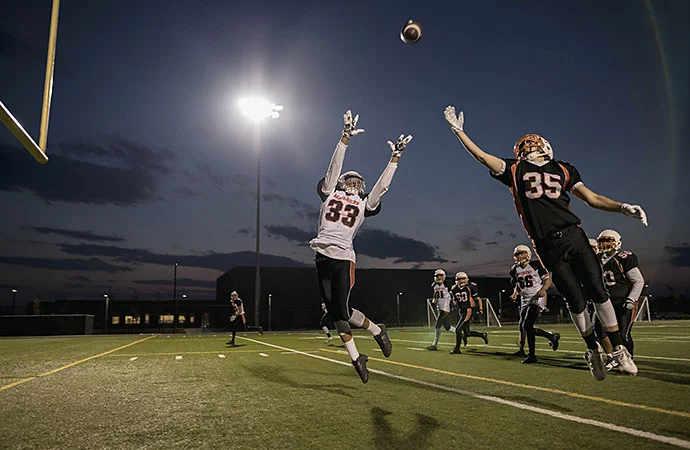
- 30fps: Ideal for live television broadcasts, cricket matches, news shows, and web series. Captures movement clearly in real time, making it perfect for fast-paced action like sports highlights or live events.
- 60fps: As higher-resolution content like 4K becomes more common, 60fps provides smoother motion and greater detail, suitable for action sequences in films, gaming videos, or educational content. Helps capture fast movements without blurring.
- 120fps and above: Produces slow-motion video and captures extremely fast-moving action. Useful for sports replays, dance performances, or cinematic special effects. High-speed cameras may be required to maintain natural motion at these frame rates.
Tips for choosing a frame rate:
- Know your project type: Decide whether you are creating a short film, Bollywood-style feature, web series, cricket highlight reel, or educational content. Each project type may require a different FPS.
- Understand FPS in camera: Knowing the relationship between frame rate and shutter speed ensures smooth motion and proper exposure.
- Consider motion and detail: Fast-moving subjects like sports, dance, or action scenes often benefit from higher frame rates (60fps or 120fps), while slower scenes like dialogues or cinematic sequences may look better at 24fps.
- Combine frame rates for effect: Some creators mix multiple frame rates in a single project to achieve slow-motion effects or cinematic pacing.
- Check your output platform: Streaming services, social media platforms, or television may have standard FPS requirements. Planning ahead avoids playback issues and maintains visual consistency.
- Lighting and exposure: Higher frame rates require more light. Ensure adequate lighting on set or in your location, especially when shooting outdoors in India’s varied lighting conditions.
Choosing the right frame rate and understanding FPS in camera allows creators across India to produce professional-quality video with smooth motion, cinematic effects, and the desired visual impact for any type of project. Discover more about frame rates and sequencing or combine multiple frame rates together to create your own distinctive style.
Frame rate in mobile filmmaking.
India has a growing community of mobile filmmakers, content creators, and vloggers. Understanding FPS in camera on smartphones is essential to capture smooth, professional-looking videos. Modern phones like iPhone, Samsung, Google Pixel, and OnePlus allow users to adjust frame rates from 24fps to 60fps or higher depending on the project type.
Tips for mobile FPS:
- 24fps: Ideal for cinematic-style short films or indie projects. Gives your video the classic Bollywood or regional film look.
- 30fps: Works well for social media videos, interviews, or vlogs where smooth motion is required without heavy file sizes.
- 60fps and above: Best for sports highlights, dance performances, or fast-moving scenes. Higher FPS ensures minimal motion blur and crisp action.
Additional advice:
- Check your lighting conditions, as higher frame rates require more light, especially for outdoor shoots in India’s varied environments.
- Combine FPS creatively: shoot slow-motion clips at 120fps and regular sequences at 24fps for cinematic effect.
- Most smartphones allow manual adjustment of shutter speed and FPS in pro modes or third-party apps, giving more control over motion capture.
Frequently asked questions.
Frame rate is the speed at which frames are displayed in a video, while FPS, or frames per second, is the unit used to measure that speed.
Yes, higher frame rates such as 60fps or 120fps increase the number of frames captured per second, which can make video files larger and require more storage.
Yes, mixing multiple frame rates is possible and often used to create cinematic effects, slow motion, or dynamic pacing. However, it requires careful editing to maintain smooth playback.
Lower frame rates like 24fps produce natural motion blur for cinematic look, while higher frame rates reduce motion blur and make fast action appear sharper.
Adobe Premiere allows you to interpret footage, retime clips, and adjust frame rates for smooth motion and professional video output, making it ideal for creators working with multiple FPS in a single project.


Creativity for all
Photography, video, graphic design, illustration and so much more. Everything you need, wherever your imagination takes you.
title
The importance of frame rate in moviemaking.
tags
caas:content-type/article,caas:products/premiere-pro,caas:product-categories/video,caas:topic/edit-video
description
Whether you want to create short independent films or be the next Peter Jackson, an understanding of frames per second or FPS will help you to ensure your work gets the proper viewing experience.
cardImage

n
cardImageAltText
People on a couch watching a film


Speed up your video workflows with Adobe Firefly generative AI.
Visualise shots and effects ahead of the shoot, generate assets missed in production to complement your edit and eliminate tedious tasks to stay focused on your creative ideas.


